

ForeverForge Mass Mail & Trade
Mass mail and mass trade: send or trade stacks of items at once. A queue beside the mailbox and trade window fills 12 attachments or 6 trade slots for you - one click per mail or trade. Send materials to alts in seconds.
Details
Expansion
 Forever
 Categories
Developers

Having issues?
ForeverForge Mass Mail & Trade
Trade or mail stacks and stacks of something at once - filled for you, one click per trade or mail. Part of the ForeverForge suite for WoW: Forever. Needs the ForeverForge core addon; ForeverForge Bags is recommended.
Moving 300 cloth to your alt used to mean dragging stack after stack, six at a time. Queue it once instead, and click TRADE (or SEND) until it's all gone.
Shortcuts
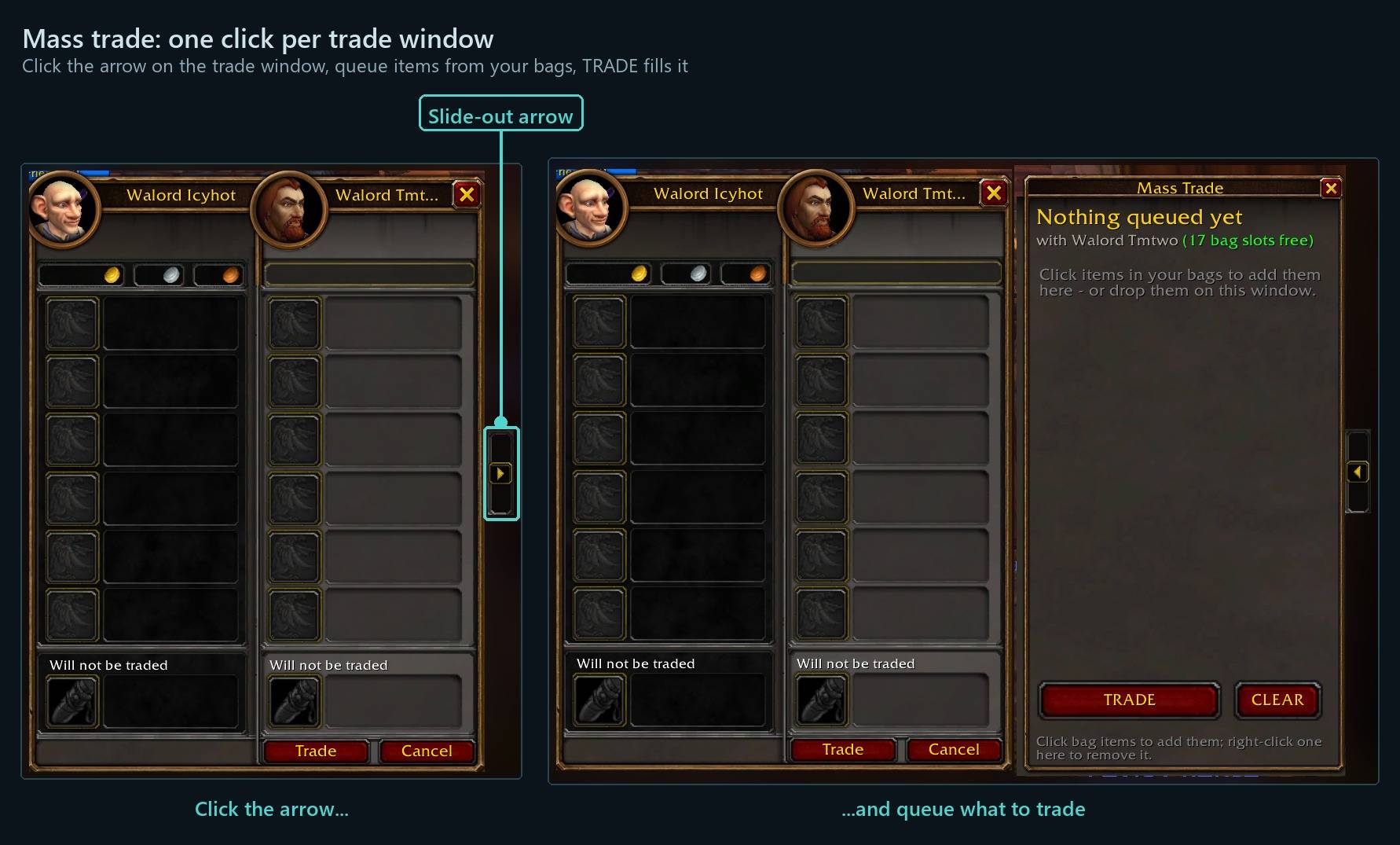
- Arrow tab on the trade window or mailbox - Slides out the queue. Click items in ForeverForge Bags (or drop any) and say how many - 130 cloth goes as 6 stacks of 20 plus a split of 10.
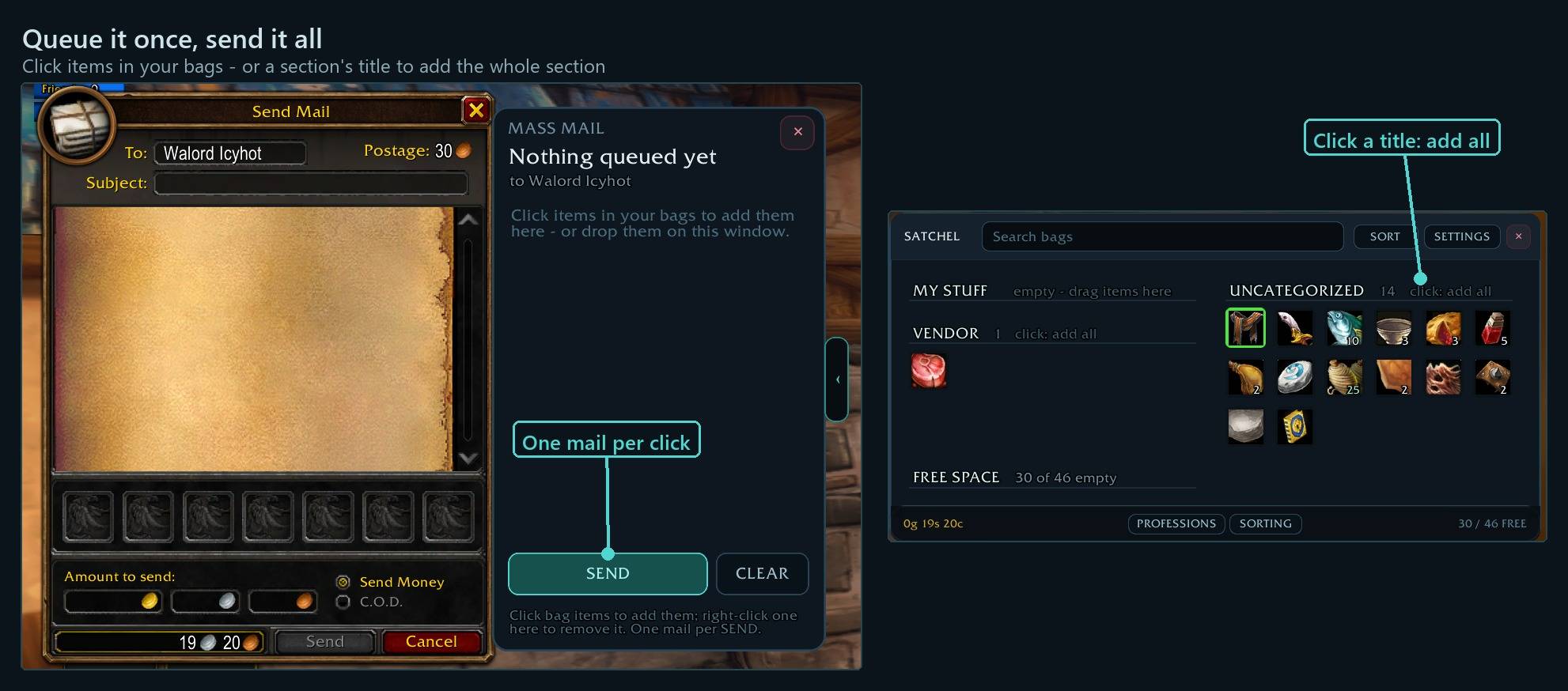
- ⭐ Click a Bags section title - With the queue open, adds the whole section in one click.
- TRADE on the queue window - Each trade fills itself and the next one opens while they're still your target. Their free bag slots show if they run ForeverForge Bags.
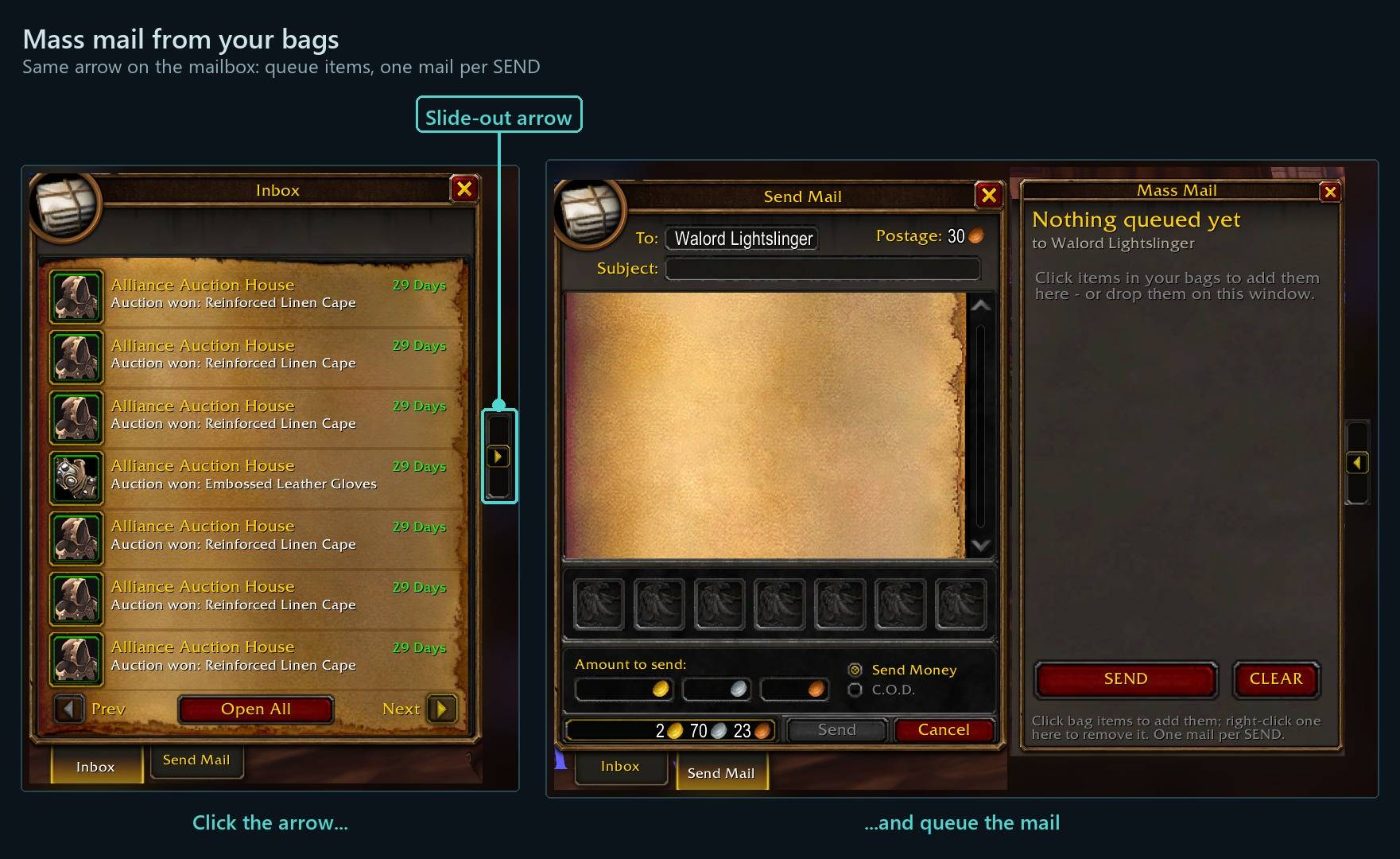
- SEND on the queue window - 12 attachments a mail, filled for you, to the name in Blizzard's To: box. One mail per click - never blank, never with gold or C.O.D.
Every shortcut for every ForeverForge addon: in game under /forge » Core » Tips & shortcuts, or the #feature-guide channel on the ForeverForge Discord.
The queue
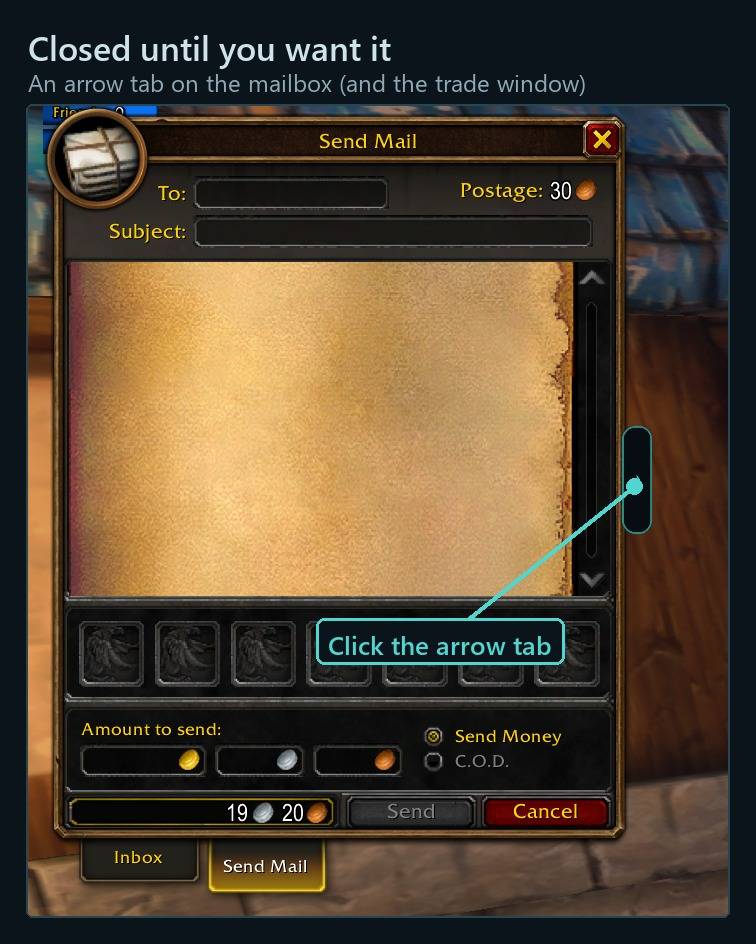
A window that slides out of the trade window or the mailbox - click the arrow tab on its right edge. It stays closed until you open it, so single trades and mails work exactly as always.
- Add items: click one in ForeverForge Bags and say how many (the most you have is already typed in and selected - just type to change it), click a Bags section's title for the whole section, or drop an item from any bags on the window.
- Any amount: 130 cloth goes as 6 stacks of 20 plus a split of 10. The split halves left behind are stacked back up when you're done.
- One slot per item with its total, however many stacks that is. Click it to change how many; right-click to take it out.
Mass trade
- Each trade fills its 6 slots by itself. Click TRADE - they press Trade too (the game wants both).
- After "Trade complete." the next trade opens by itself while they're still your target.
- "2 of 17 trades" at the top, and if they run ForeverForge Bags, their free bag slots beside their name - amber when the next trade won't fit.
- The window tucks away between trades and closes after the last one.
Mass mail
- The arrow tab switches the mailbox to Send Mail. Type the name in Blizzard's own To: box (name lookup and all) - it's remembered and put back after every send.
- Each mail's 12 attachments fill by themselves; click SEND once per mail. "1 of 3 mails sent" and the postage are shown at the top.
Careful with your gold. Mail costs postage, so it's strict: one mail per click, never on a timer; never a blank mail, nothing that isn't in the queue, never more than you queued, never gold or C.O.D., never to yourself, never without the postage. It waits for each mail to go and stops on any error. Mail to a character on another account shows Blizzard's own confirm box every time - the game's rule.
Commands
/mmt- open or close the queue/mmt settings- settings: fill by itself, open the next trade by itself, stack the leftovers back up, queue window columns
The ForeverForge suite
One look, one settings window (/forge), made for WoW: Forever. Pick the ones you want - they all use the ForeverForge core addon, and the LFG Bulletin Board also runs on its own.
- ForeverForge (the core) - one settings window for the whole suite, faster auto loot, auto quests, and vendors that sell your greys and repair.
- Bags - one bag window with smart sections or your own sorting, and Ctrl+Shift+click to disenchant, prospect, mill or pick locks.
- Auction - a faster, simpler auction house: price tooltips you can customize, one-press posting, a sniper and safe bulk buying.
- LFG Bulletin Board - group posts sorted by dungeon and shared between players, so you see groups from every zone.
- UI - unit frames, action bars, chat and meters in one clean look.
- Training - pre-pick your talents, see the spells still to come, and a better trainer window.
- Macros - build macros line by line in plain English, plus the one-click tag macro.
- Mass Mail & Trade - send a pile of items to anyone: one mail per click, trades that fill themselves.
- Custom Info Panels - build info bars: FPS, gold, bags, coords, durability, XP and more.
- Skill Tracker - progress bars for your professions and weapon skills.
Questions, bugs or ideas? The ForeverForge Discord. Enjoying it? Ko-fi
You must be logged in to leave a comment.