

ForeverForge Custom Info Panels
Info bars and data text panels: FPS, latency, gold, bag space, durability, coordinates, XP, reputation, stats and more on horizontal or vertical panels you build, style and place anywhere on screen.
Details
Expansion
 Forever
 Categories
Developers

Having issues?
ForeverForge Custom Info Panels
Build your own info bars for WoW: Forever: FPS, gold, bag space, coordinates, durability, XP, stats and more, on as many horizontal and vertical panels as you like.
Part of the ForeverForge suite. Requires the ForeverForge core addon (1.15.2 or later). This replaces the standalone Custom Info Panel addon, and your existing panels are moved over automatically.
Shortcuts
- Any reputation in a slot - A slot's dropdown » Reputation: the faction you watch or any you know, with its progress.
- Alt + right-click a panel - Opens that panel's own settings page.
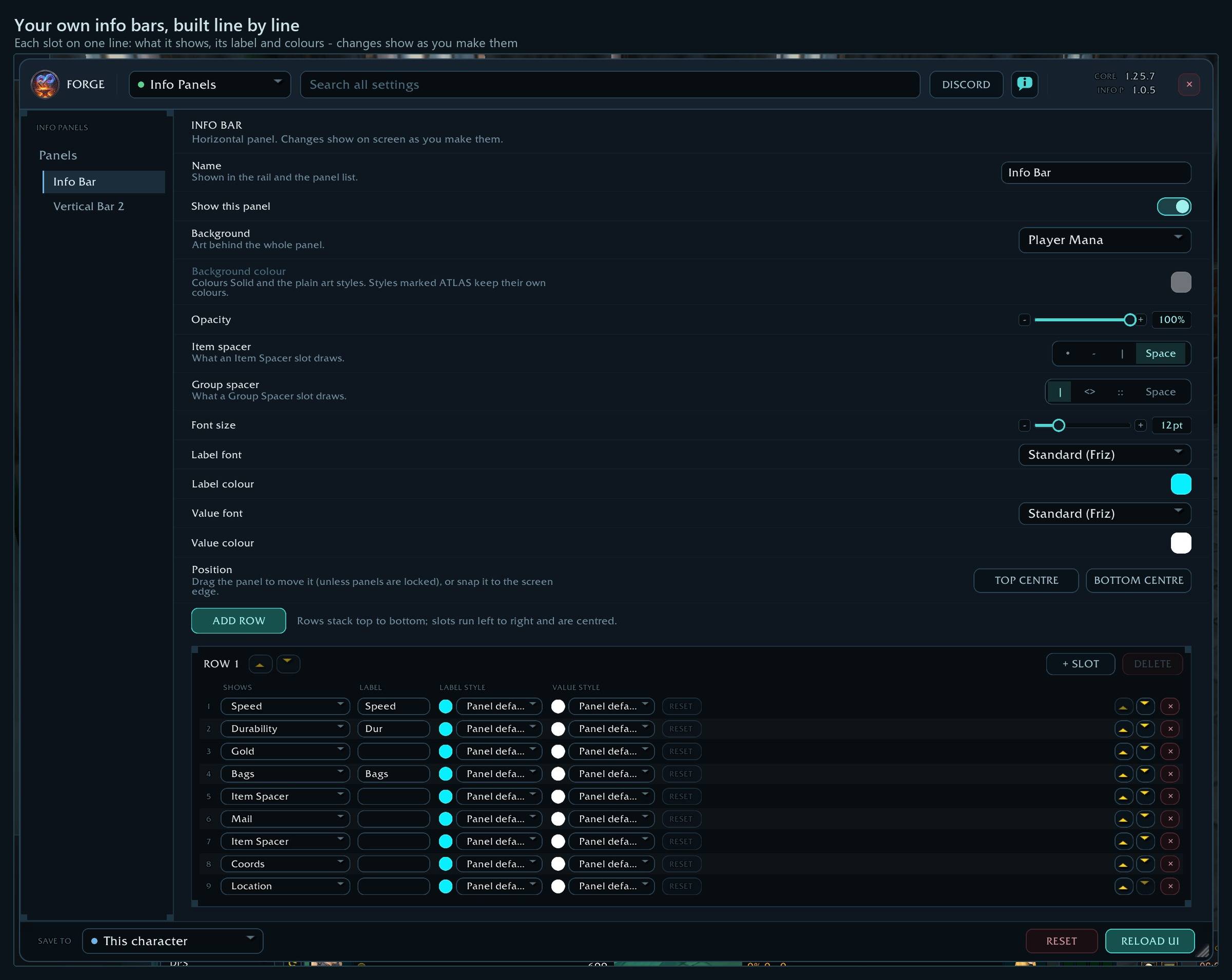
- Rows and groups editor - Add, reorder and color each line a panel shows, with its own font.
Every shortcut for every ForeverForge addon: in game under /forge » Core » Tips & shortcuts, or the #feature-guide channel on the ForeverForge Discord.
Features
As many panels as you want, laid out your way
- Horizontal panels: a single strip of info, good along the top or bottom of the screen.
- Vertical panels: a stacked list of rows in named groups, with optional group headings aligned left, centre or right.
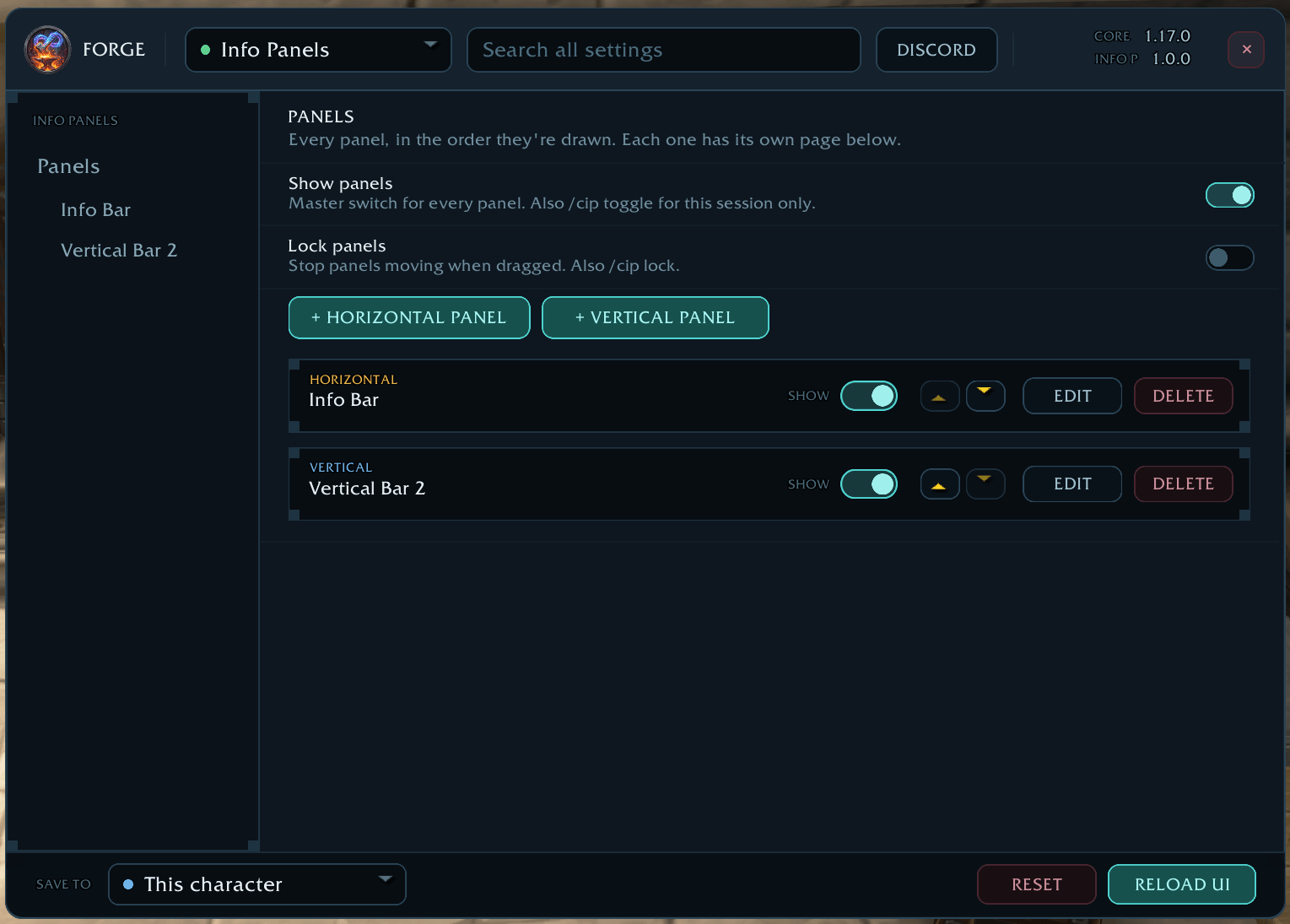
- Add, reorder, show, hide and delete panels. Each one gets its own settings page.
- A compact editor: every slot is one line in the settings. Pick what it shows from one menu - point at System, General, Social and the rest to see what each holds - then set its label, label and value colors and fonts, and move or remove it, all on that line.
- Drag panels anywhere, snap them to the top or bottom centre of the screen, then lock them.
- Positions are saved properly and restored exactly where you left them.
Nearly 40 pieces of info to choose from
| Category | Tags |
|---|---|
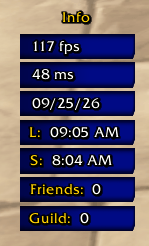
| System | FPS, Latency, Local Time, Server Time, Date, Volume |
| General | Coords, Location, Gold, Bags (free / total), Mail, Speed, Durability, Item Level, XP (short or long), Reputation |
| Social | Friends online, Guild members online |
| Base Stats | Power, Strength, Agility, Stamina, Intellect, Spirit, Armor, Defense |
| Combat | Melee AP, Ranged AP, Spell Power, Heal Power, Mana Regen (MP5), Melee Crit, Spell Crit, Hit, Spell Hit, Dodge, Parry, Block |
| Layout | Item Spacer, Group Spacer, Empty slot |
- Values update ten times a second, so FPS, coordinates and speed are always current.
- Durability shows your most damaged piece of gear, so you know when to repair before something breaks.
- XP shows current XP and percentage, or the long form (
12.40K of 28.10K (44%)). - Give any entry its own label, or leave it blank.
- Tough on errors: if a value can't be read, it shows n/a and tries again every few seconds instead of breaking the panel.
Style every panel
- Backgrounds: solid, classic WoW art, this client's own modern art (cast bar, health, mana, experience, honor and more), or anything from SharedMedia.
- Opacity, font size, and separate fonts and colors for labels and values.
- Per-entry overrides: give any single row its own label and value color or font, and reset it back to the panel's in one click.
- Vertical panels: row color, width, row height and spacing.
- Horizontal panels: item and group spacers to space things out.
One layout, every character, or not
- The whole layout (every panel, its look, position and contents) is one ForeverForge setting. It follows the save scope you pick in the settings window's footer: this character, the default for new characters, or every character.
- Import & export through ForeverForge core. Copy another character's panels, or share your layout as a string. You can undo an import.
Coming from Custom Info Panel?
- Your panels come with you. The first time it loads, every panel is moved over as it was, with the same look, position and contents. They become the account default, so every character starts with them, as before.
- If the old addon is still enabled, it tells you in chat so you don't end up with two sets of panels.
- The old Save Settings window, backup list and config string box are gone. Settings now save the normal way, and sharing goes through ForeverForge's Import & export.
Part of ForeverForge
- Settings live in the ForeverForge window with the rest of the suite. Open them with
/cip,/forge, or the ForeverForge minimap button.
Commands
| Command | What it does |
|---|---|
/cip | Open the Info Panels settings |
/cip toggle | Hide or show every panel until you reload |
/cip show / /cip hide | Turn the panels on or off (saved) |
/cip lock / /cip unlock | Stop or allow dragging panels |
The ForeverForge suite
One look, one settings window (/forge), made for WoW: Forever. Pick the ones you want - they all use the ForeverForge core addon, and the LFG Bulletin Board also runs on its own.
- ForeverForge (the core) - one settings window for the whole suite, faster auto loot, auto quests, and vendors that sell your greys and repair.
- Bags - one bag window with smart sections or your own sorting, and Ctrl+Shift+click to disenchant, prospect, mill or pick locks.
- Auction - a faster, simpler auction house: price tooltips you can customize, one-press posting, a sniper and safe bulk buying.
- LFG Bulletin Board - group posts sorted by dungeon and shared between players, so you see groups from every zone.
- UI - unit frames, action bars, chat and meters in one clean look.
- Training - pre-pick your talents, see the spells still to come, and a better trainer window.
- Macros - build macros line by line in plain English, plus the one-click tag macro.
- Mass Mail & Trade - send a pile of items to anyone: one mail per click, trades that fill themselves.
- Custom Info Panels - build info bars: FPS, gold, bags, coords, durability, XP and more.
- Skill Tracker - progress bars for your professions and weapon skills.
Credits and licence
All Rights Reserved.
Made by Walord. If you enjoy it, you can support development on Ko-fi.
Bug reports and suggestions: ForeverForge Discord

You must be logged in to leave a comment.