

Forever Quest Pins
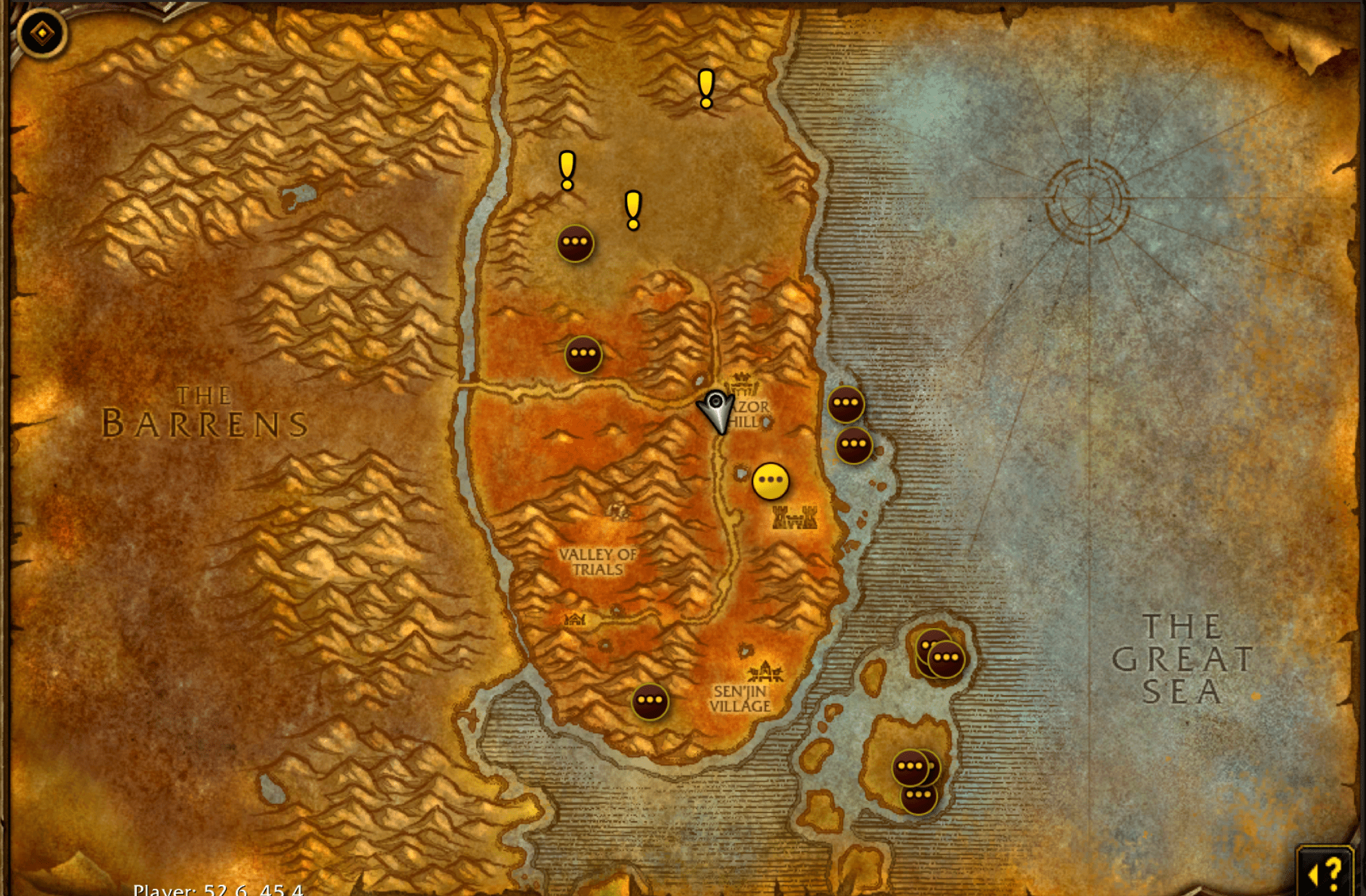
Yellow ! start markers on the World of Warcraft Forever map for quests you can accept but have not already taken. Complements the built-in tracker; it does not replace it.
Details
Expansion
 Forever
 Categories
Developers

Having issues?
Forever Quest Pins helps you find your next quest in World of Warcraft Forever. It adds quest-start markers to Blizzard’s world map and lets you click a marker to track its location.
Find quests at a glance
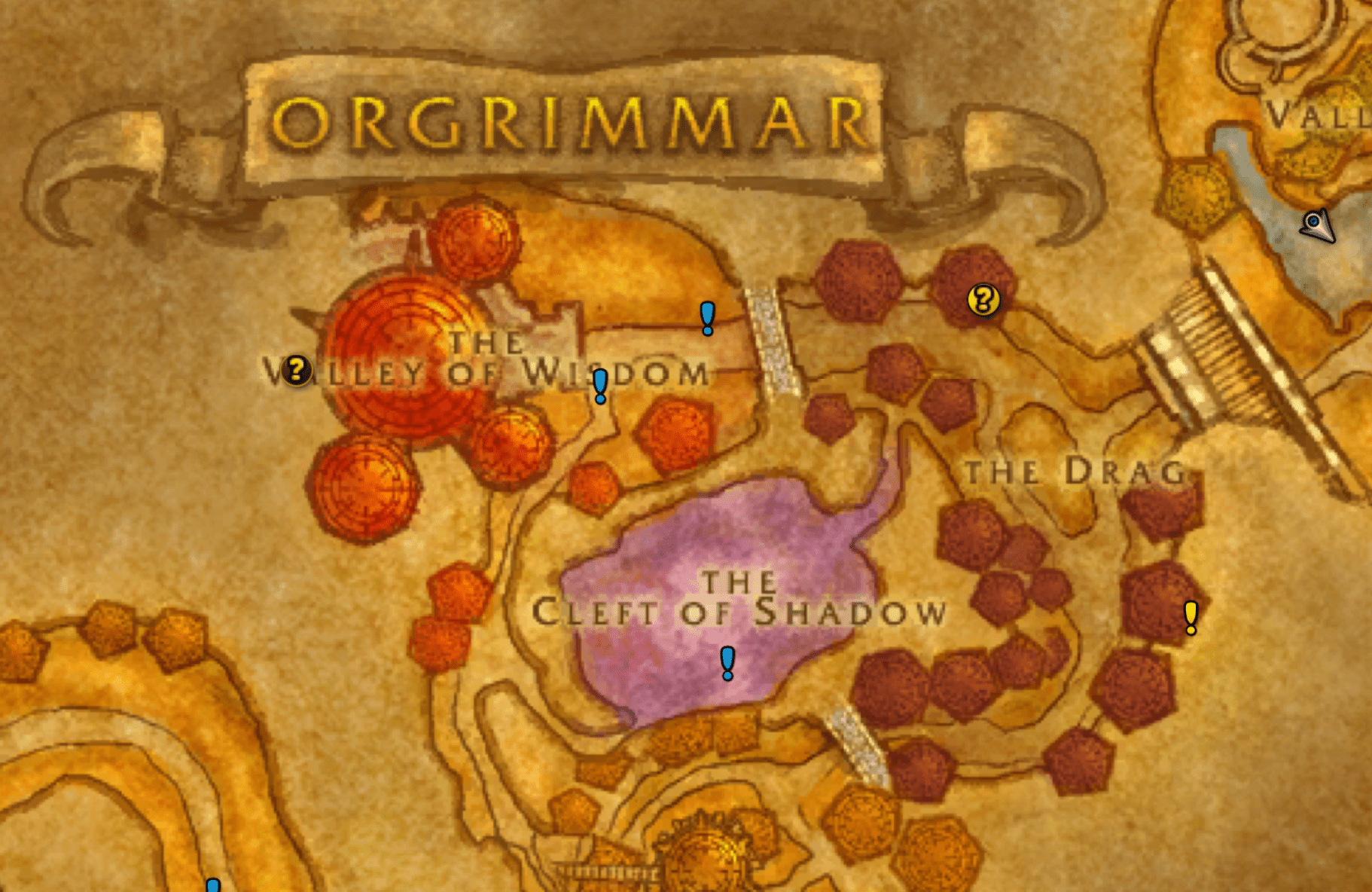
- Yellow ! markers for normal quest starts
- Blue ! markers for repeatable quest starts
- Red-orange ! markers for dungeon and raid quests, including attunement chains
- Tooltips with quest level, quest name, and quest giver name when available
- Overlapping starts grouped into one marker
- Adjustable pin size and support for windowed and fullscreen maps
Click a pin and go
Blizzard Map Pins is the default waypoint provider. Click a quest-start marker to set a waypoint at its zone coordinates. Once you accept that quest, Blizzard’s quest tracking takes over guidance for objectives and turn-in.
Enable Show in-world destination marker in the addon’s Navigation settings to display Blizzard’s floating destination marker and distance. This controls the game’s shared navigation setting.
Prefer TomTom? Select it in the waypoint provider dropdown. TomTom is optional and must be installed and enabled to use that choice.
Forever’s built-in quest tracker and objective pins continue to handle quests in your log.
Make it yours
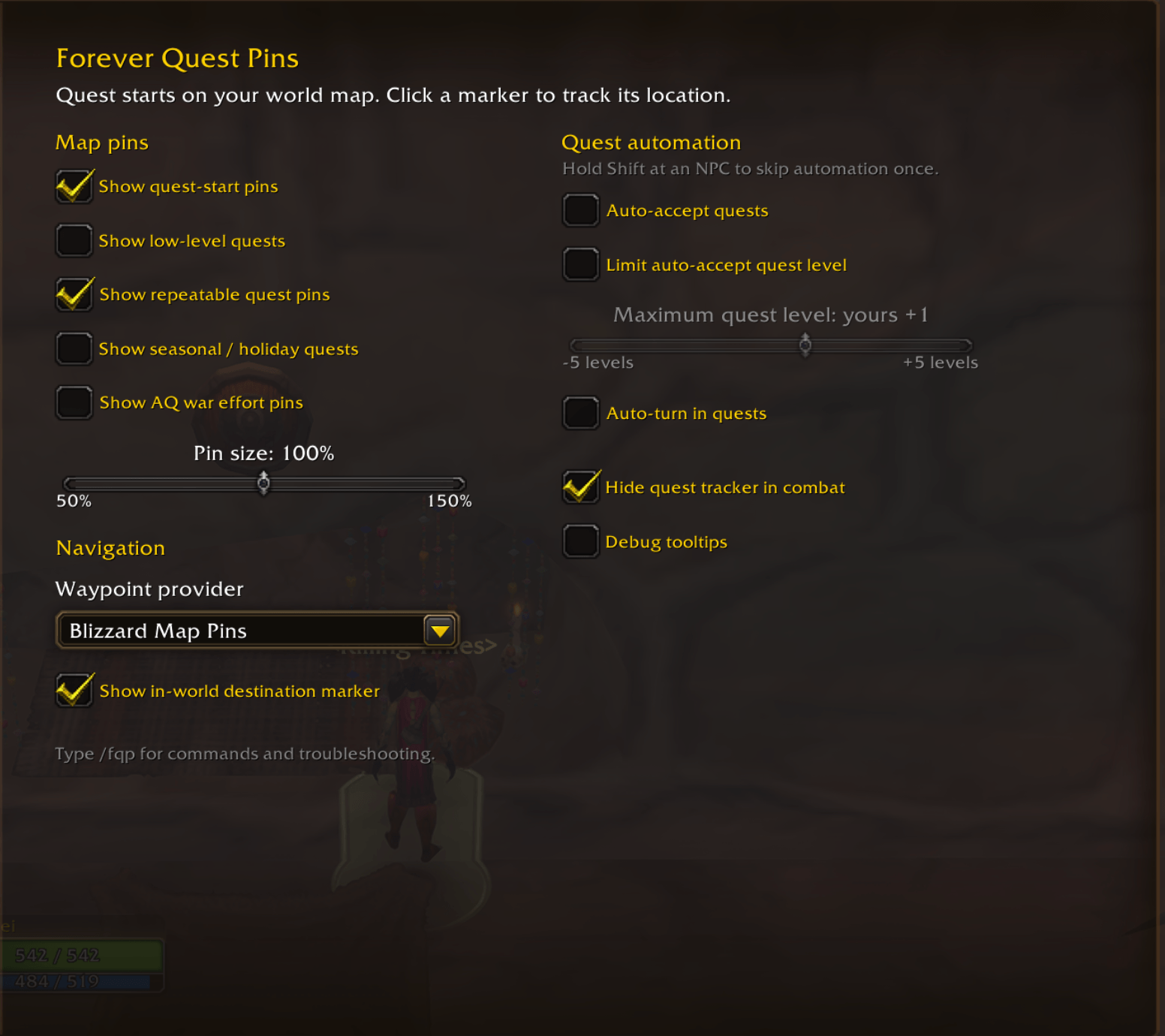
Open Escape → Options → AddOns → Forever Quest Pins. The settings are grouped into map pins, navigation, and quest automation.
- Choose whether to show low-level quests, repeatable quests, seasonal quests, and AQ war effort turn-ins
- Resize map markers from 50% to 150%
- Choose Blizzard Map Pins or TomTom for waypoints
- Enable Blizzard’s in-world destination marker
- Optionally hide the quest tracker during combat
- Optionally auto-accept and auto-turn in quests, both off by default
- Limit auto-accept to a maximum quest level relative to your character
Hold Shift while talking to an NPC to skip auto-accept and auto-turn-in once. Auto-turn-in leaves quests with multiple reward choices for you to handle manually. Seasonal quests and AQ war effort markers are off by default.
Useful commands
/fqp— show help and available commands/fqp on//fqp off— show or hide quest-start markers/fqp track <id>— track a quest start, objective, or turn-in/fqp clear— clear the addon’s waypoint or tracked quest/fqp refresh— refresh markers on the current map/fqp why <id>— explain why a quest is shown or hidden/fqp debug— toggle quest IDs and diagnostic details in tooltips
What to expect during beta
- Quest data is evolving rapidly. Missing or incorrect records can affect which starts appear and where they are placed.
- Item-started quests without map coordinates may not appear.
- Patrolling quest givers use recorded locations, with nearby position adjustments when supported.
- Objective and turn-in guidance depends on locations provided by Blizzard. A destination may be unavailable until the client supplies it.
- Blizzard supports one user waypoint at a time. Clicking a start marker replaces the current user waypoint.
- Clicking a grouped marker tracks its first quest.
FAQ
Why use this over Questie?
Forever Quest Markers is a lightweight alternative focused specifically on showing quest markers.
Questie offers many more features. If you want those features, use Questie. If you just want quest markers presented with a native-looking ui without the extras, this addon is for you.
Reporting a problem
For marker display, settings, navigation, or auto-quest behavior, report the issue on Forever Quest Pins’ issue tracker. Include the quest ID, zone, and what you expected to happen.
You must be logged in to leave a comment.