

Forever Meter Threat, damage, healing and more
Lightweight damage, healing and threat meter for WoW Forever (12.x engine). Single Lua file, zero dependencies,built on Blizzard's C_DamageMeter since the combat log is off-limits to addons. 8 modes, per-fight sessions,per-spell breakdown, 11 languages.
Details
Expansion
 Forever
 Categories
Developers

Having issues?
ForeverMeter
Damage, healing, damage taken and threat meter for WoW Forever. Light, fast, no dependencies.
⚠ Restart the game after you install or update ForeverMeter. /reload is not enough: the game loads new texture and font files only at startup.
⚡ What is it?
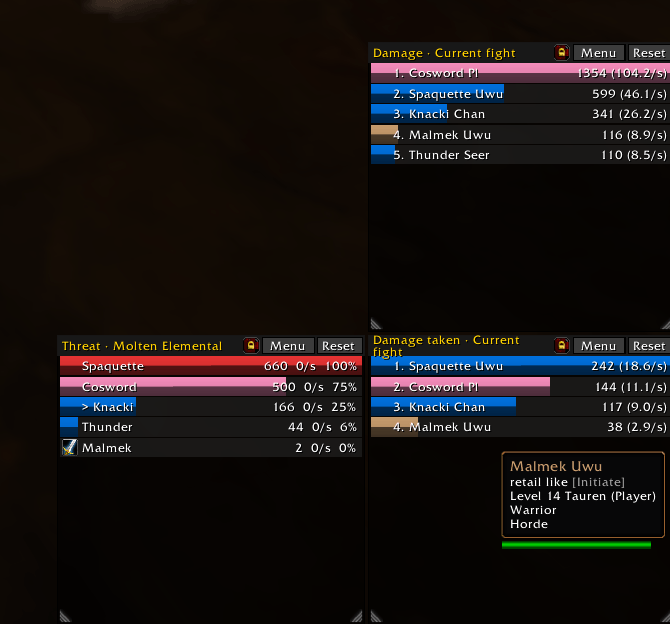
WoW Forever looks like Classic, but it runs on the modern game engine. That engine forbids the combat log to addons, and the usual meters break. ForeverMeter reads C_DamageMeter, Blizzard's server-side meter, instead. Built for client 1.60 (engine 12.x):
- One Lua file. No Details, no Ace, no LibStub. A light replacement for Details.
- Bars keep moving in combat. In combat, names, amounts and GUIDs are secret values: the game can show them, but addons cannot compare or add them. ForeverMeter shows the bars in the order the game gives them.
- The rest comes after combat. Percentages, the per-spell breakdown and the comparison are filled in out of combat.
- Threat comes from
UnitDetailedThreatSituation. - Your settings are saved.
✨ New in 1.8.0
- Bar height (options panel): slider from 10 to 40 px. Windows keep their number of rows.
- Background opacity (options panel): slider from 0 (transparent) to 1, for the meter windows and the breakdown.
✨ New in 1.7.0
- Bar text columns: total, per second and percent can each be shown or hidden, in the options panel. In combat the percent is never shown, as the amounts are secret.
- Chat report from the breakdown: right-click the breakdown title to send that player's top 5 spells to raid, party or say. With a comparison open, the compared lines are sent (
12.3k | 9.8k (+26%)). Out of combat only.
🎯 What you get
🪟 Windows
- Up to 4 windows, each with its own mode, session, size, position and lock. Damage and healing side by side.
- Docking: release a window against the edge of another one and it snaps to it. It then follows that window's moves and size. Drag it away to undock.
- Resize with the grips in both bottom corners: width and number of rows, per window.
- Padlock in each title bar: freezes the position and size of that window.
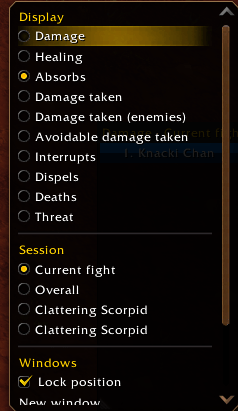
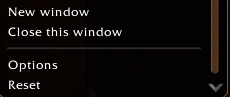
- Menu button, or right-click the title: mode, session, lock, windows, options. Reset button: clears the data.
📊 Data
- Modes: damage, healing, absorbs, damage taken, enemy damage taken, avoidable damage taken, interrupts, dispels, deaths, threat.
- Sessions: current fight, overall, or any fight kept by the client.
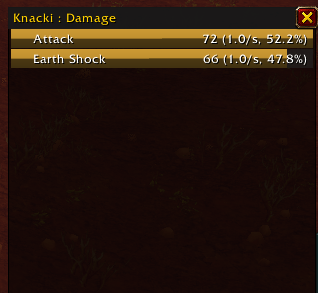
- Hover a bar: top 5 spells. Click: full breakdown per spell (icon, total, per second). Shift-click a second bar: compare both players.
- Deaths: time of death on the bar, last hits taken on hover (spell, source, damage).
- Damage taken: the breakdown names the creature that cast each spell.
- Threat: visual and sound warning above a threshold you set (
/fm warn 90).
🎨 Look and tools
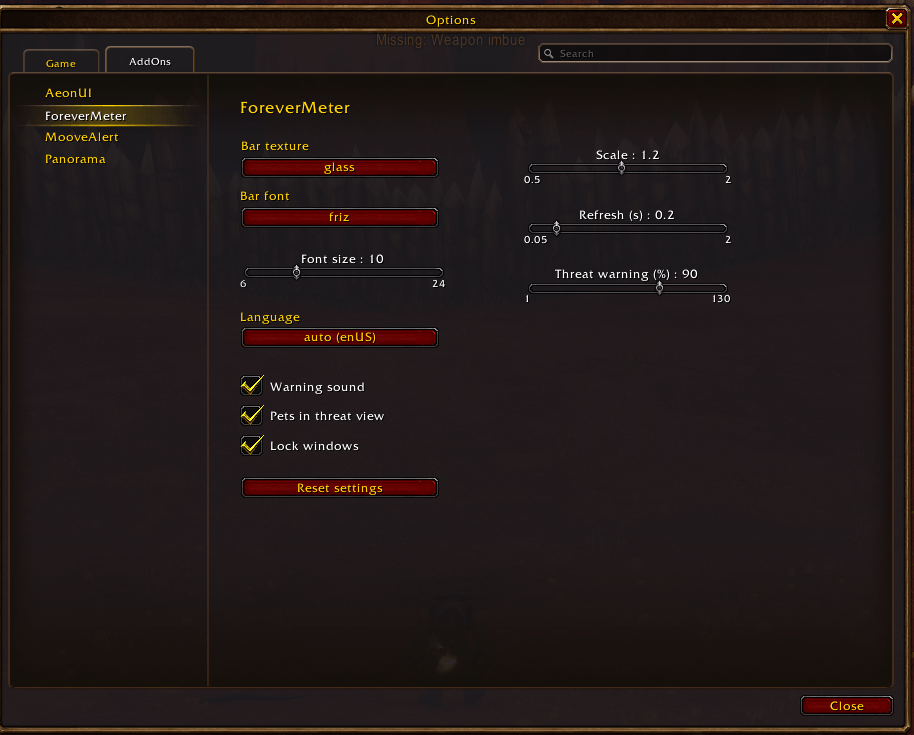
- Options panel: Options → AddOns → ForeverMeter,
/fm options, or Options in a window menu. Texture, font, font size, language, scale, refresh, threat warning, sound, pets, lock, auto show, bar text columns, bar height, background opacity, reset. - Textures and fonts: 6 textures, 6 bundled fonts, game fonts, LibSharedMedia.
- Icons: specialization icon when the client provides one, class icon otherwise.
- Chat report (
/fm report 5): raid, party or say, depending on your group. - Minimap: addon compartment button to show or hide all windows.
- 11 languages: enUS, frFR, deDE, esES, esMX, itIT, ptBR, ruRU, koKR, zhCN, zhTW. Client language by default;
/fm lang frFRforces one,/fm lang autoreverts to it.
⚠ Works, with limits
- In combat, the percent column is never shown.
- Breakdown comparison and chat report work out of combat only.
- Enemy damage taken and avoidable damage taken show only when the client provides them.
📦 Installation
- Extract into
World of Warcraft/_classic_beta_/Interface/AddOns/. - The folder must be named
ForeverMeter. - Restart the game.
/reload is not enough. The game loads new texture and font files only at startup.
⌨ Commands
/fm mode <damage|heal|absorbs|taken|enemytaken|avoidable|interrupts|dispels|deaths|threat>/fm report [N]·reset·lock·unlock·toggle·options/fm texture [name]·font [name] [size]·font default/fm windows <1-4>·refresh <s>·scale <x>·rows <n>·width <px>·warn <%>·sound·pets·defaults/fm lang [auto|enUS|frFR|deDE|esES|esMX|itIT|ptBR|ruRU|koKR|zhCN|zhTW]/fm debug: rawC_DamageMetervalues, to diagnose a display issue.
mode, report and debug act on the first window. Configure the other windows from their own menu. rows and width set one size for all windows and clear the sizes set per window.
☕ Support
Like ForeverMeter? Buy me a coffee.
You must be logged in to leave a comment.