

Forever Ledger
Gold making for WoW Forever: item values, vendor flips, a buy queue and shopping lists.
Details
Expansion
 Forever
 Categories
Developers

Having issues?
Forever Ledger
Make gold in WoW Forever without the spreadsheet. Forever Ledger scans the auction house, tells you what every item is really worth to you, and lines up the best buys for one click each.
CurseForge · Wago · Discord · Guide
Status: pre-release, tested in the Forever beta and updated often. Expect the odd rough edge, and please tell us on Discord.
Major features
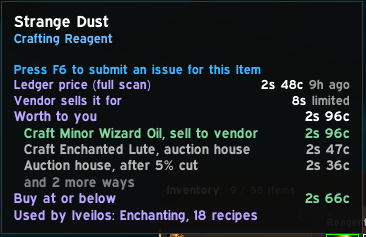
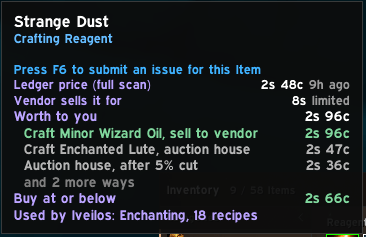
 | Know what everything is worth. Hover any item: sell it, vendor it, disenchant it or craft it, whichever pays most, and the most worth paying for it. |
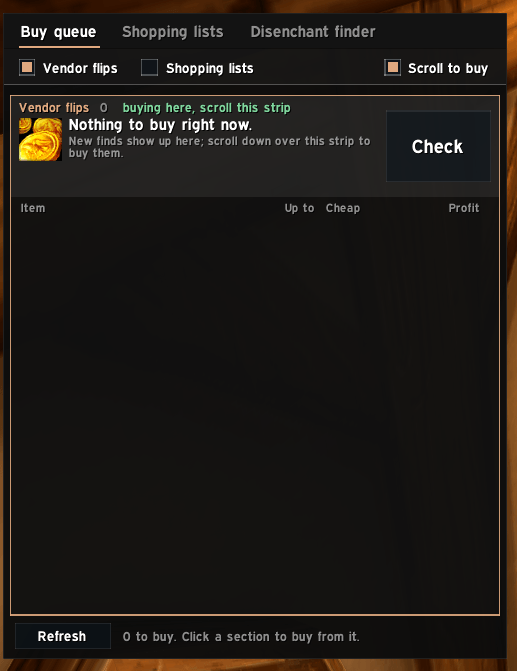
 | Buy the bargains in one click. Vendor flips and your shopping lists lined up beside the auction house: click or scroll to buy the next one. It never pays more than your limit. |
 | Spot deals. Listings well below their usual price, with the resale profit after the cut and how sure the deal is. |
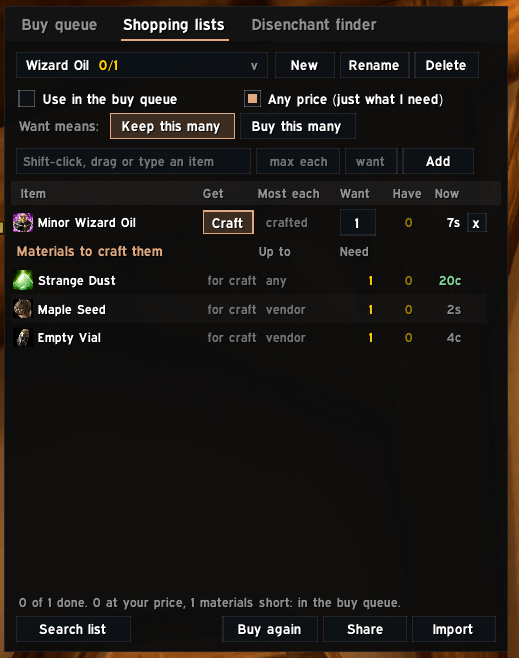
 | Shopping lists. Twink gear to watch for or raid consumables to buy: search the whole list at once, see what you already own, buy with a tick. |
 | Profit from your professions. Crafts and disenchants ranked by gold an hour, recipes and where to learn them, customers spotted in chat. |
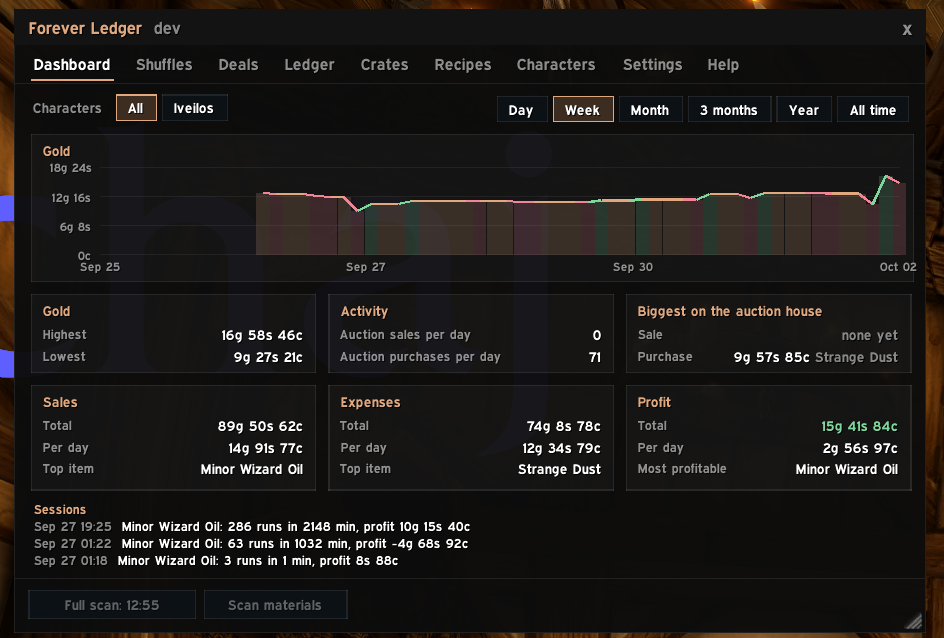
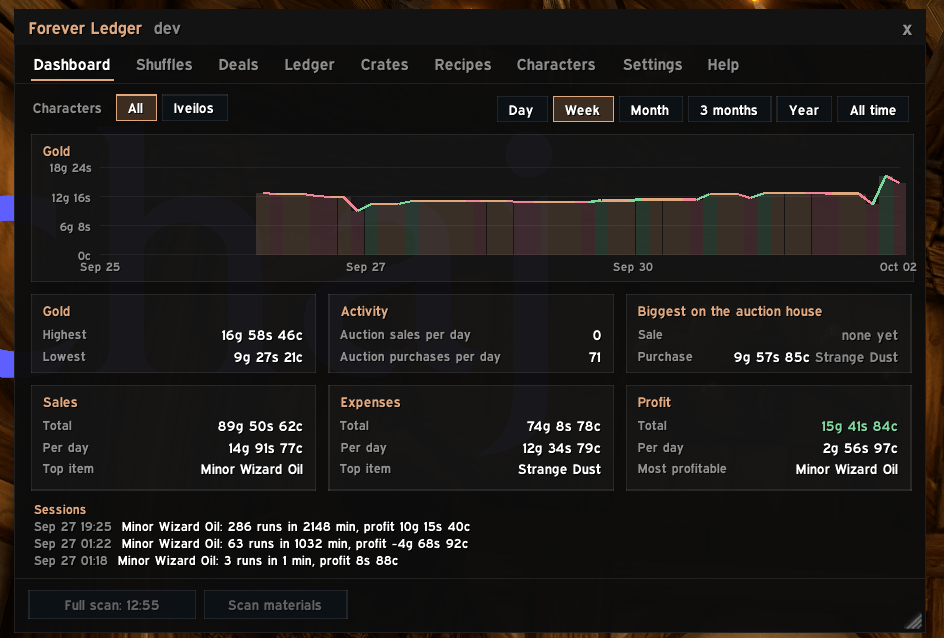
 | See where your gold goes. Gold over time, every sale and purchase in one list, and what each play session earned you. |
The addon suggests; you click. Every craft, purchase and auction is still your own click, as Blizzard requires.
Everything it does
Finding gold
- Tooltips: what an item is worth to you and the best few ways to use it, the auction price, how fast it sells, what it disenchants into, which of your recipes use it, and quests that need it ("keep it" if you will). Hold Ctrl for its price history. One line with Shift for more, if you prefer.
- Deals: listings well below their usual price, with the usual price, how many days of scans it's based on, the next listing up and the resale profit, rated Good, Fair or Thin.
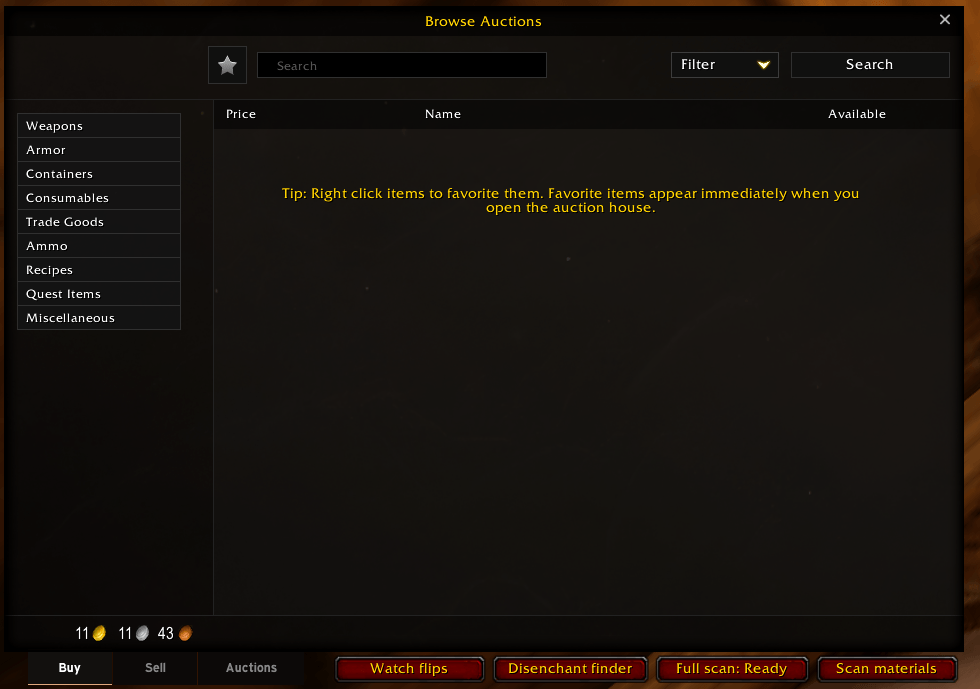
- Vendor flips: things on the auction house for less than a vendor pays. Watch flips keeps scanning while the auction house is open and chimes when one turns up.
- Shuffles: buy materials, craft, disenchant or convert, and sell, ranked by gold an hour, with every step spelled out.
- On the auction house: listings worth buying get a green bar and a badge saying why (FLIP, DE, CRAFT, USE).
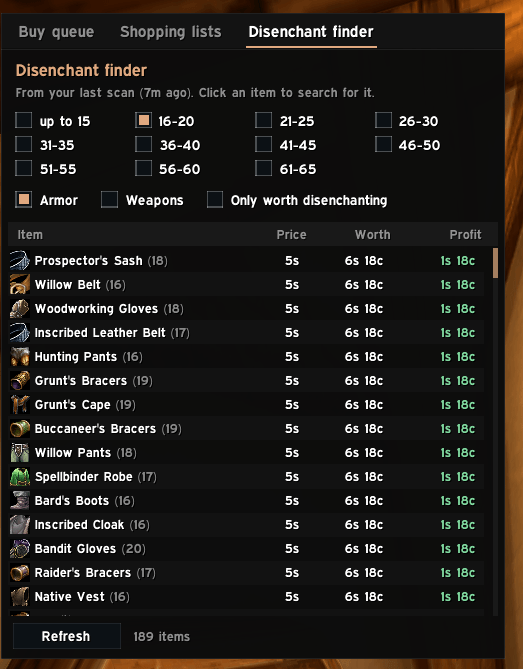
- Disenchant finder: green armor and weapons by item level, with what each is worth to disenchant, on average and on a bad or good roll.
- Gear versions: "of the Eagle" and "of the Whale" are priced separately.
Buying
- Buy queue: flips and shopping list items beside the auction house, best profit you can afford first; click Buy or scroll over it to buy the next one.
- Spend at most: cap what the queue spends each auction house visit, or always keep some gold back for repairs.
- Shopping lists: Search all checks the whole list at once (even one version, "of the Monkey"); Have shows what you own across your characters; tick to buy from it with how many you want and the most you'll pay; craft or buy, whichever is cheaper. Share a list as text.
Selling
- Your auctions: what you have up, what's been undercut (with a reminder), and Cancel next undercut, one click each; sold ones show what you get and when the gold reaches your mailbox.
- Price helper: the usual price and the cheapest now on the Sell tab, with Undercut and Usual buttons that fill the price in, and a warning when someone is dumping.
- Sell protection: a warning, and Post greyed out, before you list something for less than a vendor pays.
Crafting and professions
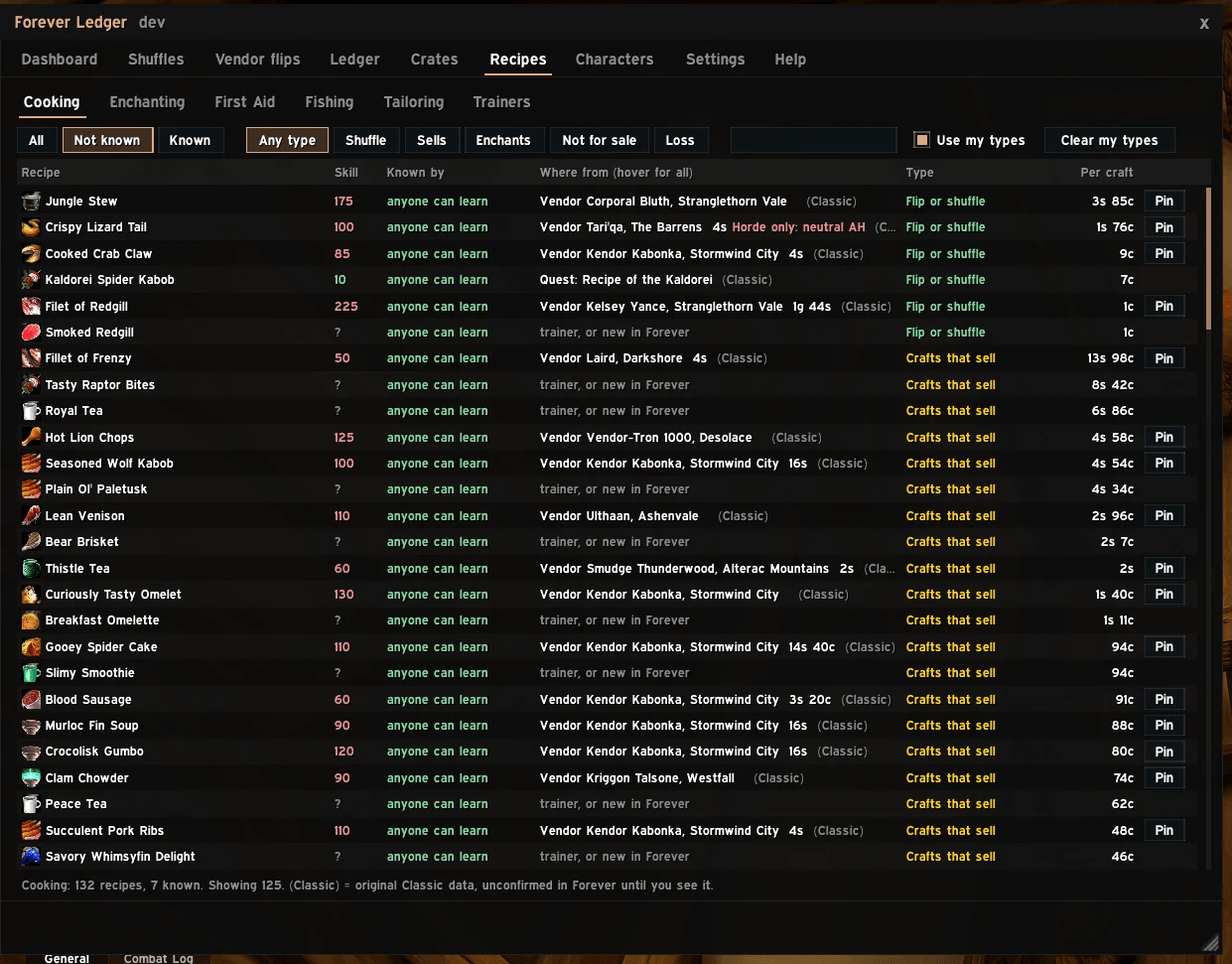
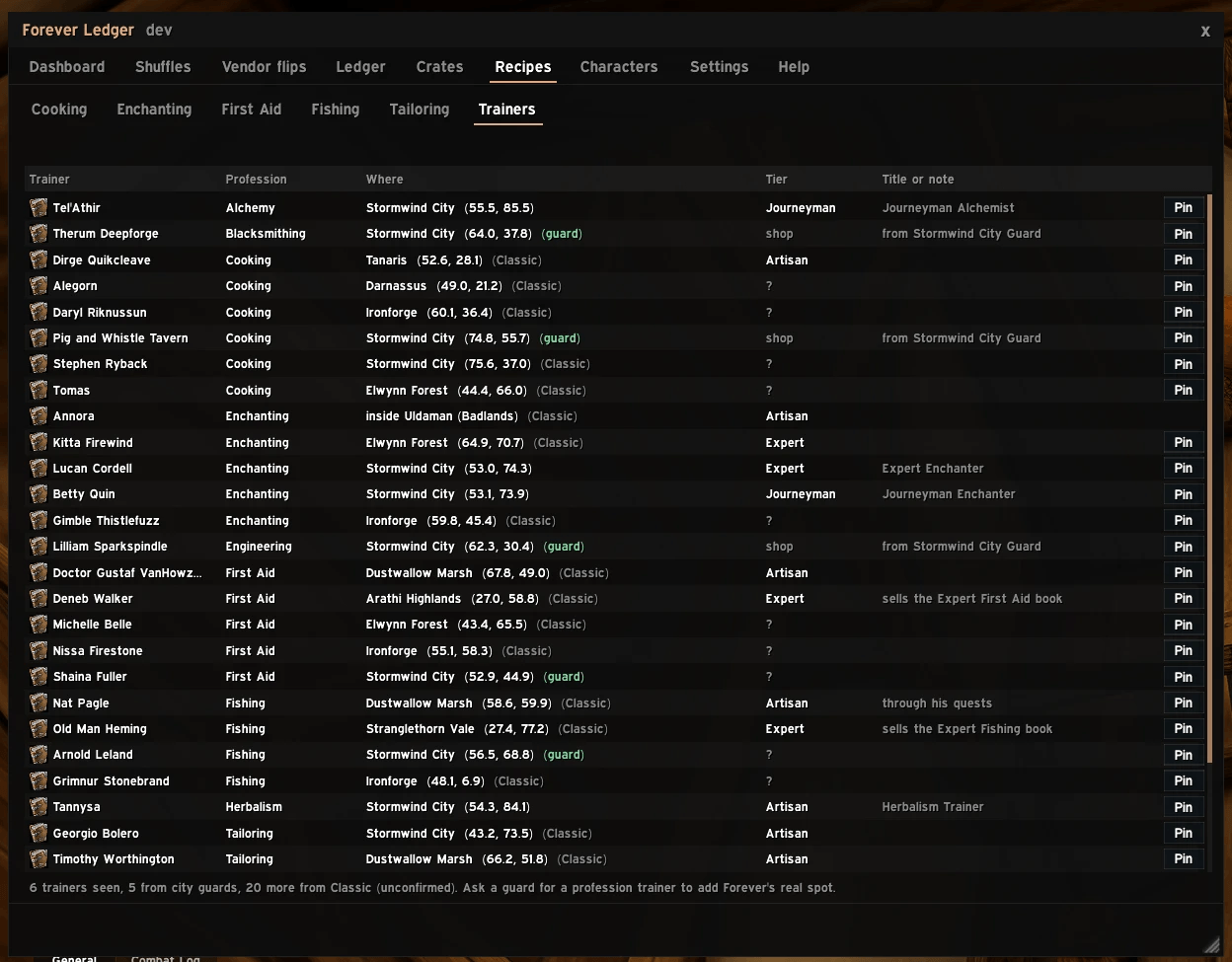
- Recipes and trainers: every recipe for your professions, who knows it, where to get it, the skill needed and profit per craft; sort by any column.
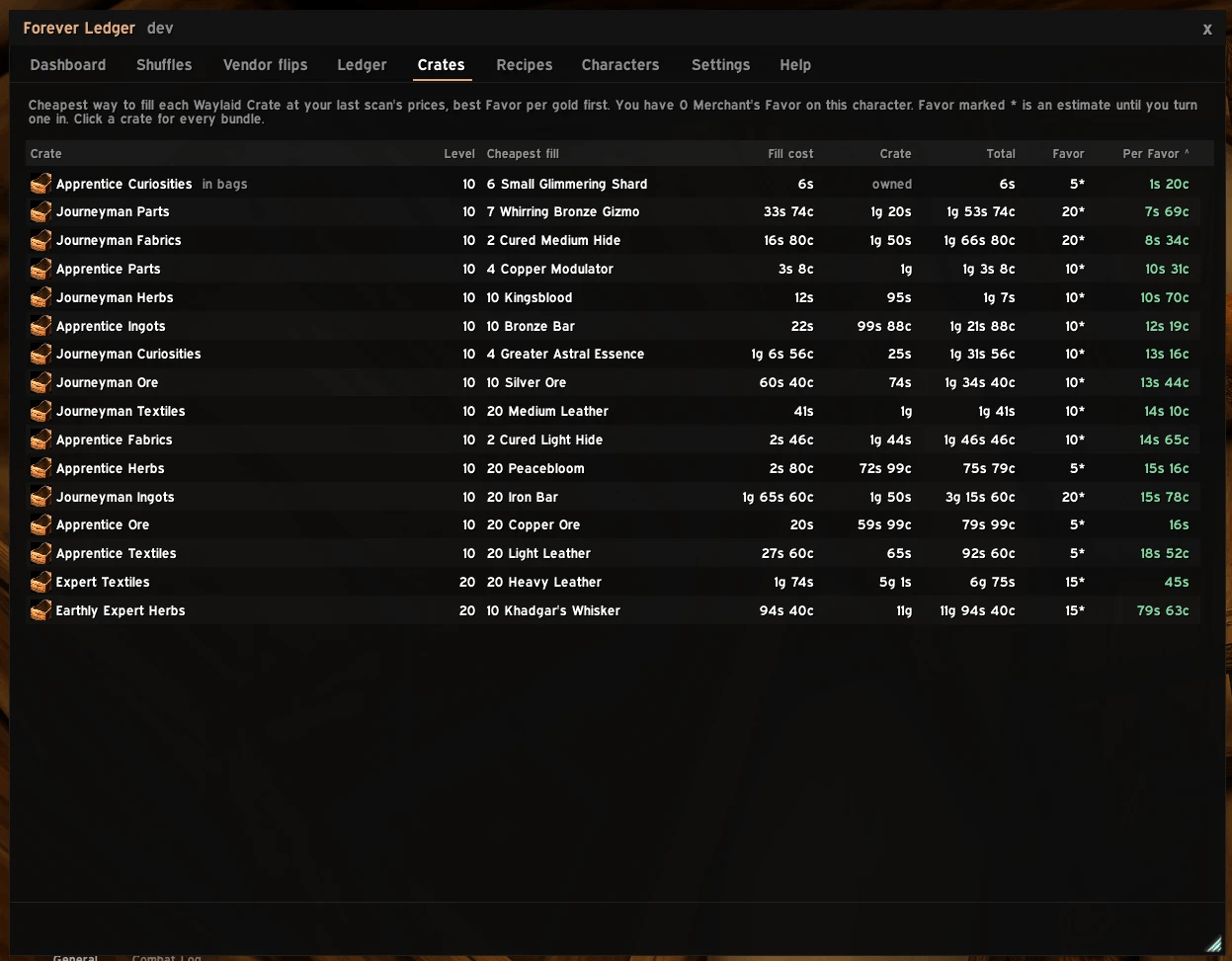
- Waylaid Crates: the cheapest way to fill each crate at today's prices, and gold per Merchant's Favor.
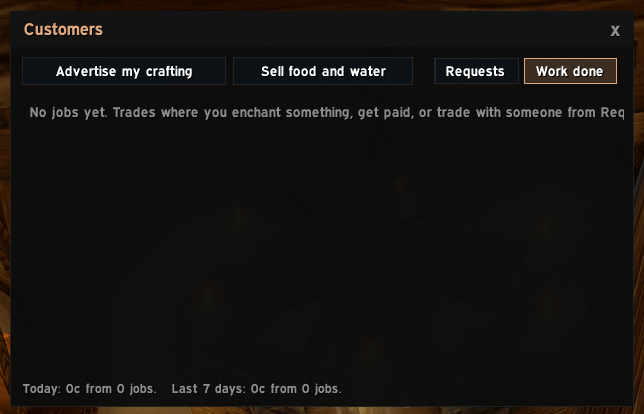
- Customer finder and ads: spots people in chat asking for what your character can do (enchanting, crafted items, Mage water and portals, Warlock summons, lockpicking), with Whisper and Invite buttons, one-click ads for Trade, and a Silence button.
Your gold
- Dashboard: gold over time, sales, expenses and profit.
- Ledger: every transaction in one list; select rows to see what they add up to; resale profit per item.
- Characters: every character's bags and bank, per realm and faction, with what it's all worth and the best way to turn each item into gold.
- Sessions: a small tracker for gold an hour, gold in and out and what you loot.
- Dungeon runs: runs, time, coin and what dropped for you, per dungeon.
Getting around
- Welcome and Help: a short guide the first time, Help by topic with common questions, and search boxes for Settings and Help.
- Works with Auctionator, TSM and Auctioneer prices and full scans, switches off what they (or ForeverForge) already show, and looks at home with EllesmereUI.
- Two accounts? Live sync shares prices and recipes between them while both are online.
- Update notice: hear from your guild or group when a newer version is out.
What's coming
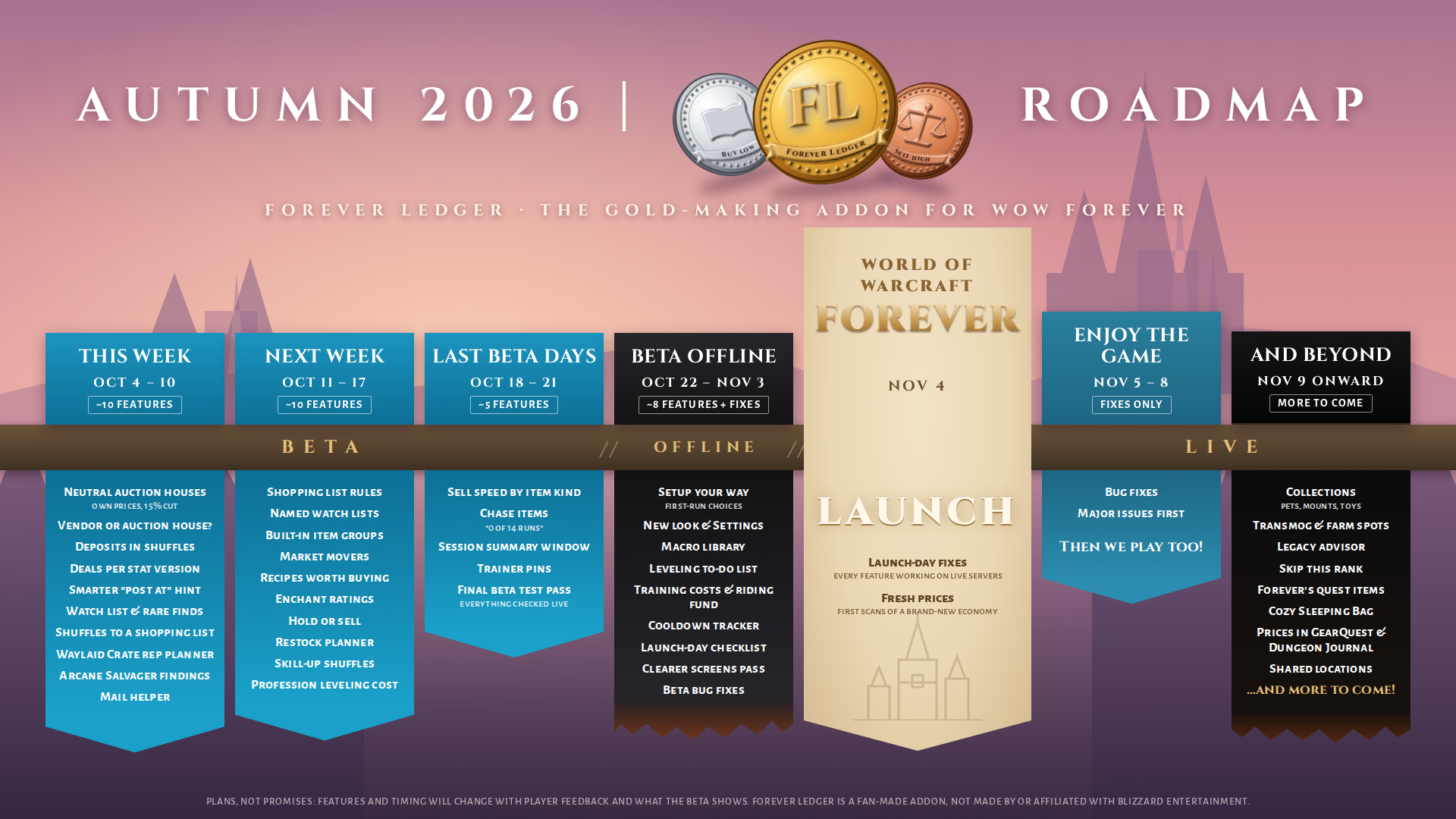
Plans, not promises: the full list is in the roadmap, and ideas are welcome on our Discord.
Your data
Forever Ledger keeps everything in its saved file on your own PC (WTFAccount...SavedVariablesForeverLedger.lua). Nothing is sent to the author or anyone else.
- What it keeps: auction house and vendor prices and their history; recipe, vendor and trainer locations you've seen; your characters' professions and recipes, gold over time, sales, purchases and vendor trades; bag and bank contents (this account only); requests the customer finder spotted in chat; and your work-done log.
- What it sends: only two things, and only when you choose to. Live sync whispers prices and recipes to your own paired character (off until you use
/fl pair), and the ad buttons post your ad in Trade chat when you click them. - Export / import copies your data as text for you to paste on your other account; it goes nowhere by itself.
If a feature ever shares anything with other players (an idea on the roadmap: sharing where vendors and trainers are, so everyone's data fills in faster), it will be world facts only, never names, gold or bags, it will ask first, and you can turn it off.
Install
The easiest way is an addon manager: Forever Ledger is on CurseForge and Wago, so the CurseForge app, Wago app or WowUp install it and keep it updated.
By hand:
- Download the latest
ForeverLedger-x.y.z.zipfrom Releases, the file under "Assets", not "Source code". - Open the zip and drag the ForeverLedger folder inside it into your Forever client's
InterfaceAddOnsfolder, so you end up withInterfaceAddOnsForeverLedgerForeverLedger.toc. The folder must be named exactlyForeverLedger, with no version number and no extra folder in between, or the game won't see it. - Start the game and make sure Forever Ledger is ticked in the AddOns list, then type
/fl.
You must be logged in to leave a comment.