
Forever Flight Timer
Provides a lightweight flight timer for World of Warcraft: Forever that learns route times and shows estimated time remaining.
Details
Expansion
 Forever
 Developers

Having issues?
Forever Flight Timer
Forever Flight Timer provides a lightweight flight timer for World of Warcraft: Forever.
It automatically tracks taxi flights, learns how long each route takes and then uses that information to show an estimated time remaining the next time you fly the same route.
The addon is designed to be simple and focused, without requiring a full UI replacement.
Features
• Automatically appears when taking a flight path
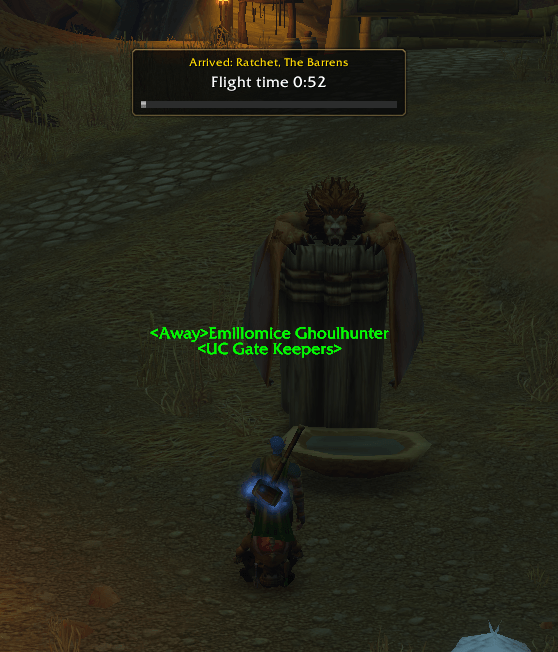
• Shows your destination
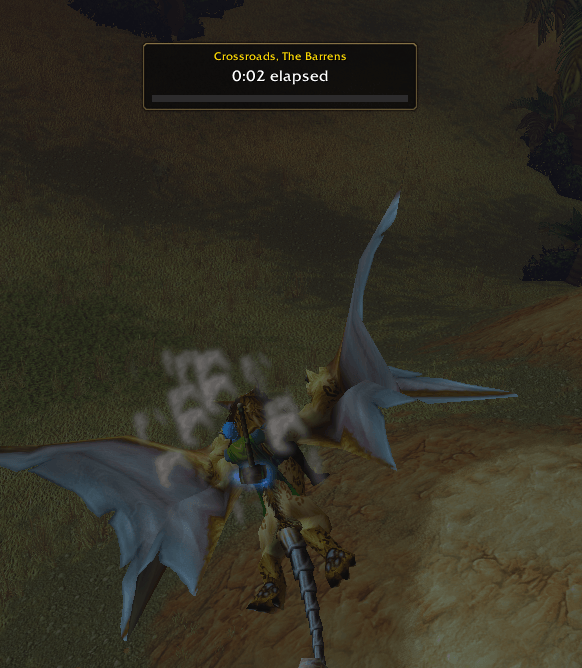
• Shows elapsed time on new routes
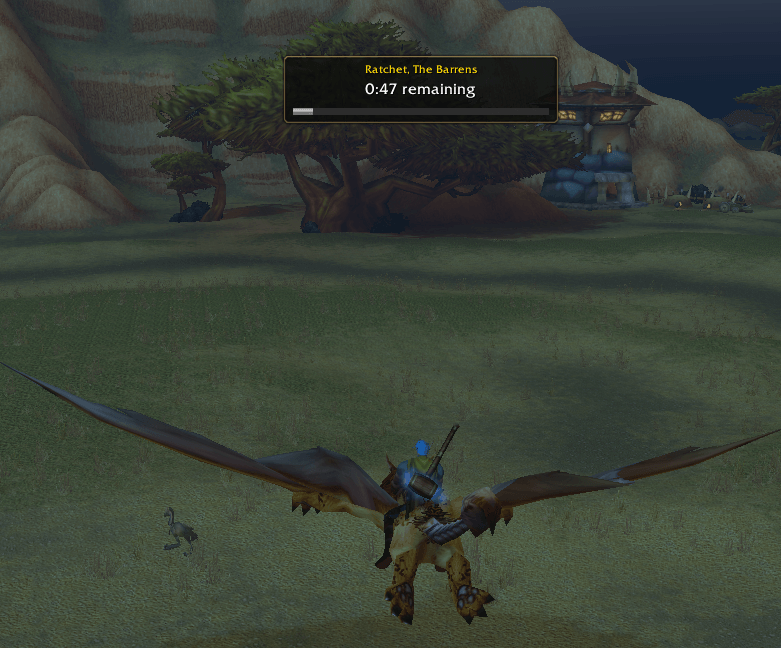
• Shows estimated time remaining on learned routes
• Learns route times automatically
• Averages repeated journeys for better estimates
• Optional progress bar
• Movable display
• Adjustable scale
• Saves learned route data between sessions
• Lightweight with no external dependencies
• Includes a test mode for easy setup
How it works
The first time you fly between two flight points, Forever Flight Timer records how long the journey takes.
During that first journey, the addon shows the elapsed flight time.
Once that route has been learned, the next time you take the same flight the addon uses the saved route data to display an estimated time remaining.
Repeated flights on the same route are averaged to help improve the estimate over time.
Testing the Timer
You do not need to take a real flight every time you want to preview the addon.
Type:
/fft test
This displays a test flight so you can check the position, scale and appearance of the timer.
Moving the Timer
To move the timer, type:
/fft unlock
You can then drag the timer anywhere on your screen.
When you are happy with the position, type:
/fft lock
The position will be saved between sessions.
Changing the Scale
Use:
/fft scale 60-160
For example:
/fft scale 80
sets the timer to 80% scale.
/fft scale 120
sets it to 120% scale.
Progress Bar
The progress bar can be enabled with:
/fft bar on
or disabled with:
/fft bar off
Destination Display
Use:
/fft destination on
to show the destination name.
Use:
/fft destination off
to hide it.
Learned Routes
To see how many routes the addon has learned, use:
/fft routes
Learned flight times are stored locally and remain available between sessions.
Enable or Disable
Use:
/fft on
to enable the addon.
Use:
/fft off
to disable it without uninstalling it.
Reset Display Settings
Use:
/fft reset
This restores the default position, scale and display settings while keeping your learned route data.
Clear Learned Route Data
Use:
/fft resetdata
This removes all saved route times so the addon can learn them again from scratch.
Commands
/fft test
Preview the timer.
/fft unlock
Unlock the timer so it can be moved.
/fft lock
Lock the timer in place.
/fft scale 60-160
Change the size of the timer.
/fft bar on
Show the progress bar.
/fft bar off
Hide the progress bar.
/fft destination on
Show the destination.
/fft destination off
Hide the destination.
/fft routes
Show the number of learned routes.
/fft on
Enable the addon.
/fft off
Disable the addon.
/fft reset
Restore default display settings.
/fft resetdata
Clear all learned route times.
Installation
Install Forever Flight Timer through the CurseForge app, or manually place the ForeverFlightTimer folder inside your World of Warcraft: Forever AddOns folder.
For the current Forever beta installation this is normally:
World of Warcraft/_classic_beta_/Interface/AddOns/
Then restart World of Warcraft or use:
/reload
Compatibility
Designed for:
World of Warcraft: Forever
Forever 1.60.1
Interface 16001
Forever Flight Timer does not replace Blizzard’s flight path system. It simply tracks your journeys locally and provides a convenient estimate of how long your flights will take.
You must be logged in to leave a comment.