
Forever Class Timers
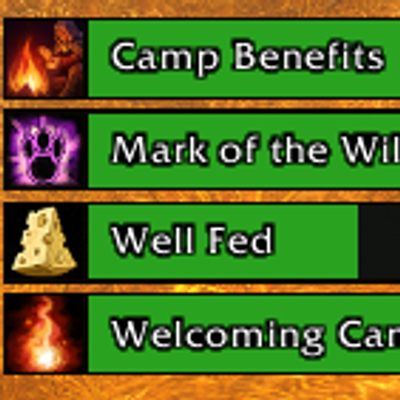
Customizable buff and enemy debuff timers for all classes in WoW Forever, featuring movable bars, in-game icons, and low-time reminders.
Details
Expansion
 Forever
 Categories
Developers

Having issues?
Forever Class Timers
Customizable buff and enemy-debuff timers for all classes in WoW Forever, with movable bars, weapon-coating tracking, and visual refresh reminders.
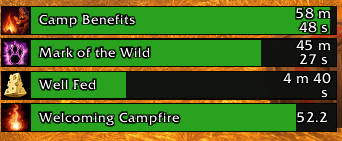
Forever Class Timers helps you see which effects are active and when they will expire. It automatically tracks timed effects without requiring you to build a spell list, while providing controls to hide unwanted effects and highlight important abilities.
Currently in beta. Feedback and bug reports are welcome!
Automatic tracking
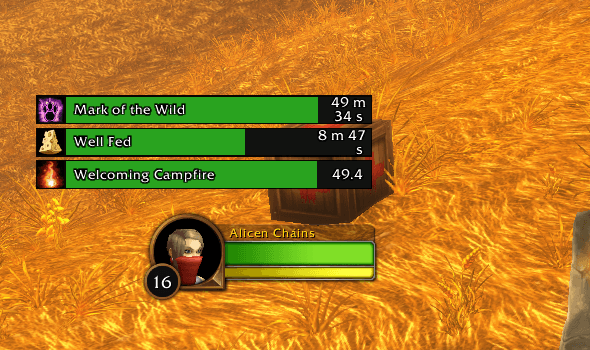
- Tracks timed class buffs, racial buffs, food buffs, potions, trinket effects, and buffs cast by other players.
- Displays your timed debuffs on your current target in a separate list.
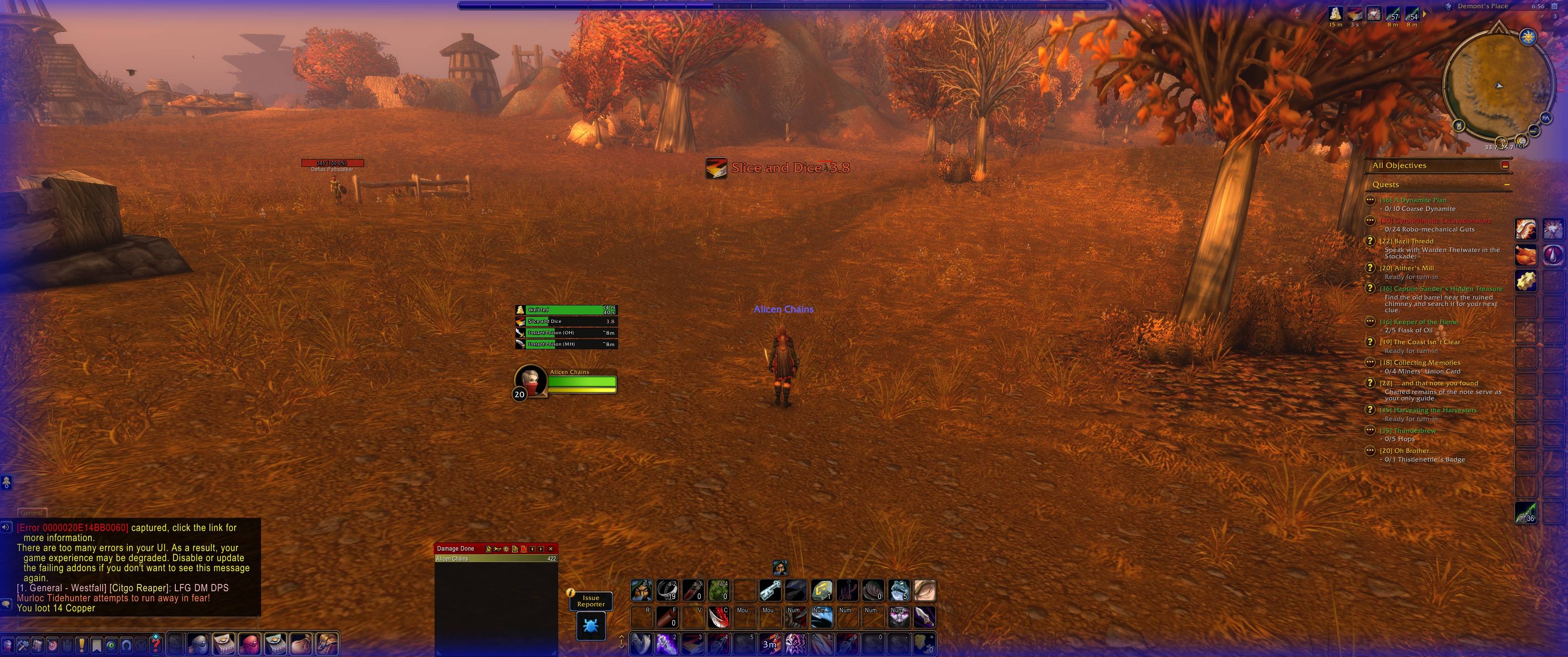
- Supports temporary weapon coatings, including poisons, sharpening stones, weightstones, and oils.
- Uses in-game icons, native aura stack counts, and hover tooltips.
- Lets you hide individual effects or use selected-only tracking.
Instant Poison is tracked as a weapon coating. It does not create a timed target debuff.
Customize your timer bars
Player buffs and enemy debuffs have independent settings for:
- Position, width, overall scale, and text size.
- Spacing between bars.
- Upward or downward list growth.
- Shortest or longest remaining time first.
- Flat, rounded, or beveled bar styles.
- Bar, text, and warning colors.
You can also assign individual ability colors, pin important abilities ahead of ordinary aura rows, and filter out buffs whose full duration exceeds your chosen limit.
Unlock a list to move it. Hold the right mouse button on the top-right resize grip and drag to adjust its size.
Weapon-coating group
The Separate weapon coatings checkbox lets you choose whether poisons, stones, and oils use their own movable group or remain with the player-buff list.
Coatings sort by remaining time within their group. When combined with player buffs, they form a block placed first or last according to the selected time order.
When the client does not provide a native weapon timer, FCT can estimate the duration from readable weapon-tooltip text. Estimated countdowns are marked with ~.
Visual warnings and reminders
- Set a default low-time warning threshold or customize it per ability.
- Change countdown colors and enable pulsing warnings.
- Select multiple abilities for enlarged icon-and-text reminders.
- Position and scale the large reminder group independently.
- Enable a screen-edge warning with default or per-ability colors.
- Optionally reserve screen-edge warnings for one chosen ability.
- Preview an individual ability’s countdown and warning appearance without casting it.
Large reminders appear below the warning threshold and disappear after refresh or expiration. Their drag handle is visible only while positioning.
Optional missing-effect and missing-weapon-coating notices are available outside combat.
Easier setup and profile management
- Search detected abilities by name or spell ID.
- Use checkboxes to configure tracking and reminders.
- Create named profiles and assign them to characters.
- Copy, import, export, rename, and delete unused profiles.
- Reset colors, positions, or warnings separately.
- Undo the most recent section reset.
- Follow the setup guide for tracking, positioning, and testing.
- Press Escape to close FCT menus.
Player-buff and enemy-debuff profiles are managed separately.
Getting started
- Install the
ForeverClassTimersfolder in your game’sInterface/AddOnsfolder. - Enable the addon at character selection.
- Open settings using the FCT minimap button, Options → AddOns → Forever Class Timers, or
/fct options. - Choose Player Buffs or Enemy Debuffs.
- Position your lists, customize their appearance, and select any abilities that should trigger large reminders.
Useful commands
| Command | Action |
|---|---|
/fct options | Open player-buff settings |
/fctenemy options | Open enemy-debuff settings |
/fct abilities | Open searchable ability settings |
/fct profiles | Manage profiles |
/fct tools | Open sorting, filtering, and reset tools |
/fct setup | Open the setup guide |
/fct test | Toggle sample timer bars |
/fct unlock | Show positioning controls |
/fct lock | Lock positions and hide handles |
/fct updates | Read installed release notes |
/fct bugreport | Create a copyable bug report |
/fct copychat | Copy recent General chat text |
Use /fctenemy for the corresponding enemy-debuff controls.
Current limitations
- FCT tracks timed effects, not ability or item cooldowns. Permanent effects have no countdown and are omitted.
- Enemy tracking covers your debuffs on your current target.
- Weapon coatings remain a separate sorting block rather than interleaving with aura timers.
- Individually customized aura bars use separate spell groups, so they do not participate in one combined time-sorted list.
- Tooltip-based weapon timers are approximate and may not detect coating changes until combat ends.
- Missing-effect notices operate outside combat.
- Large reminders use icons and countdown text rather than shrinking background bars.
- Multiple edge warnings can blend. Reserving the edge for one ability is an exclusive selection, not automatic warning-priority switching.
- Configure settings and move frames outside combat.
Feedback and bug reports
Open Bug Reports in the settings menu or type /fct bugreport. Fill in the report, copy it, and post it in the project’s Comments section.
Please include:
- What happened and what you expected.
- Steps to reproduce the issue.
- The affected ability or weapon coating.
- Whether you were in combat.
- Your addon and game versions.
- A screenshot, if helpful.
If a Lua error appeared, copy and paste the complete error—including Message, Stack, and Locals. If no error appeared, say so.
Reports are not sent automatically.
You must be logged in to leave a comment.