

Forever Boosted UI (FBUI)
Modern unit frames with live 3D portraits for World of Warcraft: Forever, plus an info bar, a threat meter, an interrupt alert with announcements, a range finder, GearScore and Boost.
Details
Addon ID:
26301
Addon Version:
1.3.2
Expansion:
1.60
Upload date:
Oct 06, 2026
Last Updated:
Oct 06, 2026
Downloads:
Less than 100
Website:
Source Link
Expansion
 Forever
 Categories
Developers

shnikies
Creator
Having issues?
Forever Boosted UI
Modern unit frames with live 3D portraits for World of Warcraft: Forever, plus an info bar, threat meter, interrupt alert with announcements, range finder, GearScore and Boost. Forever already has a modern interface, so Forever Boosted UI does not try to replace it all. It swaps in cleaner unit frames and adds the tools the default interface leaves out.
What it does
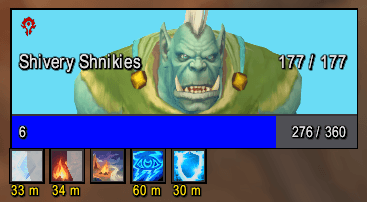
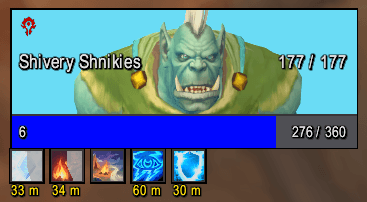
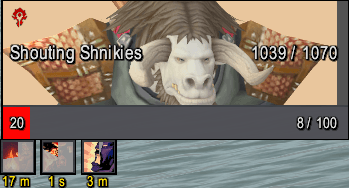
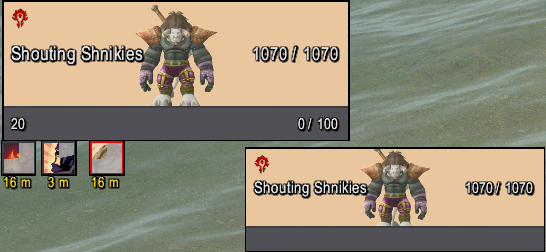
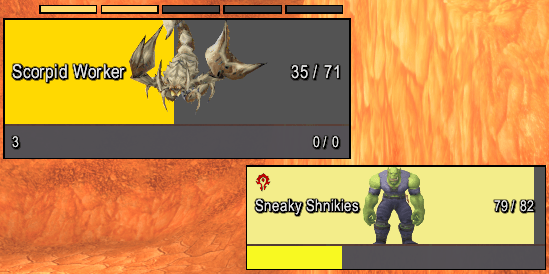
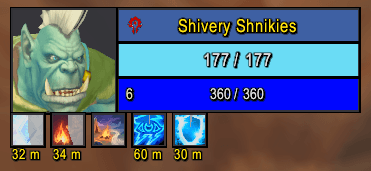
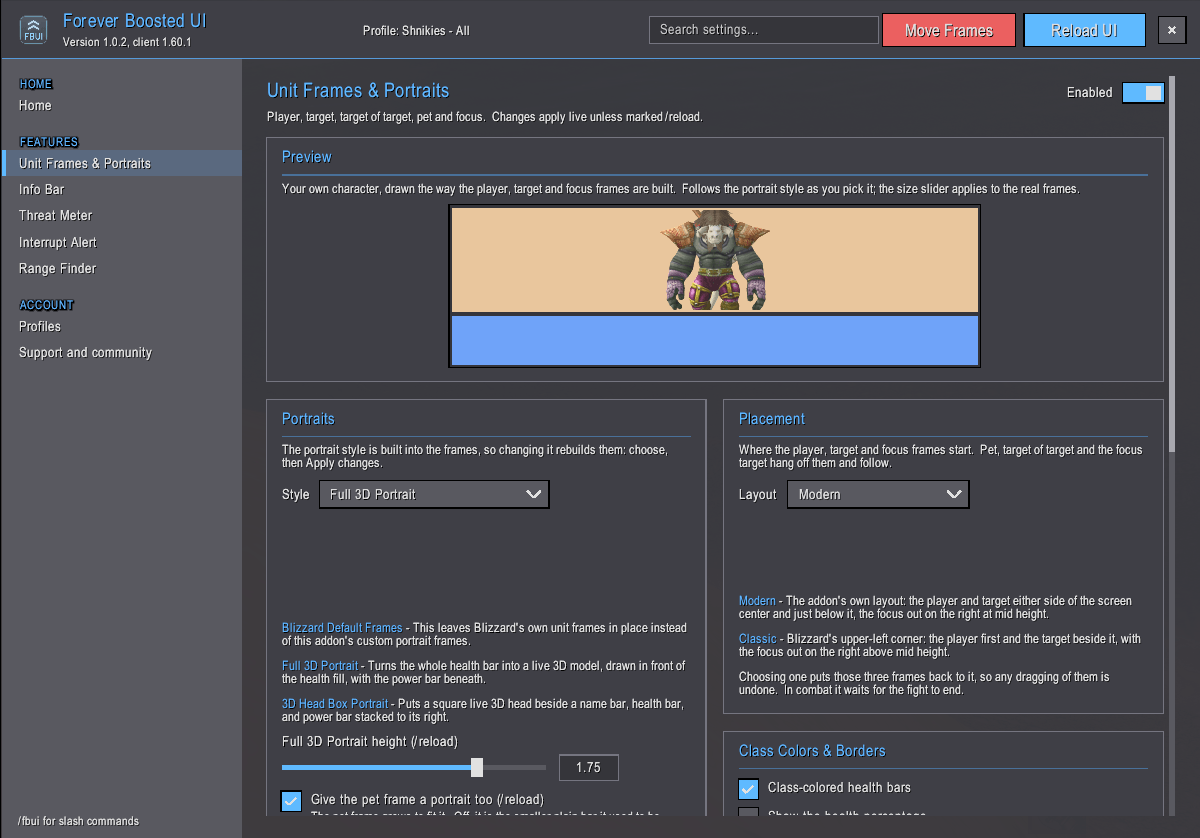
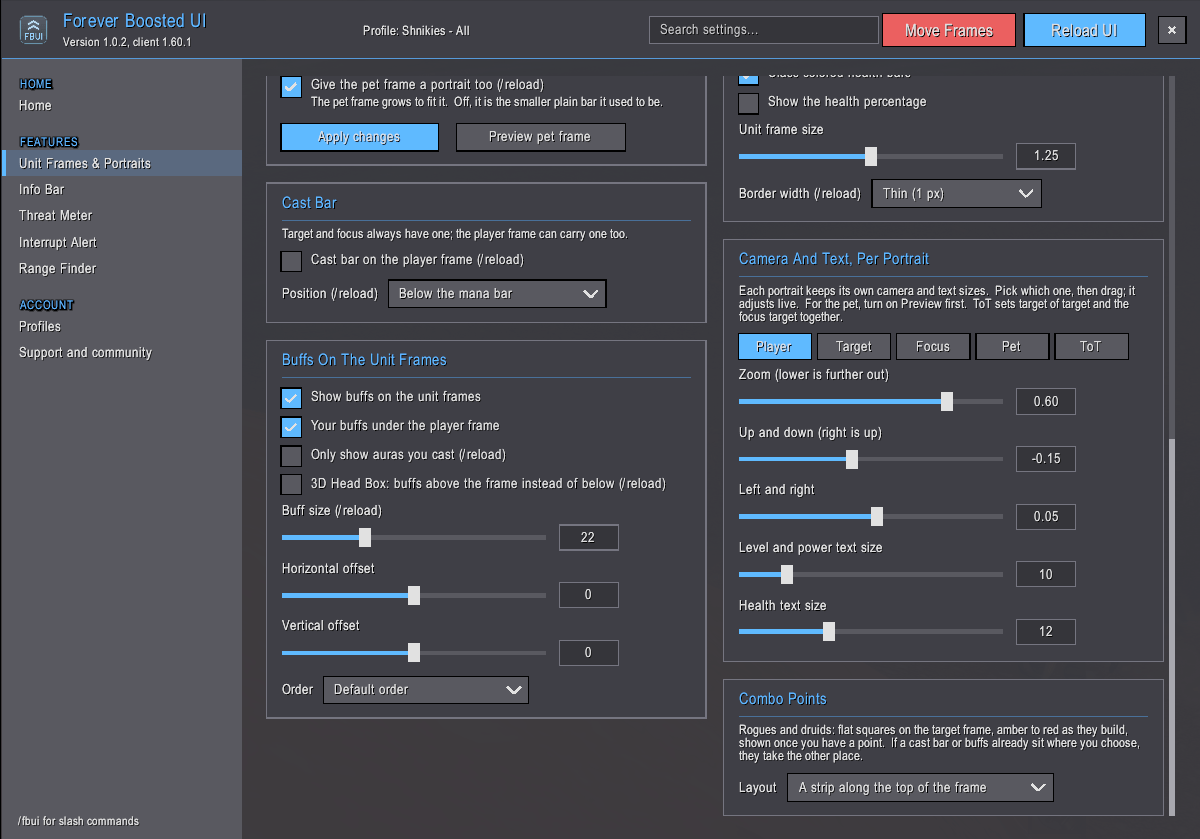
Unit Frames: Clean, modern frames for you, your target, target of target, your pet and your focus, each with a live 3D portrait. Choose a compact head box, or let the whole health bar become your animated character. Class colors, cast bars that show when you can interrupt, combo points, buffs and debuffs, raid markers and exact health readouts are all built in. Start from a modern layout or Blizzard's classic one, then size and move every frame to fit your screen.
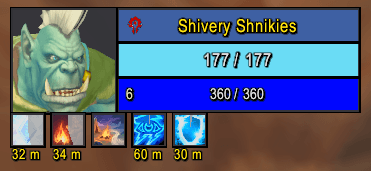 3D Headbox Portrait
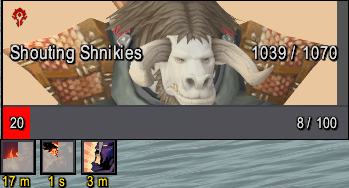 Full 3D Portrait
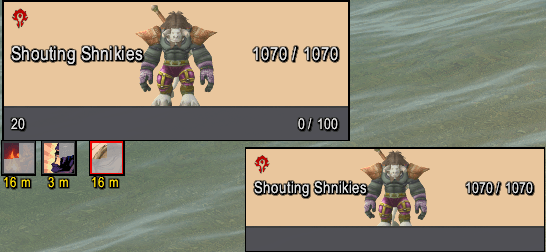 Target Portrait
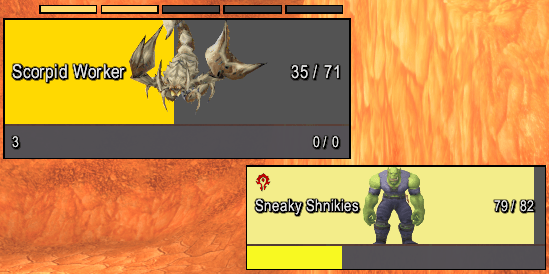 Combo Points Tracker
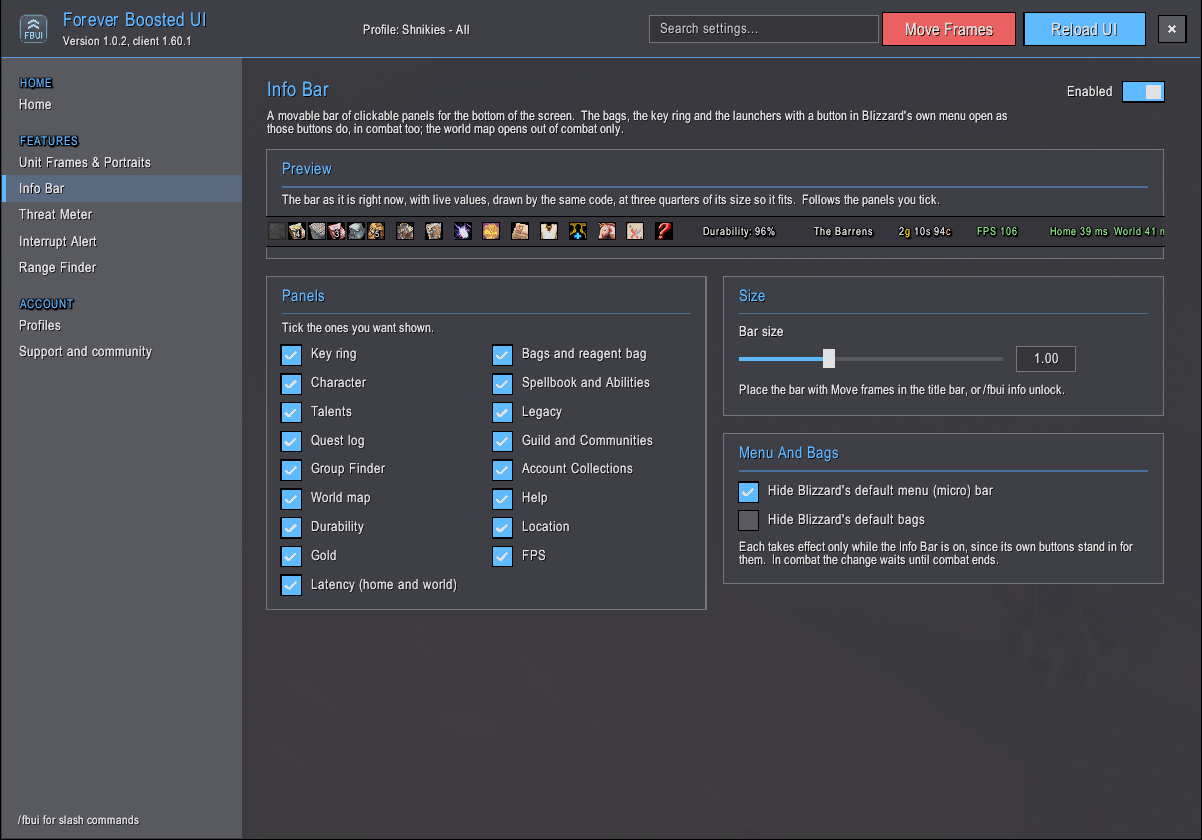
Info Bar: One slim bar for your bags, character, spellbook, talents, map and more, plus durability, gold, GearScore, FPS and latency. Pick your panels, put it on any edge or corner, run it across or down the screen, and open bags and menus even in combat. It can replace Blizzard's menu and bag bars too.
Experience & Reputation: Slim experience and reputation bars right under the Info Bar, with rested experience shown and your reputation colored by standing. Move them anywhere, size them, and they stand in for Blizzard's own. The game's top-center display moves down to stay clear of them.
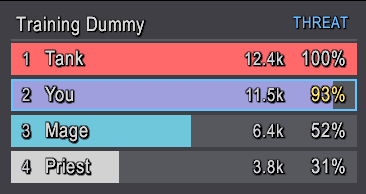
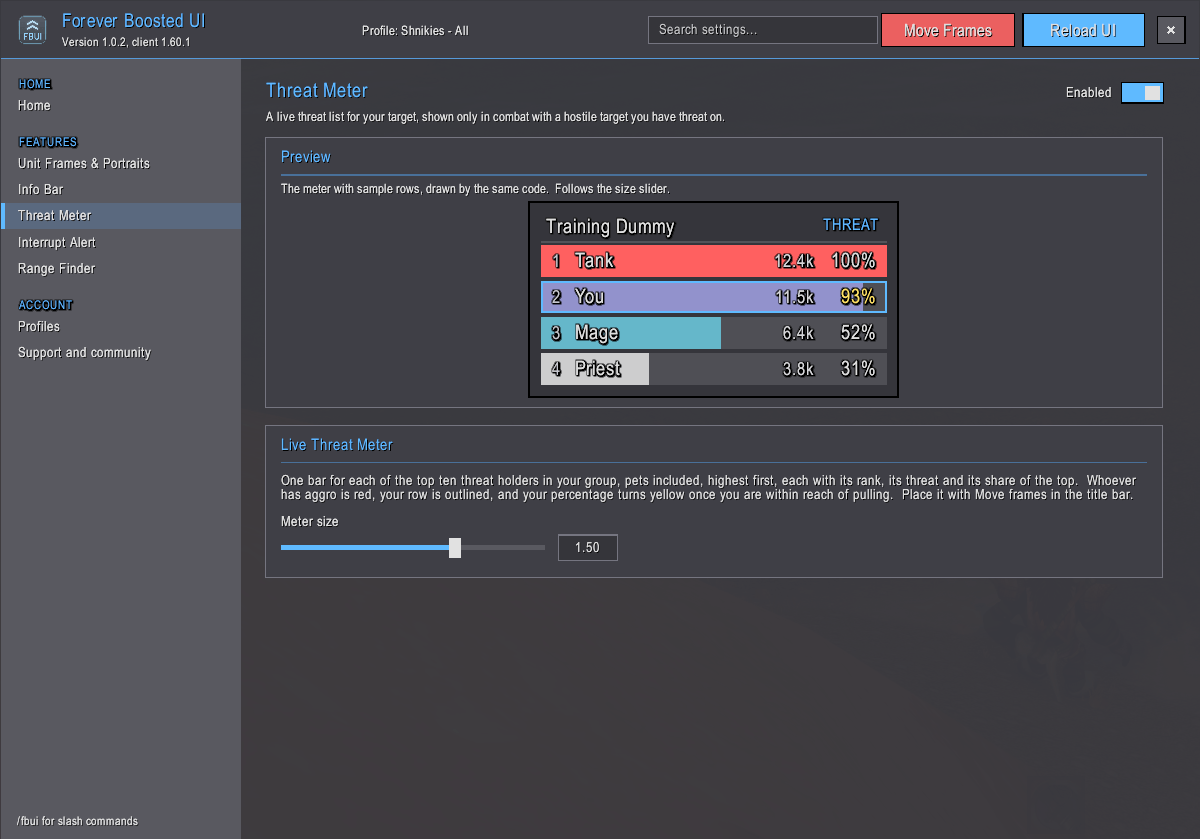
Live Threat Meter: Your group's threat on your target at a glance, with aggro in red, your own row outlined and a warning as you near pulling. Shows in combat or all the time. Bosses keep their threat hidden from addons.
Interrupt Alert: An alert and a sound the moment your target or focus starts casting, with your interrupt lit on your action bar. Add a clickable interrupt button with a cooldown sweep if you prefer the mouse.
Announcements: When your interrupt cuts off an enemy's cast or you crowd-control one, your party hears about it, such as "[FBUI] Pummel interrupted Defias Pillager." or "[FBUI] Polymorph used on Defias Pillager." In raids, battlegrounds and boss fights it shows only to you.
Range Finder: How far away your target is, such as 8-10 yds or 40+ yds, green up close and red at distance, placed anywhere on your screen.
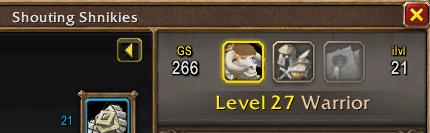
GearScore: Every player's gear as one colored number, on tooltips, your character sheet, the inspect window, your target frame and the Info Bar. Hover over an item to see what it would add to your score. The standard GearScore method, built in.
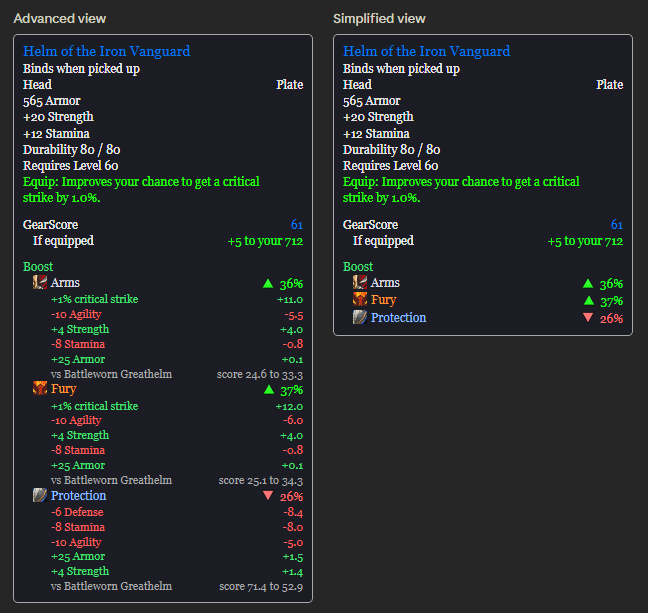
Boost: Know at a glance whether an item is an upgrade for your spec. Tooltips show each spec's icon with a green or red arrow and how much better or worse the item is, and the Advanced view shows why, stat by stat. Upgrades in your bags and the best quest reward get a green marker, and you can follow your spec or fine-tune your own stat weights.
Set up in minutes
Everything is on from your first login, on a profile of each character's own.
A welcome window lets you switch off anything you do not want and name the profile, and you are playing.
Move Frames lets you drag every frame into place over a snapping grid, like Edit Mode.
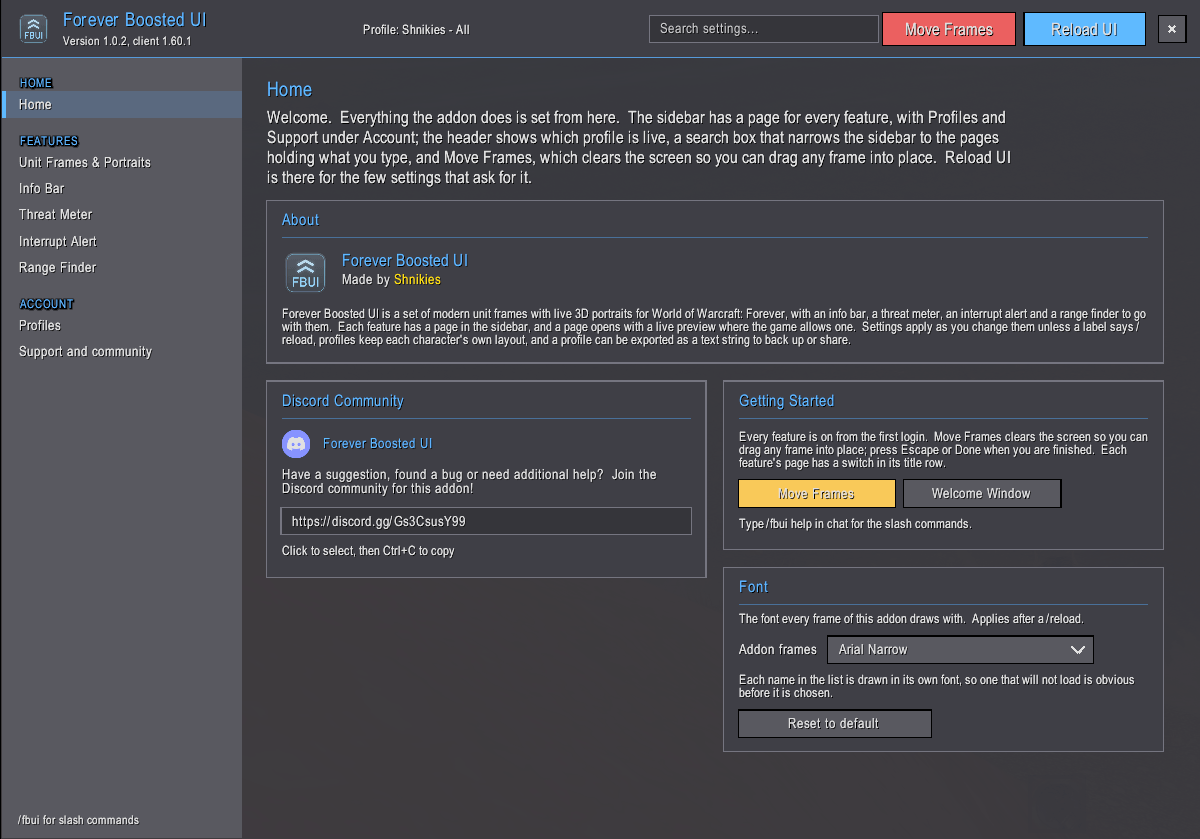
Its own options window
Type /fbui, click the FBUI button on the minimap's edge, or open it from the addon menu by the minimap.
Every feature has its own page, changes apply as you make them, and a search box finds any setting.
Profiles
Each character gets a profile of its own at its first login and saves as you go.
Copy, reset or delete profiles with one undo, and export a profile as text to back it up or share it.
Fonts
Pick one font for everything the addon draws, from thirteen choices or any font your other addons provide.
Built for Forever
Forever hides some information from addons in combat, instances and PvP.
Forever Boosted UI is built around those rules, so your frames keep showing health, casts and auras without errors.
Compatibility
Works with most addons.
Turn off any other addon that replaces the unit frames.
No dependencies.
Support
Bugs, suggestions and help: Discord.
/fbui report prints a paste-ready bug report.
The full changelog is on the Files tab and inside the addon.
Created by Shnikies.
You must be logged in to leave a comment.