
Fitter
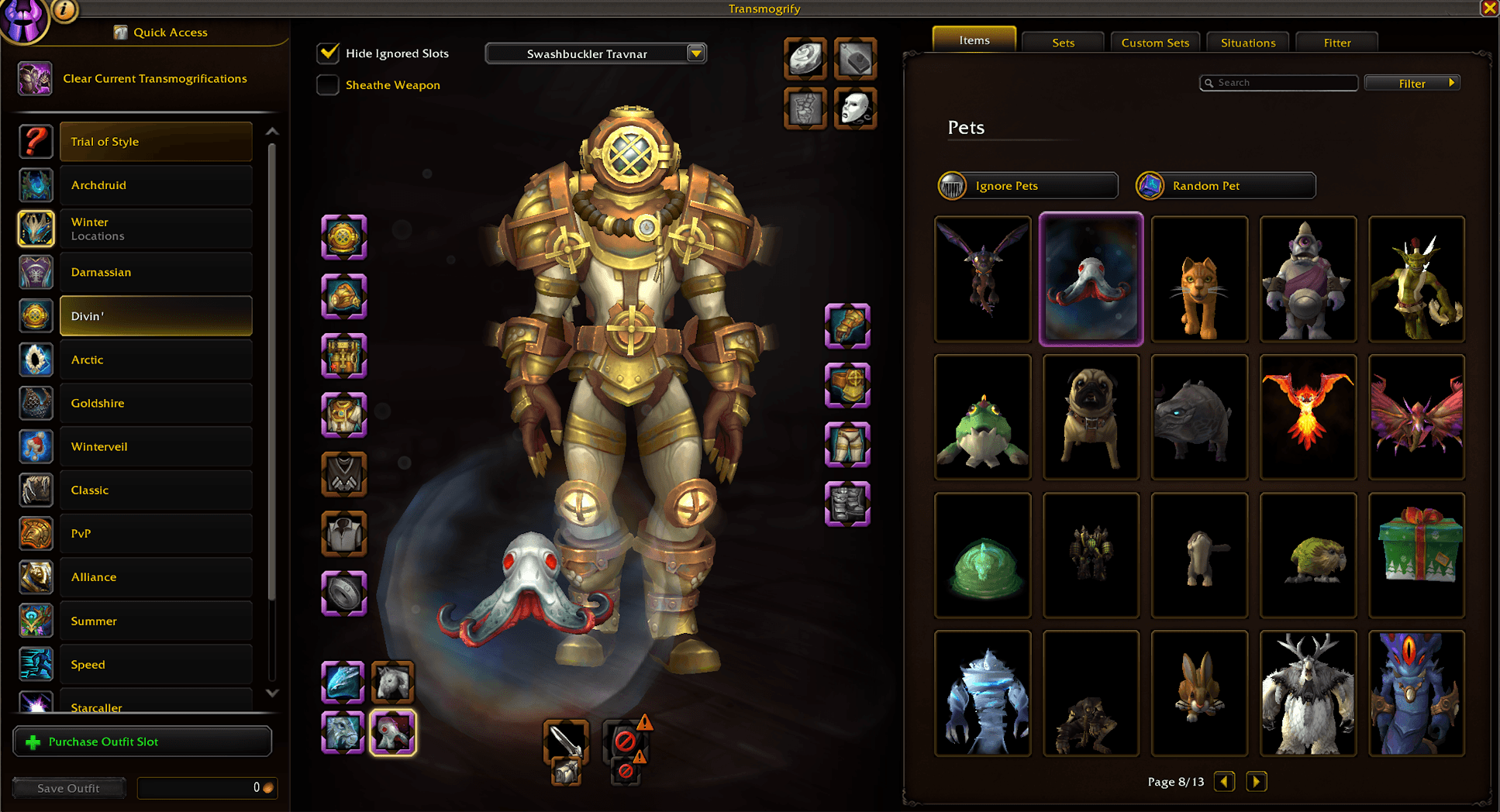
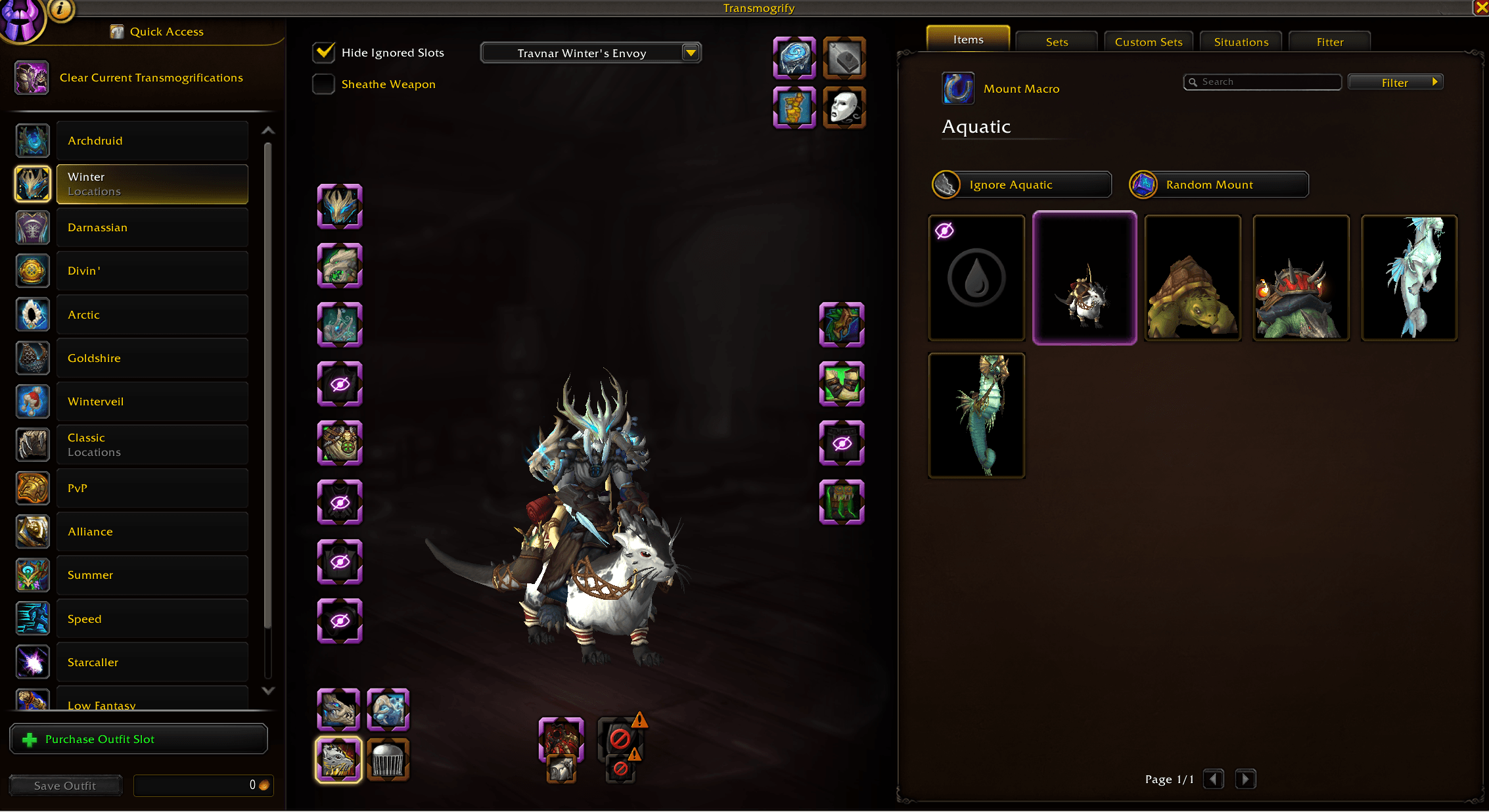
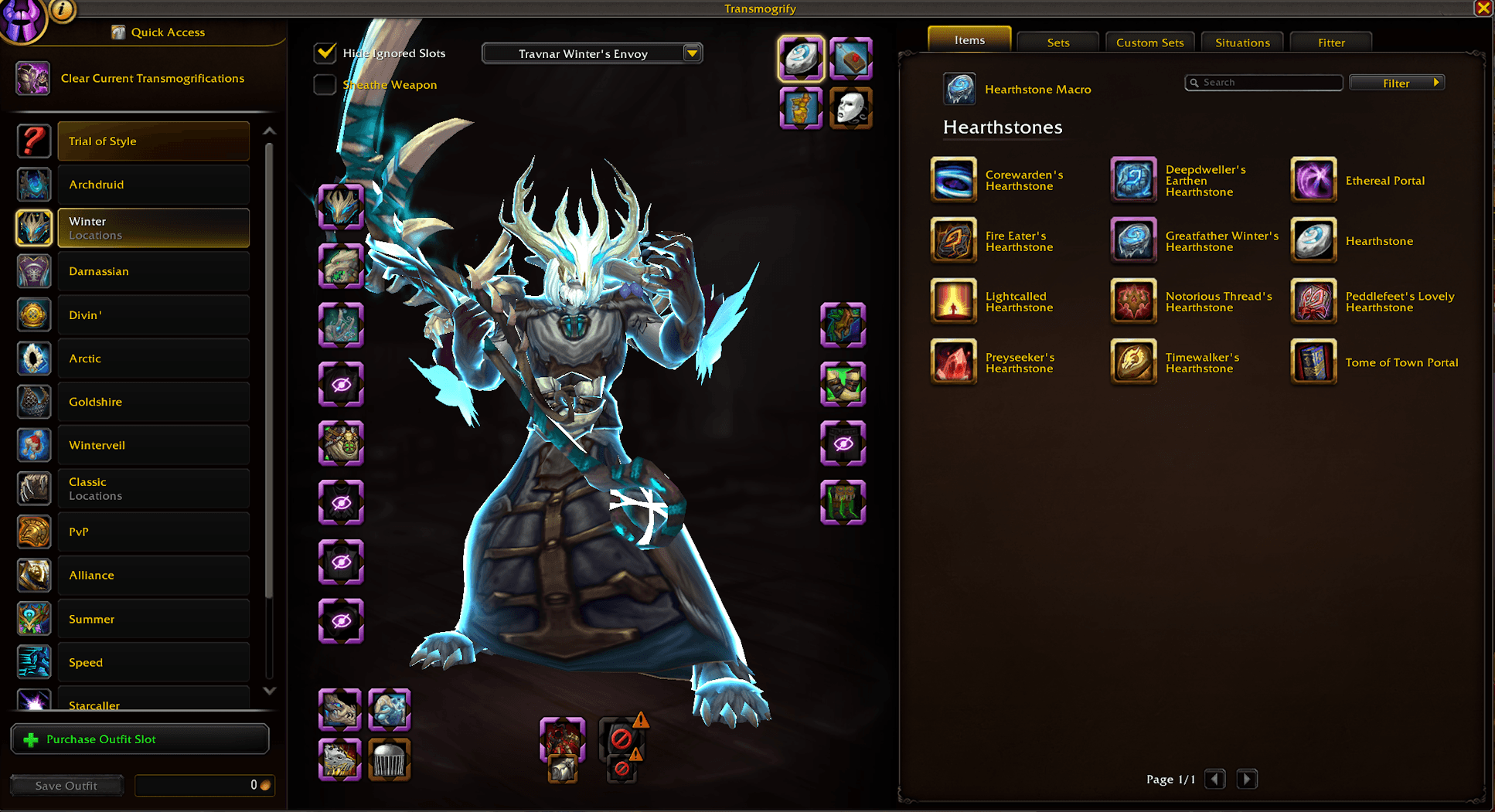
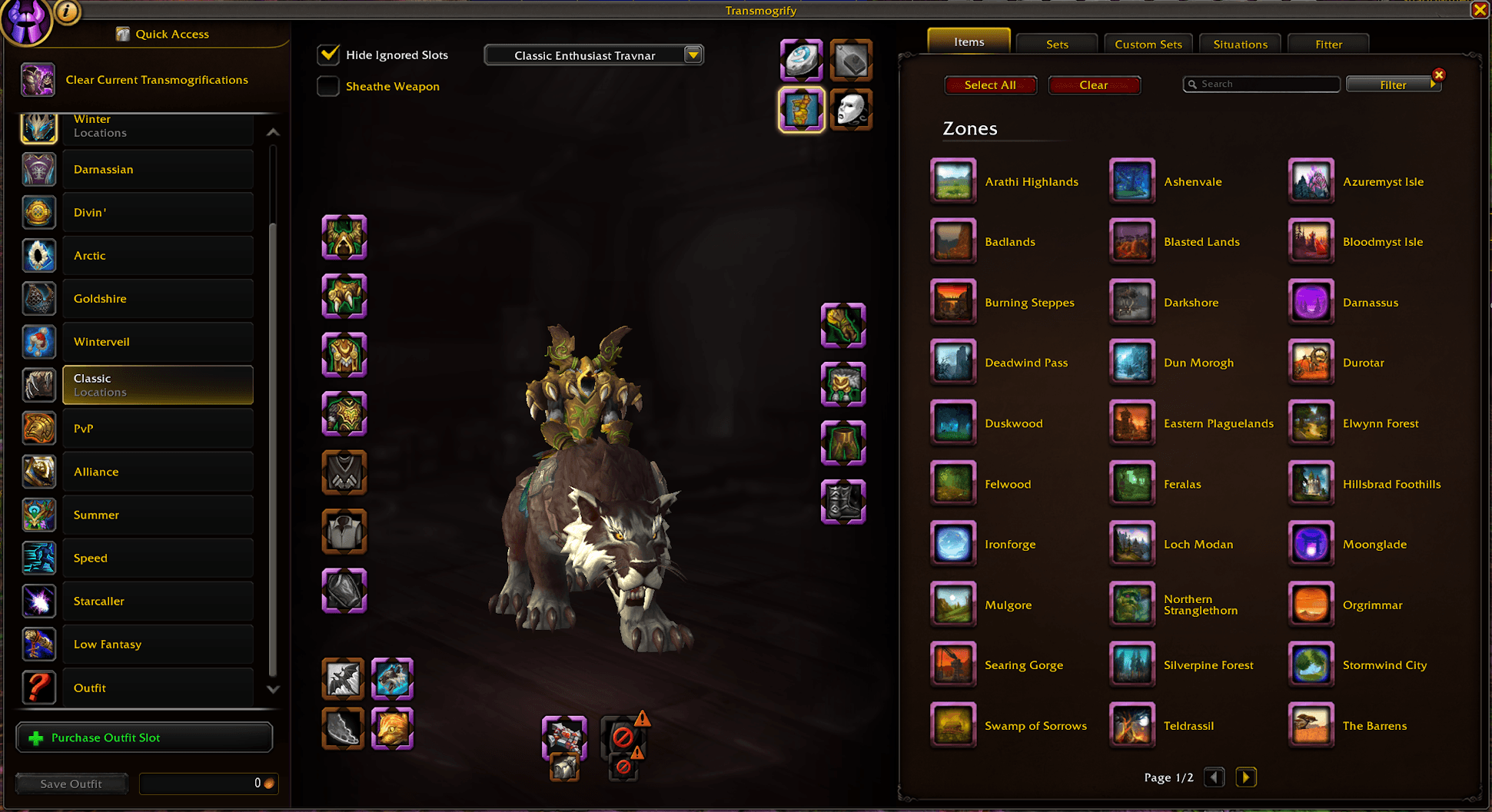
Expand the features of the outfit system to include mounts, pets, zones, titles, hearthstones, emotes and toys.
Details
Addon ID:
24702
Addon Version:
2.4.0
Expansion:
1.60
Upload date:
Oct 06, 2026
Last Updated:
Oct 06, 2026
Downloads:
Less than 100
Website:
Source Link
Expansion
 Forever
 Categories
Developers

Travnar
Creator
Having issues?
AI Disclosure: Fitter heavily uses AI for generating code for the addon. All assets are from the game. Fitter's logos and artwork do not use AI.

Now compatible with World of Warcraft: Forever!
Fitter expands World of Warcraft’s outfit system with more ways to customize your character.
- Associate your outfits with mounts, companion pets, hunter pets, hearthstones, toys, titles, zones and emotes.
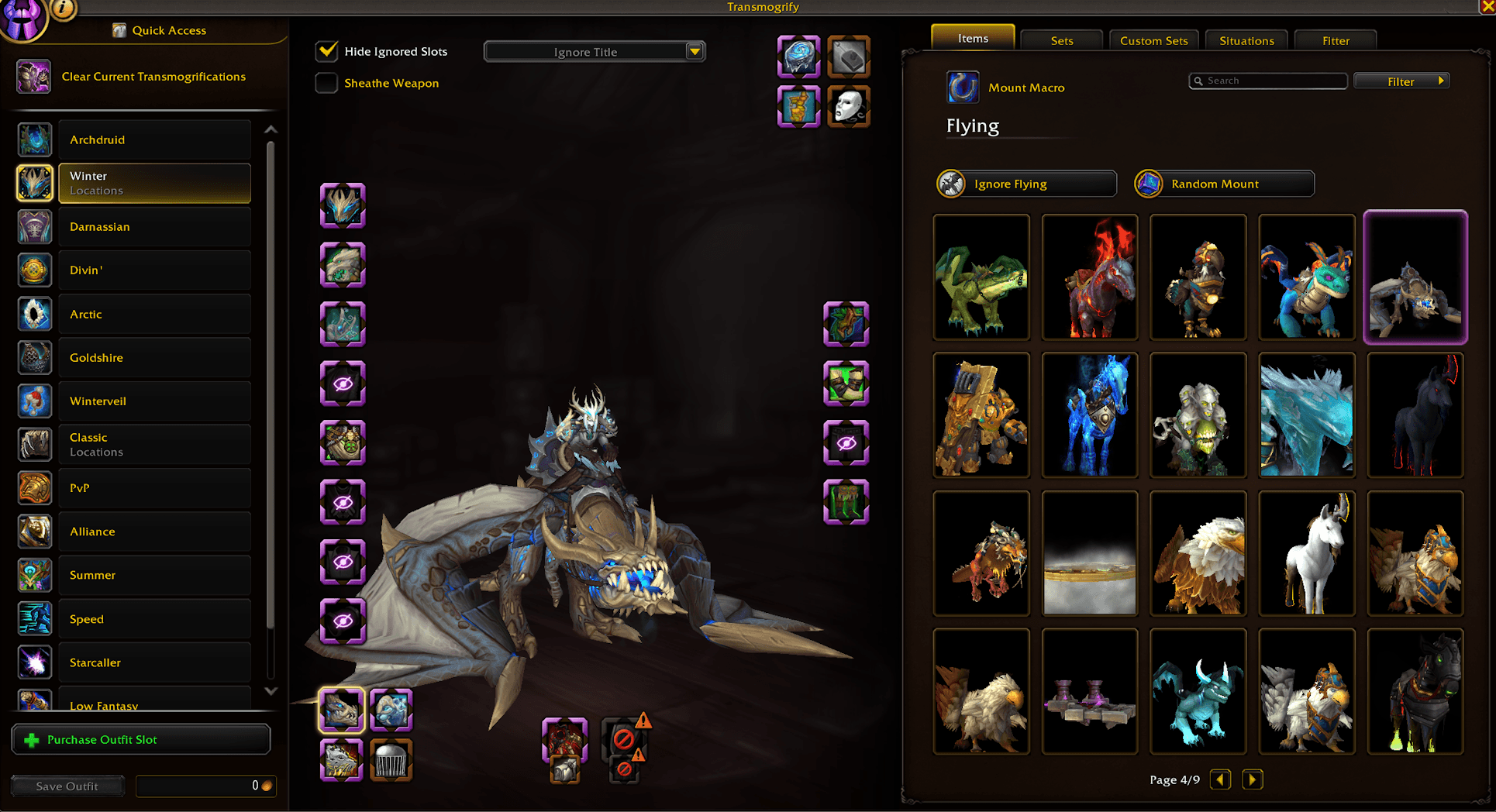
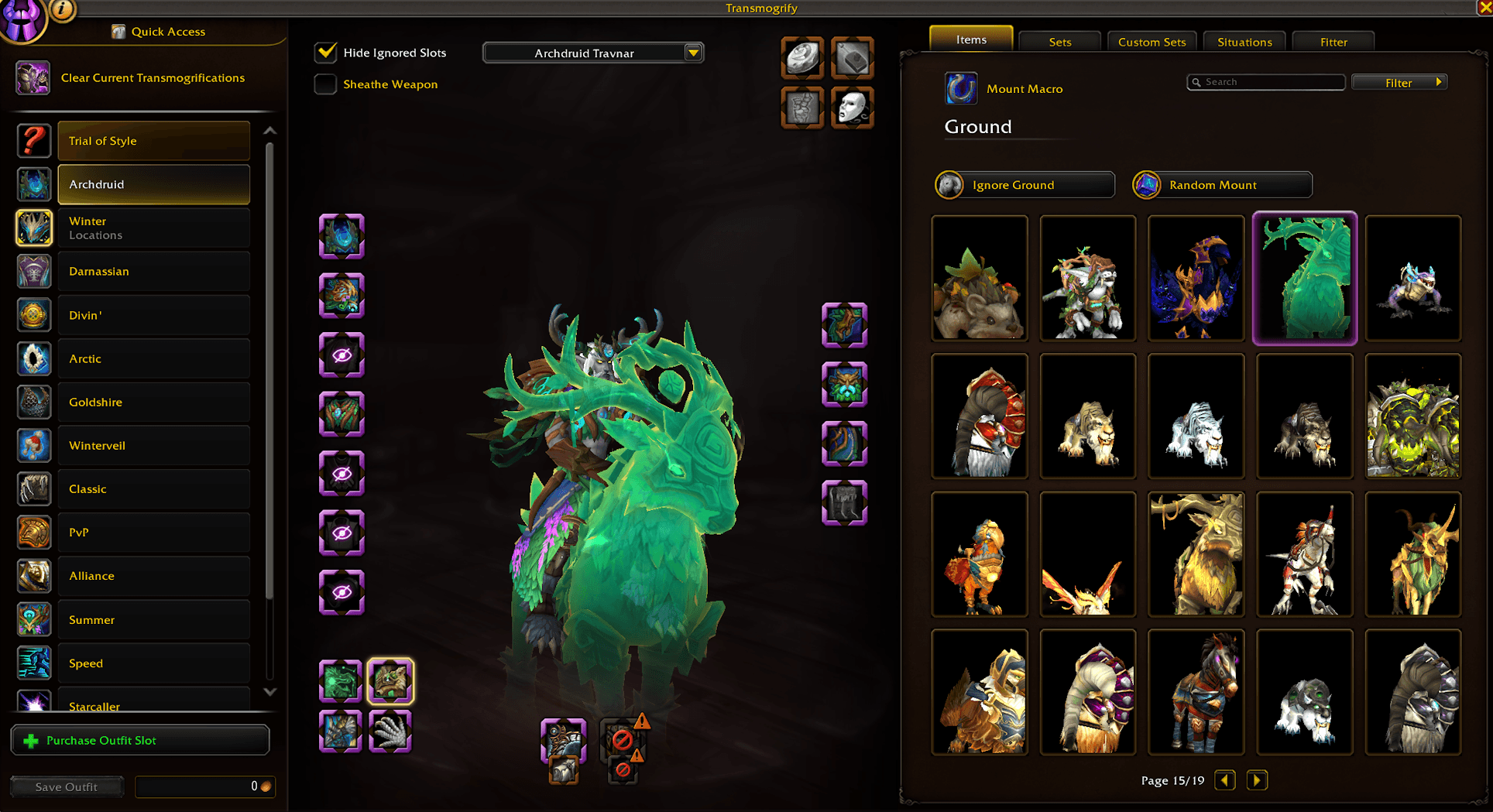
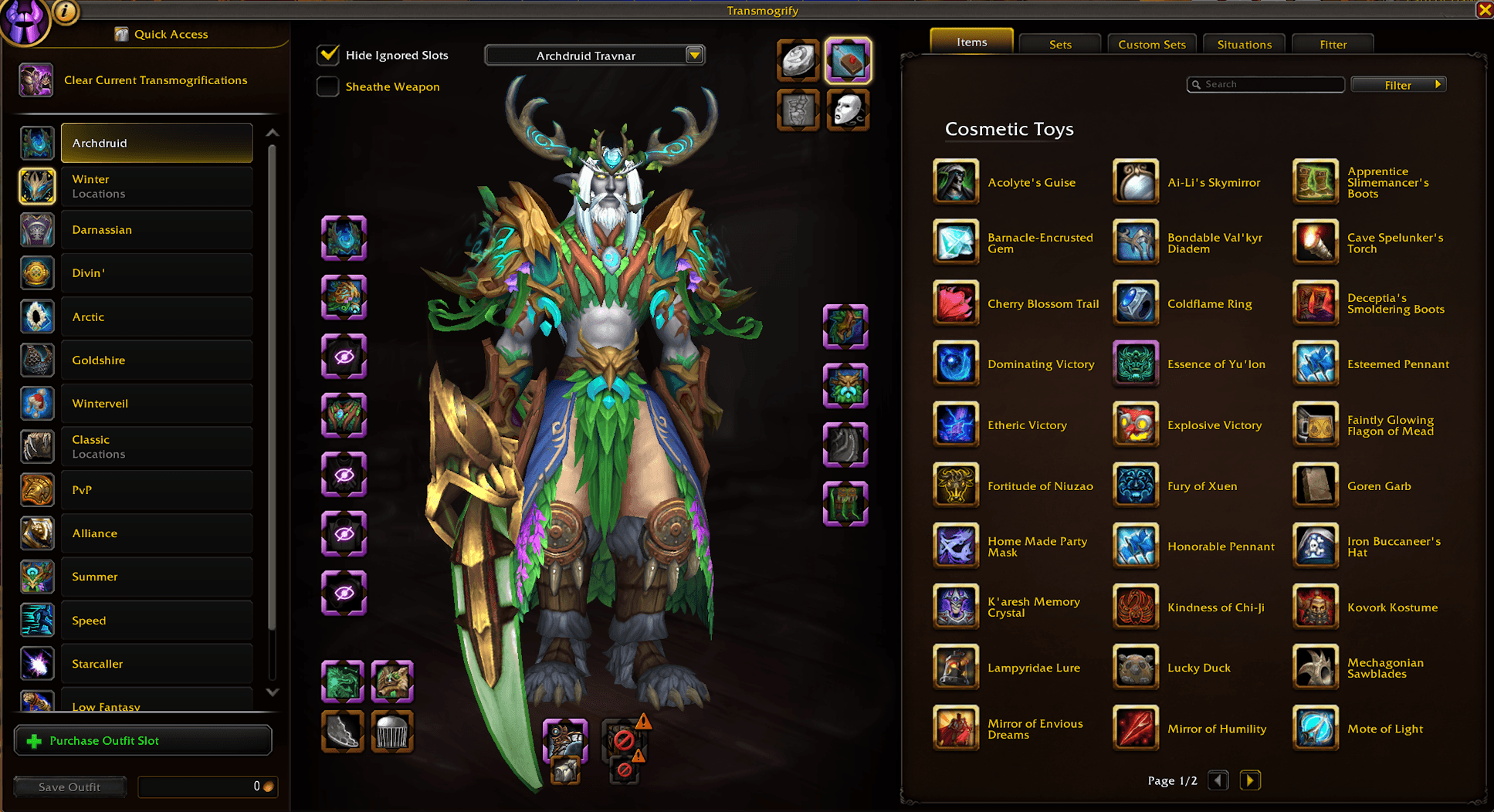
- Integrates directly with the default transmog UI.
How It Works:
- Use Fitter’s mount keybind or macro as your normal mount button.
- The hearthstone keybind and macro use your active outfit’s hearthstone selections.
- Companion pets are summoned automatically when your active outfit changes. Zone-based outfit swaps, toy activation, and title updates are handled through the mount action because they require a button press.
- Find account-wide settings under Settings → AddOns → Fitter.
Mounts:
- Select one or multiple mounts for each category: flying, ground, and aquatic.
- When multiple mounts are selected, Fitter randomly chooses from your selections.
- Configure account-wide flying and ground fallback lists for outfits without their own selections.
- Supports race and class options including Soar, Running Wild, Druid Travel Form, and Shaman Ghost Wolf.
- Assign a modifier key to force your ground mount selection.
- Includes additional support such as for G-99 Breakneck.
Companion Pets:
- Select one or multiple companion pets for an outfit.
- Pets are automatically summoned when your displayed outfit changes.
- With multiple selections, Fitter randomly chooses a pet.
Hunter Pets:
- Associate hunter pets with your outfits.
- Fitter uses your active pet slots to summon available pets through its macros.
- If a single selected pet is stabled, Fitter can fall back to an active pet of the same family, or another available pet.
- Includes option to attempt to revive a dead pet.
Hearthstones:
- Select one or multiple hearthstones per outfit.
- With multiple selections, Fitter randomly chooses from your available selections.
- With no selection, Fitter randomly chooses from your available supported hearthstones.
- Shamans can enable Astral Recall as a fallback when their hearthstone is on cooldown.
Toys:
- Select multiple cosmetic toys per outfit.
- Selected toys are included in the mount action so they can activate as part of your normal mount press.
- Fitter skips toys that are already active or on cooldown.
- Optionally cancel supported toy effects from a previous outfit when they are not selected for the next outfit.
Zones:
- Associate one or multiple outfits with a zone.
- When multiple outfits match, Fitter randomly chooses one when you enter the zone.
- The selected outfit is equipped when you use the mount action.
- Zone-based switching respects outfit locks.
- Optional settings enable the Rest and World outfit situations and can reset them when the last matching zone is removed.
Titles:
- Assign a title to each outfit.
- Choose no title to clear your title or Ignore Title to leave it unchanged.
- Titles are updated when you use the mount action.
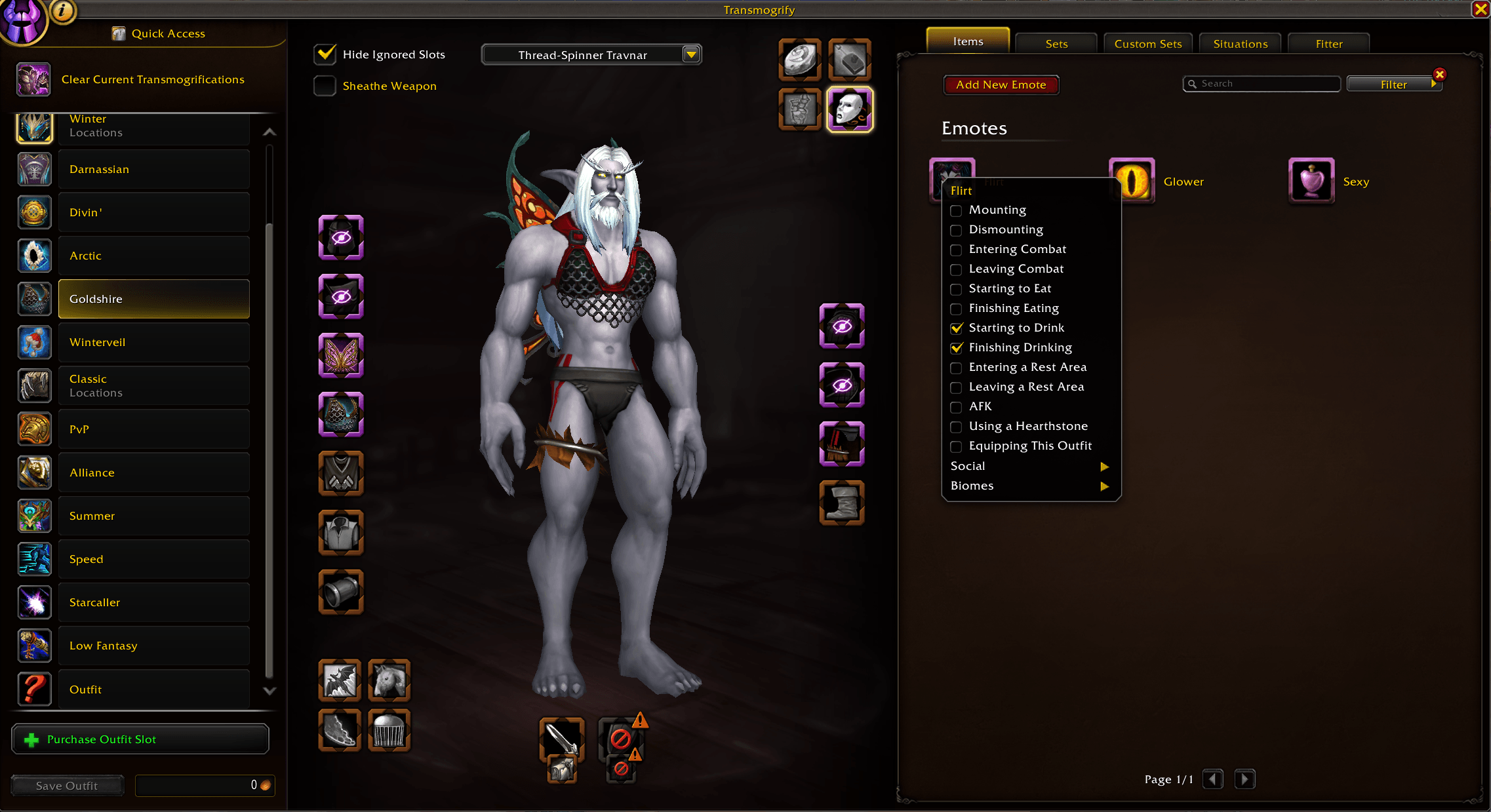
Emotes:
- Assign built-in or custom emotes to your outfits.
- Choose conditions such as mounting, dismounting, resting, eating, drinking, using a hearthstone, or targeting certain characters.
- Configure biome-based emotes to activate regularly while inside such a zone.
- When multiple emotes match a condition, Fitter randomly chooses one.
- Option to adjust the account-wide emote cooldown to control how frequently they occur.
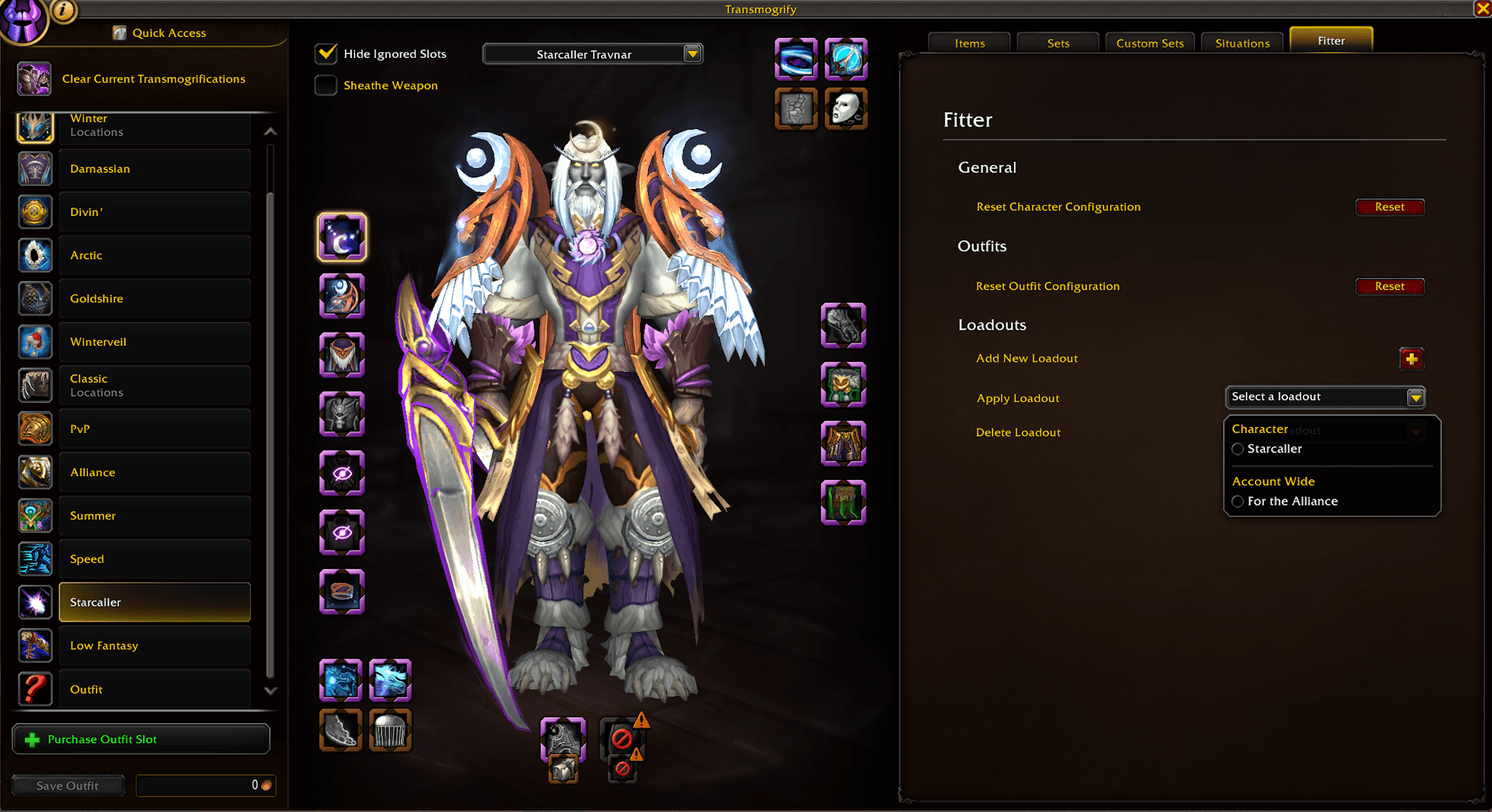
Loadouts:
- Save an outfit’s Fitter configuration as a character-specific or account-wide loadout.
- Apply saved loadouts to other outfits to quickly reuse your selections.
- Manage loadouts from the Fitter tab in the transmog window.
Conditionals:
- Use an ability, toy or mount instead of your normal mount while a condition is met: holding Shift, Ctrl or Alt, falling, in combat, indoors, or swimming.
- Add character conditionals from the Fitter tab in the transmog window, or account-wide conditionals in Fitter's settings.
- A character's conditional takes priority over an account-wide one for the same condition, and abilities or toys a character doesn't have are skipped.
You must be logged in to leave a comment.