
Fishing’s Fun
A fishing log for WoW: Forever. See where you fished, for how long, and how often each fish bites, then check which recipes your catch goes into. It also equips your fishing gear in one click and adds a lure bar and a session overlay.
Details
Expansion
 Forever
 Categories
Developers

Having issues?
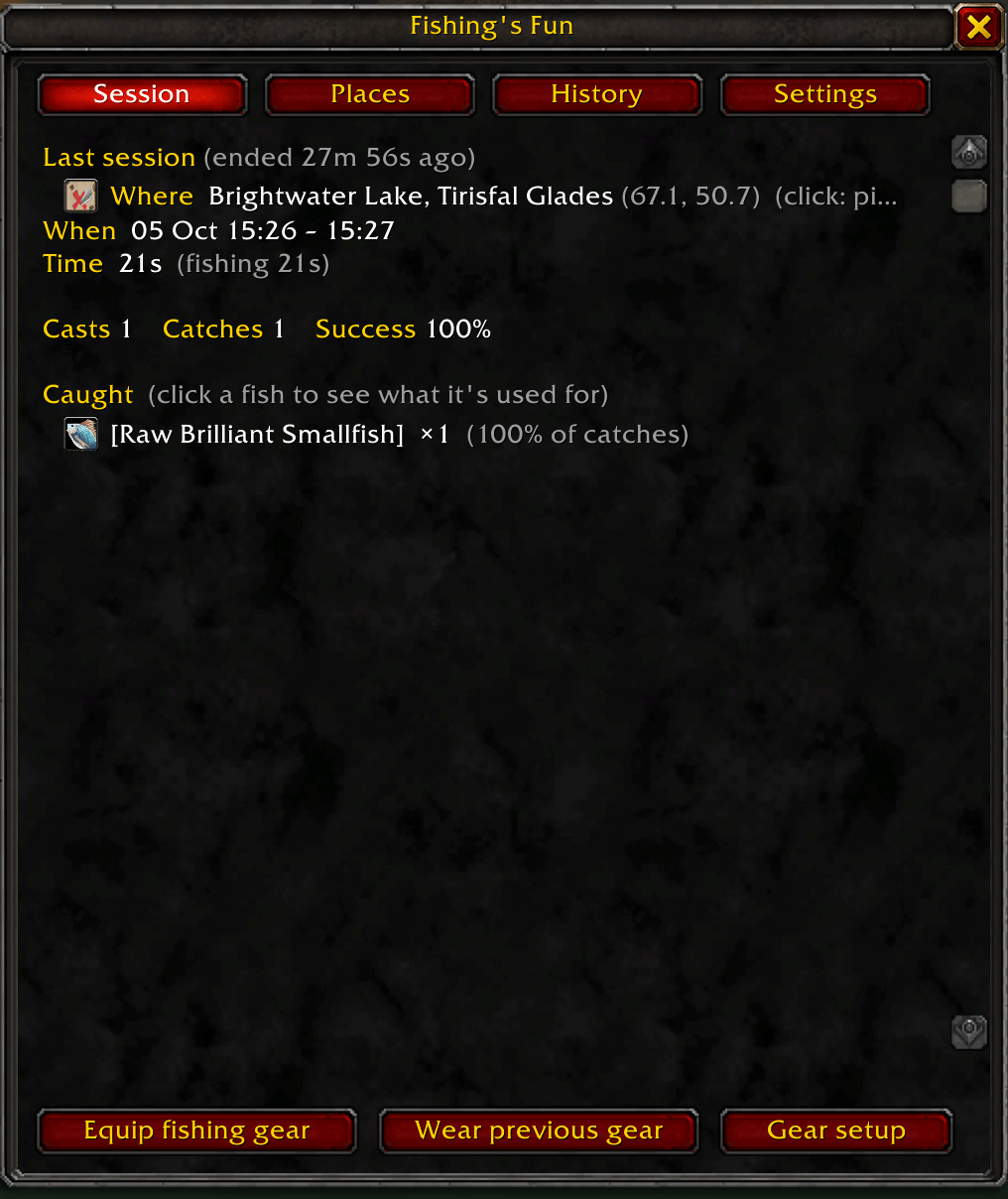
Fishing's Fun keeps a log of every fishing session and puts the things you use while fishing in one small window. Open it from the minimap button or with /fif.
Your fishing log
- The Session tab shows where you are fishing, for how long, your casts, catches and success rate, fish that got away, and catches per hour. Every fish you caught is listed with its share of your catches and how many you catch per hour.
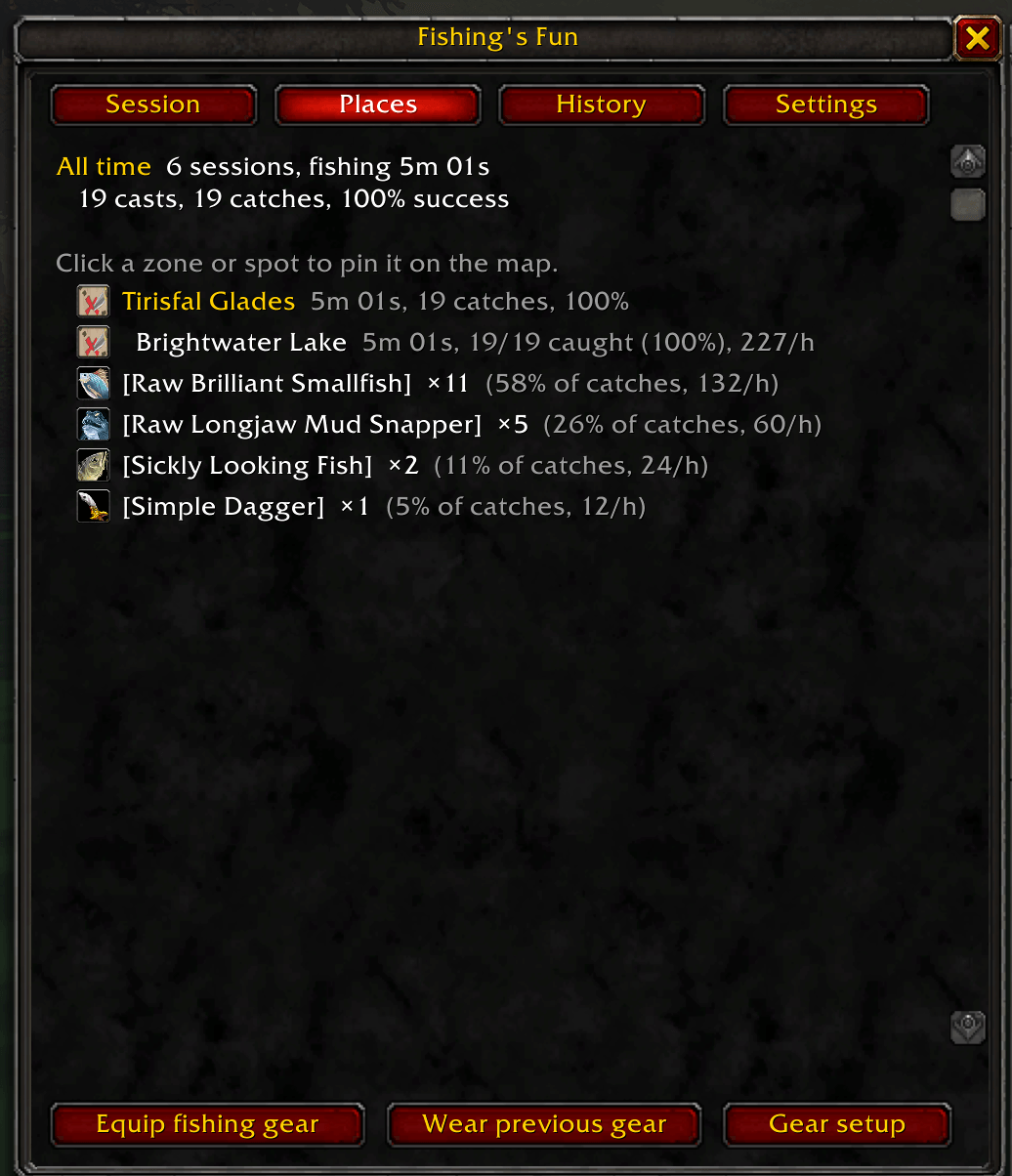
- The Places tab adds up every zone and fishing spot you have fished, with the top fish at each one.
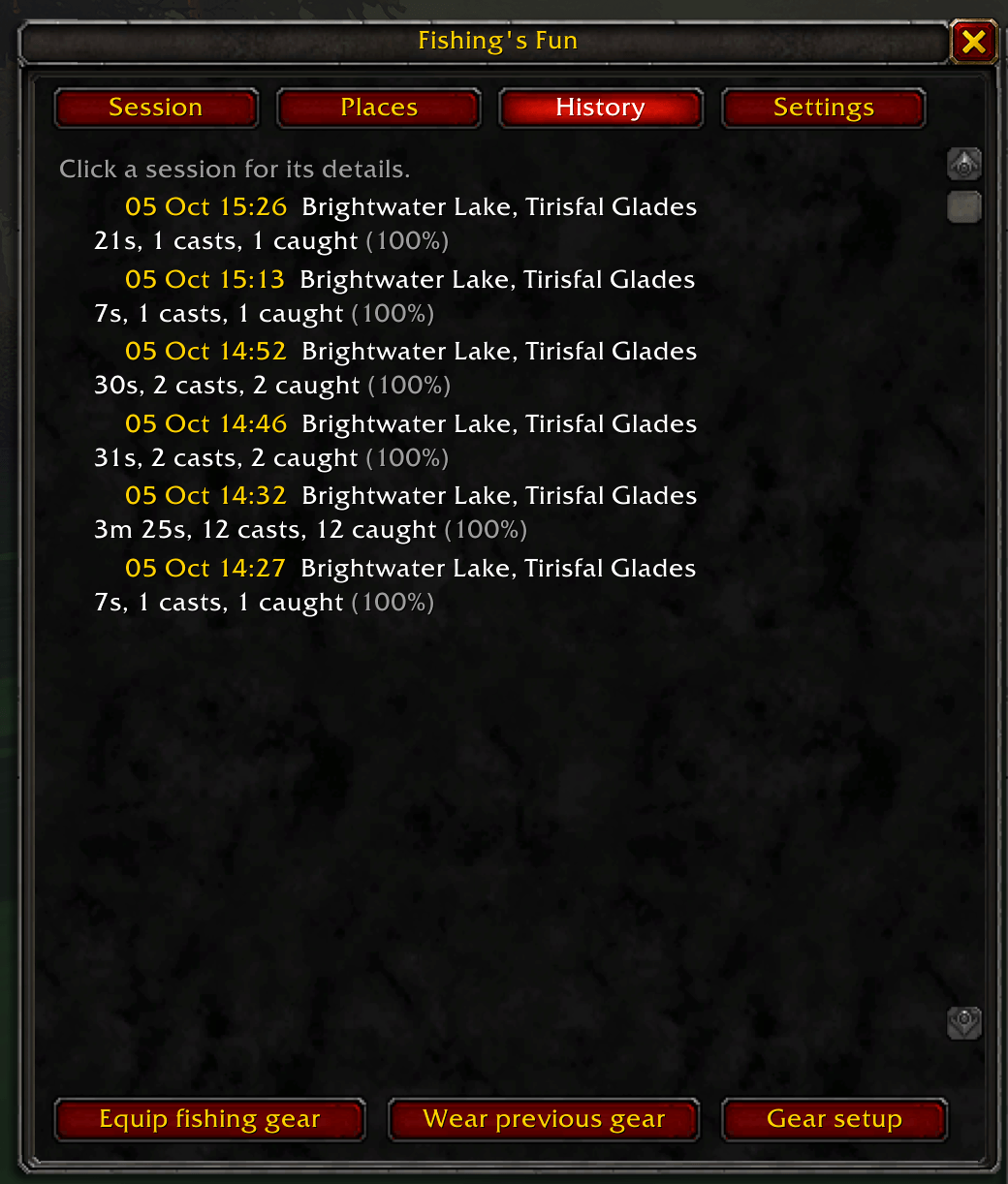
- The History tab lists your past sessions. Click one to see its details.
- Click any location to put a map pin there. The navigation arrow turns on and the map opens on that spot.
What is my fish good for?
Click a fish to see which crafting recipes use it, grouped by profession. Click a recipe to see what it makes, its ingredients and how many of each you carry, its skill-up colours, and how you learn it: from a trainer, automatically, or from a recipe item. The recipe data comes from the game's own data for WoW: Forever, so it matches your client.
Fishing gear in one click
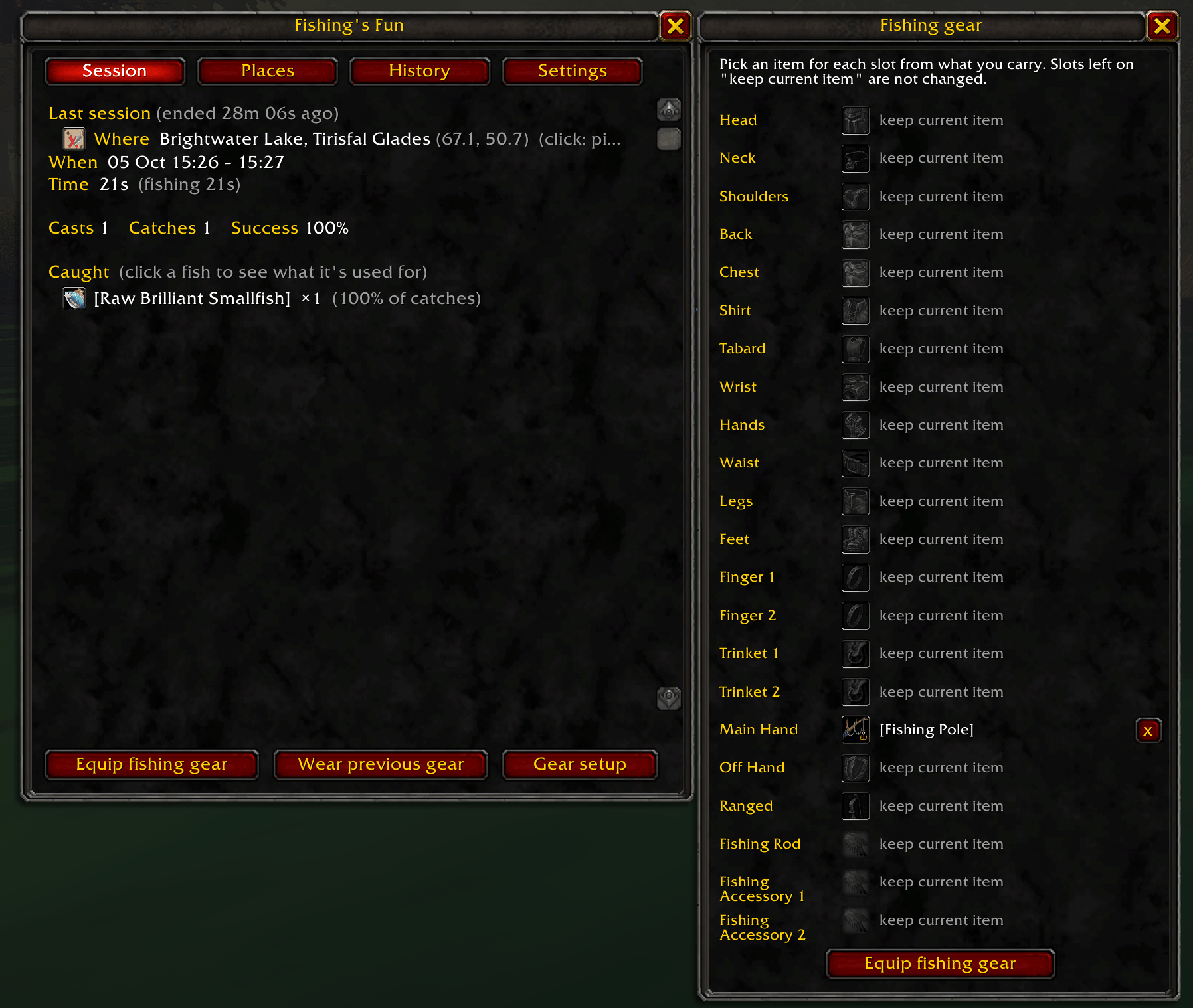
Gear setup lets you pick an item for each equipment slot from what you carry. Fishing gear shows its bonus and comes first in the list, and slots you don't set keep what you wear.
Equip fishing gear puts the whole set on. Wear previous gear puts back exactly what you had on before. If you no longer carry an item, chat names it and the addon skips it. Nothing changes in combat.
Buffs, overlay and easy cast
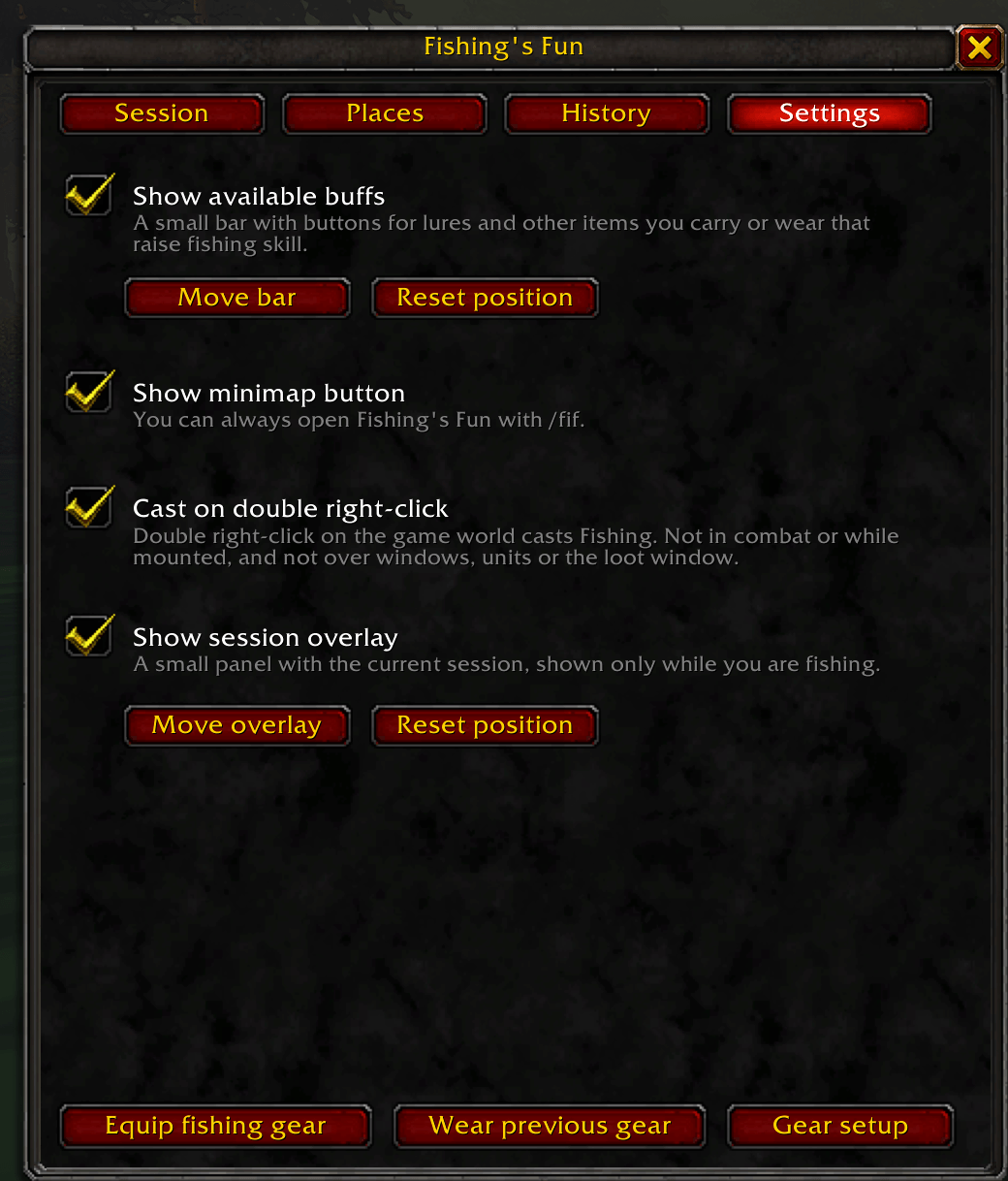
- The available buffs bar has a button for every lure or other item you carry or wear that raises your fishing skill, biggest bonus first. Lures go straight onto your fishing pole.
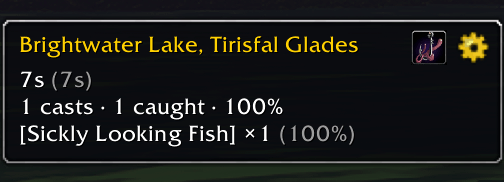
- The session overlay is a compact panel with the current session. It only shows while you are fishing.
- Cast on double right-click is optional. Double right-click on the water and you cast. A single right-click stays a normal right-click, and double-clicking does nothing in combat, while mounted, or over a window or a unit.
You can put the buff bar and the overlay anywhere: turn on move mode in Settings, drag them into place, and lock them.
Commands
| Command | What it does |
|---|---|
/fif | Open or close the window |
/fif session, places, history, settings | Open a tab |
/fif gear | Put on your fishing gear |
/fif restore | Wear what you had on before |
/fif setup | Choose your fishing gear per slot |
/fif movebar | Move the buff bar |
/fif moveoverlay | Move the overlay |
/fif minimap | Show or hide the minimap button |
Good to know
- Made for World of Warcraft: Forever.
- Your log is saved per account, on your computer.
- The game's data doesn't say where to buy or loot a recipe, so the recipe view gives you a link to look it up.
- If you find a bug or have an idea, leave a comment. A screenshot of the error message helps a lot.
You must be logged in to leave a comment.