

Fafnyir Tools for EllesmereUI
Tools, and tweaks for EllesmereUI.
Details
Expansion
 Forever
 Categories
Developers

Having issues?
Fafnyir Tools for EllesmereUI
FAFNYIR TOOLS FOR ELLESMEREUI
Current Feature Overview — Version 1.1.4
Updated: September 25, 2026
OVERVIEW
Fafnyir Tools is a collection of optional enhancements for EllesmereUI. It adds controls and behavior that are not currently available in EllesmereUI, while using EllesmereUI's existing frames, profiles, styling APIs, and options system wherever possible.
The addon supports current Retail interface versions and WoW Forever interface 16001. Forever-only controls are hidden on Retail.
OPTIONS PAGES
• About
• Quality of Life
• Unit Frames
• Action Bars
• XP & Progression
• Bags & Inventory
• Layouts
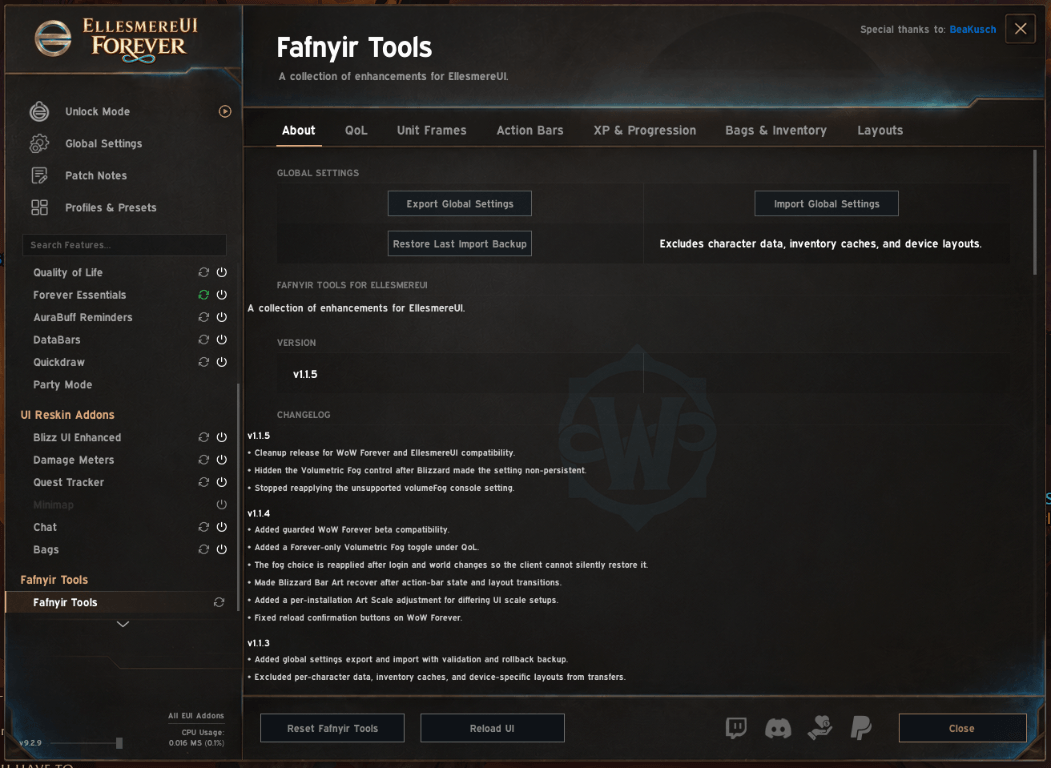
GLOBAL SETTINGS
• Exports recognized global Fafnyir Tools preferences to a versioned text string.
• Imports validated settings without executing imported text.
• Creates a rollback backup before importing.
• Preserves unknown local settings during import.
• Restores the most recent pre-import backup.
• Excludes character-specific companion choices, inventory caches, and device-specific layouts.
• Synchronizes imported Unit Frame source choices before the required reload.
UNIT FRAMES
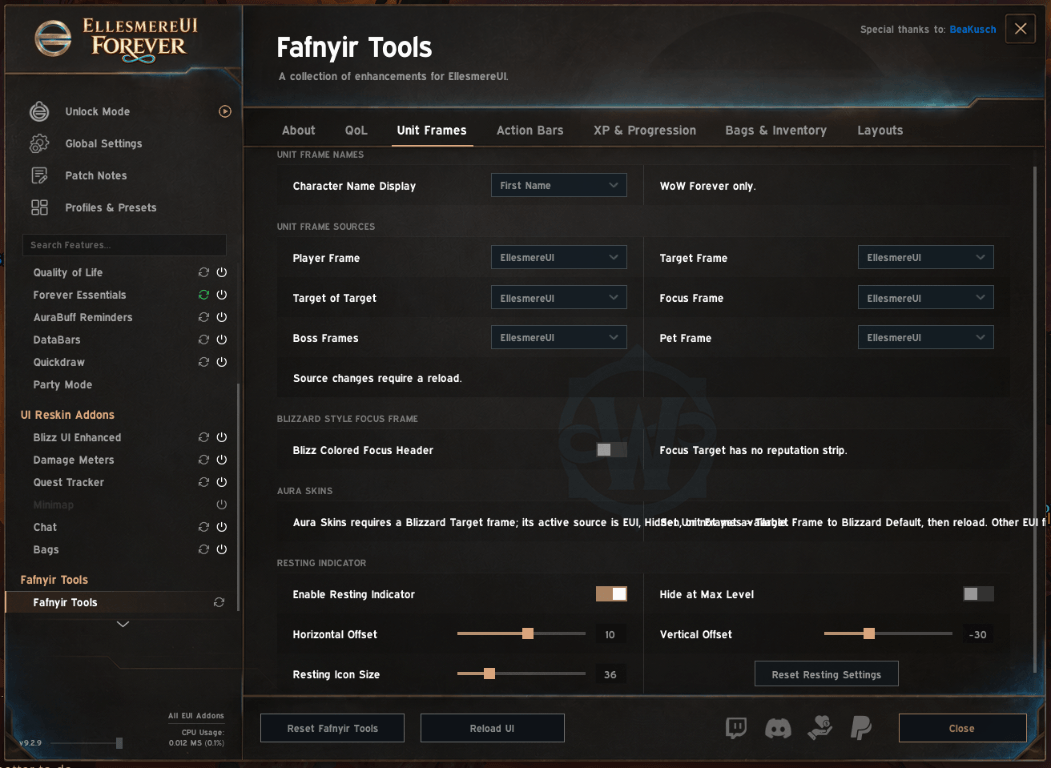
Selective Frame Sources
Each supported frame can independently use EllesmereUI, Blizzard Default, or Hidden:
• Player
• Target
• Target of Target
• Focus
• Boss
• Pet
Source changes use EllesmereUI's native Unit Frame source API. A reload prompt is shown when required. A full Fafnyir Tools reset returns all six source choices to EllesmereUI.
Forever Character Name Display
WoW Forever characters can display:
• First Name
• Last Name
• Whole Name
The selected format applies to EllesmereUI main Unit Frames, Party Frames, and Raid Frames. It does not alter Nameplates, NPC names, configured third-party nicknames, protected names, or Retail names. Whole Name is the default.
Blizzard-Style Focus Header
• Adds the missing Blizz Colored Focus Header option.
• Colors the full Focus Frame header by the focused unit's reaction.
• Uses EllesmereUI's supported Focus setting and refresh path.
• Does not affect the smaller Focus Target frame, which has no reputation strip.
• Adopts an existing saved Focus choice on first use.
Target Aura Skins
• Styles Blizzard Target buffs and debuffs while leaving Player buffs and debuffs under EllesmereUI control.
• Supports independent Target icon size.
• Wraps Target buffs and debuffs after six icons.
• Includes Target buff and debuff filters.
• Supports border, icon zoom, duration format, and text styling controls.
• Maintains session-stable ownership until reload when frame sources change.
• Focus aura styling is not currently implemented.
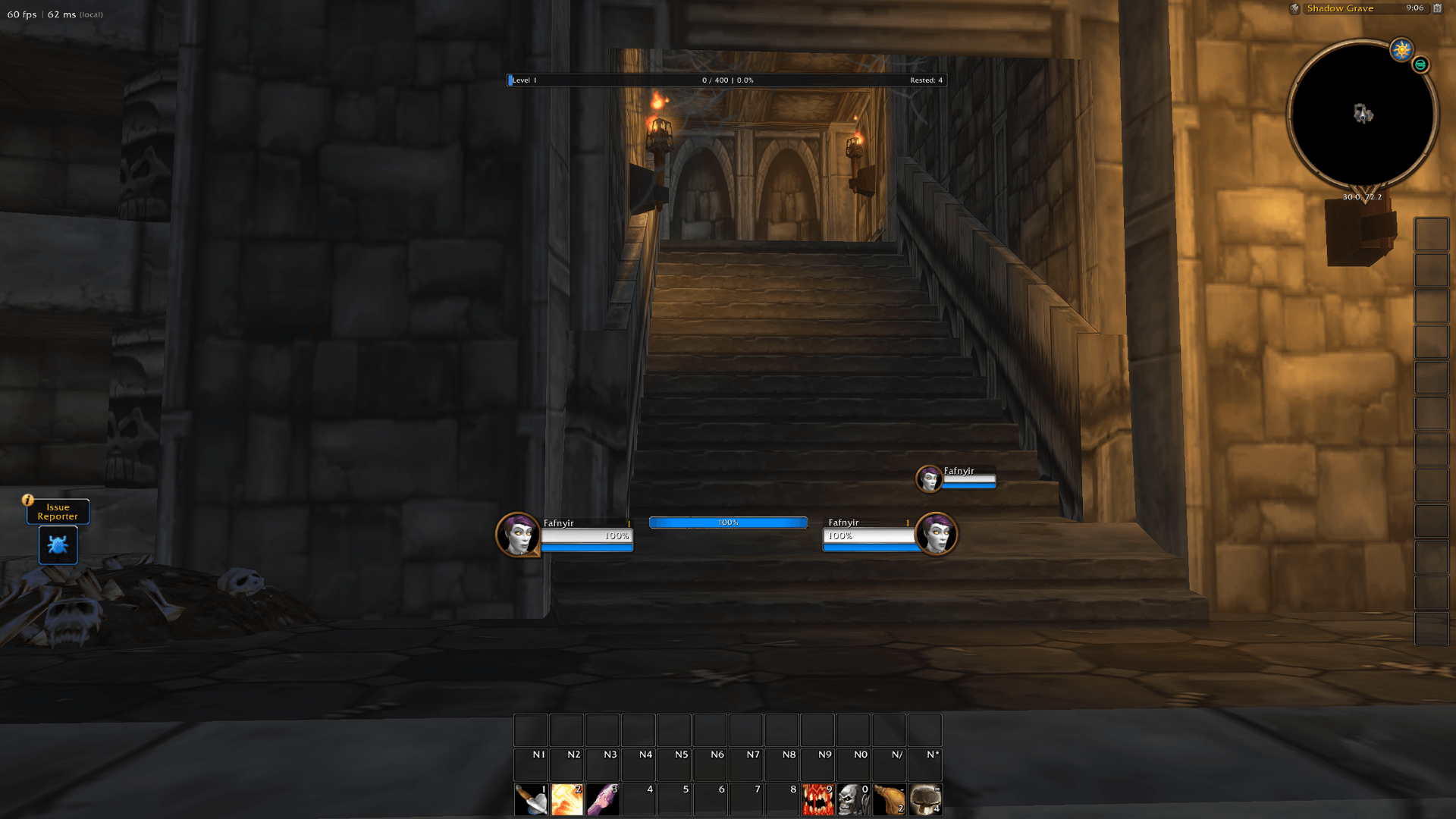
Resting Indicator
• Adds an animated resting indicator to the EllesmereUI Player Frame.
• Configurable size and X/Y offsets.
• Can remain hidden at maximum level.
• Uses client maximum-level APIs for Retail and Forever compatibility.
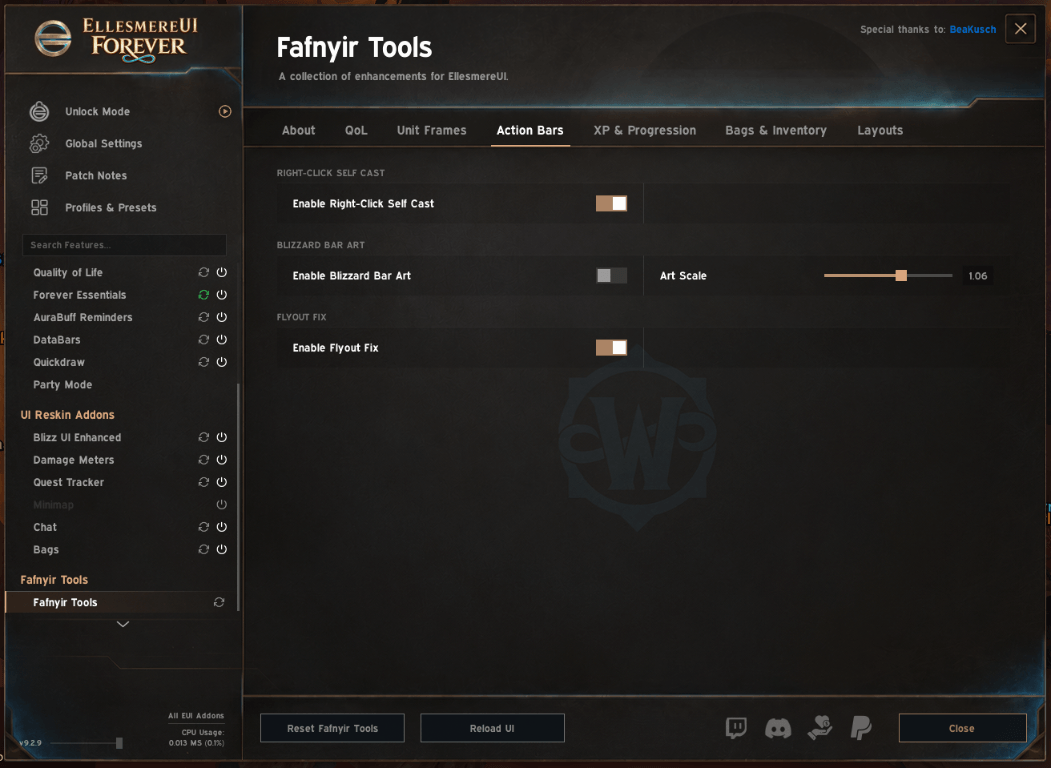
ACTION BARS
Blizzard Bar Art
• Restores Blizzard's decorative action-bar background behind EllesmereUI Bar 1.
• Links the central background and both side griffons to one Fafnyir Tools toggle.
• Overrides Blizzard's independent side-art preference while enabled.
• Keeps Blizzard's hidden Click To Edit panel concealed.
• Follows Bar 1 movement, scaling, paging, specialization, shapeshift, vehicle, override-bar, Edit Mode, world-entry, and combat transitions.
• Self-repairs if Blizzard or EllesmereUI hides, reparents, replaces, or changes the artwork.
• Includes a per-installation Art Scale calibration from 1.00 to 1.10.
• Art Scale is excluded from Global Settings exports because it can vary between machines.
Right-Click Self Cast
• Right-clicking supported EllesmereUI action buttons casts the selected action on the player when applicable.
• Normal left-click behavior remains unchanged.
Flyout Button Match
• Makes action-button flyouts match the parent button's styling.
• Preserves the selected border texture, size, and color instead of forcing a white pixel border.
XP AND PROGRESSION
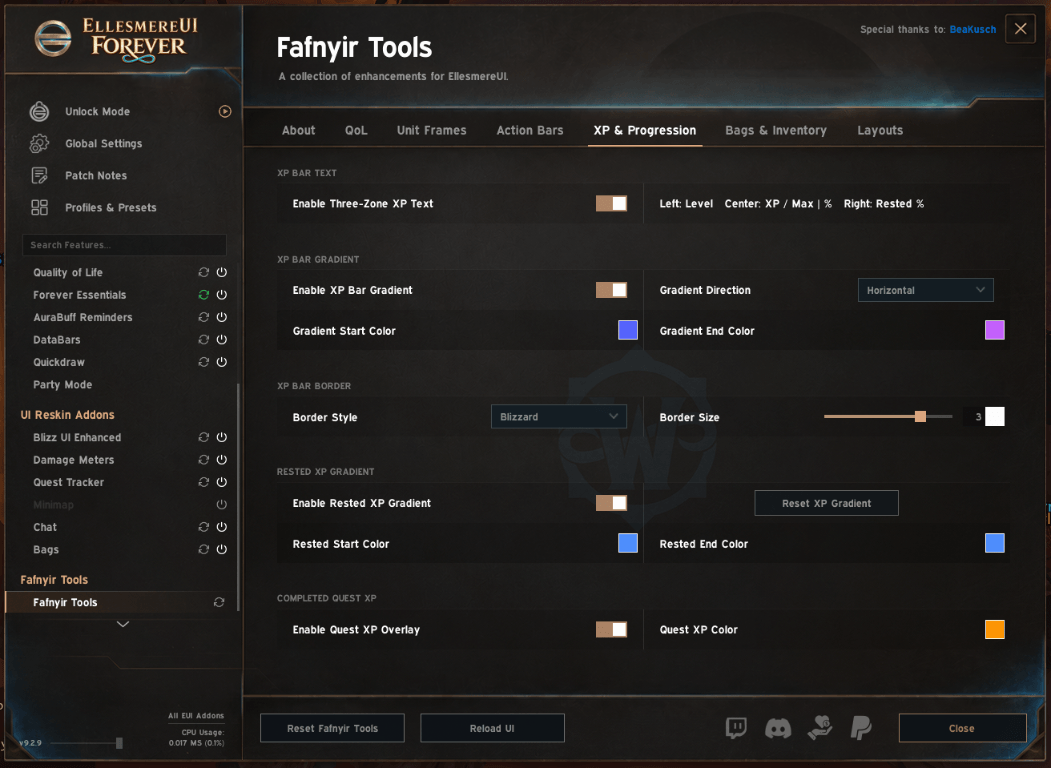
XP Bar Gradient
• Optional current-XP gradient.
• Default gradient: #5563FF to #C561FF at 100% opacity.
• Horizontal or vertical gradient direction.
• Existing saved custom colors are preserved.
Rested XP
• Optional rested-XP gradient.
• Default color: #4F8FFF at 100% opacity.
• Independent enable setting and start/end colors.
Completed Quest XP Overlay
• Shows the total XP available from completed quests that are ready to turn in.
• Draws an orange segment forward from the current XP position.
• Default color: #FF9600 at 100% opacity.
• Clips the segment at the current level boundary.
• Ignores incomplete, hidden, header, duplicate, and zero-reward quest entries.
• Updates on login, world entry, quest changes, XP changes, level changes, rested-XP changes, and delayed quest-data events.
• Hides at effective maximum level, when XP is disabled, when no completed quest XP is available, or when its toggle is off.
Three-Zone XP Text
When enabled, the XP bar displays:
• Left: Level
• Center: Current XP / Maximum XP | Percentage
• Right: Rested XP
The text inherits EllesmereUI's XP font styling and updates with XP, level, and rested changes. Disabling the feature restores EllesmereUI's native single centered XP string.
XP Bar Border
• Uses one shared EllesmereUI-rendered border around current, rested, and Quest XP.
• Supports EllesmereUI border texture, size, color, and opacity controls.
• Border size zero disables the border.
• Uses each EllesmereUI texture's native offsets for correct alignment.
QUALITY OF LIFE
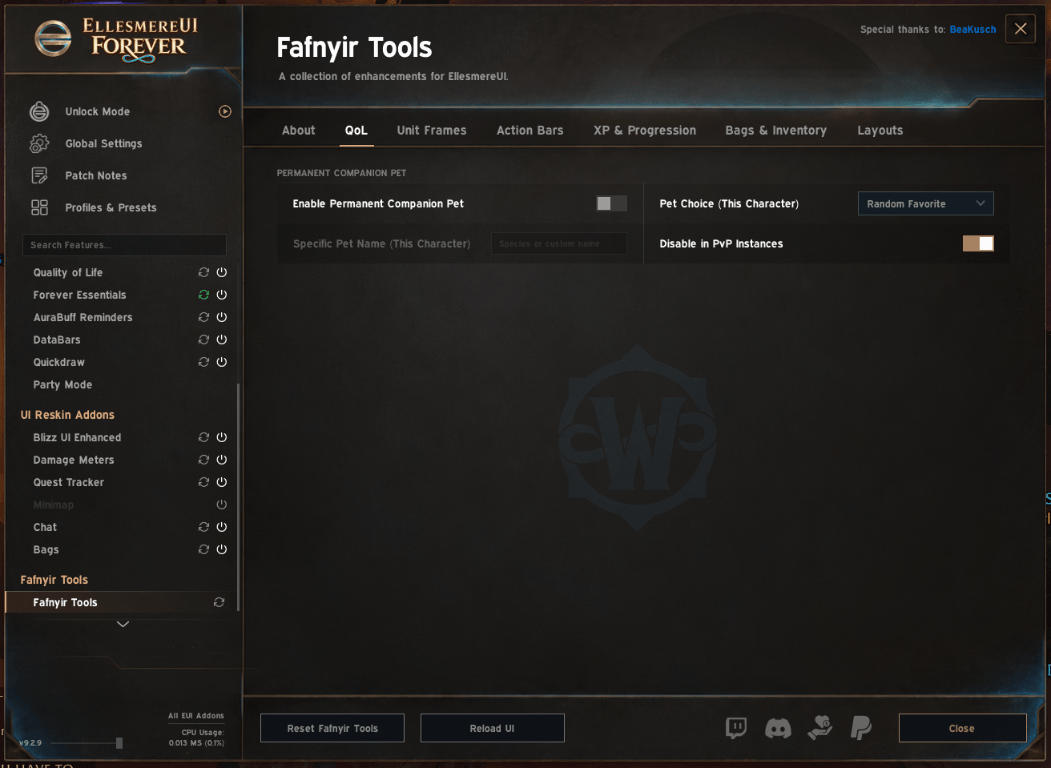
Persistent Companion Pet
• Keeps a selected companion/battle pet summoned when conditions allow.
• Can use one specific pet or a random favorite.
• Stores pet choice separately for each character.
• Includes PvP safety controls and summon throttling.
• Supports current and legacy Pet Journal enumeration paths.
• This feature concerns companion pets, not combat-pet Unit Frames.
Volumetric Fog — WoW Forever Only
• Adds a persistent Volumetric Fog toggle on Forever.
• Uses the validated volumeFog console setting.
• Reapplies the saved choice after login, world entry, and zone changes because the client may restore its graphics state.
• The option is hidden on Retail.
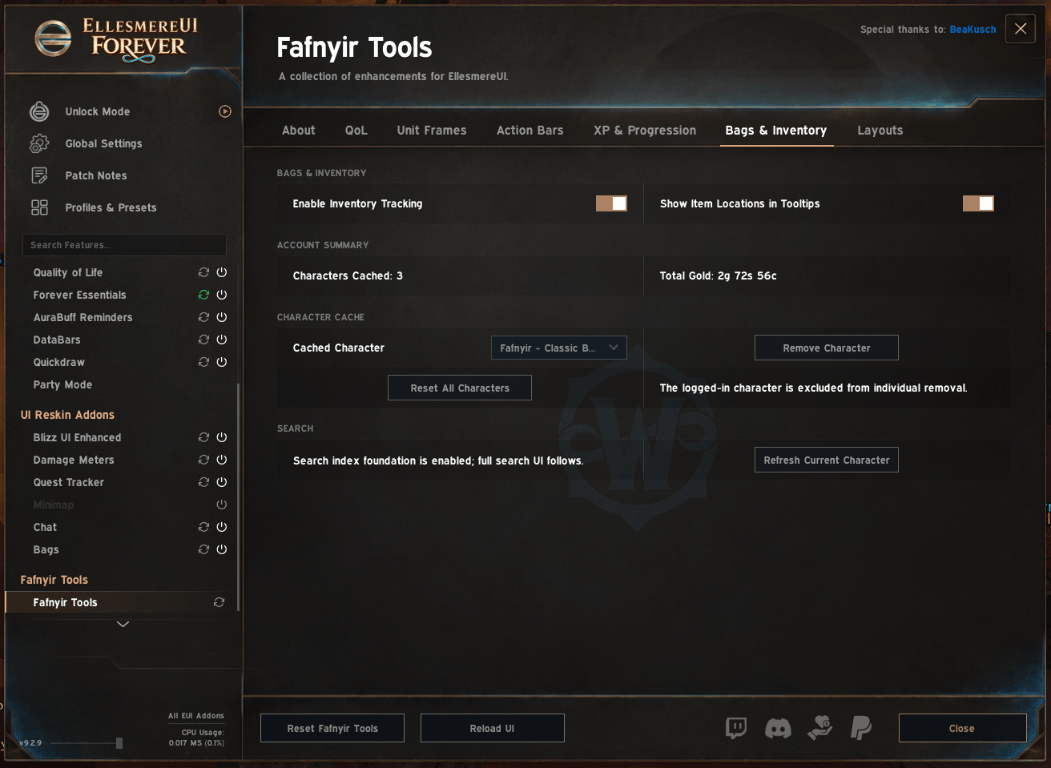
BAGS AND INVENTORY
Current Tracking
• Caches character bag contents.
• Caches personal bank contents when the bank is opened.
• Caches currencies.
• Tracks character gold and calculates an account total from cached characters.
• Adds item-location information to tooltips.
• Uses class-colored character names in item-location tooltips.
Character Cache Management
• Refreshes the currently logged-in character manually.
• Removes a selected cached alt with confirmation.
• Reset All Characters clears character, mail, and auction caches with confirmation.
• After Reset All, the current character is rescanned when tracking is enabled.
• Warband and guild caches are preserved by character-reset actions.
Inventory Limitations
The data model includes foundations for mail, auctions, Warband storage, and guild storage, but the current release does not provide complete live scanners or a full inventory search interface for those locations. These incomplete foundations should not be treated as full account-wide inventory tracking.
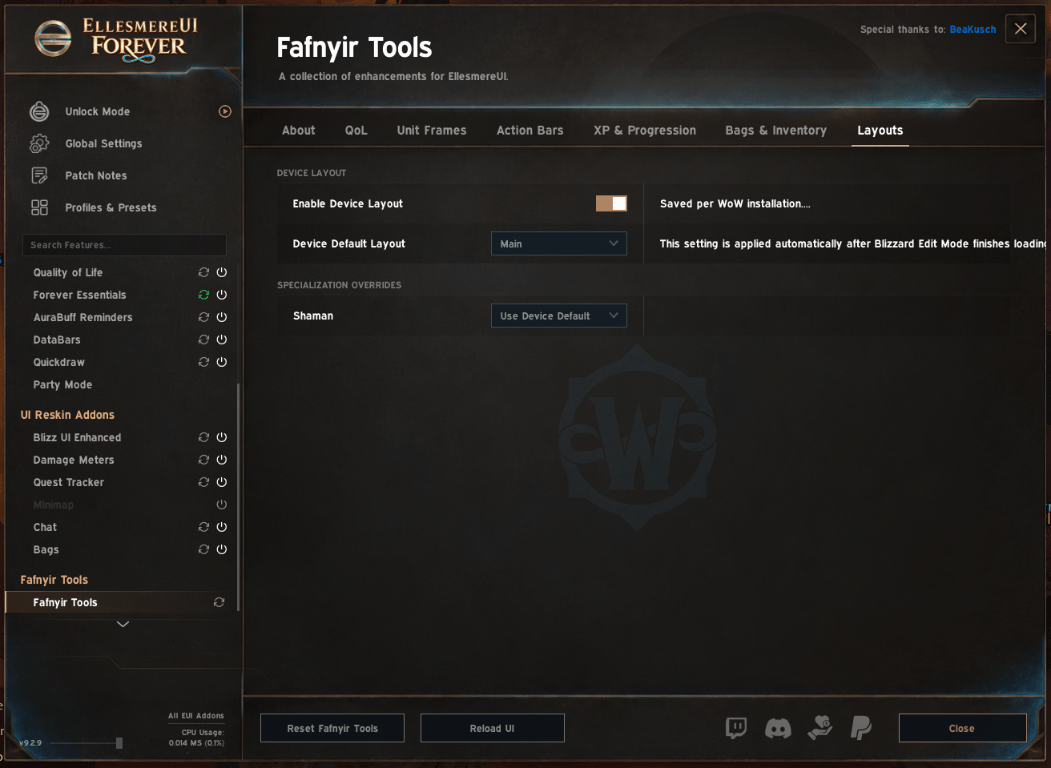
LAYOUTS
Device Layout
• Selects an Edit Mode layout for the current installation.
• Supports specialization-specific layout overrides.
• Switches layouts safely and reports the loaded layout in chat.
• Device layout choices are excluded from Global Settings exports because they are installation-specific.
OTHER BEHAVIOR
• Hides selected native Blizzard Target and Focus status textures where required by the supported frame setup.
• Integrates into a dedicated Fafnyir Tools group in EllesmereUI's options.
• Preserves existing saved custom settings when upgrading.
• Uses secure EllesmereUI reload confirmations on WoW Forever.
• Maintains Retail compatibility while gating Forever-specific behavior by interface version.
You must be logged in to leave a comment.