

ExtraStats
Extra Stats is a simple character screen extender which displays different kind of stats accurate, including buffs, flasks, racial benefits etc
Details
Expansion
 Forever
 Categories
Developers

Having issues?
ExtraStats
Make your character stats easier to read and tailor them to the way you play. ExtraStats brings customizable stat categories, resistance indicators, and specialization-based equipment swaps to the character window.

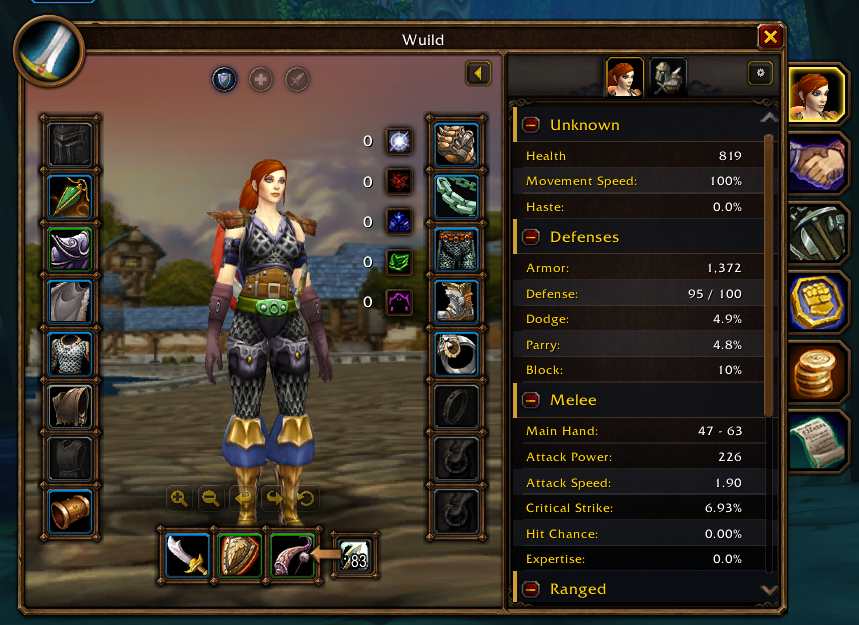
Your character, equipment, resistances, and grouped stats in one view.
Your stats, your layout
See your character's stats in six groups: General, Attributes, Melee, Ranged, Spell, and Defense. Native tooltips provide more detail when you hover over a stat.
- Drag categories into your preferred order. Use the expand/collapse button to keep the view compact.
- Choose which stats matter to you. Show or hide individual stats and entire categories for each role.
- Switch between Tank, Healer, and Damage presets. Auto selects a role from your active talent build; Off shows the unfiltered view.
- Keep your preferences per character. Category order, collapsed sections, and visibility settings are saved.
Resistances at a glance
Five resistance indicators sit beside your equipment slots, keeping your resistances visible alongside your gear. Hover over an indicator, or focus it with a controller, to see its native tooltip.
Equipment that follows your specialization
Assign equipment sets through the native equipment manager. Open a set's edit menu, choose Assign spec, and select the specialization that should use it.
ExtraStats equips the assigned set when you switch talent groups. If combat, casting, channeling, or locked items prevent the swap, it waits until the swap can proceed. Assignments stay attached to the set when you rename it.
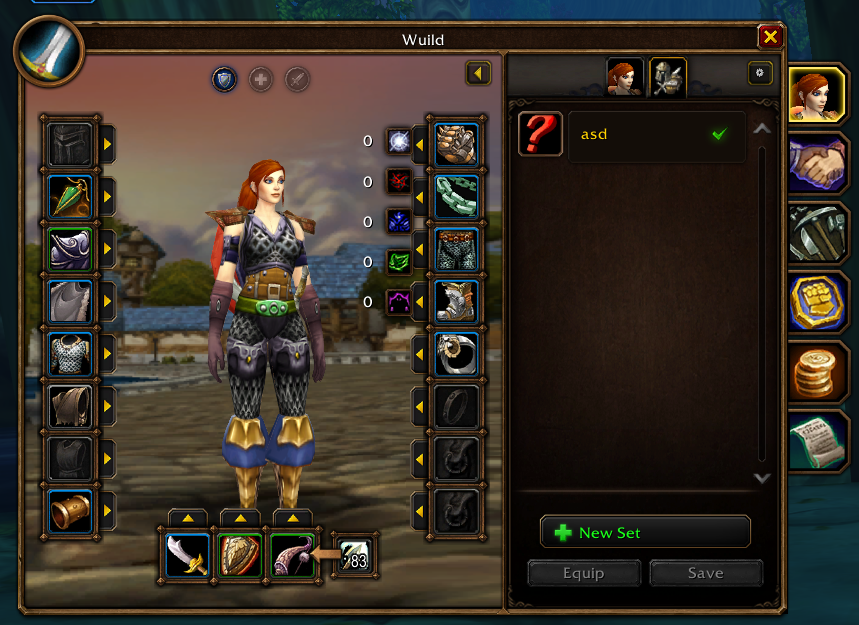
Manage your equipment sets from the character window. Open a set's edit menu to assign it to a specialization.
Mouse and controller support
Navigate stats, role controls, resistances, settings, and equipment sets with a mouse or controller. Open the settings cog to adjust your layout and choose a Dark or Light character-window appearance.
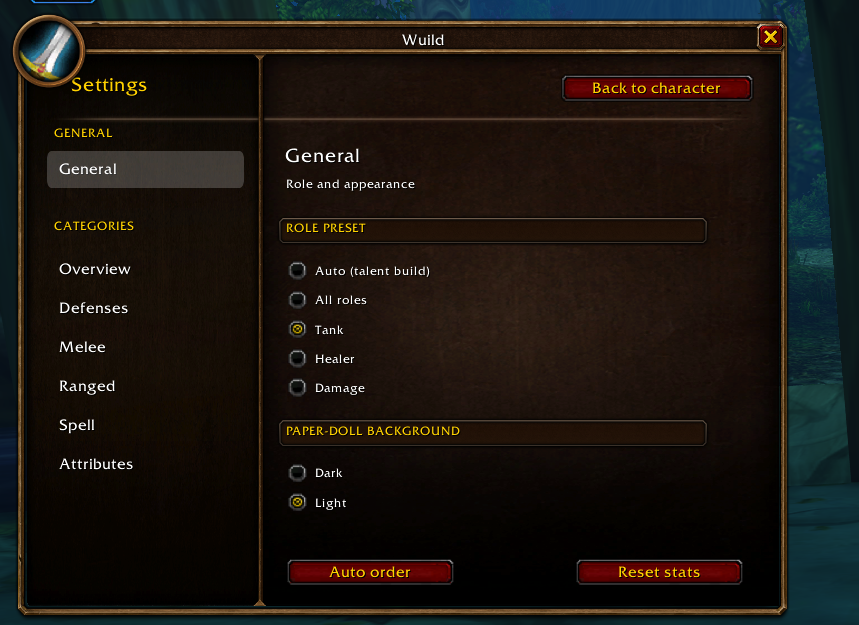
Choose a role preset, adjust your stat categories, and change the character-window appearance.
Getting started
- Install ExtraStats in your WoW Forever client's
Interface/AddOnsfolder. The addon folder should be namedExtraStats. - Open your character window to view your stats and resistances.
- Select a role preset or open the settings cog to customize what you see.
- To enable automatic gear swaps, assign your equipment sets to specializations through each set's edit menu.
ExtraStats 3.0.0 targets WoW Forever (1.60.1). If you are upgrading from an older ExtraStats version, replace the old addon folder with the new one and restart the game or reload the UI.
Feedback and support
Found a bug or have a feature request? Open an issue on GitHub. Include your client version, what happened, and steps to reproduce it. Screenshots and Lua error messages are helpful.
ExtraStats is open source and built with community support. Special thanks to Crits and Giggles for helping create the addon.
If you enjoy ExtraStats and want to support its development, join me on Patreon.
You must be logged in to leave a comment.