
ExplorerToolkit
Toolkit for players who don't want spoilers and only want to track what they discover themselves
Details
Expansion
 Forever
 Categories
Developers

Having issues?
ExplorerToolkit
ExplorerToolkit is a small world-map sketchbook for WoW Forever. It is for people who explore the world themselves and want to remember what they found, without a guide telling them where to go.
This is a vibe-coded project. It was built in conversation with an AI assistant, tried in game, and adjusted from there. It is a personal addon, not a studio product. Expect rough edges.
What it is
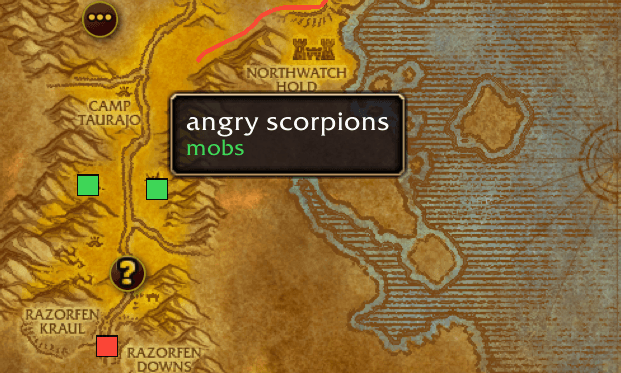
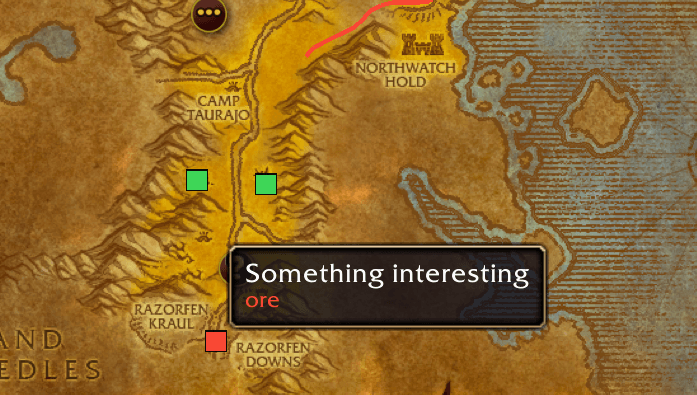
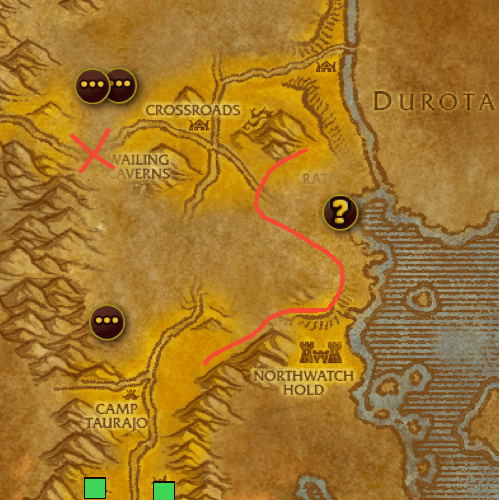
You draw on the world map and drop markers with your own notes. Nothing in the addon is a quest list, a coordinate pack, or a database pulled from the internet. If it is on your map, you put it there.
Drawings are saved on this computer, in the normal WoW saved variables.
How to use it
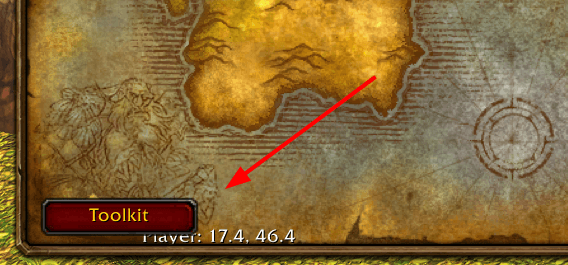
Open the world map. The Toolkit panel sits on it. /etk toggles the panel.
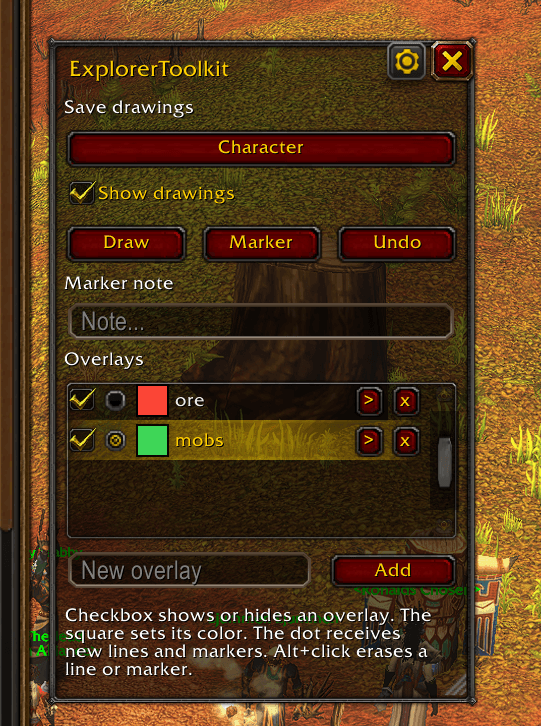
- Overlays. Each overlay has a name, a color, and its own lines and markers. Show or hide each one with its checkbox. New ink goes only onto the overlay marked with the dot, so you can keep several layers visible and still draw on one of them.
- Draw. Turn on Draw and drag on the map with the left mouse button.
- Markers. Turn on Marker and click the map. Text from the marker-note box shows when you hover the pin.
- Color. The square next to an overlay name opens a 12-color palette. That color is the whole overlay: lines and markers already there, and anything you add next.
- Erase. Alt+click a line or marker. Undo removes the last line or marker you added this session. Right-click a marker to delete it.
- Save drawings. Account keeps drawings for your other characters. Character keeps them on this character only.
- Show drawings. Hides or brings back every overlay at once.
- Language. The gear button opens settings. Pick English or Українська. The choice is saved and applies right away.
- The panel drags by its title bar and resizes from the bottom-right corner.
Where drawings appear
A drawing belongs to one of two zoom levels.
Far. The two-continent world map and a continent map. Ink from the Eastern Kingdoms shows on the world map, on that continent’s patch of land. It does not show on Kalimdor, and it does not show once you open a single zone.
Near. Zones, cities, and closer maps. Ink in Orgrimmar stays there. It does not climb up onto the continent map.
Inside its level, the line stays on the ground when you pan or zoom.
Client
Built for the WoW Forever beta, interface 16001. If a newer build refuses to load it, run this in game and put the number in the addon’s toc as ## Interface::
/run print((select(4, GetBuildInfo())))
Bugs and ideas
Share functionality was never tested
Bug reports and feature requests go on GitHub, not in the CurseForge comments:
You must be logged in to leave a comment.