
EUI-RestedXP
RestedXP Guides in your colors: the guide window, theme and arrow follow your EllesmereUI accent live — plus five reskin layouts.
Details
Expansion
 Forever
 Categories
Developers

Having issues?
EUI-RestedXP
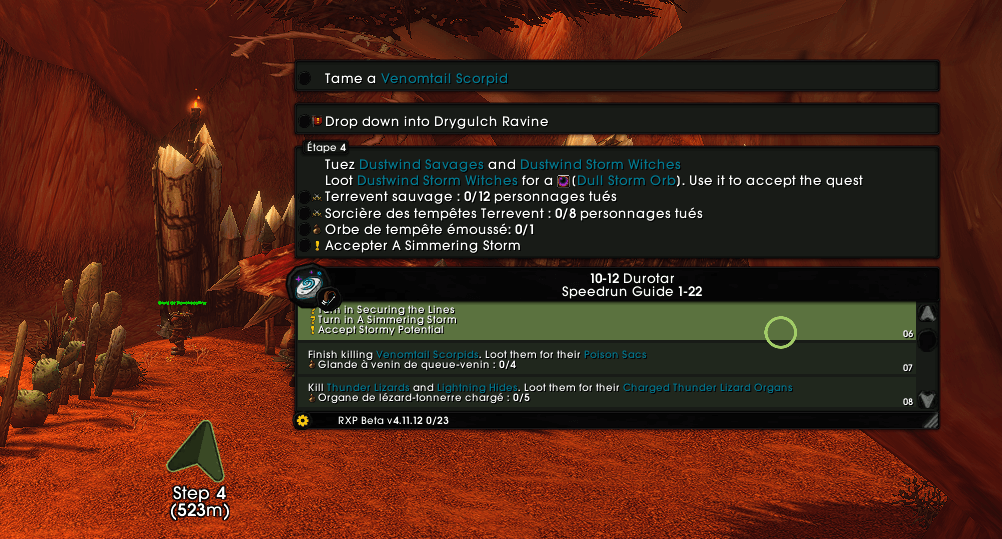
RestedXP Guides, in your colors — the leveling guide window, theme and navigation arrow follow your EllesmereUI accent color, live.
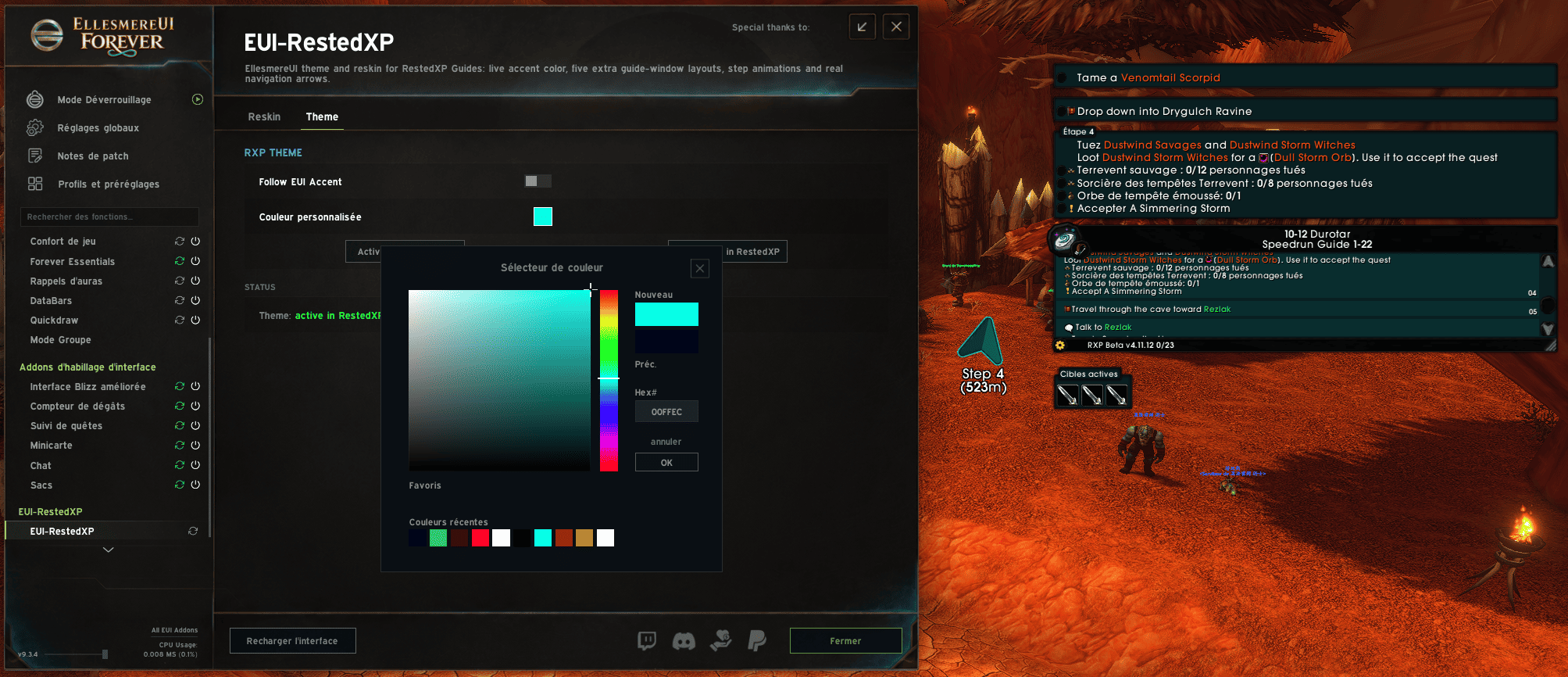
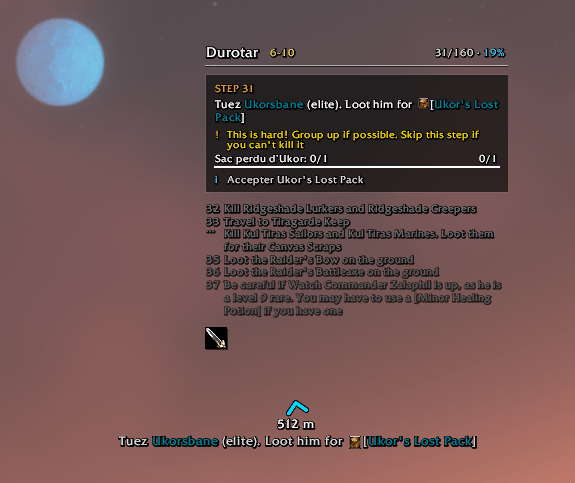
EUI-RestedXP bridges RestedXP Guides (RXP) and EllesmereUI (EUI): once the theme is activated, your guide window, its navigation arrow and every related color follow EllesmereUI's accent color — instantly. Change the accent in EUI and the guide re-themes on the next frame.
What it does
1. The "EllesmereUI" theme inside RestedXP
A full RXP theme (backgrounds, borders, map pins, tooltip, text) derived live from EUI's accent color — or from a custom color if you prefer it fixed. One-click activation from the options (Activate in RestedXP), one-click deactivation (back to RXP's stock theme).
2. A complete guide window reskin engine
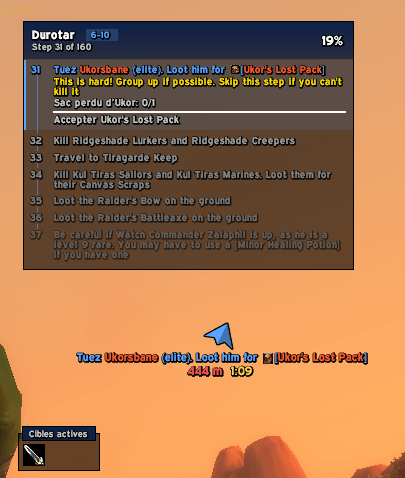
Six custom layouts, each with its own appearance page (fonts, sizes, fade, colors) inside EUI's options window:
- Frameless — borderless window, flat panels
- Timeline — vertical step timeline
- Compact — dense and small, for tight screens
- Zygor-style — familiar "waypoint" look
- 8-Bit — pixel-art quest log (Silkscreen/VT323 fonts, CRT scanlines, ◀ B / A ▶ buttons)
- Rail — a vertical rail down the left edge with one marker per step, filled for the current one
- RestedXP — RXP's own window, untouched
In every layout: left-click to skip a step, right-click to go back, double-click to travel to a listed step, mouse wheel to scroll — all with animations.
3. A navigation arrow that matches your UI
Six arrow styles: Chevron, Card (distance-tinted), shaded Classic, Zygor-style, Rail and Rail Compass. With the Meters option (yd → m) and Time to Waypoint (ETA). And when the "EllesmereUI" theme is active, RXP's own arrow is tinted with your accent color too.
4. Lives inside EllesmereUI
Settings pages inside EUI's options window (same widgets as the rest of the suite), EUI's global font used throughout, /euirxp to open everything. If Jo's LiteTweaks runs its own RestedXP reskin, EUI-RestedXP warns you with a one-click disable link — the two engines would fight over the same window; turn one off.
Compatibility
- WoW Forever (client 16001) and Midnight (clients 120000 to 120100)
- Requires: RestedXP Guides and EllesmereUI — both are declared as dependencies in the TOC, so the game will not load the addon without them. Everything EUI-RestedXP draws takes its colors from EUI's live accent.
- The engine layouts need RXP's classic guide window (the addon cleanly disables RXP's "Interface V2" option, which hides that window)
Installation
- Unzip the
EUI-RestedXPfolder intoInterfaceAddOns /reload- In EUI-RestedXP options, Theme page →
Activate in RestedXP
Commands: /euirxp (options) · /euirxp status (full diagnostics) · /euirxp reset
License & credits
See LICENSE.txt inside the addon. © Fr33noX, all rights reserved.
The reskin engine is adapted from the RestedXP module of LiteTweaks 1.46 by Jo — many thanks. The themed arrow is a rebuild of RestedXP Guides' artwork, used to color RestedXP's own window. Fonts: Silkscreen, VT323 and Overpass (SIL OFL 1.1), Expressway (freeware by R. Larabie).
Not affiliated with Blizzard Entertainment, RestedXP or EllesmereUI.
You must be logged in to leave a comment.