
EquipmentSets (Equipment Manager)
Save your own additional gear presets independently from the default system.
Details
Expansion
 Forever
 Categories
Developers

Having issues?
EquipmentSets
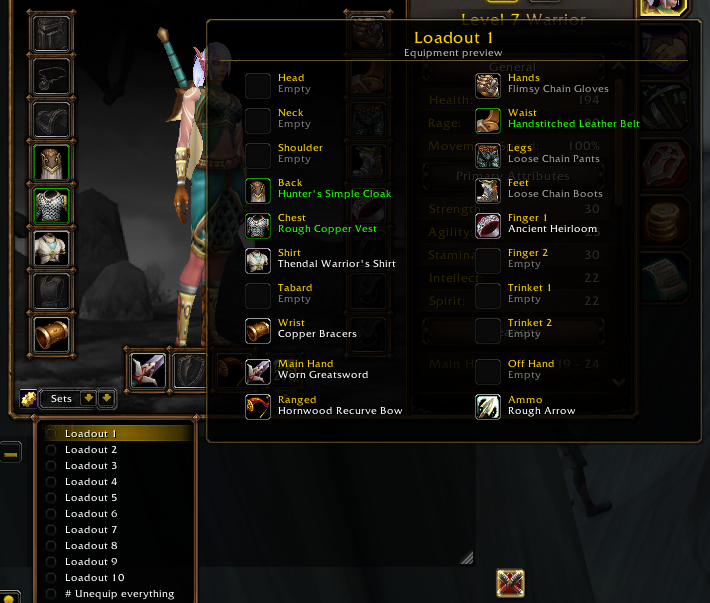
Save, preview, and quickly switch between 10 custom gear loadouts directly from your character window.
EquipmentSets supports Classic Era/Hardcore, TBC Anniversary, Mists of Pandaria Classic, Retail (Midnight) and the WoW Forever Beta.
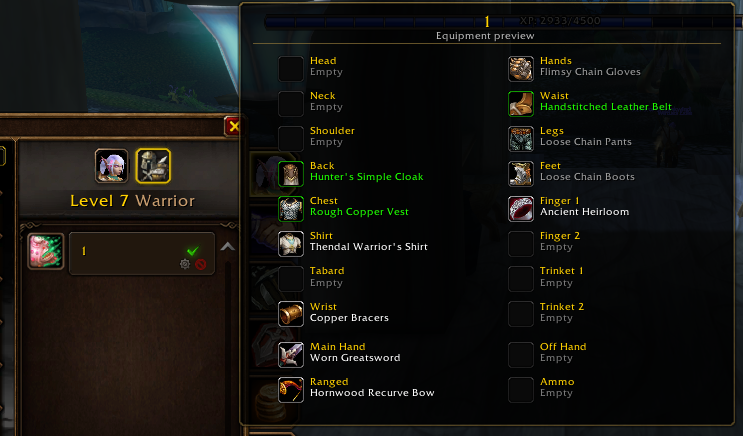
On versions without Blizzard’s built-in Equipment Manager, EquipmentSets gives you a full equipment preset system. Where Blizzard’s Equipment Manager is available, it adds 10 independent sets alongside your existing Blizzard sets and adds item previews to the built-in manager too.
Features
10 equipment sets per character
- Save separate loadouts for different roles and activities. EquipmentSets saves its sets independently of Blizzard’s Equipment Manager, so your existing Blizzard sets stay untouched.
Item previews
- Hover over a saved set to see its contents before equipping it. Previews are also available for Blizzard’s Equipment Manager sets on supported clients.
Quick saving and equipping
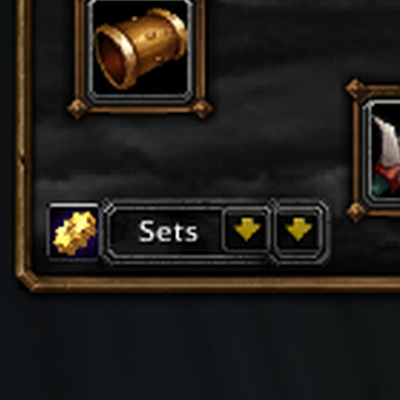
- Save and load sets from the dropdowns in your character window. Ready items equip together, with automatic retries when the inventory locks up or lags behind.
More precise item matching
- EquipmentSets now tracks item details rather than relying only on names, helping distinguish same-name items and equip the correct saved copies.
Custom set names and settings
- Rename your sets using the engineering-icon button or the addon’s Settings page.
- If you wish so, you can toggle EquipmentSet's controls off entirely if you want to only use the addon to see item previews for Blizzard's built-in Equipment Manager on compatible versions.
- All available options are enabled by default.
Unequip All
- Quickly remove your equipped gear without using an equipment set slot. Selected ammunition stays "equipped" due to the game not allowing ammo to directly be removed.
Macro support
- Load a set:
/loadset1through/loadset10 - Save a set:
/saveset1through/saveset10 - Unequip your gear:
/unequipall
Warning: The save commands immediately overwrite the corresponding EquipmentSets slot without a confirmation dialogue.
Why use EquipmentSets?
EquipmentSets brings convenient gear management to clients without a built-in Equipment Manager and adds extra sets and previews where the built-in system already exists.
Whether you’re switching between tanking, healing, DPS, PvP, or farming loadouts, your gear is just a dropdown or macro away.
Screenshots
You must be logged in to leave a comment.