
EasyFishing: Forever
A WoW Forever fishing companion for click-to-cast, automatic lures, gear switching, catch tracking, location mapping, and a built-in fishing guide.
Details
Expansion
 Forever
 Categories
- No categories available.
Developers

Having issues?
EasyFishing: Forever
A complete fishing companion for WoW Forever. Cast with a click or keybind, apply lures, manage your fishing gear, track catches, and explore a built-in fishing guide and journal.
EasyFishing does not automate bobber clicks or fish for you. When the bobber splashes, you still need to click it yourself.
Features
- Click-to-Cast: Cast with a configurable single- or double-click while standing still with a fishing pole equipped. Choose the mouse button and double-click delay.
- Keyboard casting: Bind Cast Fishing / Apply Lure in WoW’s Keybindings. Each key press applies an eligible lure or casts Fishing.
- Automatic lures: Apply a lure when your pole has no enchant. Choose whether to conserve stronger lures or use the strongest eligible one. If no lure is available, EasyFishing casts Fishing instead.
- Loot protection: EasyFishing pauses its casting while loot is open and tracks loot as it becomes available.
- Fishing controls: View readiness, pole-enchant time, and eligible lure count. Pause casting, toggle gear, or open the fishing window from the movable controls panel.
- Fishing gear: Select an Equipment Manager set and toggle between it and your previous saved set. Gear changes are unavailable during combat.
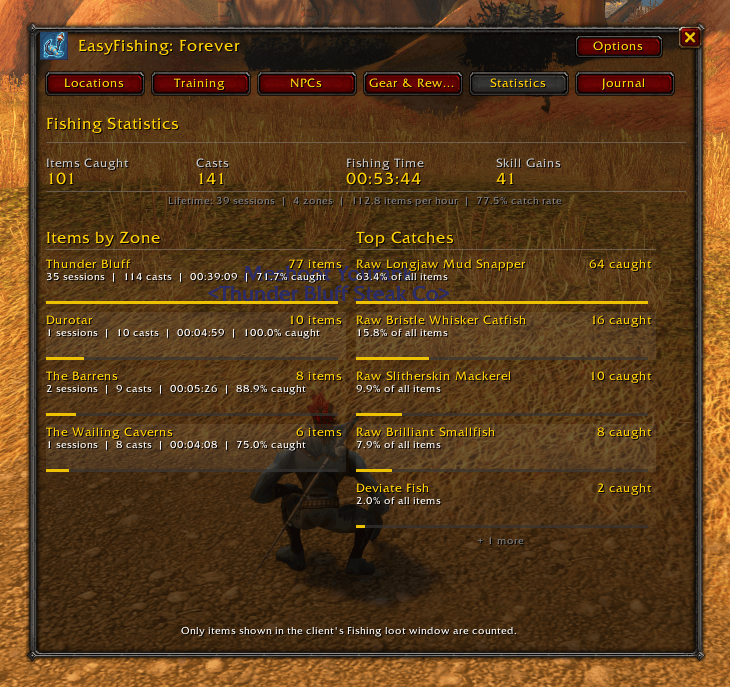
- Fish Watcher and statistics: Follow your current session’s time, casts, skill gains, catch rate, latest catch, and top catches. Review lifetime and per-zone totals.
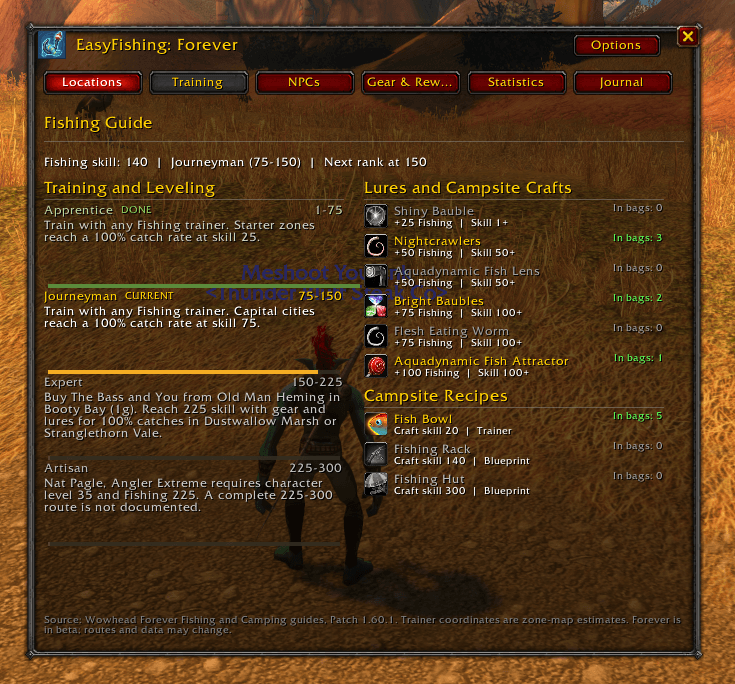
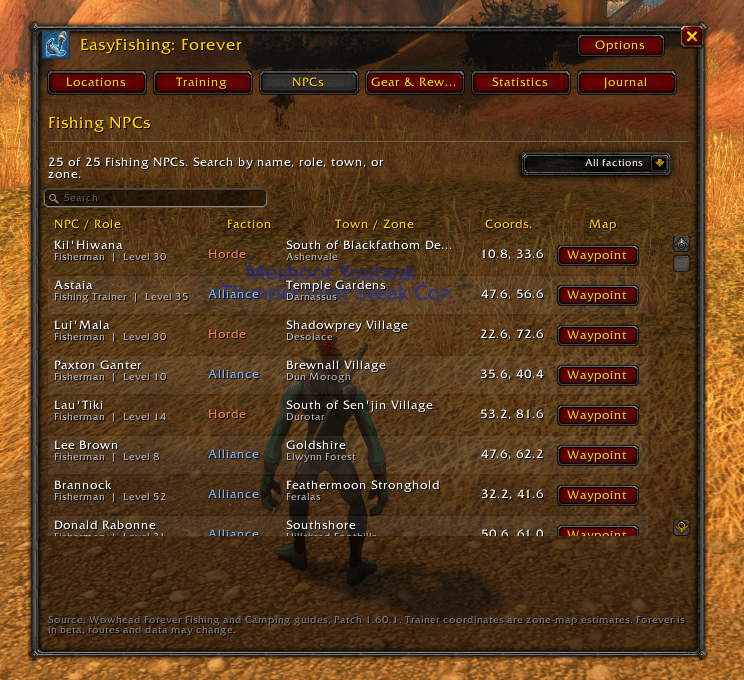
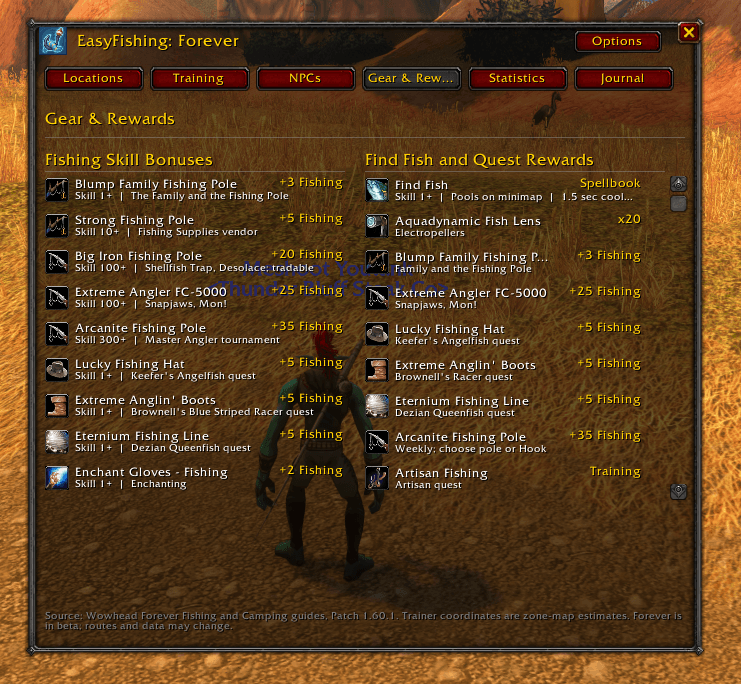
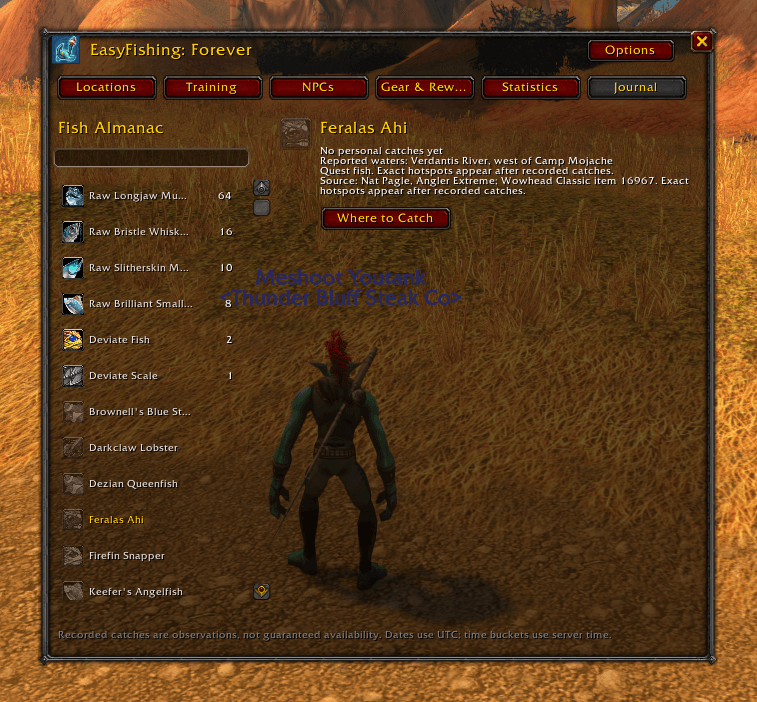
- Fish Almanac: Search a curated list of classic fish, habitat references, and fishing NPCs. Data is informational and may not cover every fish or location in Forever.
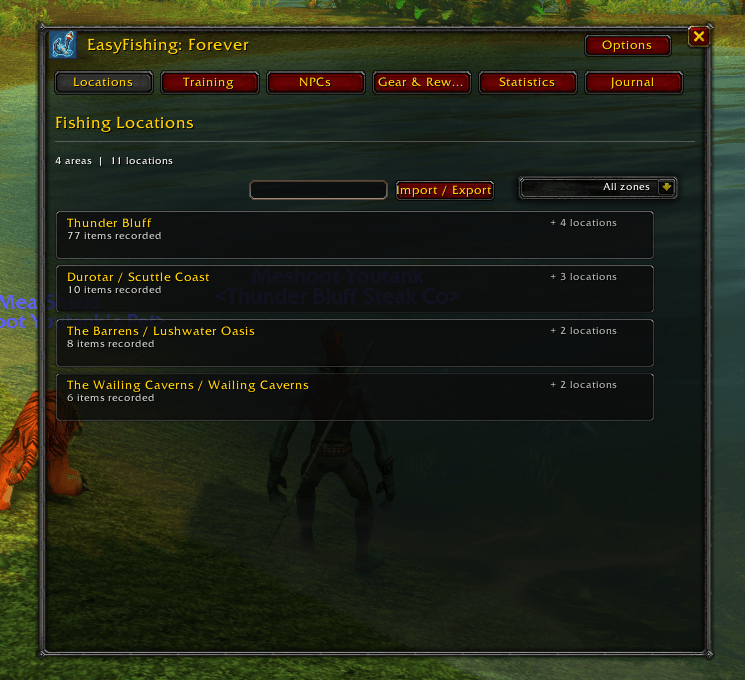
- Catch locations: Review your recorded catches by zone, search and favorite hotspots, set map waypoints, or transfer location data between characters. TomTom integration is optional.
- Native WoW interface: Uses Blizzard-style windows and controls, with a dedicated tool window and a separate options page.
Getting Started
Use /ef to open the fishing window. Choose a fishing pole, stand still, and use the selected click pattern or a keybinding. When a fish bites, click the bobber yourself.
Useful commands:
/ef optionsopens preferences./ef statusexplains why mouse casting is blocked and shows click diagnostics./ef journalopens the Fish Almanac./ef pauseand/ef resumepause or resume EasyFishing casting.
EasyFishing does not upload telemetry. Catch locations and statistics are saved locally in your WoW saved variables.
Hat Tip: Shoutout to Thunder Bluff Steak Co—serving up only the finest, Grade-A Prime motivation for this project. Keep it rare! 🥩
You must be logged in to leave a comment.