

Dungeon Quest Forever
Dungeon quests in the quest tracker: what to pick up before you go, the way there, the way to every boss inside, and loot. English and Russian.
Details
Expansion
 Forever
Categories
Developers

Having issues?
An addon for World of Warcraft: Forever (Interface 16001). It gets you ready for a dungeon right in the quest tracker.
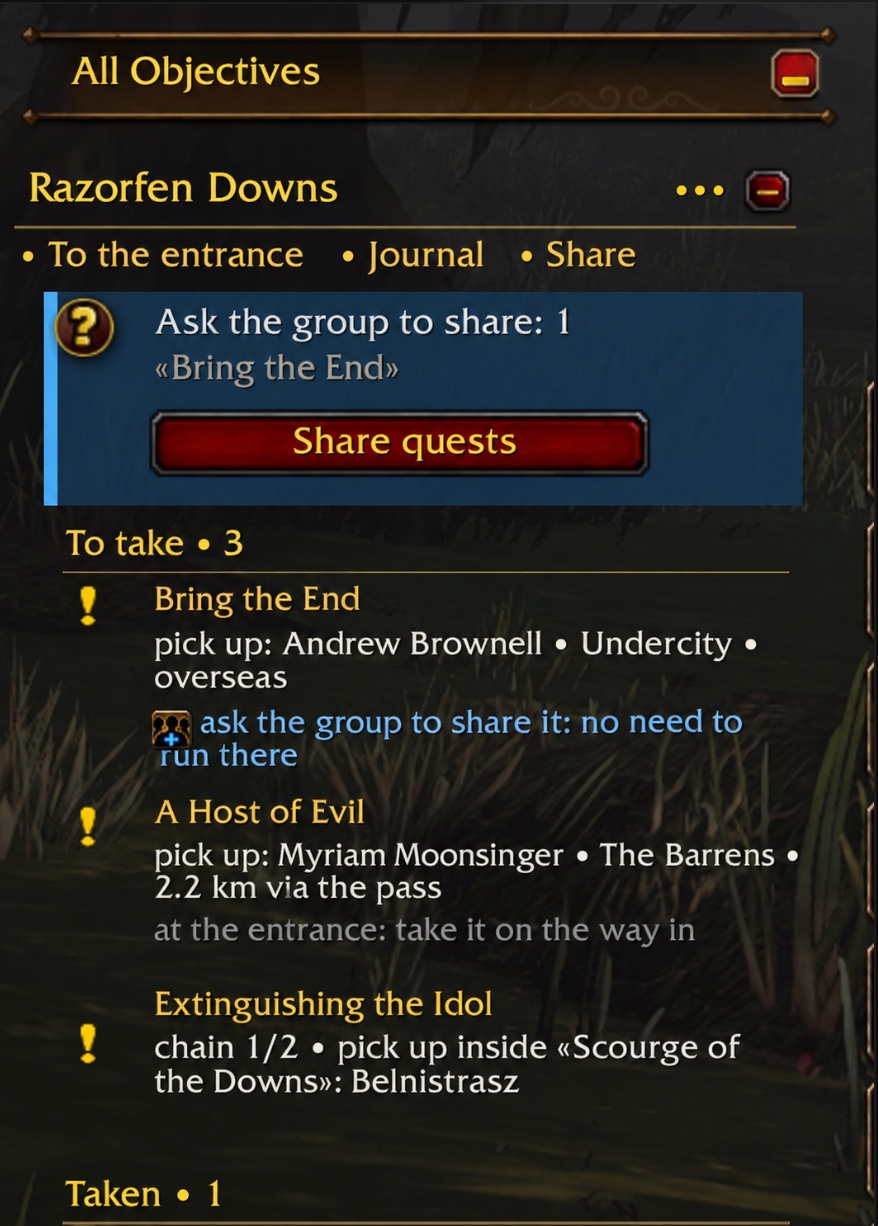
- Before the dungeon. Which quests to pick up, where, and in what order: chains are followed step by step, and the arrow moves on by itself when a step is turned in.
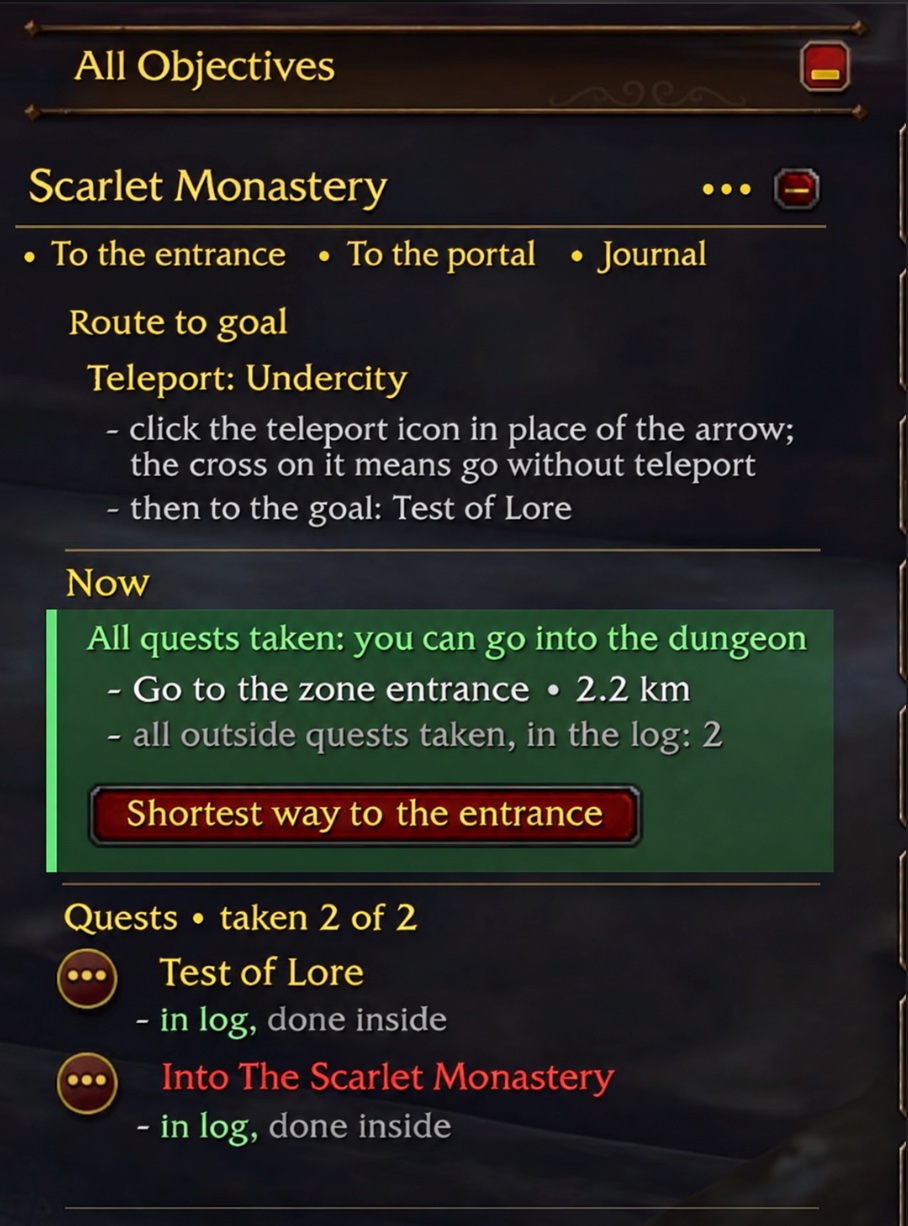
- The way there. The arrow takes the short way: flight masters, zeppelins and ships, mage teleports, and on foot it follows walkable paths around mountains and cliffs instead of a straight line. Flight points you have not discovered yet are shown in silver on the world map and the minimap, even under the fog of war: click one to go to its master.
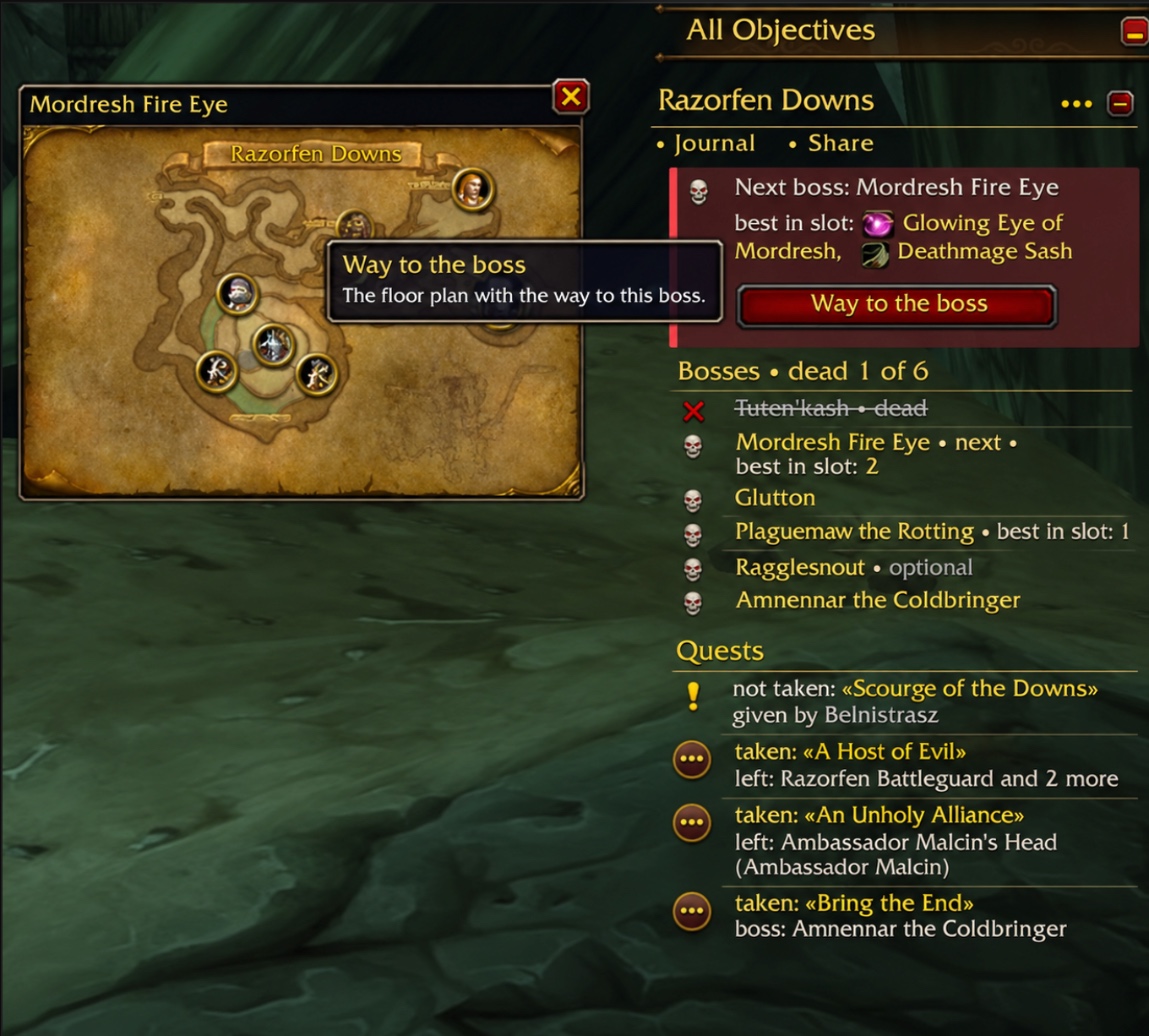
- Inside: the way to every boss. The game shows no map and no position inside a dungeon, so the addon says in a line or two how to walk to the next boss from the last one, in every classic dungeon. Bosses in order, what is left to do at each, and their loot with the best items for your class marked.
- Best gear. The Gear button opens a window like the character frame with the best item for every slot for your class and talent tree, at your level and the next ones: which boss of which dungeon drops it or which quest gives it, and how much better it is than what you wear.
- Less clicking. Quests are picked up and turned in automatically (grey and repeatable ones are left to you), and junk quests can be cleared from the log with one button.
All the classic dungeons and the new ones of Forever (Hall of Thanes, Ruins of Lordaeron, Excavation Site, City of Dalaran, The Drowned City, Krol'dok Stronghold, Alcaz Prison, Blackmaw Hold, Shaper's Terrace).
English and Russian. On a Russian client the addon speaks Russian, on any other, English.
Install
Nothing else is needed. Put the ForeverDungeonPrep folder into World of Warcraft/_forever_/Interface/AddOns/.
Use
- The panel stands in the quest tracker column.
•••in its heading chooses the dungeon. - Click a quest: it unfolds in place and sets the arrow. Right-click: the quest in the journal.
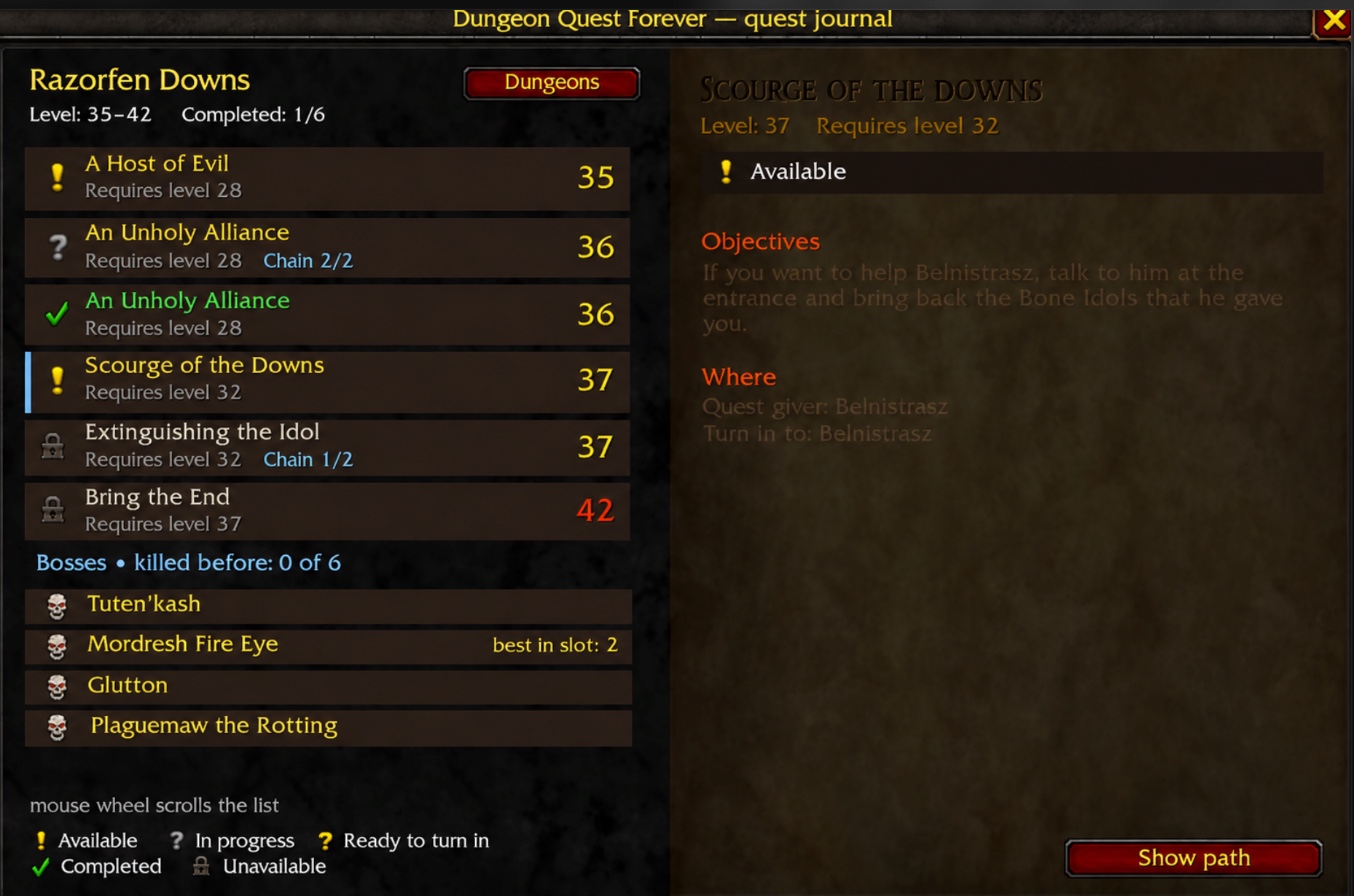
Journalopens the book with every quest, boss and loot table of the dungeon.Shareshares your quests of the dungeon with the group and asks in the group chat for the ones you lack.- Inside, with Dungeon Quest Atlas installed, a small floor plan shows the way to the next boss; hover a boss on it to see what he is and what he drops.
- The round button on the minimap opens the settings; right-click opens the journal.
/dqopens the list of dungeons. Other commands:/dq welcome,/dq auto,/dq junk,/dq dock,/dq cards,/dq bug.
Bugs and ideas
Write in Issues. In the game, the little bug (on the welcome page, in the menu behind •••, or /dq bug) shows the address and a few lines about your game to paste into the report.
Credits and licence
GPL-3.0-or-later. Quest, NPC, item and loot data from QuestieDB (GPL-3.0); walkable paths from Guidelime Pathfinder (GPL-3.0-or-later, Copyright (c) 2026 JagTheHero); best-gear lists from Timesaver.gg; Forever quests and boss tips from Wowhead; quest rewards from VMaNGOS (GPL-2.0); spots inside from AzerothCore (GPL-2.0) and wago.tools. The full list is in the README on GitHub.
- "How to find it" hints for 359 quests: where the cave or mine entrance is, which floor of a tower, which object to click (it is not an NPC), what an item drops from, what has to happen first for someone to appear. Shown under "now" in the quest and in its tip.
- A quest with nothing to count (find someone, talk to someone) keeps its hint while it is in your log; with no written hint, its own words say where.
- Quest chains: the next quest the same giver offers right after you hand one in is taken by itself, even when the game shows it grey.
You must be logged in to leave a comment.