

Dossier — Your Character, Ready for AI
Paste your World of Warcraft Forever character into any AI chat. Gear, quests, professions, kills, sessions, and a biography that writes itself.
Details
Expansion
 Forever
 Categories
Developers

Having issues?
Dossier — Your Character, Ready for AI
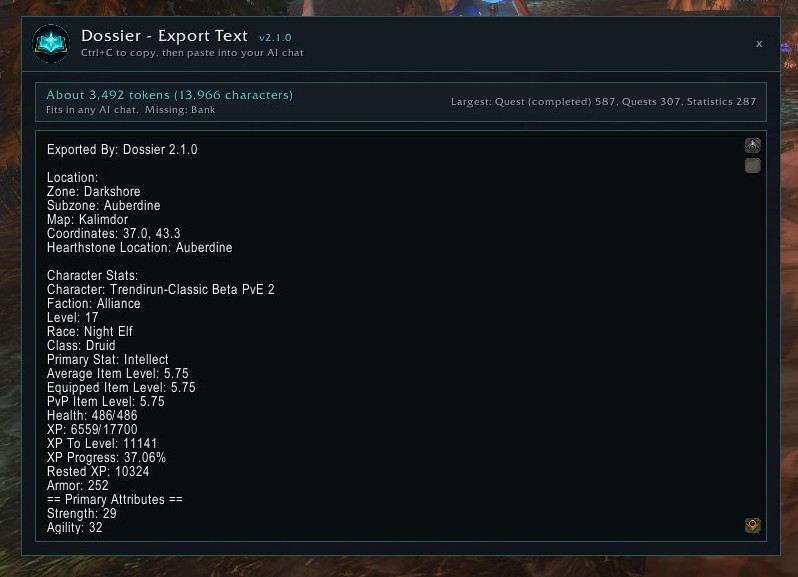
Type /dossier, press Create Export, and paste. ChatGPT, Claude, Gemini, Cursor, or any other assistant can then see your level, zone, gold, gear, bags, bank, professions, quests, talents, spells, kills, and how the last few sessions went. Ask for a leveling plan, a gear check, a profession route, or a recap of the night.
Dossier is for World of Warcraft Forever. It needs no other addon.
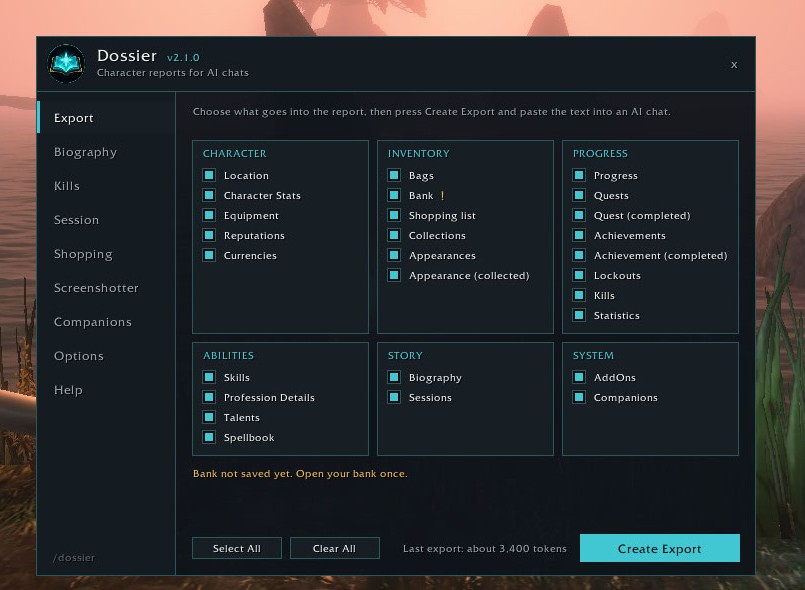
- Export. Sections grouped into cards. The window shows an approximate token count and the three largest sections, so you can leave out what you do not need. Detailed export puts item, spell, and quest IDs back.
- Biography. From the day you install it, Dossier writes logins, level-ups, deaths, new zones, quest turn-ins, achievements, boss kills, profession gains, and every screenshot. Nothing is deleted.
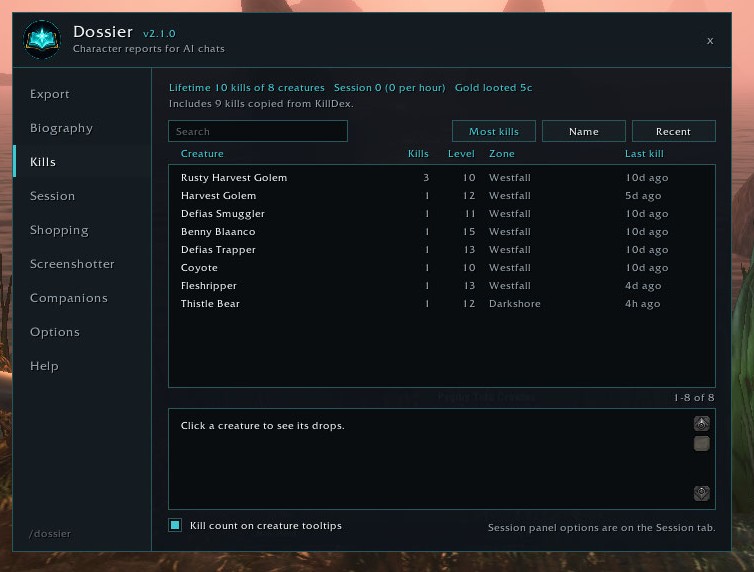
- Kills. Every creature you or your pet finish. Tooltips can say how many times. Loot and gold stay with that creature. Rare names are marked on the list. An old KillDex history is copied in once.
- Session. A timer that starts on your first kill, loot, gold, or XP. Kills, gathering, gold, and XP per hour, plus time to the next level. A small panel you can show, lock, and fade. The last 20 sessions are kept.
- Mail. Letters you send and receive, with who, subject, gold, and items. Dossier does not send, take, or return mail.
- Lockouts. The instances you are saved to, and a short diary of runs you enter and leave.
- Tasks. Things you mean to finish each day, each week, each month, each year, or just once. Done greys out the button and the line changes to Done today, Done this week, and so on. Undo puts it back on the schedule. Edit and Delete stay on each task. A zone panel can show tasks, shopping, and rares here.
- Notes. Their own tab. Each note has a title and a body. Two notes sit on a line, and the body wraps so the whole note shows. Edit and Delete stay on each box.
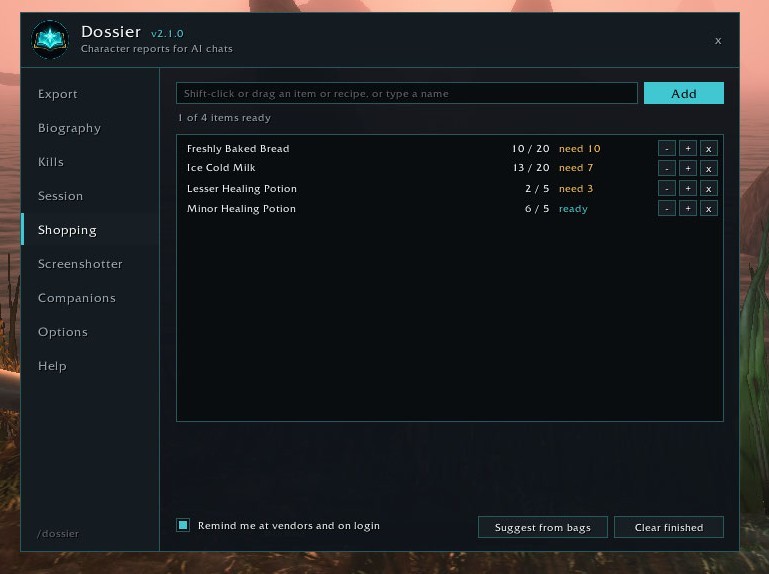
- Shopping list. What you mean to gather or buy, against what is already in your bags and bank. Shift-click a recipe to add its reagents. Dossier reminds you at vendors. It never buys or moves anything.
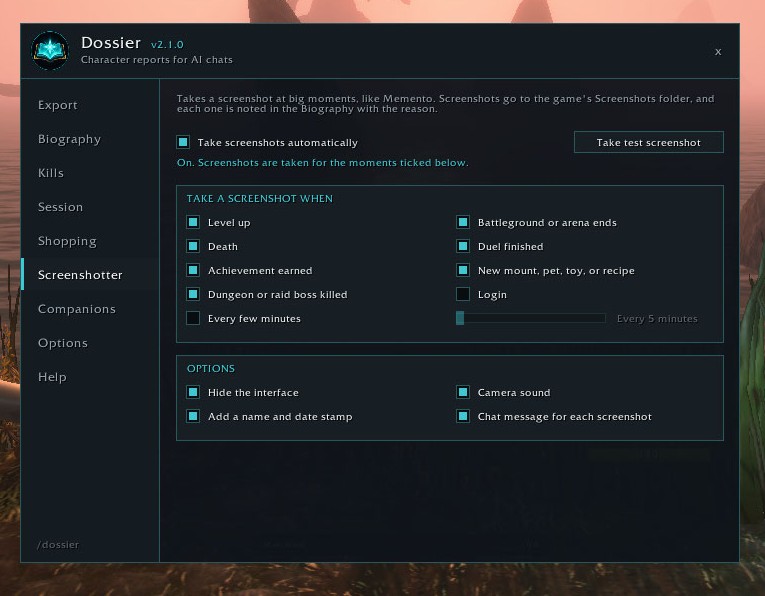
- Screenshotter. A shot on level-ups, deaths, achievements, boss kills, and similar moments, with the reason written into the Biography.
- Switches. Biography, Kills, Session, Mail, Lockouts, Tasks, Notes, Shopping list, Screenshotter, and Other addons each turn off from the Options tab, or with
/dossier off. Off means that part stops watching the game and leaves the export. Saved history stays.
- Type
/dossier. - Tick the sections you want, or press Select All.
- Press Create Export. The text is already selected.
- Ctrl+C, then paste it into the chat with what you want.
Open your bank and each profession window once. The game only lets an addon read those while they are open, so Dossier keeps the last copy and marks anything missing on the Export tab.
Paste one character per message, and paste a new export when you want the assistant caught up. The Biography is what changed.
The report includes your character name, realm, and gold. Paste it only where you are comfortable sharing that.
If you already use them, Dossier can add their character data to the report. Other addons is one switch. The export works with none of them.
- Journalator (gold for the last 7 days)
- Altoholic (saved reputation, and profession ranks when that addon already has them)
- Syndicator (mail and bank)
- AllTheThings (deaths, quests, time played, collection counts)
- Nova Instance Tracker (lockouts)
- Profession Master (recipes)
- Auctionator (bag prices)
- Talents Forever (planned builds)
- KillDex (one-time copy of an old kill history)
- Memento (Dossier pauses its own screenshots while Memento is loaded, so you do not get two of each)
Want another addon covered? Ask in the comments.
Each has its own switch, and the export works with none of them. Want another addon covered? Ask in the comments.
- York.Dev — site, writing, and other projects
- Buy Me a Coffee — if Dossier is useful to you
You must be logged in to leave a comment.