
Danders Frames
Midnight Party/Raid frames.
Details
Expansion
 Forever
 Categories
Developers

Having issues?
DandersFrames
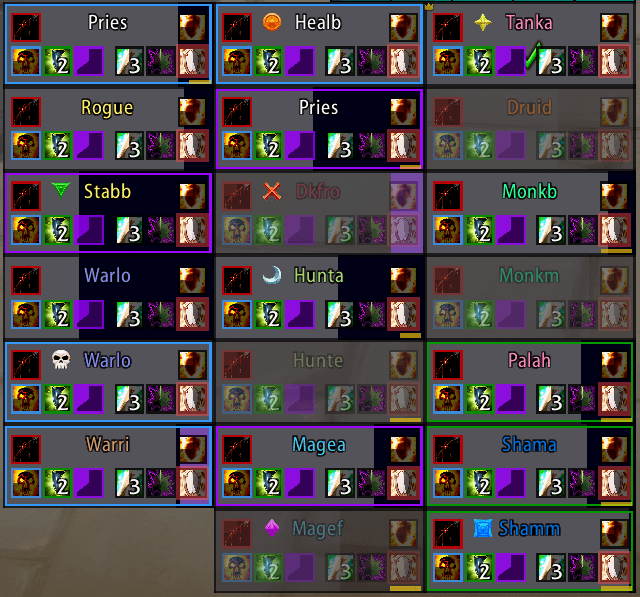
DandersFrames is a fully custom party and raid frame addon — built from the ground up for WoW Midnight (12.0). Total control over every aspect of your group frames, with a powerful Aura Designer, built-in Click Casting, automatic raid layouts, and deep customization.




🔮 Aura Designer
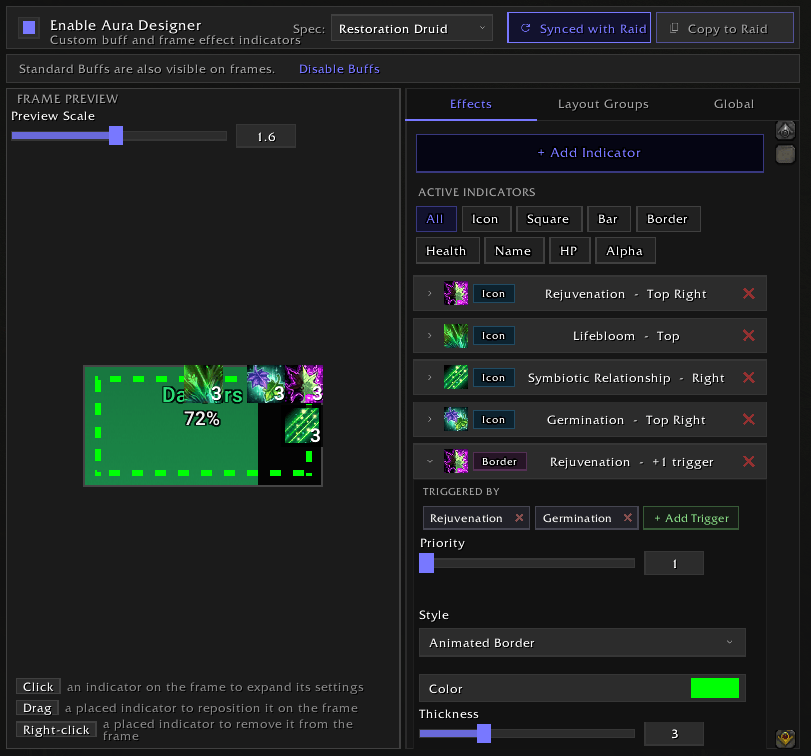
A full visual indicator system built right into the addon — track buffs and defensives directly on your frames without any external tools.
- 8 indicator types — Icons, Squares, Bars, Border Effects, Health Bar Color, Name Color, Health Text Color, and Frame Alpha
- Drag-to-place on 9 anchor points with pixel-perfect offset control
- Frame effects — Change health bar color, name color, or frame transparency when specific auras are active
- Multi-trigger effects — One effect triggered by multiple auras (OR logic)
- Layout groups — Grouped indicators that automatically collapse when inactive
- Priority stacking — Set priority per aura so the most important one always wins
- Per-spec configurations — Different setups for each specialization, auto-swapping on spec change
- Curated aura lists for all healer specs + Augmentation Evoker to get started fast
- Live preview with adjustable zoom and click-to-select editing
🖱️ Built-in Click Casting
Full click-casting built right in — no extra addons needed.
- Bind spells and macros to any mouse button + modifier combo
- Per-spec profiles that auto-switch when you change spec
- Works on party, raid, pet, boss, target, and focus frames
- Smart resurrection detection and spell transform support
- Tooltip shows active bindings and usability on hover
- Import/export profiles to share setups
⚙️ Auto Layouts (Raid)
Automatically switch raid frame settings based on content type and group size — no manual profile swapping.
- Three content categories: Instanced, Mythic (20-man), and Open World
- Size-range profiles — different layouts for 1-10, 11-20, 21-40 players
- Override-only storage — only your changes are saved, everything else inherits from your base profile
- Visual override indicators so you always know what's customized
- Copy layouts between content types and size ranges
📌 Pinned Frames
Create custom frame groups for specific players — pin your co-tank, co-healer, or priority targets into their own movable group.
- Multiple independent pinned sets
- Auto-populate by role (tanks, healers, DPS)
- Per-set sizing, growth direction, and positioning
- Keep offline players option
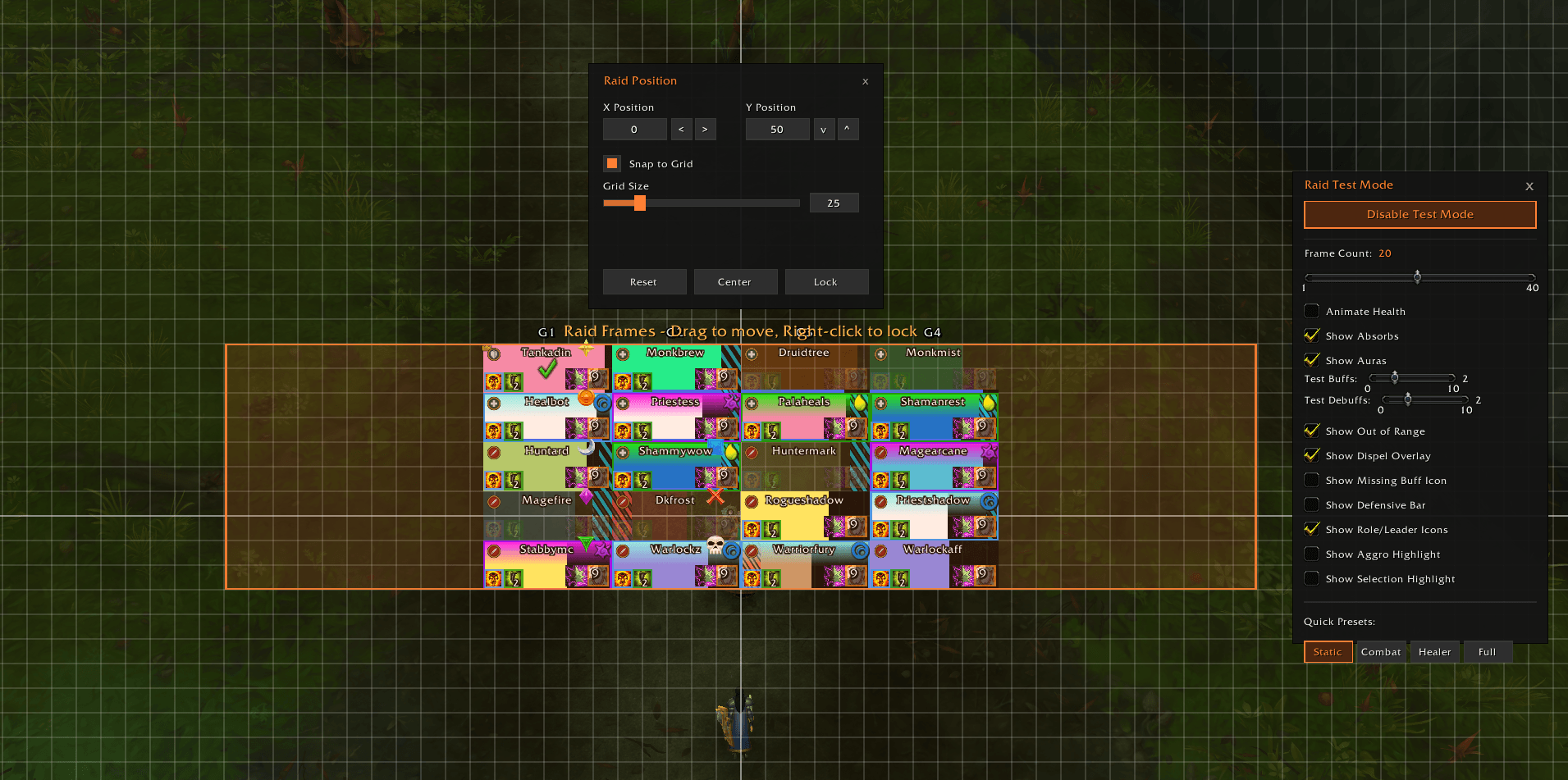
🧪 Test Mode
Configure everything without needing a group.
- Preview 1–5 party or 1–40 raid frames on demand
- Animated health, absorbs, auras, dispels, range fading — all simulated
- Quick-link buttons jump directly to relevant settings
- Collapsible panel with active element badges
✨ Core Features
🎨 Health Bars
- Dynamic gradients — Color shifts green → yellow → red as health drops
- Class colors, custom colors, or hybrid mode
- 15+ built-in textures + SharedMedia support
- Smooth bar animations with exponential easing
- Missing health overlay with gradient coloring
- Health threshold fading — Fade frames above a health % to focus on damaged players
🛡️ Absorbs & Heal Prediction
- Absorb overlay or floating bar with full positioning control
- Heal absorb tracking (Necrotic, etc.)
- Incoming heal prediction — See heals in flight from you, others, or all
- Overheal display with overflow threshold
⚡ Resource Bars
- Healer-only mode — Only show mana for healers
- Full positioning, sizing, and color control
🎯 Aura Control
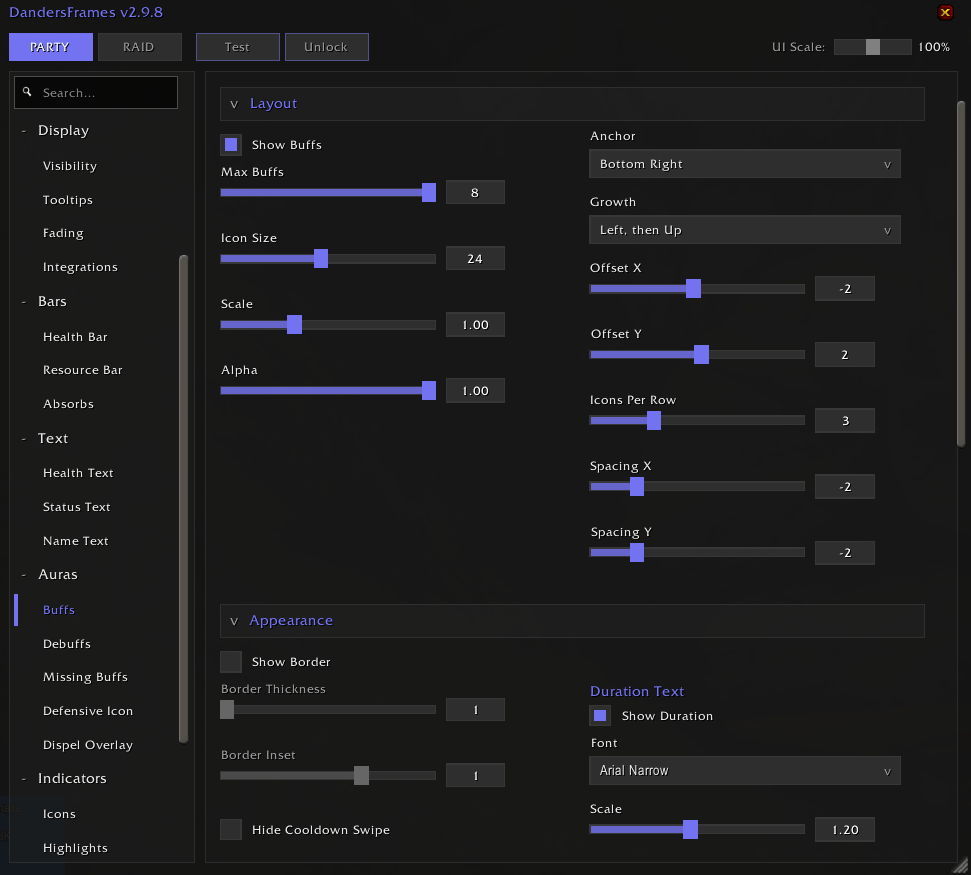
- Two filtering modes: Blizzard (automatic) or Direct API (granular control)
- Direct mode filters: Player-cast, Raid, Defensives, External Defensives, Important Spells
- Defensive Bar — Shows all active defensives simultaneously with wrappable layout
- Boss Debuffs (Private Auras) with highlight borders
- Missing buff indicator — Detects missing raid buffs, works in combat
- Buff deduplication — auras shown in Aura Designer or Defensive Bar are hidden from the buff bar
- Expiring indicators with pulsating borders
🎯 Highlights & Indicators
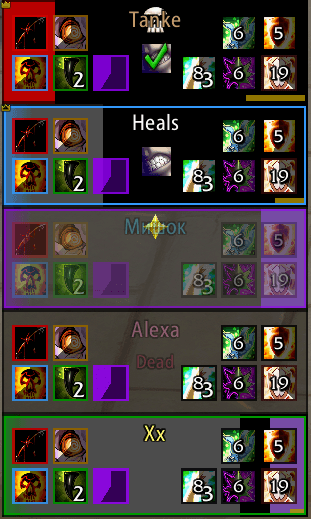
- Target, Hover, Selection, Aggro highlights — each with 4+ styles (Solid, Corners, Glow, Dashed)
- Dispel overlay — Border, gradient glow, or icon per debuff type (Magic, Curse, Disease, Poison, Bleed)
- Role, Leader, Raid Target, Ready Check, Resurrection, AFK, and Phased icons — all repositionable
- Status text for Dead, Offline, AFK, Vehicle, and Phased states
📊 Sorting & Layout
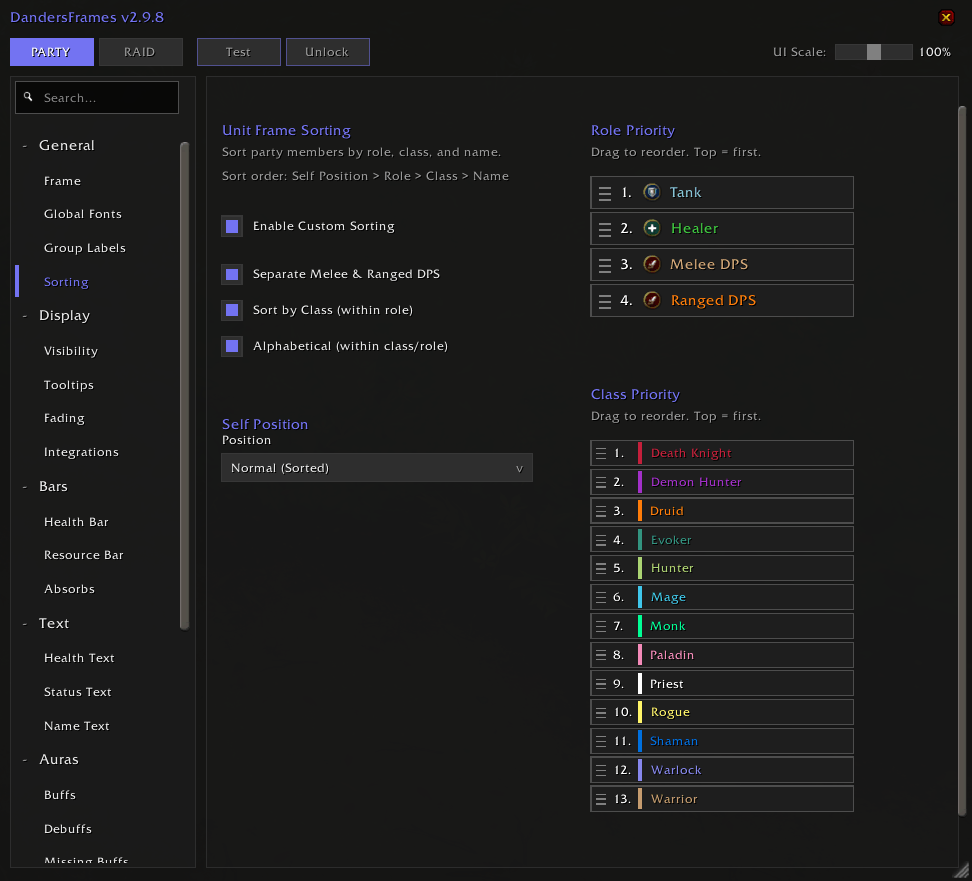
- Sort by Role, Class, or Name
- Separate Melee/Ranged DPS option
- Player position control (First, Last, or sorted normally)
- Flat raid mode (combined grid) or grouped layout
- Custom growth directions and groups-per-row
⚙️ Profiles & Settings
- Separate Party/Raid configurations
- Per-spec auto-switching — Load different profiles per specialization
- One-click import/export with compression
- Global font options — apply one font across the entire addon
- Settings search bar — find any option instantly
- Copy-to-Raid / Copy-to-Party buttons on every settings section
- Section sync toggles to keep party and raid settings linked
🔌 Compatibility
- SharedMedia — Custom fonts and textures from other addons
- Masque — Button skinning support
- External API — Developers and UI pack creators can query frames, export/import profiles and click casting configs programmatically
How to Use
- Install the addon (remove the old version if upgrading)
- Access Settings: Click the minimap icon or type
/df - Preview Changes: Use Test Mode (
/df test) to see your frames without a group
Feedback & Support
Found a bug or have a feature request? Join the community!

If DandersFrames has improved your gameplay, consider supporting development:




You must be logged in to leave a comment.