
D Orbs Forever: Health & Resource Orbs
Diablo-style health and resource orbs with carved stone statues, aura effects, orb holders and a themed base bar. Drop in your own statue art. Built for WoW Forever.
Details
Expansion
 Forever
 Categories
Developers

Having issues?
D Orbs Forever
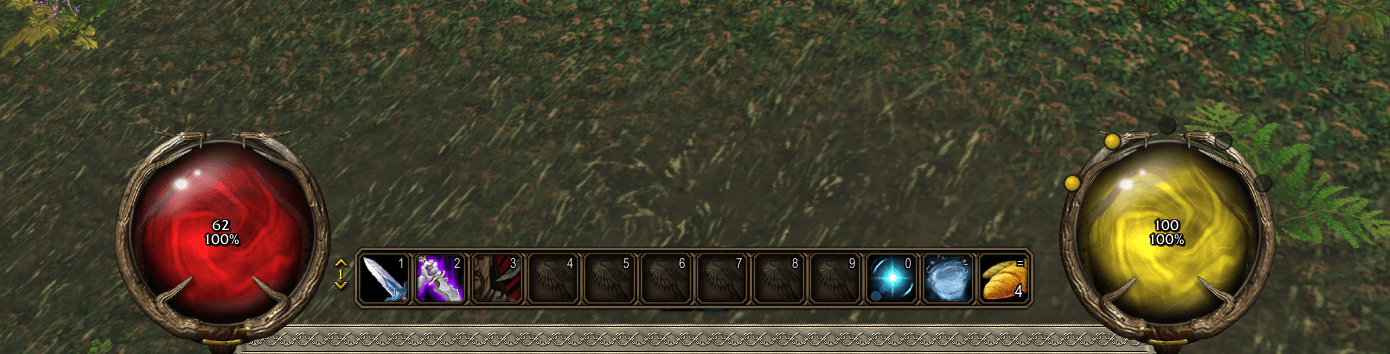
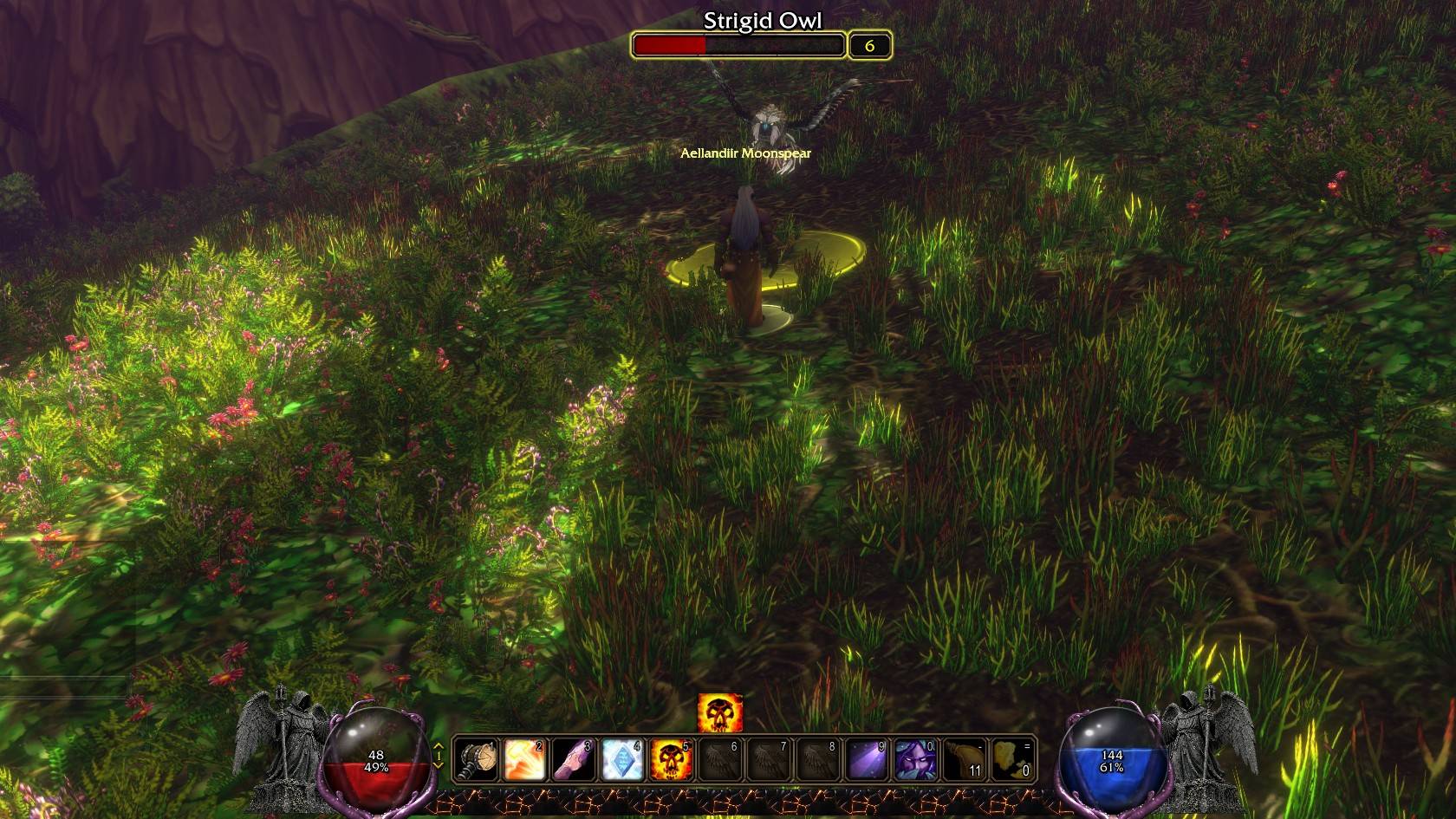
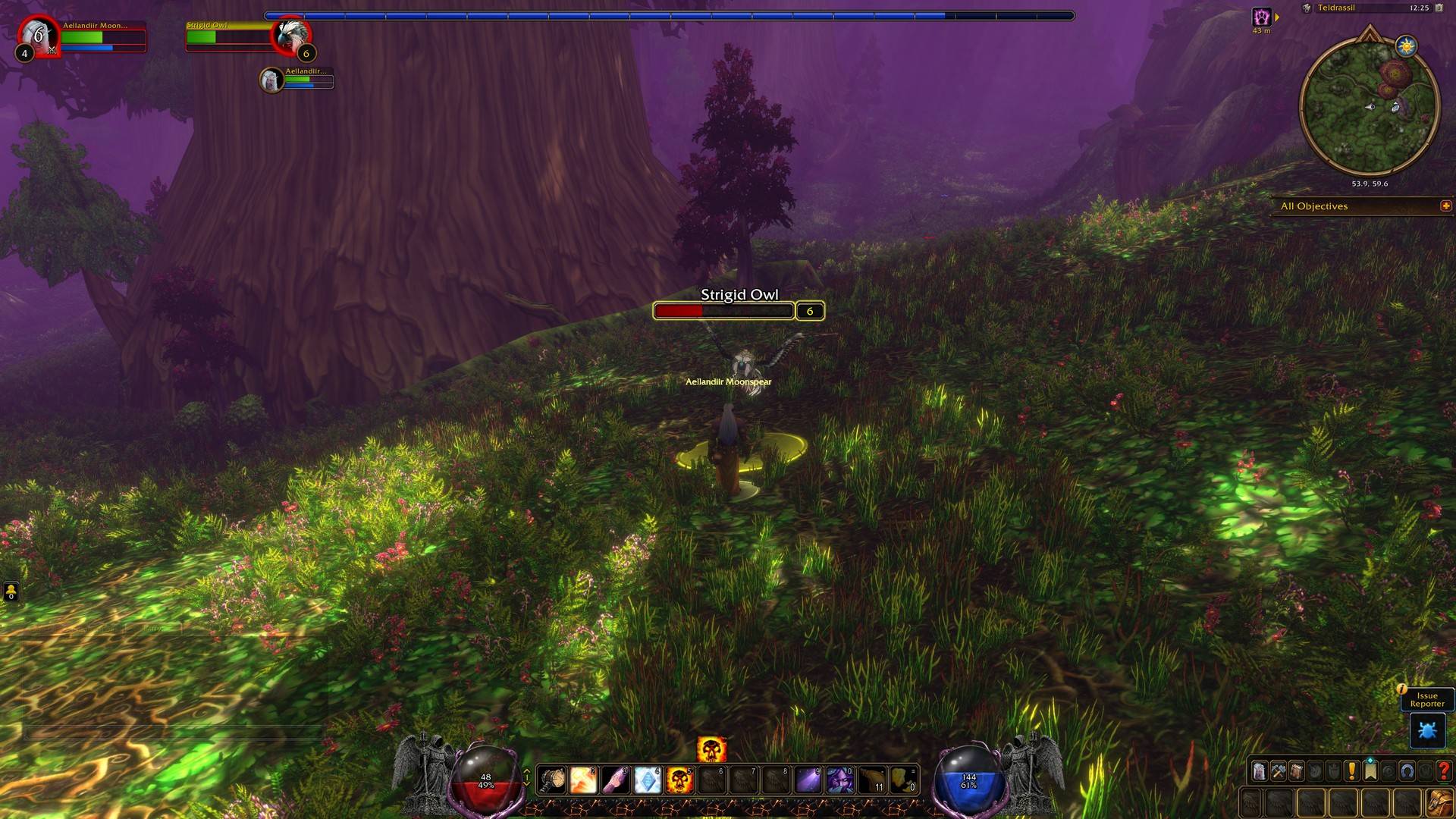
Diablo-style health and resource orbs for World of Warcraft: Forever, with carved stone guardian statues, aura effects, orb holders and a themed base bar.
Free, open source (MIT), no ads.
Features
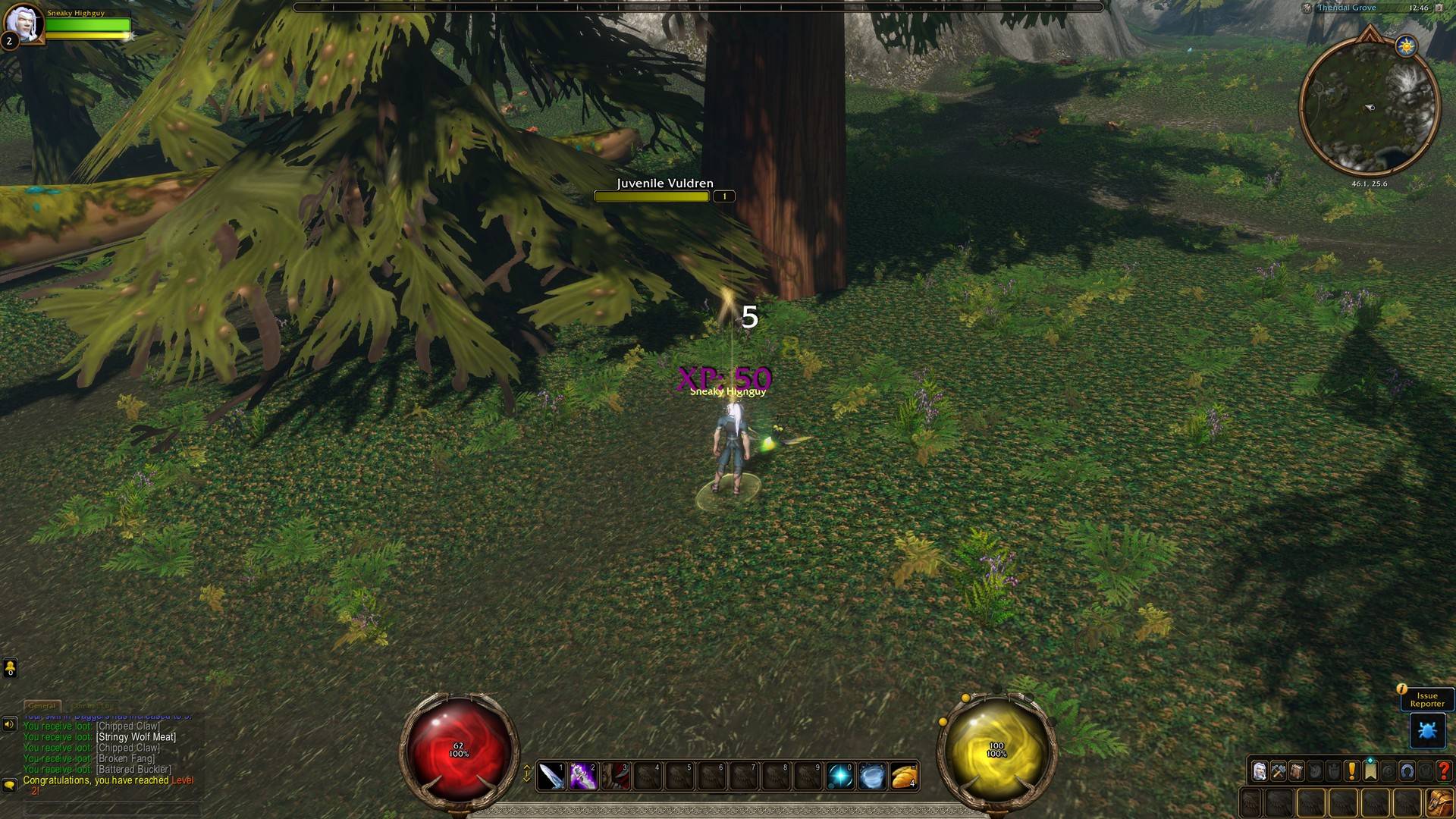
- Two glass orbs filled with swirling liquid that show your health and your power (mana, rage or energy). Absorb shields and invulnerability show right on the glass.
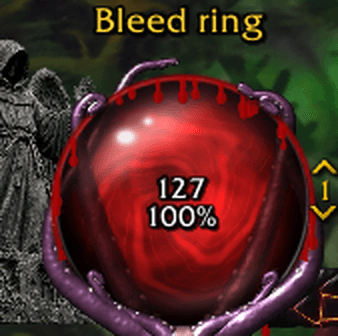
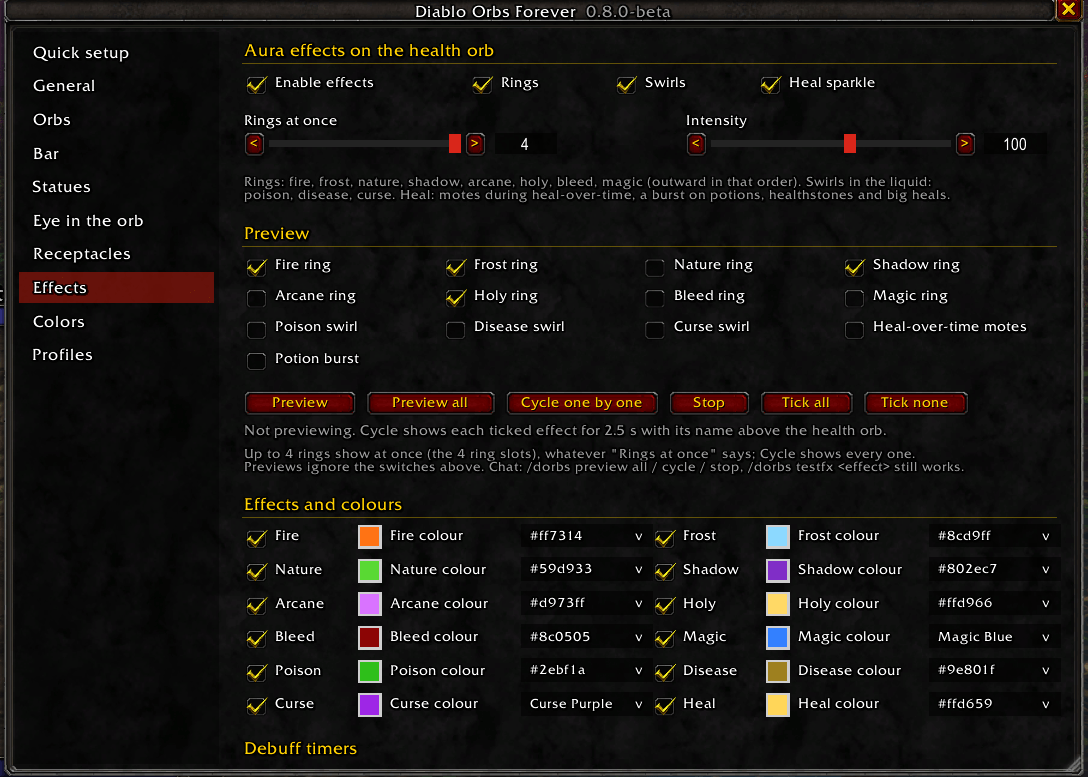
- Aura effects on the health orb:
- fire, frost, nature, shadow, arcane and holy rings
- bleed, poison, disease and curse swirls
- sparkles while heals over time are on you
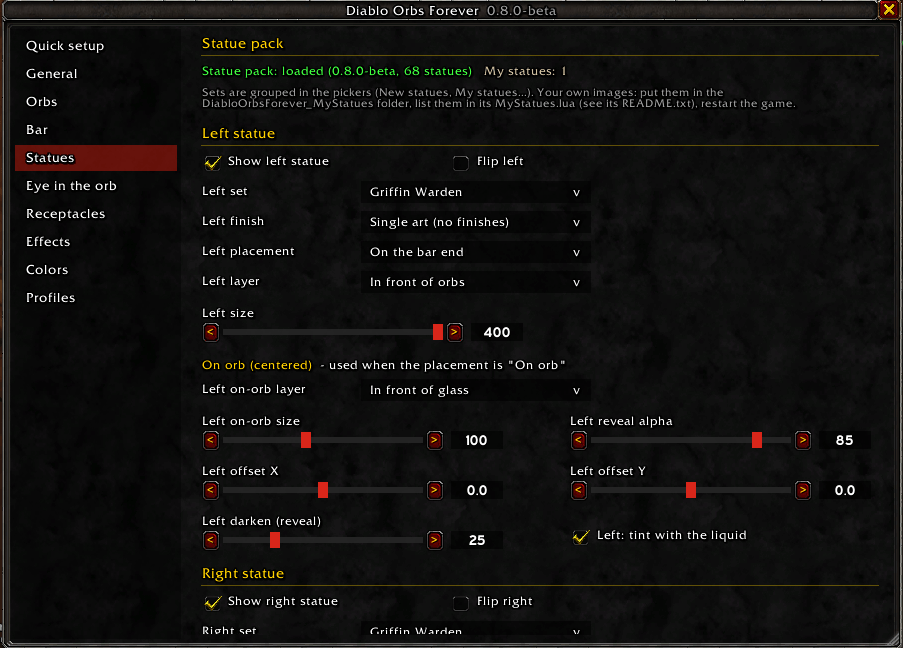
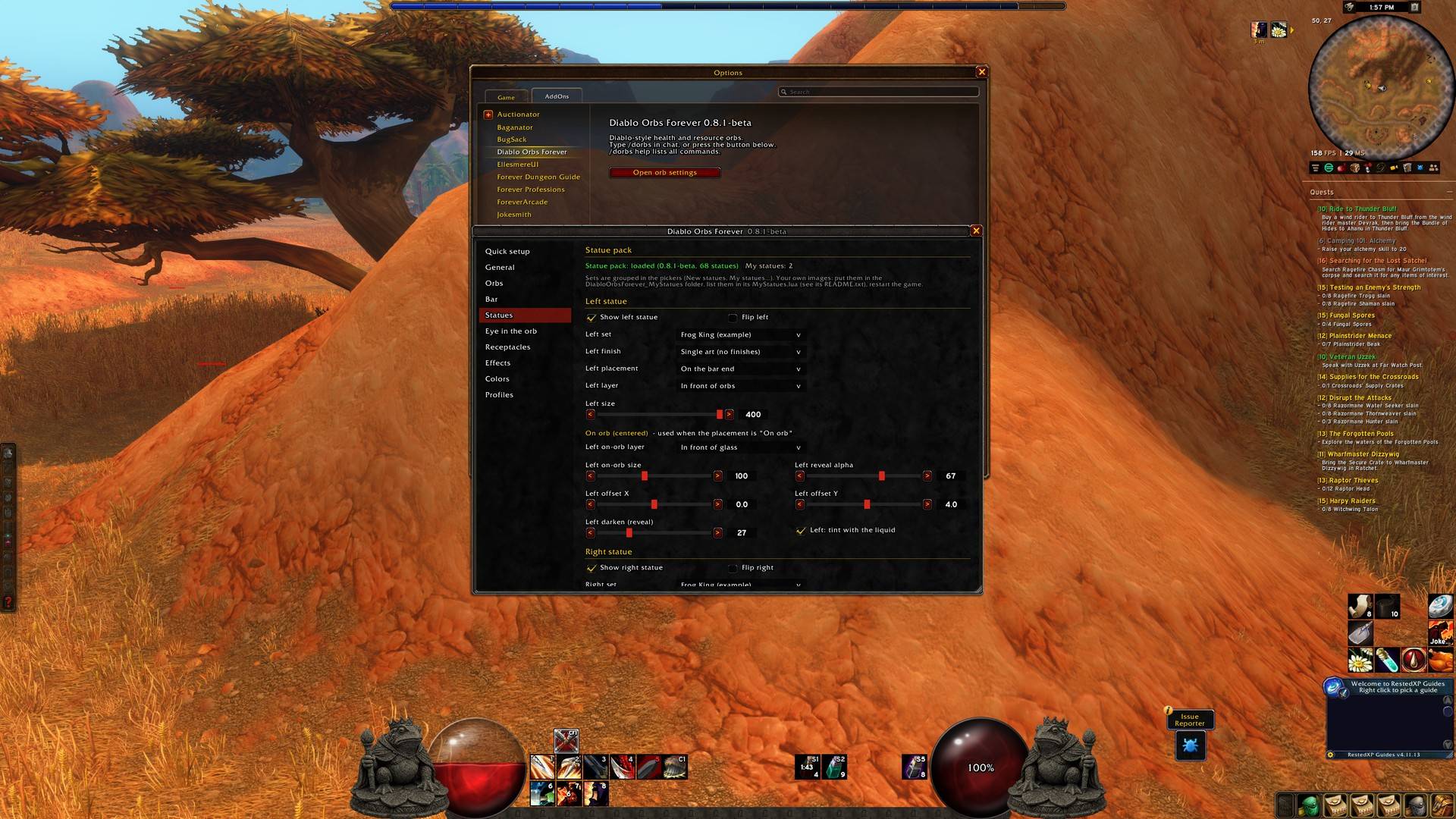
- 22 guardian statue sets that stand beside the orbs, on the ends of the bar, or right on the glass:
- 10 carved stone figures: Tusked Warchief, Veiled Sentinel, Oathbound Knight, Griffin Warden, Carrion Griffin, Mourning Seraph, Cathedral Gargoyle, Throned Fiend, Obsidian Wyrm and Magma Drake
- 12 emblems, each in a Stone or a Colour finish
- Optional extras:
- an Eye of Kilrogg floating inside the glass
- 19 orb holder styles, including claws, talons, antlers and Diablo-style gems
- a decorative base bar in 20 designs
- Move, scale and snap everything. Includes profiles and
/dorbschat commands. - A tidy options window:
- pages run in screen order, from the orbs outwards
- settings only show when they apply
- rarely used settings are tucked under + More options
- Same on both sides sets both statues at once
- a two-click Reset this page button on every page
Add your own statues
Want your own art beside the orbs? Drop it into the DiabloOrbsForever_MyStatues folder.
- Add the image. Save it as BLP or 32-bit TGA, 512x512, with a transparent background and the statue facing right. Put it in
DiabloOrbsForever_MyStatuesArt. - List it in
MyStatues.lua. Copy the Frog King example block, then change the name and the file name. - Restart the game. New images need a full restart;
/reloadis not enough. Then open/dorbs, go to Statues, and pick yours under My statues.
The download includes a step-by-step guide: DiabloOrbsForever_MyStatuesHOW-TO-ADD-YOUR-OWN-STATUES.txt. It covers making the image with free tools (GIMP) or with an AI image tool, the exact file rules, getting clean edges, and fixes for the usual problems. A Frog King statue ships in the folder as a working example.
Back up
DiabloOrbsForever_MyStatuesbefore you update. Updating replaces that folder, so copy your images andMyStatues.luaback in afterwards.Only use images you made yourself or have permission to use.
Installing
Copy all four folders from the zip into World of Warcraft<your Forever game folder>InterfaceAddOns:
DiabloOrbsForeverDiabloOrbsForever_StatuesDiabloOrbsForever_ReceptaclesDiabloOrbsForever_MyStatues
Keep all four enabled. The extra folders only load when statues or holders are shown.
Type /dorbs in game to open the options.
Credits
- The orb fill technique is adapted from zork's rModelOrbTemplate / oUF_Diablo (MIT).
- The liquid motion idea comes from Goldpaw's LibOrb-1.0 (MIT).
- The full list and licence notices are in
CREDITS.mdandLICENSEin the download.
AI disclosure
This addon was built with AI assistance:
- Code: written with an AI assistant under the author's direction.
- Statue images, including the Frog King: generated with an AI image tool from original text prompts, with no reference images.
- All other textures: produced by our own generator scripts.
No photos or third-party art are included.
World of Warcraft and Diablo are trademarks of Blizzard Entertainment, Inc. This addon is not affiliated with or endorsed by Blizzard.

You must be logged in to leave a comment.