
Cursor Beacon – Bigger Mouse Pointer, Ring, Trail & GCD Sweep
Lose your cursor in a busy fight? Cursor Beacon makes it impossible to miss. Resize the game's own pointer, draw a bigger one over it, ring it, trail it, sweep your cooldown around it, and read your target's health right where you are already looking.
Details
Expansion
 Forever
 Developers

Having issues?
Cursor Beacon makes the mouse cursor easy to find and gives it something useful to say.
In a busy fight the cursor is a small white arrow on a screen full of spell effects. This addon fixes that in whatever way suits you: make the pointer itself bigger, put a coloured ring around it, hang a trail behind it, or all three at once. It can also sweep your global cooldown around the cursor and show your target's health beside it, so the things you keep glancing at are already where your eyes are.
Make it bigger
The game's own cursor setting stops at 64 pixels. Cursor Beacon goes past that by drawing a copy of the pointer at any size from 32 up to 512, using the game's own cursor art. Pick the shape, tint it, give it a dark outline so it reads over bright ground, and nudge it into place. Each shape knows where its point is, so an arrow hangs its tip on the cursor while a crosshair centres on it.
Make it stand out
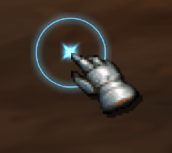
- Ring. A coloured ring around the cursor, with a choice of shapes, size, opacity, colour and an optional slow spin. It can swell when you hover something clickable, which makes interactive things obvious at a glance.
- Centre dot. A small mark at the exact cursor point when you want precision.
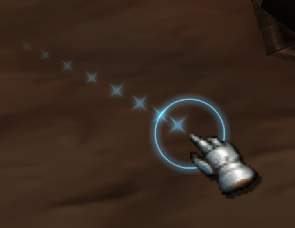
- Trail. Up to twenty segments chasing the cursor. Tune how tightly they follow, how they taper and how they fade. The smoothing is corrected for frame time, so it looks the same at 30 frames a second as at 144.
Make it useful
- Activity sweep. A cooldown style wedge around the cursor for your global cooldown, the spell you are casting or channelling, or both.
- Cursor readout. A compact block beside the pointer: target name and level, a combat warning, map coordinates, frame rate, latency and the clock. Target health, your health and your power appear as small bars, so they work even on clients that keep those numbers away from addons.
Keep it out of the way
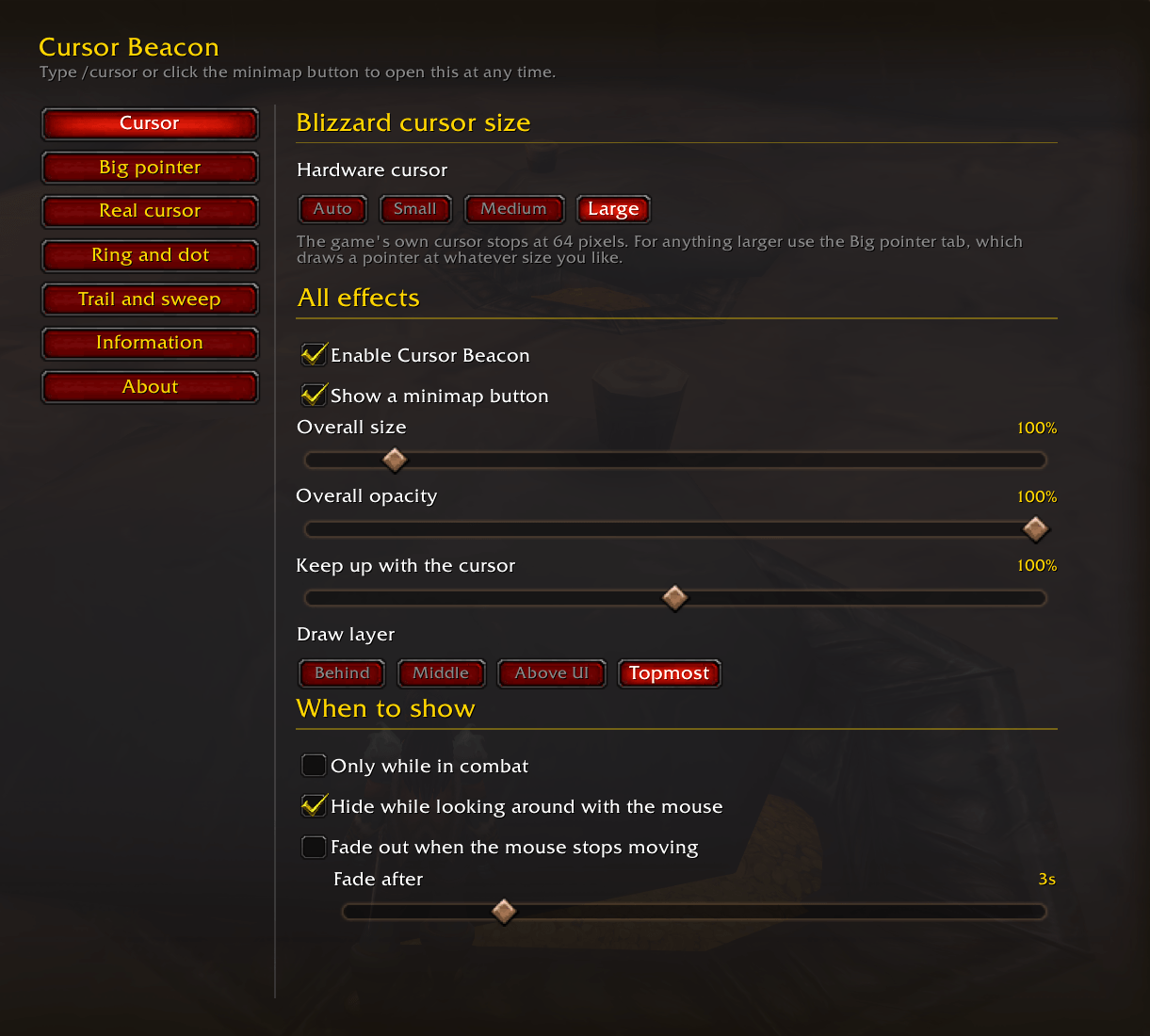
Everything can be limited to combat only, hidden while you hold a mouse button to turn the camera, and faded out when the mouse stops moving. There is a shared size, opacity and draw layer for the lot, and a master switch on the minimap button.
Built to keep up
Anything an addon draws is positioned during the frame and only reaches the screen on the next one, so it naturally trails the real cursor while you move. Cursor Beacon pushes its art forward along your direction of travel to close that gap, and it is adjustable if you want more or less of it. The draw loop makes one layout change per frame plus one per live trail segment, not one per piece of art.
Honest about one thing
The game draws its own cursor after the entire interface, so nothing an addon draws can sit on top of it, and it cannot be hidden. That is the client, not a missing feature. The Real cursor tab in the options explains it and offers what actually helps: set the game's cursor to its smallest and the drawn pointer large, and the small arrow disappears inside the big one.
Settings that survive
Settings are per character and mirrored account wide, so a client that hands back an empty table on login does not wipe your setup.
Installing
- Download the zip.
- Drop the
CursorBeaconfolder intoWorld of Warcraft_classic_beta_InterfaceAddOns, or wherever your client keeps its AddOns folder. - Reload the interface, or log in.
Opening the options
Any of these:
- Click the minimap button.
- Type
/cursor. - Esc > Options > AddOns > Cursor Beacon.
They all land on the same page. The tabs down the left side are Cursor, Big pointer, Real cursor, Ring and dot, Trail and sweep, Information and About.
A five second setup
- Open the options and go to Cursor.
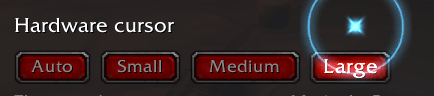
- Under Blizzard cursor size, pick Large. That is the game's own cursor at 64 pixels.
- Go to Big pointer, tick Draw a larger pointer, and pull Size up to about 140.
- Done. If the ring is not to your taste, turn it off on the Ring and dot tab.
Getting the big pointer to line up
The game's real cursor always draws on top of the drawn one. To make that look deliberate rather than doubled:
- Set the game's cursor to its smallest on the Cursor tab, or use the one click button on the Real cursor tab. The small arrow then sits inside the big one's silhouette.
- Leave the drawn pointer white, since the real cursor is white too.
- Use the two nudge sliders on the Big pointer tab for the last pixel or two.
Trying the activity sweep
Set Show on the Trail and sweep tab to Cooldown, Casting or Both, then type /cursor test. It runs the sweep for four seconds so you do not have to wait for a fight, and it tells you if something else, like combat only, would have kept it hidden anyway.
Commands
| Command | What it does |
|---|---|
/cursor | Opens the options in the game menu |
/cursor window | Opens them in a window of their own instead |
/cursor on, /cursor off | Toggles every effect |
/cursor size auto,1,2,3 | Sets the game's own cursor size |
/cursor minimap | Shows or hides the minimap button |
/cursor test | Runs the activity sweep for four seconds |
/cursor reset | Restores the defaults |
/cursor debug | Prints what resolved on this client |
/cursorbeacon works anywhere /cursor does.
The minimap button
- Left click opens the options.
- Right click turns every effect on and off.
- Drag moves it around the minimap rim, and it stays where you leave it.
Turn it off with "Show a minimap button" on the Cursor tab, or /cursor minimap.
If something does not show up
Type /cursor debug and read the list, or paste it into a bug report. Every optional piece is probed once when the addon loads and the result is listed there: which cursor shapes this client has, whether the cursor size setting exists, whether the cooldown sweep could be built, whether health and power can be read or only drawn, and which route opened the options window.
Discord
Join my Discord for Feedback, Development Updates, Addon Ideas, Feature Requests, and Bug Reports.
You must be logged in to leave a comment.