

Crafting Order
Share your recipes with everyone you meet: players on your realm see what you can craft and send you orders.
Details
Expansion
 Forever
 Categories
Developers

Having issues?
Crafting & Gathering Order — Classic — CurseForge description
Classic never tells you who can craft what. You can't inspect a stranger and see they're a Jewelcrafter, there's no list of professions for the realm, and the game forgets a friend's skills the moment they log off. So you spam /trade and hope.
Crafting & Gathering Order fills that gap. Your professions, skill levels and known recipes travel by hidden whispers to the other players running the addon, and theirs come back to you. You look someone up, see what they can actually make, and order from them, whether it's a guildmate or a stranger you just ran past. It's also an order board for crafting and gathering, with no guild or server to join.
At a glance
- Hover any addon user to see their professions and skill levels, and right-click them to order.
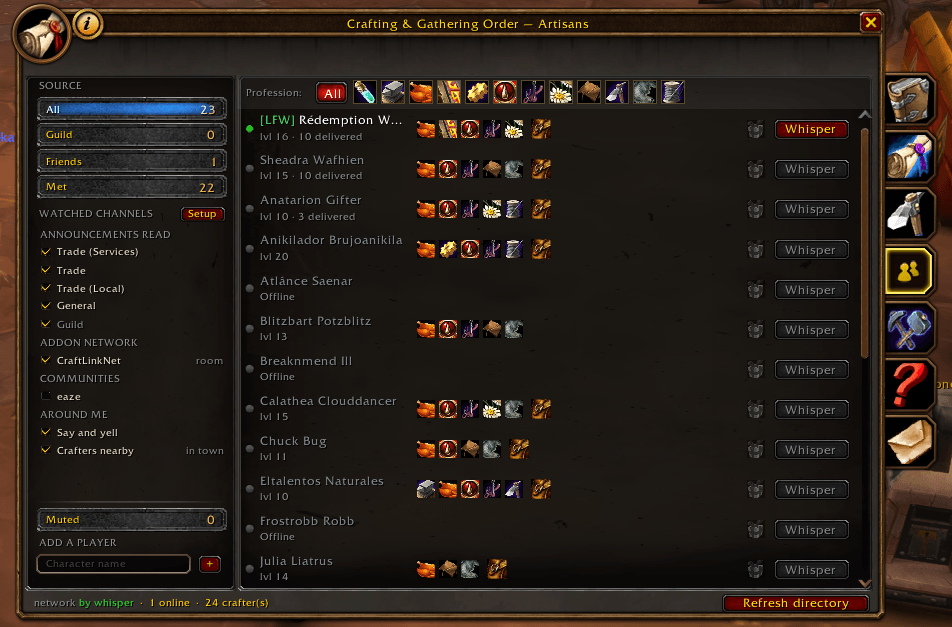
- An Artisans directory of everyone you've crossed paths with, what they craft, and whether they're online.
- Craft and gather orders for everyone, your guild, your friends or one player.
- One tick posts your order as a readable line in Trade (Services), so strangers see it too.
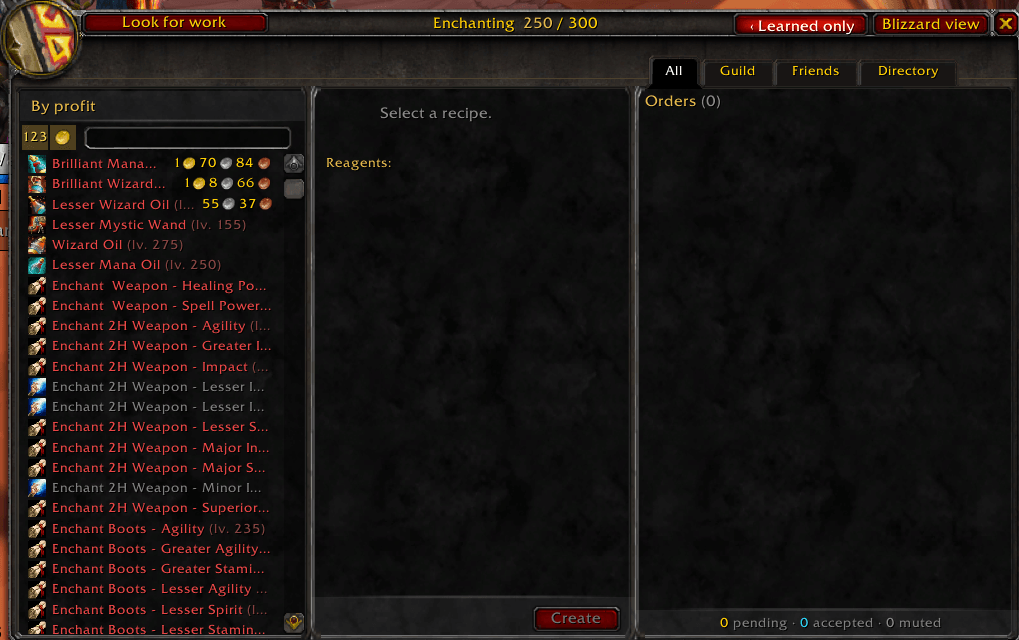
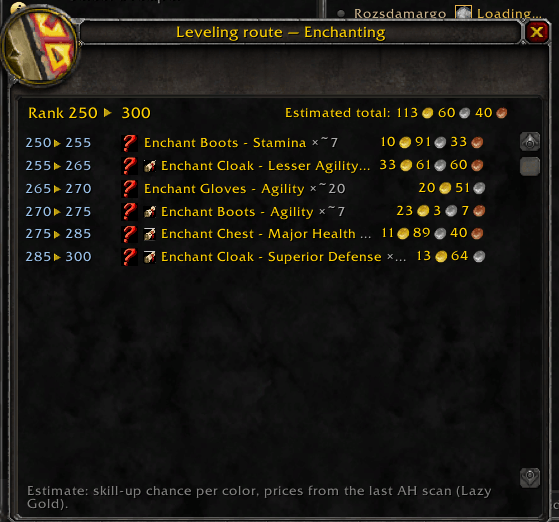
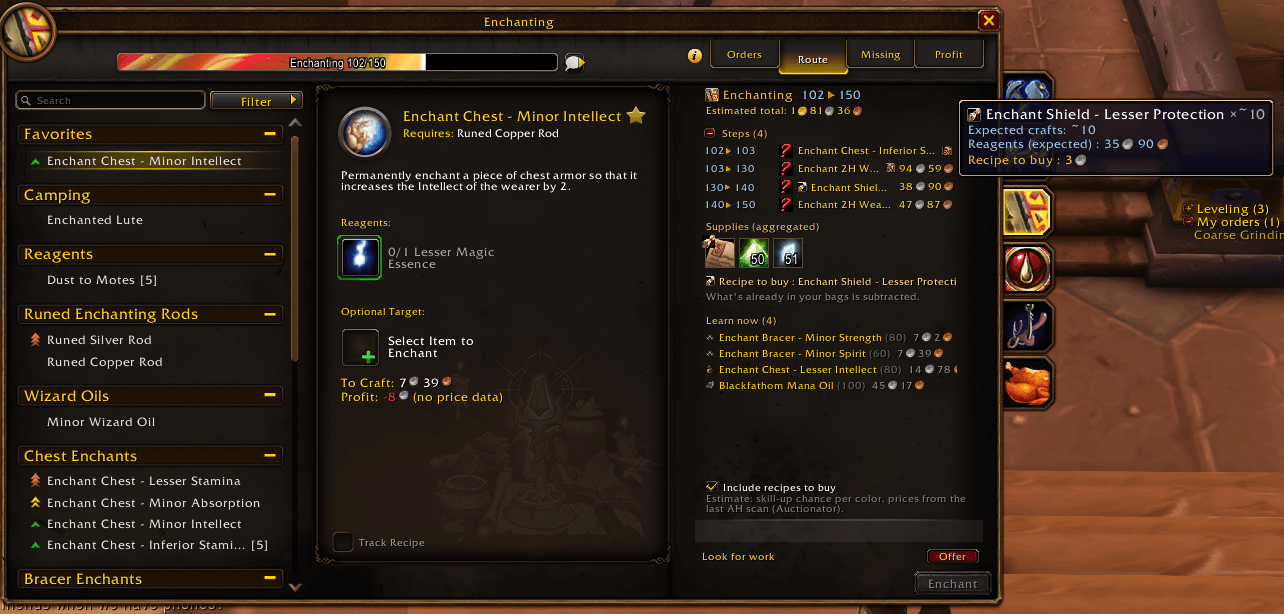
- A column inside the profession window with incoming orders, a cheap levelling route and the plans you're missing.
- Your accepted orders on screen like tracked quests, with every reagent counted from your bags.
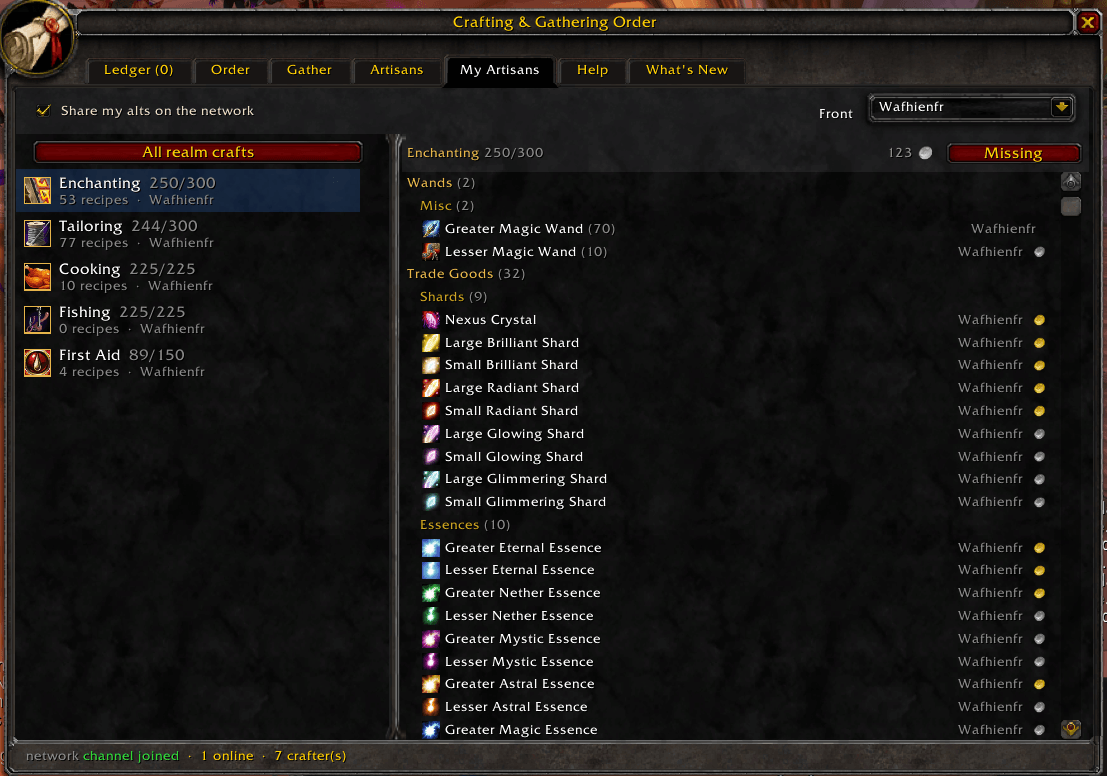
- Every profession on your account in one tab, and your alts linked as one player.
- English, French, German and Spanish.
Finding who can craft what
Mouse over an addon user anywhere in the world and their professions and skill levels show under the game's tooltip (hold Shift for their recipes). Right-click them and each profession they craft gets an Order entry. Friends, Battle.net friends and guildmates get the same summary in their own panels.
The Artisans directory fills itself in as you cross paths with other users. Under "Watched channels" you pick where the addon looks: the Trade channels, guild chat, the discovery room where addon users say hello, your WoW communities, and the players around you. A panel walks you through it the first time you log in, and the Setup button brings it back. Tick a community and its members get their own filter, the offline ones included.
Pick a crafter and the recipe list narrows to what they can actually make. Their cooldowns show on
their tooltip too, so you can see "Transmute: ready" or "Transmute: in 14h" without asking. Mark
someone a partner, and when you loot a plan they don't know, the addon tells you; /co gift drafts
the whisper offering it.
Posting an order
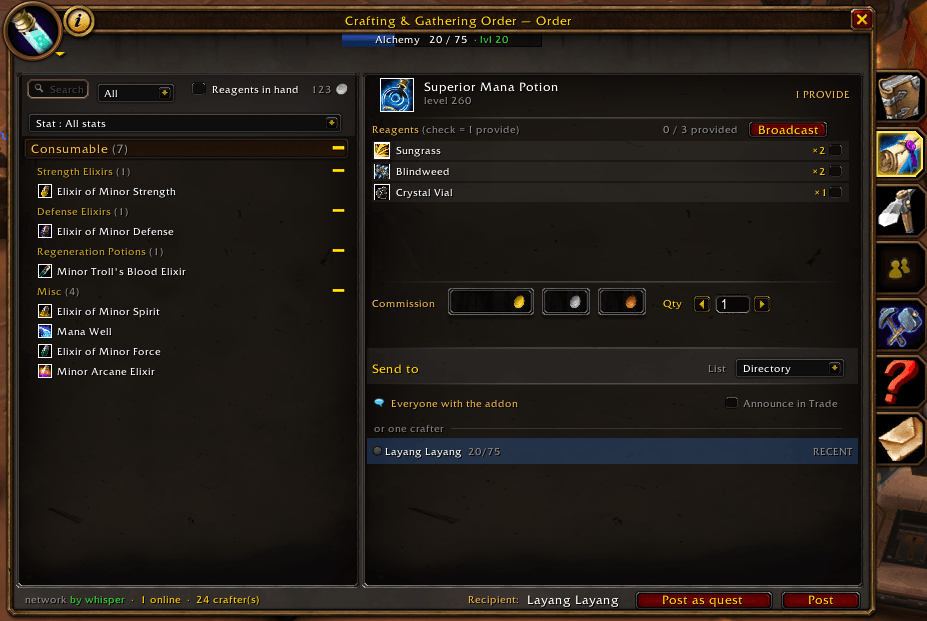
Post from the addon window, or from chat with /co post. Send it to everyone, your guild, your friends
or one named player; a named order reaches that player the moment they log in. An order to everyone
goes by whisper to the addon users you know and hops on from them. Tick "Announce in Trade" and the
addon also writes one line in Trade (Services), in a capital:
WTB [item] x1 PROVIDE [material]x2 2g50s #CO27
Players without the addon can whisper you, and addon users you've never met get the full order within seconds. It's only ever sent when you click. The same box, in the "Look for work" offer, lets people know you're available.
Gather orders work in units or stacks and always show the real total, so you read 3 stacks (60) instead of 3 st. A cancellation follows the same whispers as the order, and open orders expire on their own. You only get a toast for professions you actually have.
Delivering
A delivered order waits for the buyer to confirm it, either automatically when the item lands in their bags or with a Received button, so a crafter's delivered count tracks goods that really changed hands. Open a trade or a letter with someone and a small panel lists the orders between you. In the mail, Fill from order sets the recipient, subject and cash-on-delivery and attaches the item. You still press Send yourself.
Inside the profession window
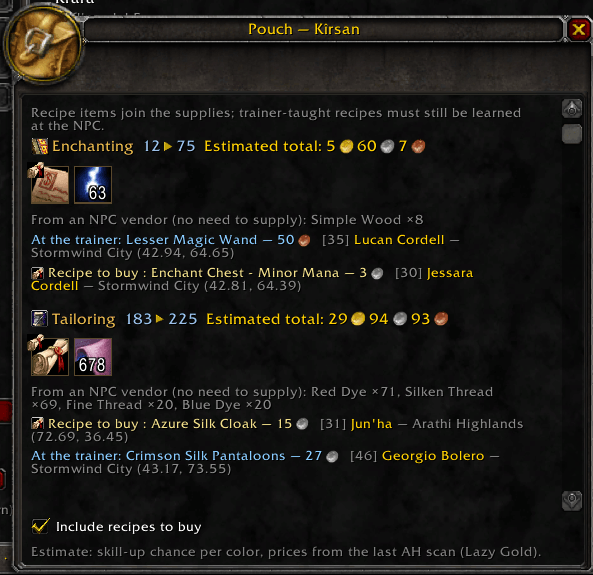
Forever's profession window stays as it is, and the addon adds a column to it. The column holds the live orders for that profession, a route for levelling it at the lowest cost per point, and the plans you're missing with where each comes from: the trainer, the vendor and its price, or the creature that drops it, always on your side of the faction line. Click one for a waypoint.
Recipes are sorted into real categories instead of one "Consumable" pile: healing potions, mana potions, elixirs, flasks, transmutes, each from the highest rank down. With Auctionator installed, orders show what the goods sell for against what the reagents cost, and a gold border marks a crafter sitting on a profitable plan. Without it, the addon says it doesn't know rather than showing a zero.
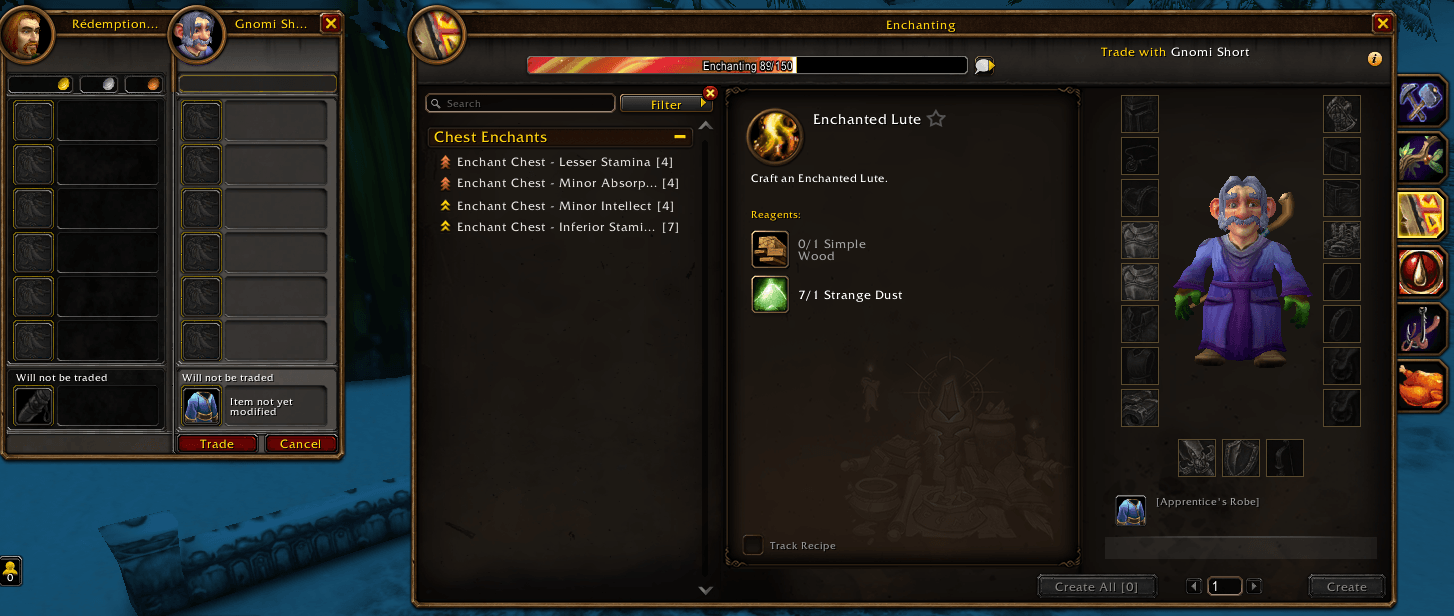
Enchanters get help at the trade window. Click a slot on the silhouette and your partner is asked for that piece, while Blizzard's recipe list narrows to what fits it.
All your characters
The My Artisans tab gathers every profession on your account into one place: skill levels, recipes by
category, cooldowns, and which character holds each recipe. Turn on /co alts and your characters are
linked as one player, so an order for your alchemist still finds you while you're on your warrior.
On screen and in a journal
Orders you've accepted sit on screen like tracked quests, each reagent counted against your bags. When
the last one drops in, the order climbs to Ready to deliver. The tracker also names the cheapest recipe
for your next skill point. Give an order a title and a few lines of text and it reads like a quest to
whoever picks it up, and /co journal puts your orders and your real quests in one parchment window.
Keeping the board clean
When someone without the addon asks for a craft in Trade or guild chat, the request lands in an
Incoming tab if it's something you can make, and clears itself after half an hour. /co scan sets
which requests you catch: your professions, all of them, or none.
Mute a spammer with /co mute Bob 1h spammer and it lifts on its own after an hour. The addon can offer
to mute someone flooding orders, and /co trust keeps a busy friend from ever being auto-muted.
Muting only ever changes your own game.
Good to know
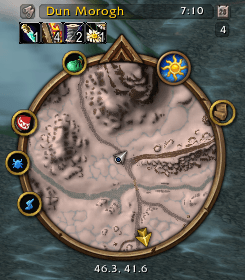
This build is for WoW: Forever, the 1.60.1 client, and it only loads there. Era, Season of Discovery and Hardcore stopped at 1.30.0, which stays available. Item and recipe names come out in your client's language, and the addon needs nothing else installed. When a newer version is out, the Crafting Order logo shows at the top of the minimap until you update.
/co help lists every command. The usual ones: /co opens the window, /co prof <profession> opens a
profession, /co notify sets how much you're alerted, /co alts links your characters, and /co mute
and /co trust handle noisy or trusted players.
Made for fresh realms, guild economy challenges, and servers where the auction house isn't the answer.
You must be logged in to leave a comment.