
CraftBoard
Realm-wide crafting order board for WoW: Forever. See who can craft what, whisper a request, post open requests. Works over addon messages, no combat features.
Details
Expansion
 Forever
 Categories
Developers

Having issues?
CraftBoard
Retail's crafting orders, brought to WoW: Forever. Without the spam.
Anyone who has played Classic knows the routine: "LF Leatherworker for Dark Leather Belt, have mats, tips". Ten times in Trade, every few minutes, hoping the right person happens to be reading. Crafters miss the requests, buyers get no answers, and Trade turns into noise.
Retail solved this years ago with crafting orders. Forever keeps the Classic world, so it does not have them. CraftBoard adds them back, built entirely from addon messages so it needs nothing from Blizzard's servers.
What it does
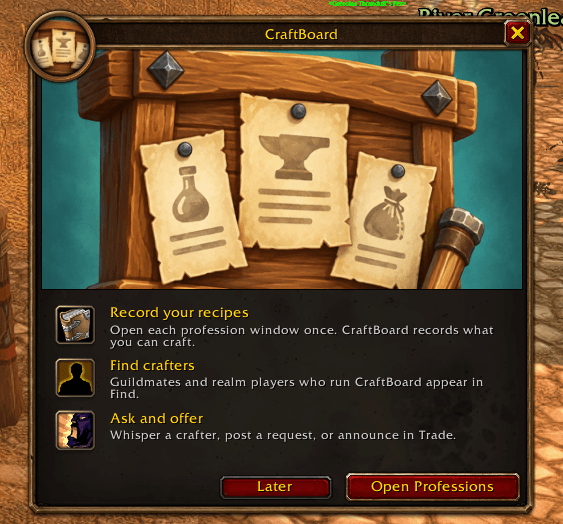
- Your recipe book is shared automatically. Open a profession window once. From then on, every CraftBoard user on your realm can see what you can craft.
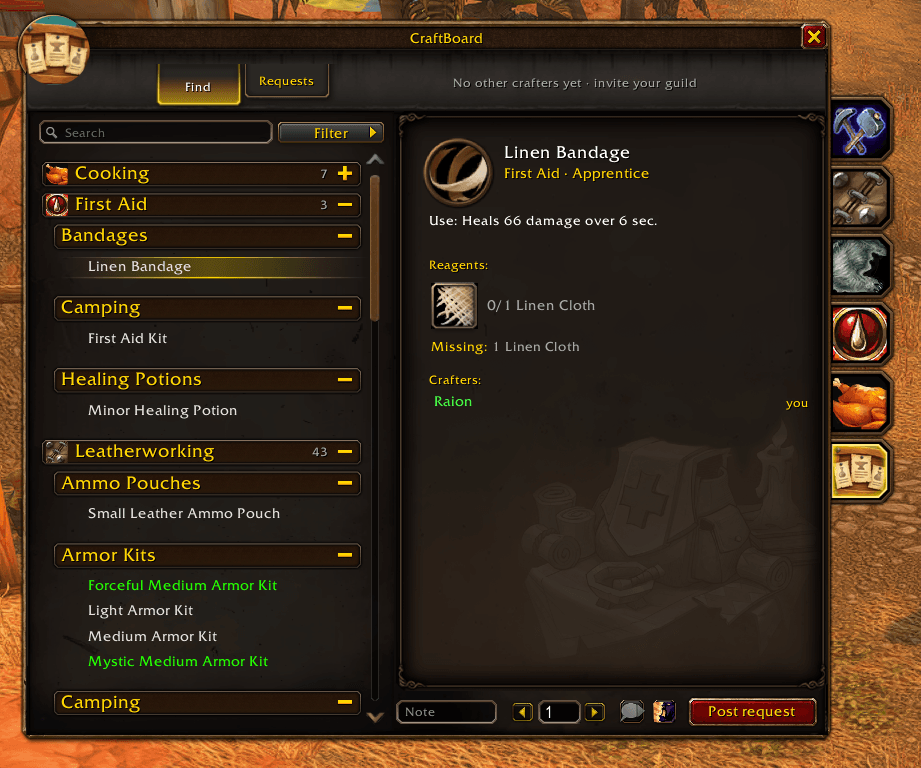
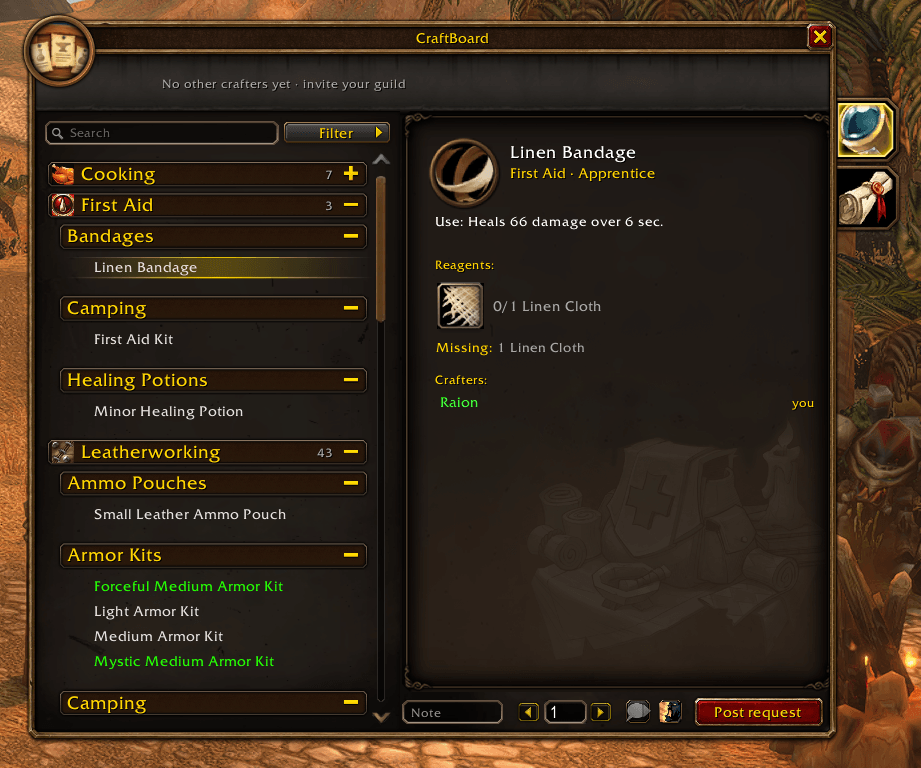
- Find who can make anything. Search an item, see every crafter who knows it, online first, and whisper them with one click. Reagents show have/need from your own bags.
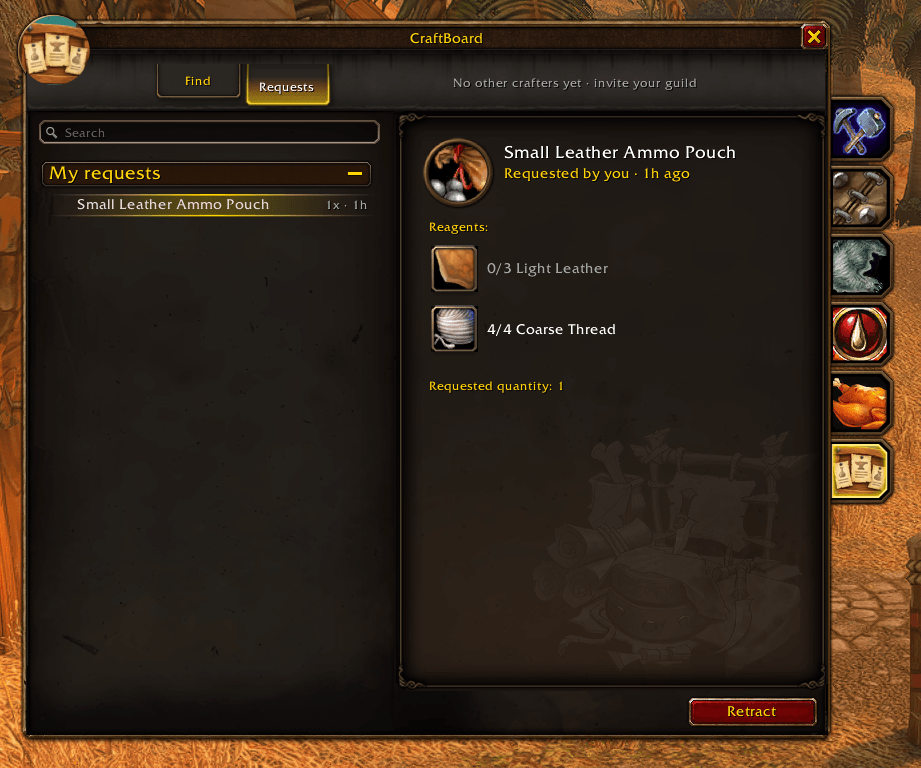
- Post a request to the board. Crafters see open requests, with your note and quantity, and offer with one click. No chat spam, no repeating yourself.
- Still useful alone. With nobody else installed it shows what you can craft right now and what you are missing.
Looks like it belongs
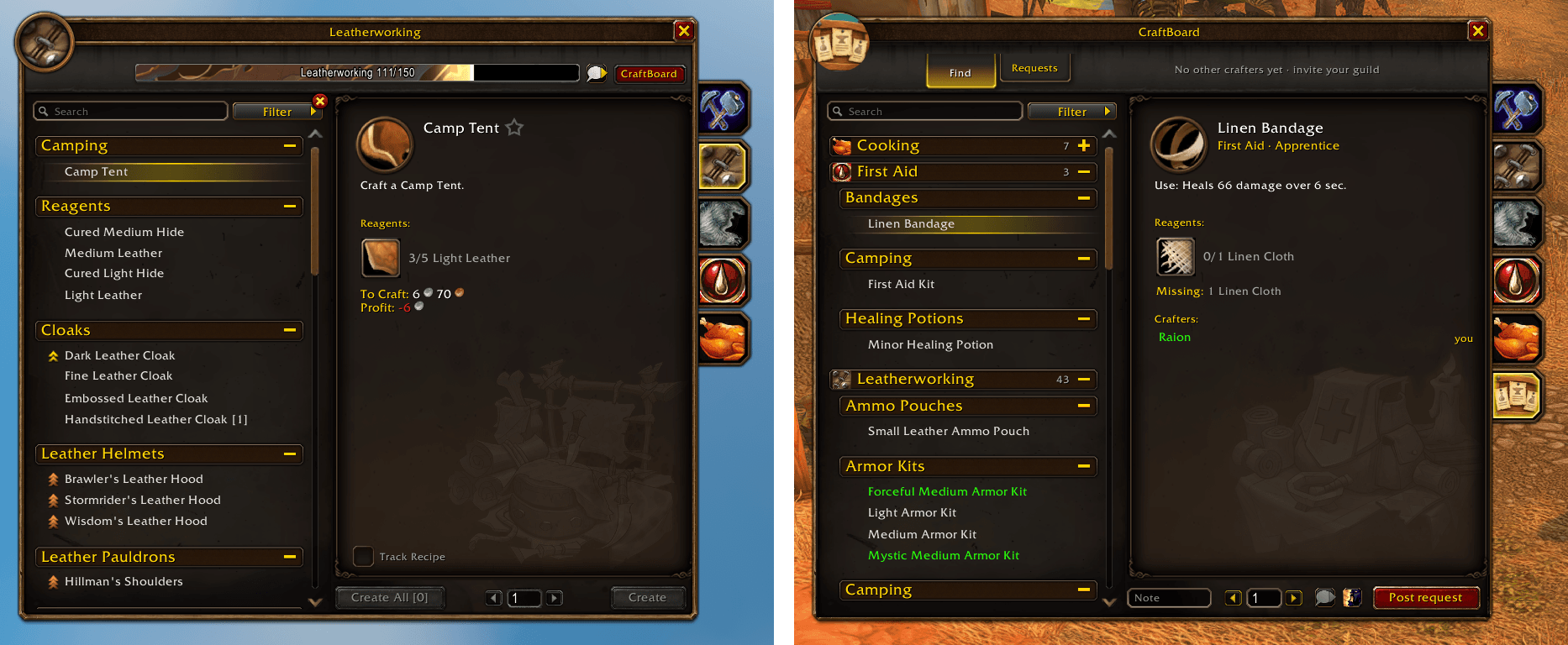
CraftBoard is a tab inside Forever's Professions window, built from the same frame, fonts and textures. Click the CraftBoard tab under your professions and the board opens in place. Characters without professions get the same board as a standalone window.
Fair and safe
- No gold in the protocol. Tips are agreed in whispers, like they always were. Nothing here resembles an auction house or GDKP.
- Non-combat. Unaffected by Forever's combat addon restrictions.
- Bind-on-Pickup items are never listed. You will not be asked for something you cannot hand over.
- Guild first, realm second. Works with two guildmates; the hidden realm channel lights up as more people install it.
Getting started
- Install, log in, and open each of your profession windows once.
- Open the Professions window and click the CraftBoard tab, or use the minimap button or
/cb. - Search for an item, or post a request.
Tell your guild. The board is only as good as the people on it.
Beta. The sync layer is new; if anything looks odd, /cb debug and a BugSack report help. Source and issues: https://github.com/MartinPTielemans/craftboard
You must be logged in to leave a comment.