

Cooldown Manager Ckraigs
addon tracks and displays essential buff icons for World of Warcraft. It provides a customizable, multi-row icon viewer with per-row icon sizing, aspect ratio cropping, and robust skinning. The addon includes a scrollable options menu
Details
Addon ID:
25190
Addon Version:
0.2.0
Expansion:
1.60
Upload date:
Oct 06, 2026
Last Updated:
Oct 06, 2026
Downloads:
Less than 100
Website:
Source Link
Expansion
 Forever
 Categories
Developers

CKRAIGFRIEND
Creator
Having issues?
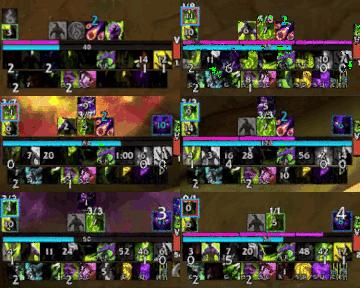
https://discord.gg/nyyYJSeNbR
PRESET PROFLES FOR BEGINNERS!!!! FOR ALL CLASSES AND SPECS ONLY FOR RETAIL WOW
/CKCDM ,/CCM ,OPEN OPTIONS MENU OR MINIMAPICON
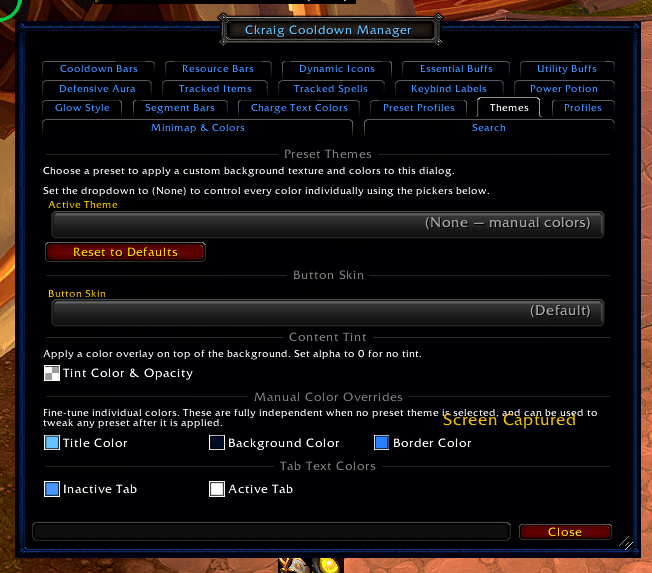
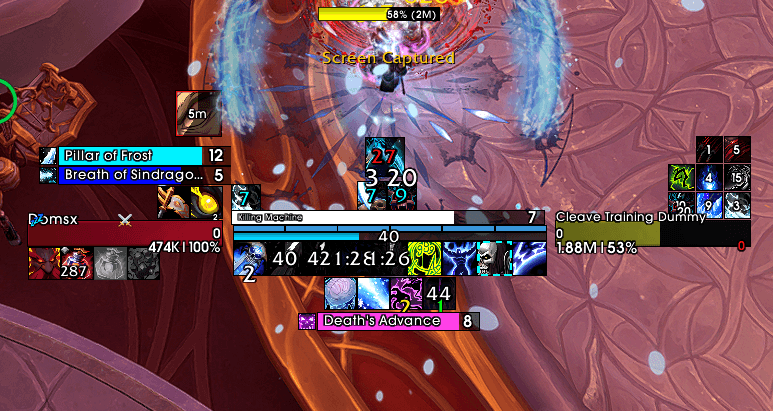
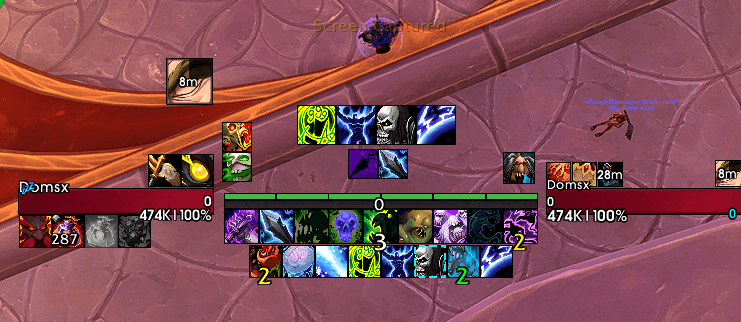
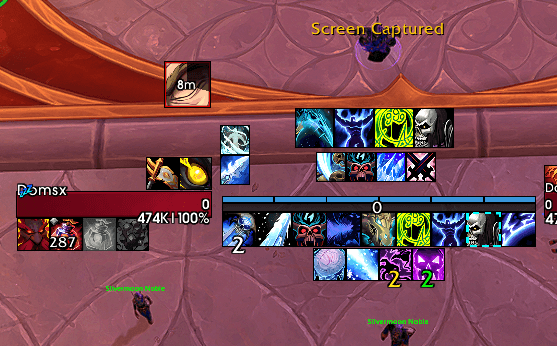
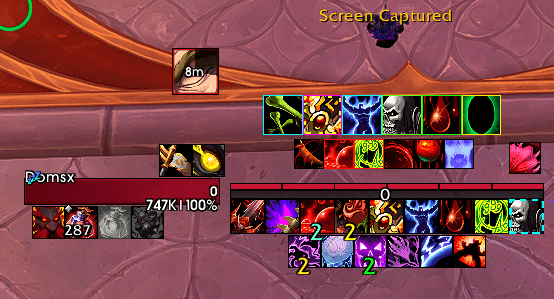
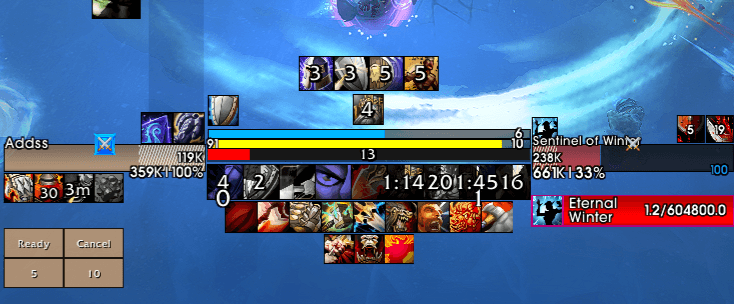
https://www.youtube.com/watch?v=VFo7Hlbqf7w&t=21s VIDEO might be to complicated sorry i dont know how to explain it all in one video pls feel free to join discord and ask more questions or comment here
https://discord.gg/Y9BR7euG3R CkraigFriends Discord
# CkraigCooldownManager
**Preset profiles for beginners, for every class and spec!** retails only
Open the options with **/ccm**, **/ckcdm**, or the **minimap icon**. New to the addon? Click **Guide & Previews** at the top of the options window (or type **/ccm guide**) for a visual tour of every feature.
**Community & help**
- [CkraigFriends Discord](https://discord.gg/Y9BR7euG3R): questions, setups and feedback
- [Second Discord link](https://discord.gg/nyyYJSeNbR)
- [Twitch: ckraigfriend](https://www.twitch.tv/ckraigfriend) (Prime subs welcome :P)
---
## What is it?
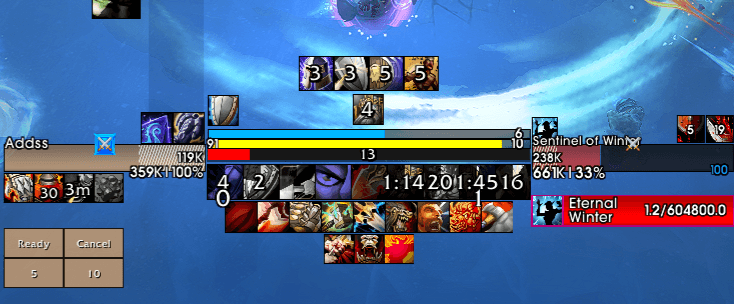
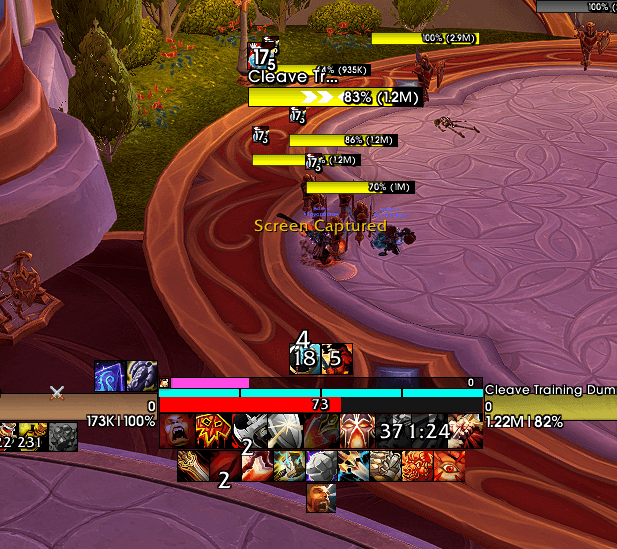
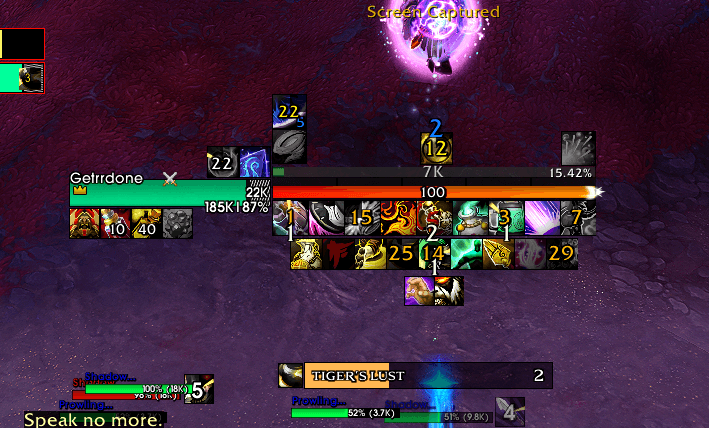
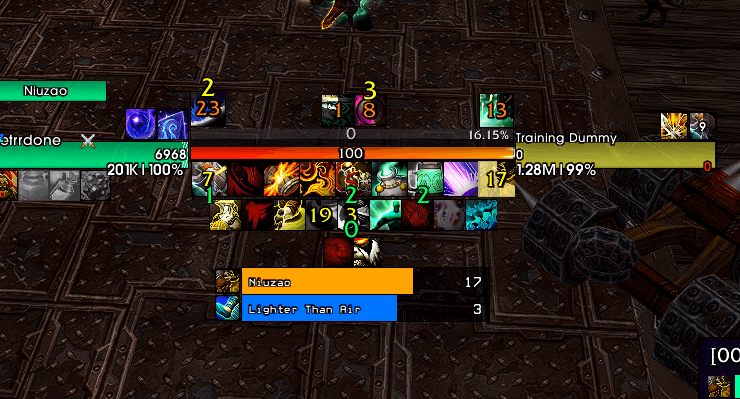
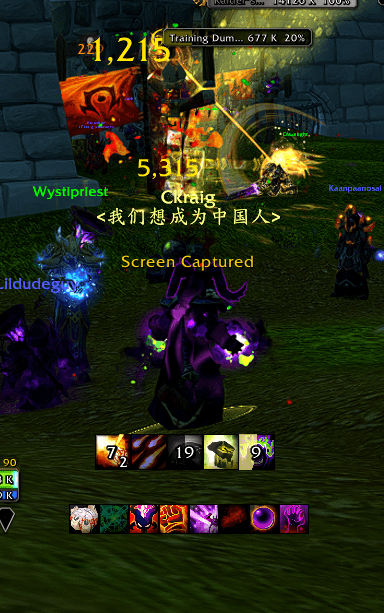
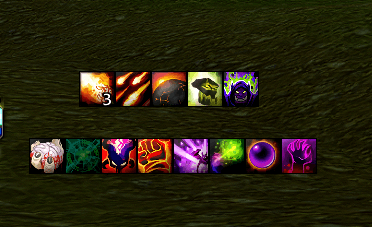
CkraigCooldownManager takes Blizzard's built-in Cooldown Manager and turns it into a fully customizable tracking suite. It covers your cooldowns, buffs, procs, trinkets, potions and class resources, all in one addon with one options window.
You can keep it simple with a clean row of centered icons, or go further with separate movable clusters, cooldown bars, custom shapes and per-spec profiles. Only turn on the parts you want.
---
## How it works
1. **Blizzard tracks, CCM displays.** In Blizzard's Cooldown Manager (Edit Mode → Cooldown Manager), pick which spells go into *Essential*, *Utility*, *Tracked Buffs* and *Tracked Bars*.
2. **CCM restyles and rearranges them.** Each Blizzard category feeds a CCM module (Essential Buffs, Utility Buffs, Dynamic Icons and Cooldown Bars). CCM then applies your layout, size, fonts, borders, glows and colors.
3. **Add what Blizzard doesn't track.** Tracked Spells, Custom Auras, trinkets, racials and potions let you add any spell or item ID yourself.
4. **Save it per spec.** Profiles can switch automatically with your spec, and you can share them with friends as import strings.
---
## Features
### Cooldown & buff tracking
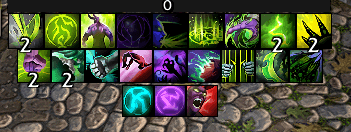
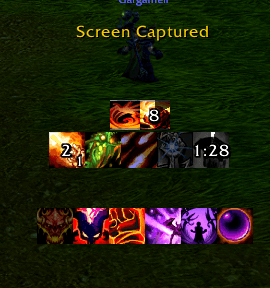
- **Essential Buff Tracker:** your core rotational cooldowns, centered and restyled.
- **Utility Buff Tracker:** defensives, movement and utility spells in their own row.
- **Dynamic Icons:** buff and proc icons that grow and shrink from the center as they appear. Includes an optional **target count** display.
- **Cluster Mode:** split icons into separate groups you can move independently (for example, defensives on the left and burst on the right).
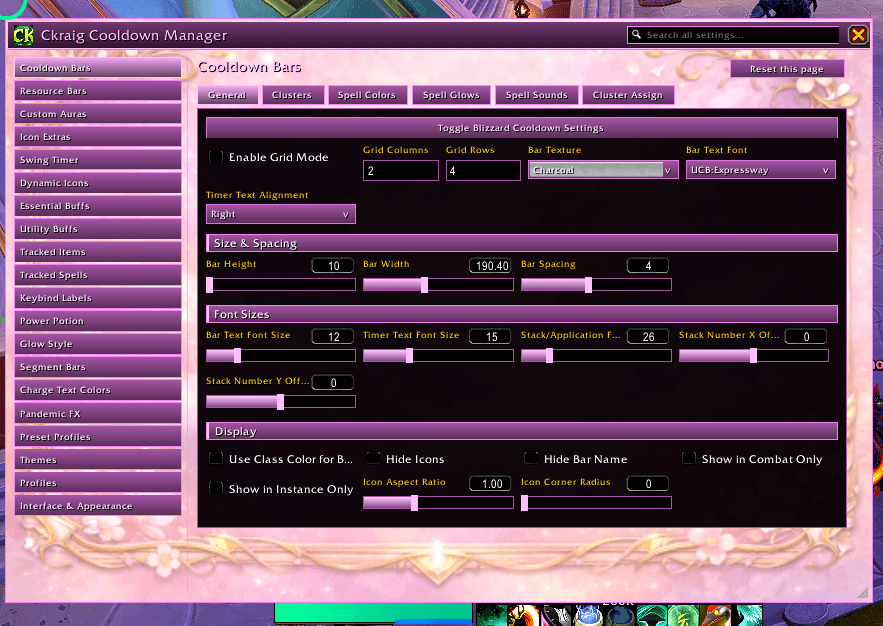
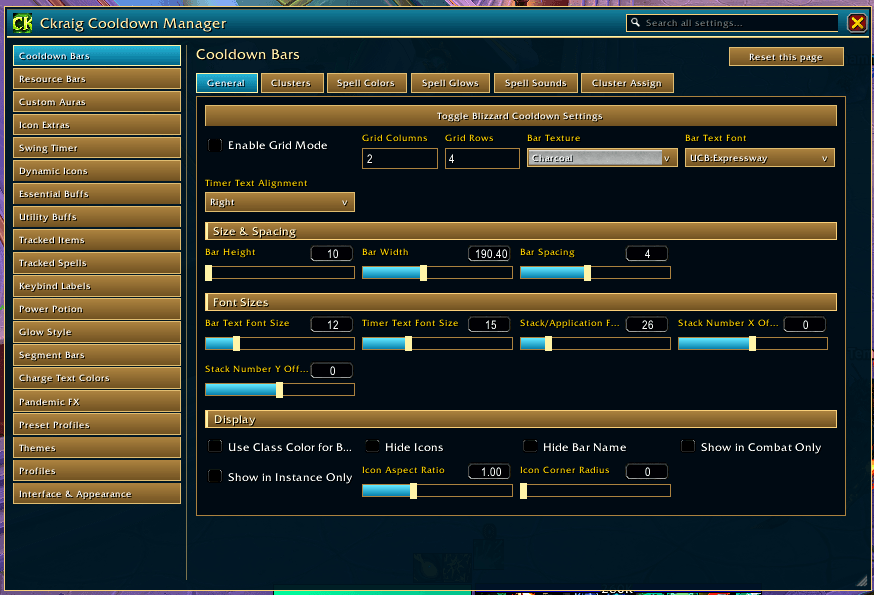
- **Cooldown Bars:** a bar-based alternative to icons, with custom textures, colors and timer text.
- **Tracked Spells:** add any spell or item ID. This covers trinkets, racials and on-use items, with cooldown and ready states.
- **Custom Auras:** track buffs and debuffs Blizzard's manager doesn't offer.
- **Segment Bars:** split a bar into 5 segments for stacks, charges or ticks.
- **Trinket & Racial tracking**, plus a **Power Potion success icon** that shows when your potion was used (the spell and item IDs are configurable).
### Visuals
- **22 icon shapes:** circle, rounded, squircle, diamond, hexagon, octagon, pentagon, triangle, star, sun, heart, flower, clover, cloud, leaf, teardrop, moon, shield, cross, kitty and paw. The square background is removed automatically.
- **Shape borders** in a single color, your class color, **rainbow** or **pastel**, with an optional **spinning** animation. Thin, medium or thick widths.
- **Glows:** per-spell glow options, **pandemic glow** (when refreshing a DoT or HoT won't waste duration), and assisted-combat highlights.
- **Keybind text on icons** so you always know which key to press.
- **Charge and stack text colors**, **timer text** styling, fonts and outlines.
- **Many status bar textures** included, plus anything from LibSharedMedia.
### Resource bars
- Health bar, power bar, alternate power bar and a **druid mana bar**.
- **Class resources:** combo points, holy power, runes, soul shards, chi, essence and more.
- **Special trackers:** Ironfur (Guardian), Monk orbs, Vengeance soul fragments, Warrior Whirlwind stacks and Maelstrom (Enhancement).
- Stack order, size, textures and colors are all adjustable.
### Options & setup
- **A new options window** with **themes**, adjustable opacity and scale, and a page for every module. Prefer the classic Ace3 menu? Type **/ccm classic**, or switch in *Options Window* settings.
- **Guide & Previews:** animated previews of cluster movement, bar colors, keybinds, shapes, rainbow borders, 5-segment bars and more. Each section has a button that jumps straight to its settings.
- **Preset profiles** for every class and spec, so you can start from a working setup.
- **Profiles per spec** (they swap automatically), plus **import/export strings** for sharing.
- **Edit Mode support** and built-in positioning tools.
- **Combat-safe:** layout changes are held until combat ends.
- Translated into 12 languages.
---
## Quick start
1. Install, log in and type **/ccm**.
2. Pick a **preset profile** for your class and spec, or start from scratch.
3. In Blizzard's **Edit Mode → Cooldown Manager**, choose which spells go into Essential, Utility, Buffs and Bars.
4. Back in **/ccm**, adjust size, spacing, shapes, borders, glows and colors.
5. Add any missing spells, trinkets or auras under **Tracked Spells** or **Custom Auras**.
6. Open **Guide & Previews** at any time to see what each option does.
Too many options? Join the Discord. Share a screenshot and we'll help you set it up.
---
## Slash commands
| Command | What it does |
|---|---|
| `/ccm` or `/ckcdm` | Open or close the options |
| `/ccm guide` | Open Guide & Previews |
| `/ccm classic` | Open the classic Ace3 options |
| `/ccm new` | Open the new options window |
| `/ccm <page>` | Jump straight to a page |
---
## Dependencies (included)
Ace3, LibStub, CallbackHandler, LibSharedMedia, LibCustomGlow, LibDualSpec
You must be logged in to leave a comment.