

ComboPlate
Rogue combo points directly on the enemy nameplate that owns them, with an optional movable combo bar for WoW Forever.
Details
Expansion
 Forever
 Categories
- No categories available.
Developers

Having issues?
ComboPlate
See your Rogue combo points directly on the enemy that actually owns them.
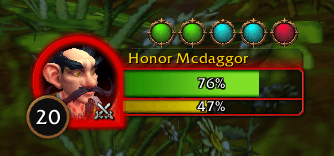
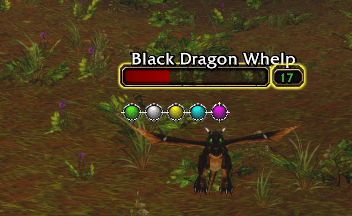
Combo points on nameplates
ComboPlate displays Rogue combo points directly below enemy nameplates.
The important difference is that the points stay attached to the enemy that owns them. If you build combo points on one mob and switch to another target, ComboPlate can continue showing those stored points above the original mob.
Blizzard or Custom style
Choose between the native Blizzard combo point artwork or high-resolution Custom graphics.
- Native Blizzard combo point style
- Custom Circle or Square shapes
- Silver, Brown, Copper and Ice themes
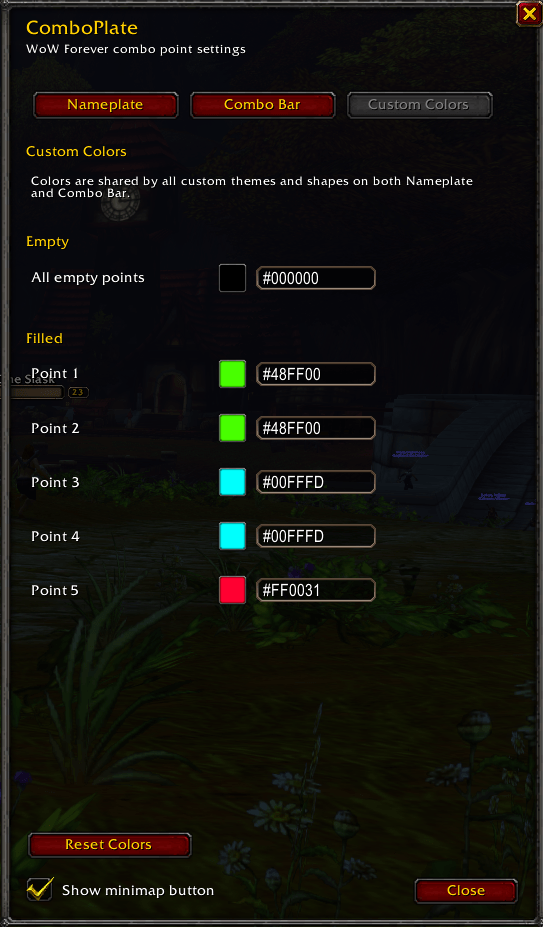
- Custom colors for empty and filled combo points
- Individual filled color for combo points 1–5
- Blizzard color picker and HEX color input
Nameplate and Floating Combo Bar appearance can be configured independently.
Floating Combo Bar
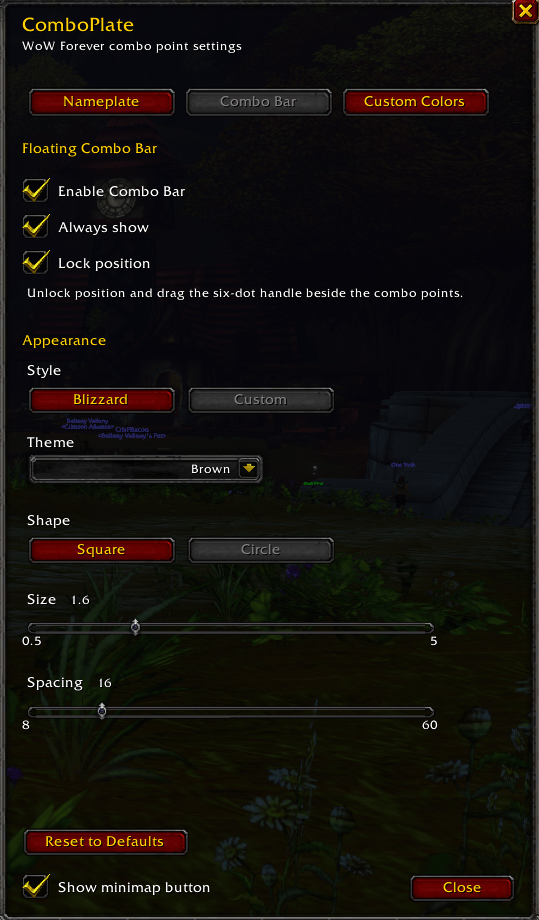
Prefer a traditional combo point display as well? ComboPlate includes an optional independent Floating Combo Bar for your current target.
- Move it anywhere on screen
- Resize the combo points up to 5.00 scale
- Adjust spacing
- Choose Blizzard or Custom appearance
- Select Custom theme and shape
- Lock the position
- Optionally keep it visible at zero combo points
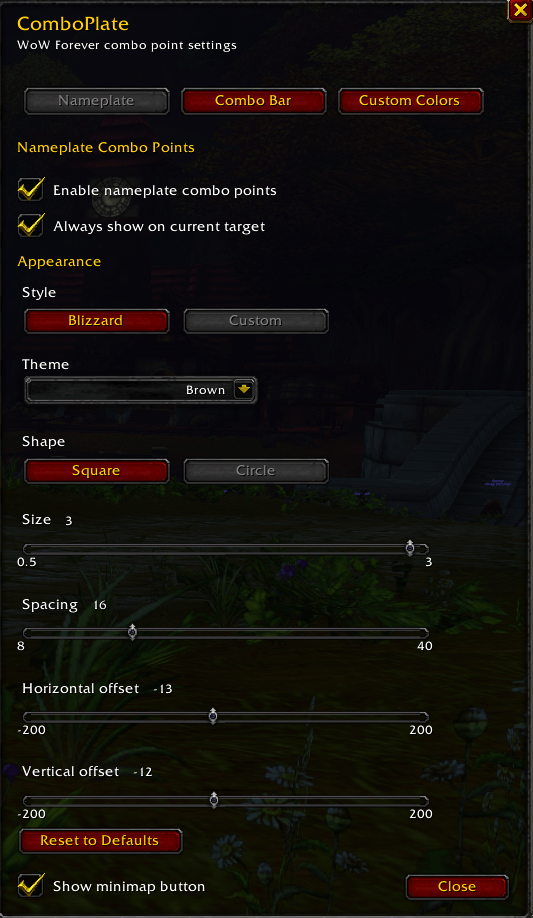
Flexible nameplate layout
- Enable or disable nameplate combo points
- Optionally show empty combo points on the current target
- Resize nameplate combo points up to 3.00 scale
- Adjust spacing
- Adjust horizontal and vertical position
Settings
Open settings with:
/cp or /comboplate
You can also open the settings from the draggable minimap button.
The minimap button can be hidden completely from the settings window. Even when hidden, the settings remain available through /cp.
The settings window contains separate tabs for Nameplate, Combo Bar and Custom Colors.
Per-character configuration
All settings are stored per character, including:
- Nameplate appearance and layout
- Combo Bar appearance and position
- Custom colors
- Minimap button position
- Minimap button visibility
Designed for WoW Forever
ComboPlate 1.1.0 is developed and tested specifically for WoW Forever Beta 1.60.1 with Interface 16001.
Lightweight. Dependency-free. Blizzard-friendly.
You must be logged in to leave a comment.