
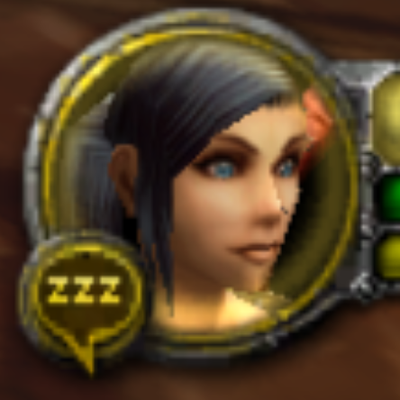
Classic Race Icons
Frames every player's own portrait the way the Classic client did: all eight classic races and Skyborne, male and female, tuned out of the box.
Details
Expansion
 Forever
 Categories
Developers

Having issues?
Classic Race Icons
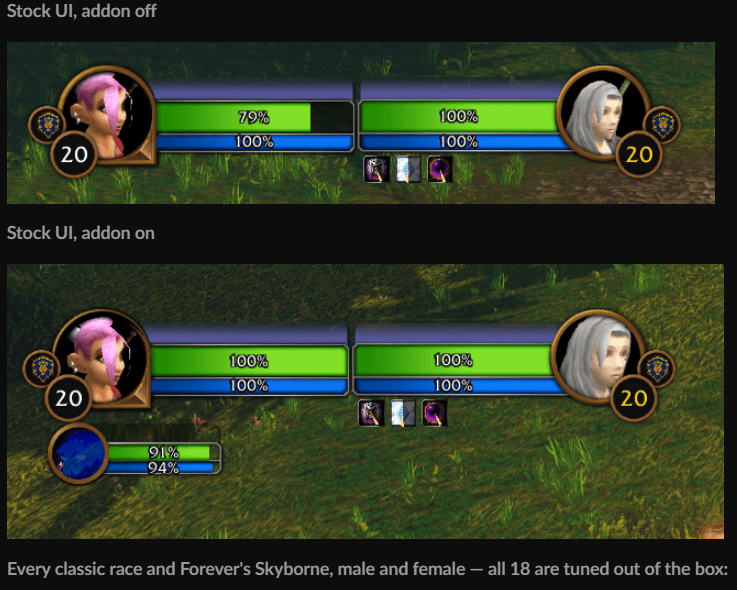
Your own portrait, framed the Classic way. In WoW Forever the unit frame portraits come from the new models, and their camera puts the head low and small in the circle. Classic Race Icons re-frames every player's own portrait — face, hair and gear stay exactly as they are — so the head sits where it sat in the Classic client.
Works with both the stock UI and the ClassicUI Forever addon by justawower. Nothing to set up: the addon sees which one you use.
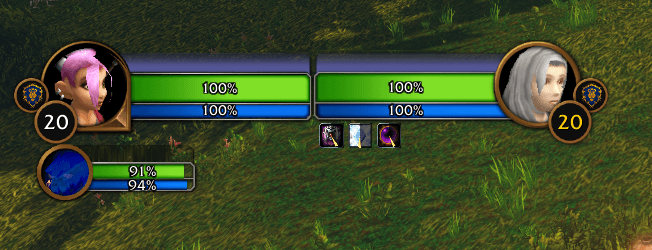
Stock UI, addon off
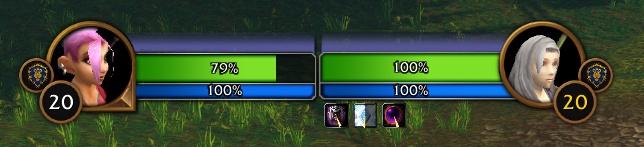
Stock UI, addon on
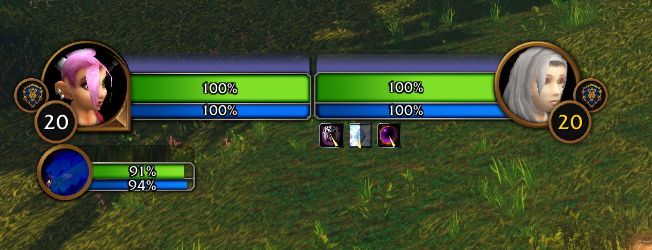
Every classic race and Forever's Skyborne, male and female — all 18 are tuned out of the box:

Features
- All the classic races: Human, Dwarf, Night Elf, Gnome, Orc, Undead, Tauren and Troll, plus Forever's Skyborne (blood elves) — each male and female tuned on its own against the Classic client's real portraits.
- Orc male is limited: Forever's orc male sits in a different position in its portrait than the Classic one, so it can't be framed exactly like Classic — it is tuned as close as the picture allows.
- Your real portrait: nothing is swapped for a picture. Every player's live portrait is shown, only framed differently, so gear, hair and faces are their own.
- Every portrait frame: player, target, target of target, focus, focus target and party frames.
- Options window (
/cri options) to switch frames, races and sexes on or off. - Calibration window (
/cri tune) to re-frame any race and sex yourself, side by side with the Classic portrait, with an overlay to line the heads up. - Classic black around the portrait when a head has to be smaller than Forever's picture allows — like the black behind a Classic portrait.
- Safe in combat: no "blocked from an action" popups, no taint — the addon never moves, hides or changes Blizzard's frames, it only picks which part of the portrait is shown.
Installation
Install it with the CurseForge app — it keeps the addon up to date. By hand: download the file and copy the ClassicRaceIcons folder into your WoW Forever InterfaceAddOns folder. Then make sure Classic Race Icons is enabled in the AddOns list on the character screen.
That's it: every portrait is framed the Classic way from the first login.
Options
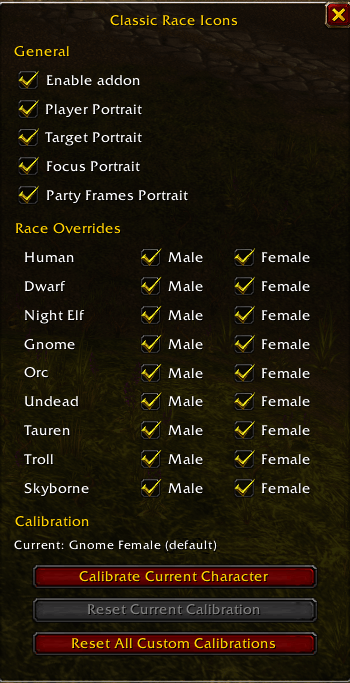
Type /cri options to open the options window.
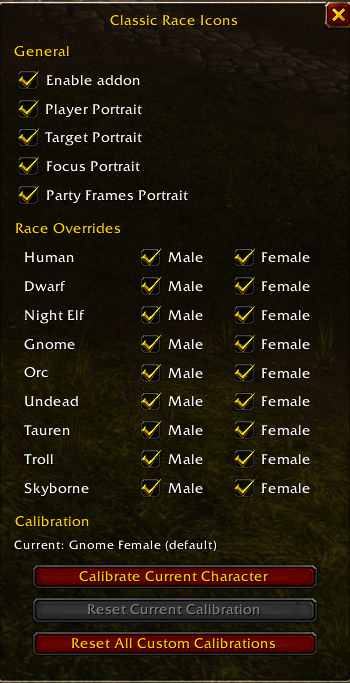
- General — Enable addon turns everything on or off; Player / Target / Focus / Party Frames Portrait pick which frames are re-framed (the target of target goes with Target, the focus's target with Focus).
- Race Overrides — every race, Male and Female on their own. A race and sex that is off keeps Forever's own portrait.
- Calibration — Current shows who the buttons act on: your target (if it is a player of one of the races), otherwise you. Calibrate Current Character opens the calibration window, Reset Current Calibration puts that race and sex back to the default, Reset All Custom Calibrations puts every one back (click it twice to confirm).
Every change shows at once and is saved for the whole account.
Calibrating a portrait yourself
The defaults already frame every race and sex. If you want one framed differently:
- Target a player of that race and sex — or target nobody to calibrate your own character.
- Type
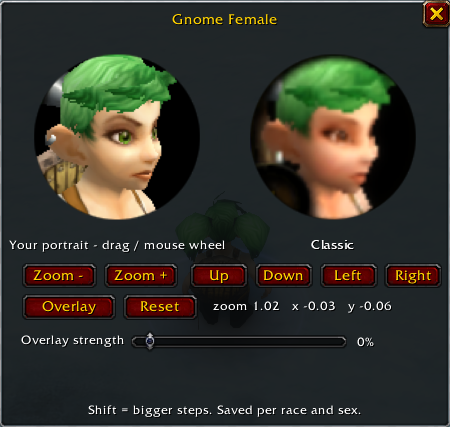
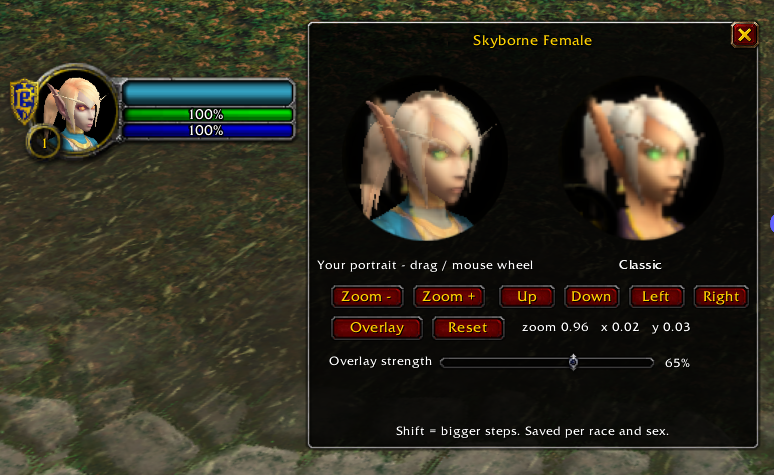
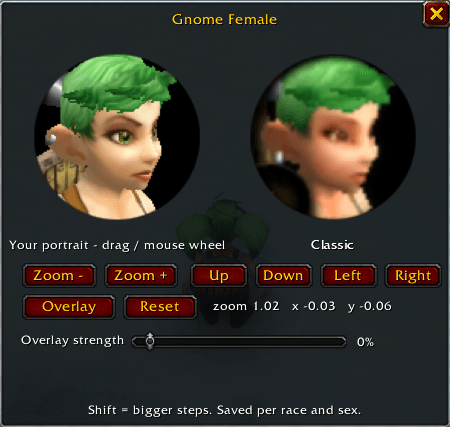
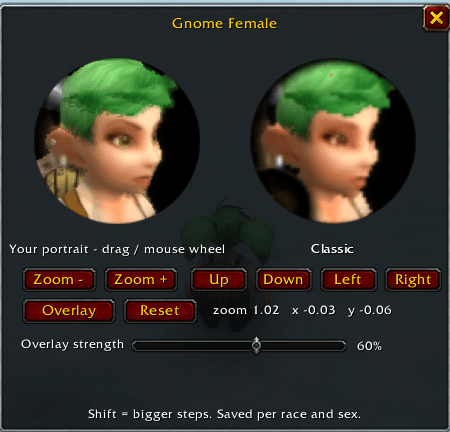
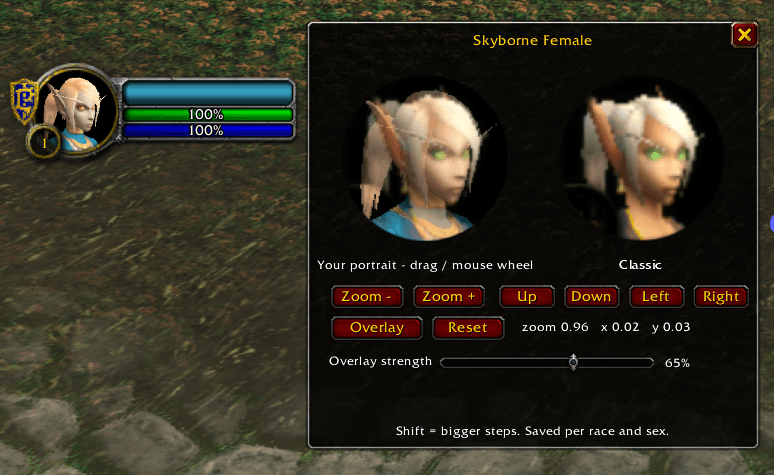
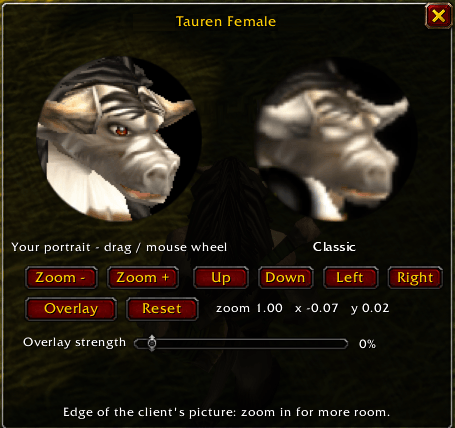
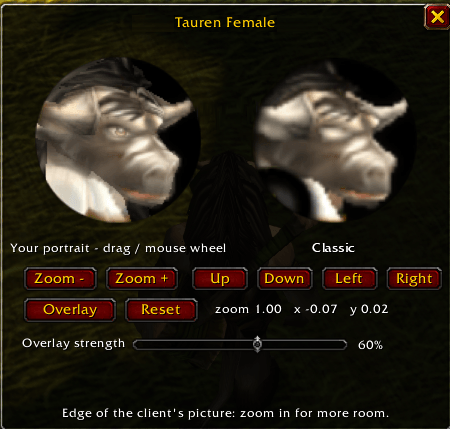
/cri tune(or click Calibrate Current Character in the options). - Left: the portrait as your frames show it. Right: the Classic client's portrait of that race and sex, as a reference.
- Move and zoom the left one until the head sits like the right one: drag it with the mouse and zoom with the mouse wheel, or use the Zoom − / Zoom + / Up / Down / Left / Right buttons (hold Shift for bigger steps).
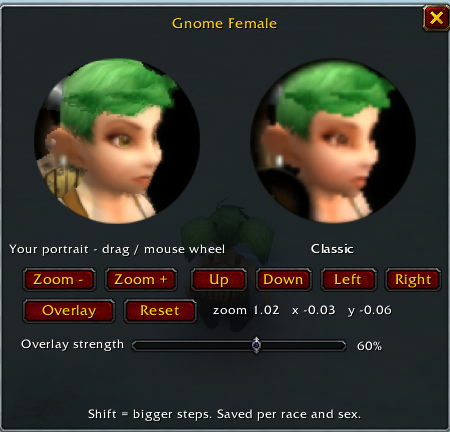
- Overlay lays the Classic portrait over yours; the Overlay strength fader sets how much of it shows. Line up eyes, nose and chin.
- It is saved per race and sex and used straight away for every player of that race and sex, on every frame. Reset goes back to the default.
Slash commands
/cri options— open or close the options window/cri tune— open the calibration window (your target, or you)/cri on//cri off— turn the addon on or off/cri human,dwarf,nightelf,gnome,orc,undead,tauren,troll,skyborne— turn one race on or off (both sexes)/cri others— re-frame everyone, or only your own portrait/cri shrink— allow portraits smaller than or beyond Forever's picture, with black around them (on by default)/cri reset— every race and sex back to the defaults/cri status— what each frame shows, and every race and sex's framing
/classicraceicons works as well as /cri.
Good to know
- Forever's class icon portraits (the Settings option, or RougeUI's Class Portrait) win over this addon while they are on.
- Stock UI or ClassicUI Forever: both work. The stock frames show the whole round portrait, so on a few races you may see a little black at the rim, where Forever's picture ends; ClassicUI Forever's ring covers that part.
- NPCs are never touched — only players of the races above.
- When the game hides a player's race or sex from addons, that portrait stays Forever's own.
Source and license
Made by Jedborg. Source code, changelog and technical notes: github.com/JedborgWoW/Classic-Race-Icons---WoW-Forever. All rights reserved — see the license there. The Classic portraits are Blizzard Entertainment's art.
You must be logged in to leave a comment.