

Chat Hush
Account-wide player and guild ignore list, plus neutral filters for political rage bait, nationality bashing and repeat spam in chat.
Details
Expansion
 Forever
 Categories
Developers

Having issues?
Chat Hush keeps the people, guilds and lines you don't want out of your chat, on every character of your account.
Ignore people and guilds
- One ignore list for your whole account, with a note and an expiry date for each player. Names with a surname are matched however they arrive. Right-click a name in chat and pick Hush, or type /hush ignore.
- Ignore a whole guild. Chat Hush learns its members from the players you see, group or trade with, /who and chat, and treats them as ignored. A Guilds page shows each guild with the members seen so far.
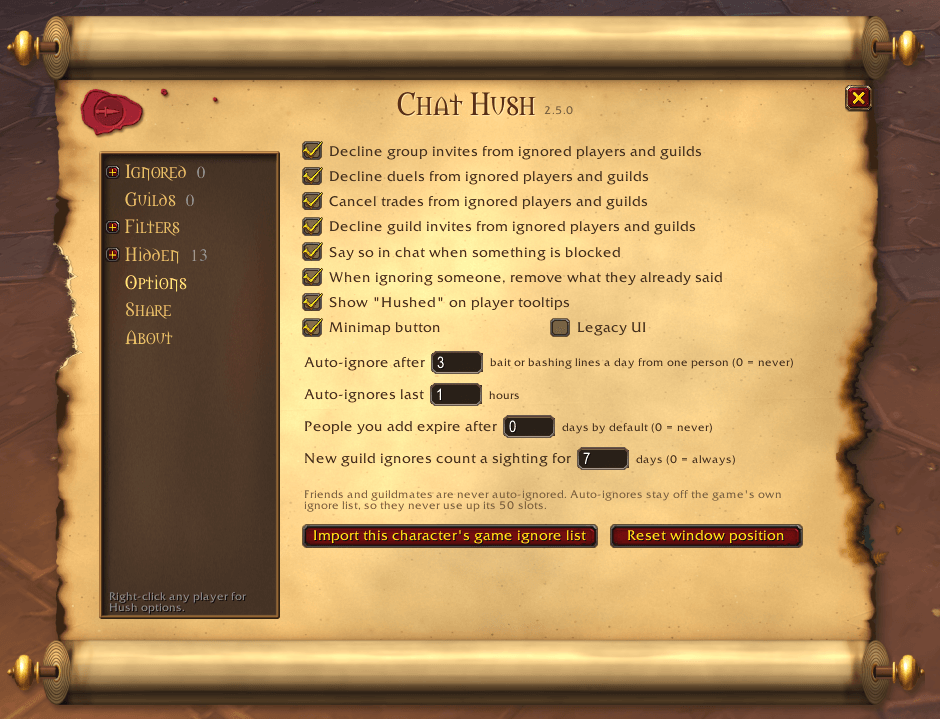
- Ignored players and guilds can't reach you: their party invites, duels, trades and guild invites are declined, what they already said is cleared, and their tooltip says "Hushed". Each of these has its own switch under Options.
- Bring in each character's game ignore list with one click.
Chat filters
- Political chat and rage bait, with an optional Strict mode for anyone who wants no political talk at all.
- Nationality bashing: a nationality next to an insult, or a mocking nickname. A nationality on its own never hides a line.
- Gold sellers and boosting: real-money gold, levelling services and boost offers. Ordinary WTS / WTB trade is left alone.
- Repeats: the same line from the same person in one channel within a minute.
- A switch for the game's own mature language filter, for swearing and slurs.
You choose which chat the filters read: Public chat, Other channels, Guild and Whispers. Party and raid are never filtered.
Political, Strict and gold lines are only hidden. Rage bait and nationality bashing also count: three such lines from one person in a day auto-ignore them for an hour (both numbers are yours to set). Friends and guildmates are never auto-ignored.
The word lists are built in and are not shown in the main window, so Chat Hush is never a ready list of topics for anyone to bait people with. They are plain text in the addon's Core.lua. Add your own words to any filter under Filters > Custom, and use Allowed words for anything a filter mistakes for something else. To see and edit the lists in full, as 2.4.2 had them, tick Legacy UI under Options.
Check what was hidden
The Hidden page lists the lines hidden this session (all but repeats), with who said it and which filter caught it. Right-click a line to ignore its sender, remove a word of yours, or allow a word (in Legacy UI, stop filtering the word). The Filters page has a tester for any line.
Share your list
Export your ignore list, your guilds and your own words as text, and import a friend's. Imports merge and never remove anything.
The window
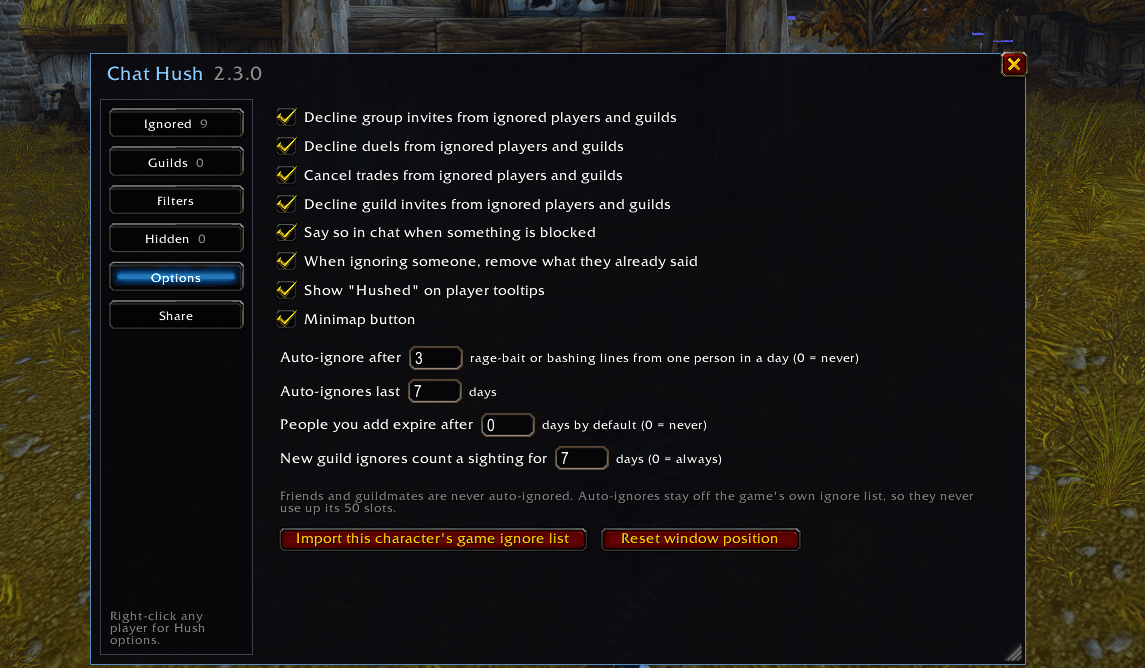
An old scroll, with its pages in a tree down the left. Prefer a plain window? Tick Legacy UI under Options for the flat, dark, resizable one, with the word lists shown in full and editable.
Commands
- /hush opens the window (on Options); /hush ignored, /hush filters, /hush hidden and the rest open a page.
- /hush ignore Name Surname : note and /hush unignore Name Surname
- /hush guild Guild Name and /hush unguild Guild Name
- /hush list, /hush log, /hush minimap
- /hush politics, xeno, spam or repeats followed by on or off
Made for WoW Forever.
If you like my addons and want to support my work, it's greatly appreciated!

If you liked my addon and have an idea for one you'd like to see developed, contact me here on CurseForge. Suggestions are always welcome!
You must be logged in to leave a comment.