
Charades
Emotes, commands and roleplay text from a searchable menu, a radial wheel and key bindings. Supports WoW Forever!
Details
Addon ID:
27335
Addon Version:
1.0.0
Expansion:
1.60
Upload date:
Oct 06, 2026
Last Updated:
Oct 06, 2026
Downloads:
Less than 100
Website:
Source Link
Expansion
 Forever
 Categories
Developers

Shvestak
Creator
Having issues?
Charades
Emotes, commands and roleplay text at your fingertips: a searchable menu, a radial wheel and key bindings.
Features
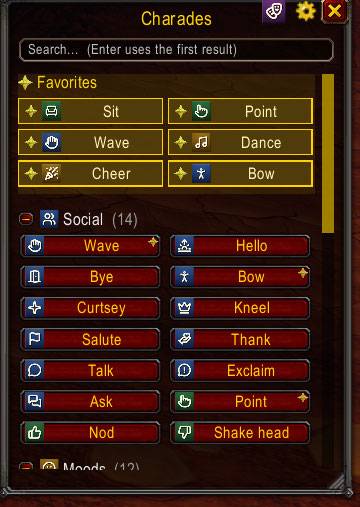
- Menu with favorites (gold) and collapsible categories. Resizable, scrollable, with search.
- All emotes view: every emote the game knows, with an Animated only filter. Left-click to use, right-click to add to favorites.
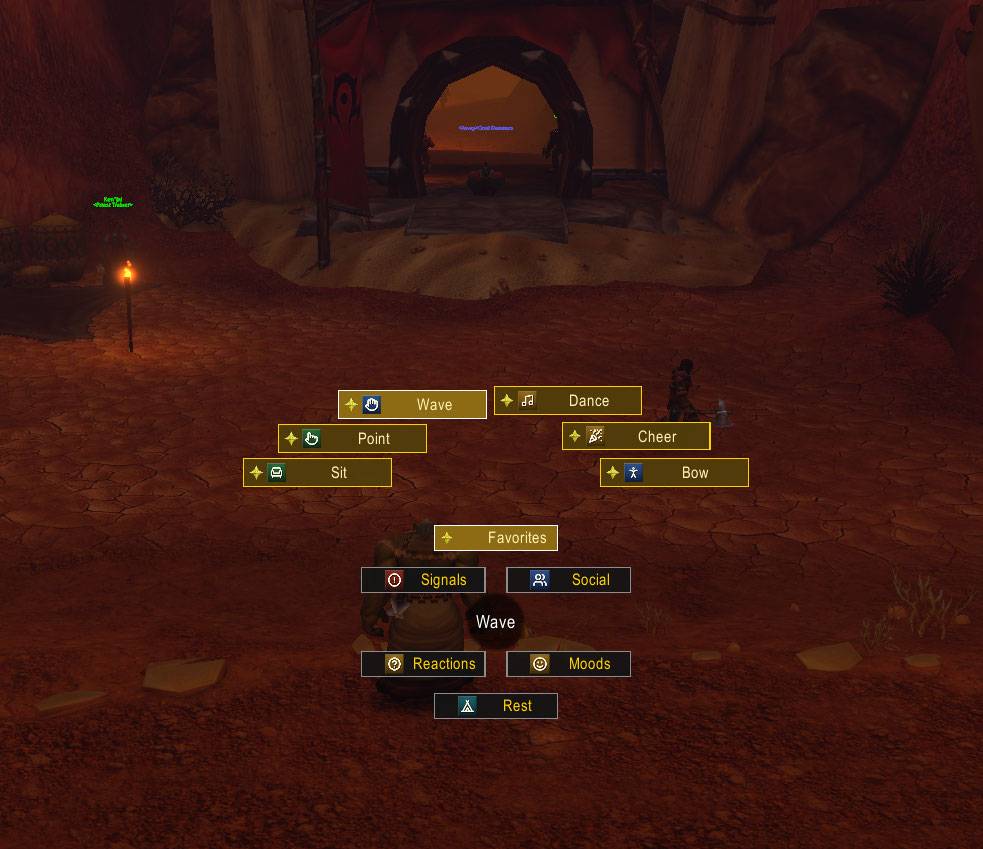
- Radial wheel: hold the wheel key, point at an item, release. Categories sit on the inner ring, Favorites open by default right under the cursor. Optional click-to-confirm (release the key to cancel) and right-click to cancel.
- Actions are flexible:
/danceplays an emote with its animation/anycommandruns any slash command, including other addons' commands/e waves happilysends a custom text emote (/sand/ywork too)Hello there!(no slash) is said aloud/bow; /wait 1; Well met!runs a sequence
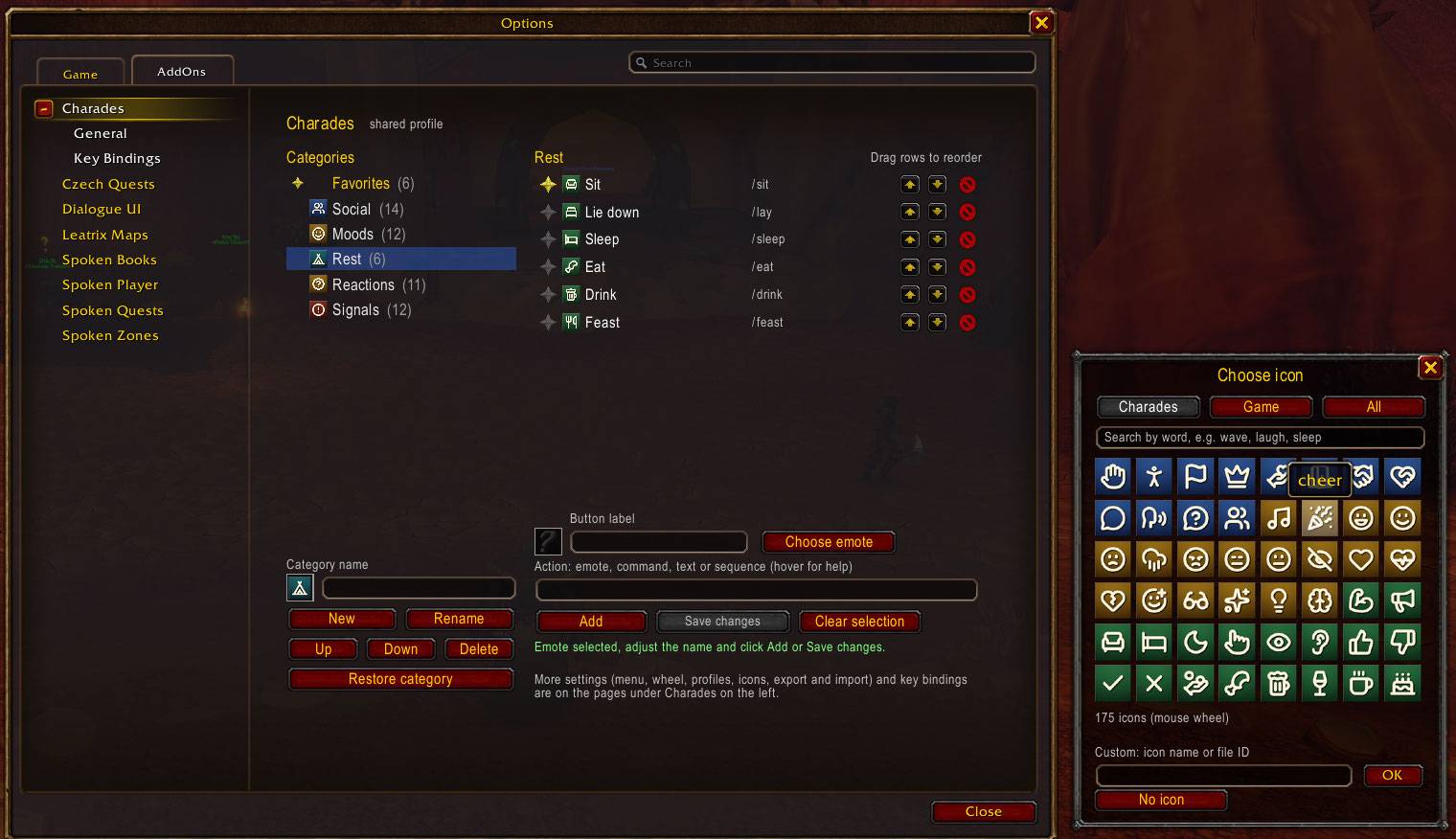
- 55 animated emotes built in, sorted into Social, Moods, Rest, Reactions and Signals.
- Icons for everything: 175 bundled icons made for emotes and roleplay, plus the classic game icons, all searchable.
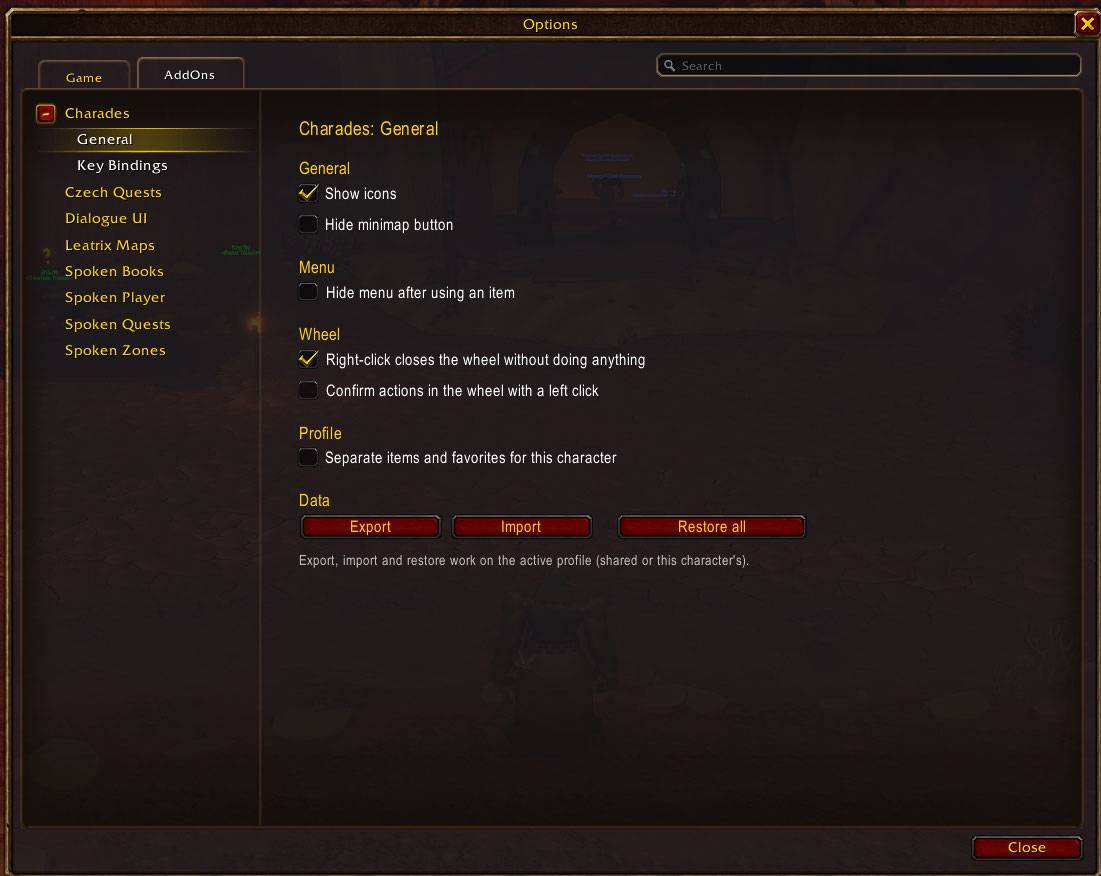
- In-game editor (Options > AddOns > Charades): add, edit and drag items and categories, favorites, restore defaults.
- Profiles: shared across the account or separate per character. Export and import as readable JSON.
- Key bindings for the menu, the wheel and favorites 1 to 10, set right in the addon's options.
Usage
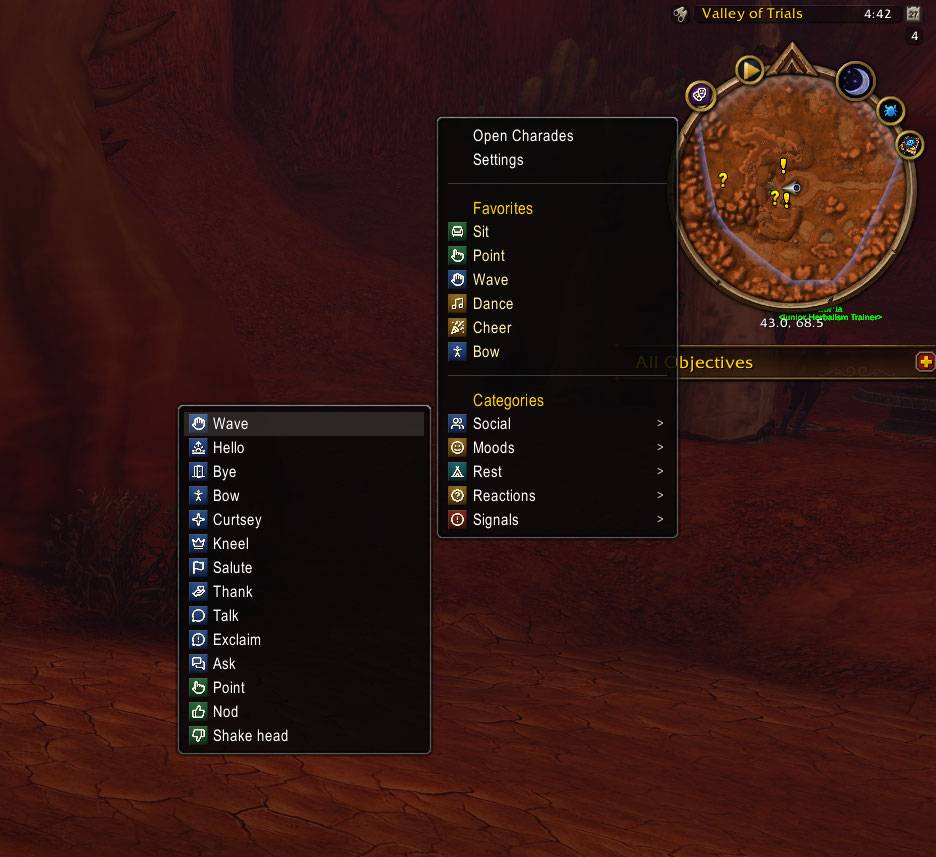
- Left-click the minimap button for a quick menu: open Charades, settings, your favorites (listed directly) and your categories as submenus. Click an item to use it.
- Right-click the minimap button, use the Addon Compartment, or type
/charadesto open the Charades window. /charades helplists all commands.
Limitations
- Protected Blizzard commands (
/cast,/use,/target) cannot be run by addons. - Outside instances the game may block chat text that is not sent directly by a click or key press, so text in later steps of a sequence can be dropped. Emotes are not affected.
Credits
Icons in the Icons folder are drawn from Lucide (ISC License).
You must be logged in to leave a comment.