

BV Addon Suite – Combat Text
Floating combat text with your own styles: damage, heals and avoidance at nameplates or movable anchors, with keyframe animations.
Details
Expansion
 Forever
 Categories
Developers

Having issues?
BV Addon Suite - Combat Text
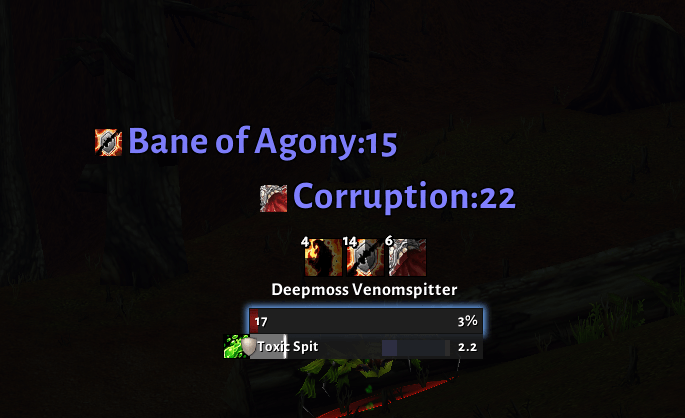
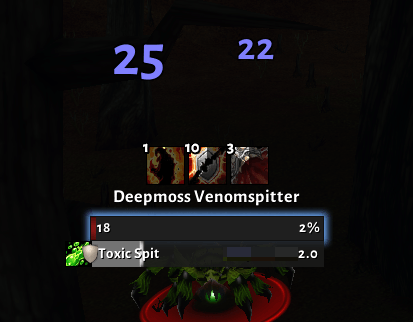
Floating combat text the way you want it: damage, heals and avoidance at the enemy's nameplate or at three movable anchors, each category with its own style and animation, including your own keyframe animations. Combat Text tells your hits from those of your pet, your group and others, as far as WoW Forever allows.
Requires: BV Addon Suite - Core (0.8.94 recommended for the guide)
Off by default. Turn it on with
/bv sct on; a short guide then walks you through the setup. Beta: please report anything that looks wrong.
Features
Categories
- Outgoing damage, incoming damage, incoming heals, outgoing heals (at the healed unit's nameplate) and misses / dodges / parries, each on its own
- Auras and messages: buffs and debuffs you gain or lose, power gains, combat start and end, reputation, honor and procs, plus buffs you give to your target (off by default)
- Per category: font size, crit size, colour, duration, travel distance, position and animation
- School colours (fire orange, frost blue, …) and optional damage type text such as "1.2k Fire"
- Prefix and suffix per category, plus extra text for crits only, with placeholders
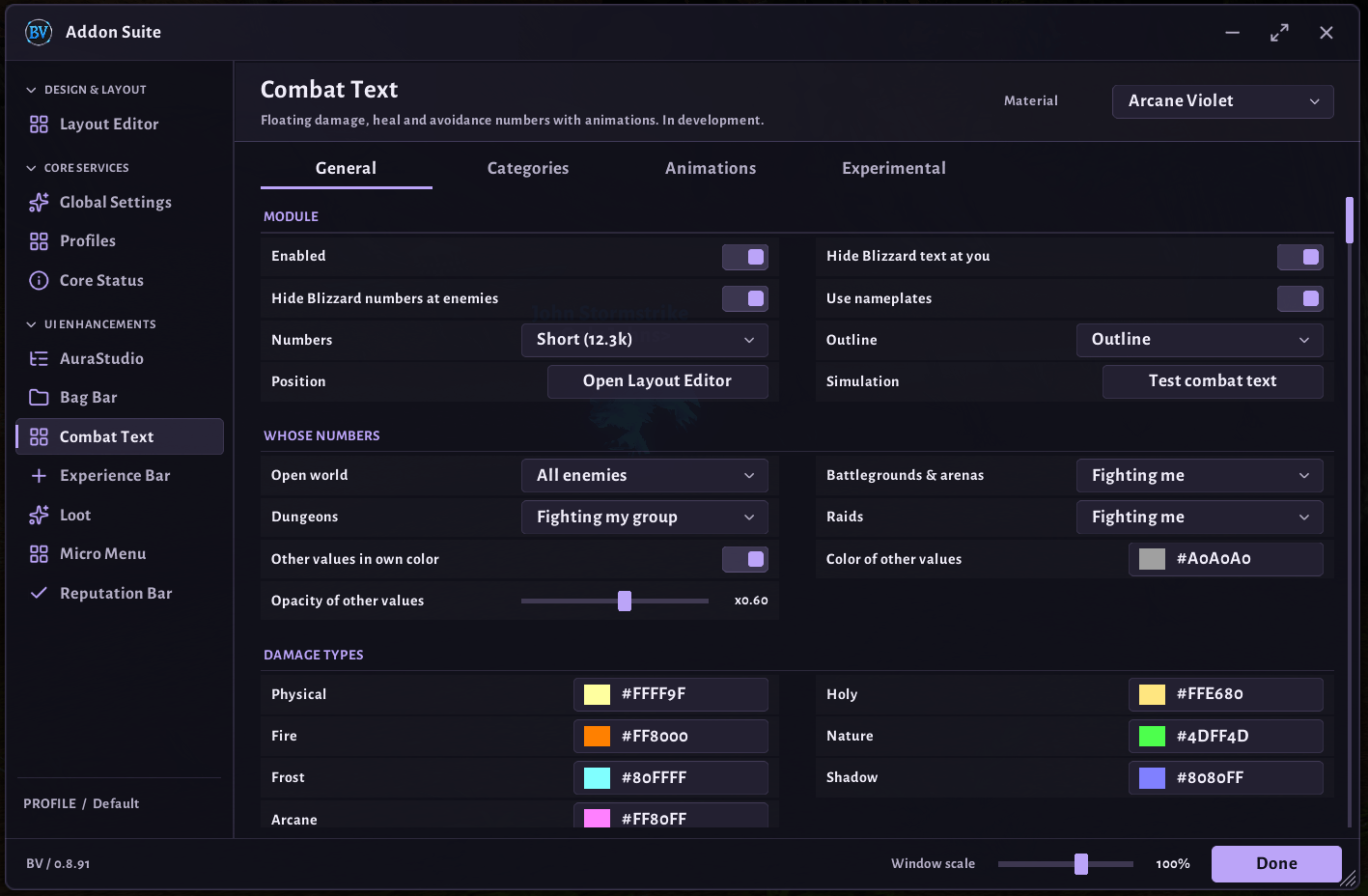
{school},{spell}and{name} - Numbers as short (12.3k), full (12,345) or plain
Whose numbers
- Separately for open world, battlegrounds & arenas, dungeons and raids: Only mine, Mine, others dimmed or All, full color
- Hits of others get their own colour and transparency
- Your pet: its spells (with their icon) and its melee are recognised; show them as yours, dimmed or not at all
Your hits from the Combat Log
- WoW Forever hides who hit an enemy, but the Combat Log tab still reports when you did something. Combat Text uses it to tell your hits from others' and damage over time ticks from fresh hits
- Needs one click on the Combat Log tab per login (or the Start button) and a filter that only takes your own actions, like WoW's default "My actions"; tick "Pet" too if your pet's hits should count as yours
- Combat Text reads the filter and never changes it. If the filter would count others as you, it is not used and numbers are estimated as before
- The settings show the state live: Combat Log opened, filter fitting
Position
- At the nameplate: numbers start at the unit and follow it
- Three movable anchors (outgoing, incoming, notifications) in the BV layout editor
- "Where it happened": your avoidance at the enemy, the enemy's at you
Animations
- Presets: scroll up, scroll down, fountain, rain and pop; crits start with an extra pop
- Three custom animations with up to five points each: time, sideways and vertical position, size, opacity and easing per part, with a live preview
- Direction per category: mirrored sideways, upside down or both
Blizzard combat text
- Turn off Blizzard's own text at your character and over enemies separately; your previous settings come back when you turn the option or the module off
Experimental: spell guess
- Optional spell icons and the
{spell}placeholder, guessed from your own casts, channels, the tick rhythm of your damage over time effects and the damage type named in a spell's description - Off by default; with several damage sources at once some hits stay without an icon
Limits on WoW Forever
The game no longer tells addons who caused a hit or which spell it was; the combat log is closed to addons. That means:
- Without the Combat Log set up, every hit on an enemy that fights you counts as yours, including your pet's and your group's
- Even with it, a hit of someone else that lands at the very moment of one of yours can be taken for yours
- Spell icons for your own hits are a best guess (see Experimental); your pet's spells are known
- Aura data is protected in combat; only buffs and debuffs tracked in Blizzard's Cooldown Manager (
/cdm) stay readable
Commands
/bv sctopens the settings,/bv sct on/off/bv sct testplays a short fake fight/bv sct blizzard hide/showfor Blizzard's combat text/bv sct logshows whether the Combat Log is used/bv sct debugshows what arrived and why something was not shown/bv guide combattextopens the guide again
You must be logged in to leave a comment.