
BuffedPortrait: Procs, Reminders, Buffs tracking in and out of combat.
Shows Procs, seals, aspects, buffs, stances, weapon enhancements, poisons, racials and consumables timers around your portrait, in & out of combat. Reminders for missing seal, aspect, buff, poison, cooldowns, etc. Reminder, Proc and all movable & resizable
Details
Expansion
 Forever
 Categories
Developers

Having issues?
BuffedPortrait puts your most important buffs and procs right on your character portrait, with a timer, so you always know what's up without searching your buff bar. You can add customizable reminders for any buff. Can be moved and resized.
The icon display on the portrait can not be moved, but you can enable the Extra Frame in the settings, move it, and enable "Don't show on Player Portrait" in the sub-settings of Extra Frame.
What it shows
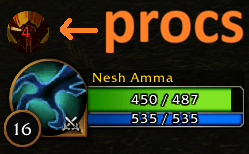
- Your procs: by default they are placed above your player portrait, procs are shown in combat, can be moved, resized, added, removed.
- Your Seal, Aspect or Stance: by default it replaces your portrait while active, can be moved.
- Class and Race abilities: class buffs, burst cooldowns, racials and class weapon enhancements, the moment you use them.
- Buffs: any buff you choose, or all of them with "All Buffs".
- Weapon Enhancements: poisons, imbues, sharpening stones, oils and scrolls, based on weapon slot.
- Food and Water, and your pet's buffs on the pet portrait.
The newest thing you used shows as the big icon. The previous one stays as a small icon with a green timer.
Everything works in combat. Timers are taken from your own casts, so they keep running even when the game hides buff information during combat.
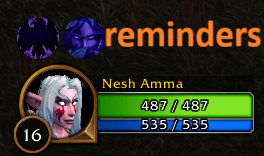
Reminders
Get an icon when a buff, seal, aspect, poison or weapon enhancement is missing or about to run out. Choose how early it appears, whether it fades in or stays at a set opacity, and which weapon it's for. Reminders can be moved, resized, and anchored above or below your portrait.
Hunters also get a single Aspect reminder that shows whenever no aspect is active.
Paladins also get a single Seals reminder.
How to use
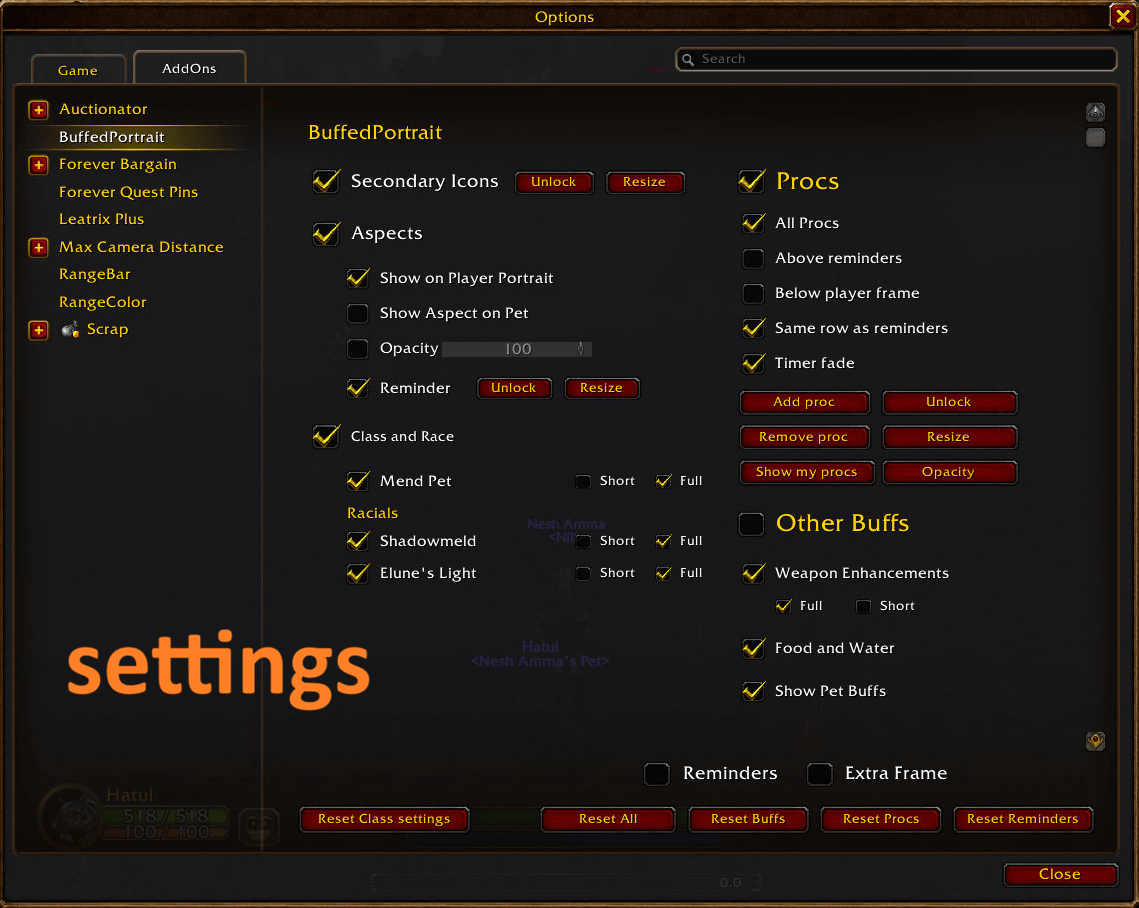
- Type /bp (or /buffedportrait), or open Options > AddOns > BuffedPortrait.
- Tick what you want to see. Each class ability can be set to Full (stays for its whole duration) or Short (a quick flash).
- Use Add Buff to track a specific buff. Start typing and pick it from the list. Remove Buff hides one, and Edit Duration changes one buff between Full and Short.
- Tick Reminders, then Add reminder to set one up. Use Unlock to drag reminders and Resize to change their size.
- Tick Extra Frame for a copy of the portrait icon you can move anywhere and resize.
- Use Fade or Opacity to make your Seal, Aspect or Stance icon less intrusive.
Settings are saved per character. Reset Class settings, Reset Buffs and Reset All put your character settings back to class default.
You must be logged in to leave a comment.