

BuffAlerts
Buff, pet, weapon, ammo, durability and proc reminders for all 9 classes in WoW Forever. Spec-aware recommendations, "Train" badges, party buff indicators and small top-of-screen alerts, built around the combat addon restrictions.
Details
Expansion
 Forever
 Categories
Developers

Having issues?
BuffAlerts Forever
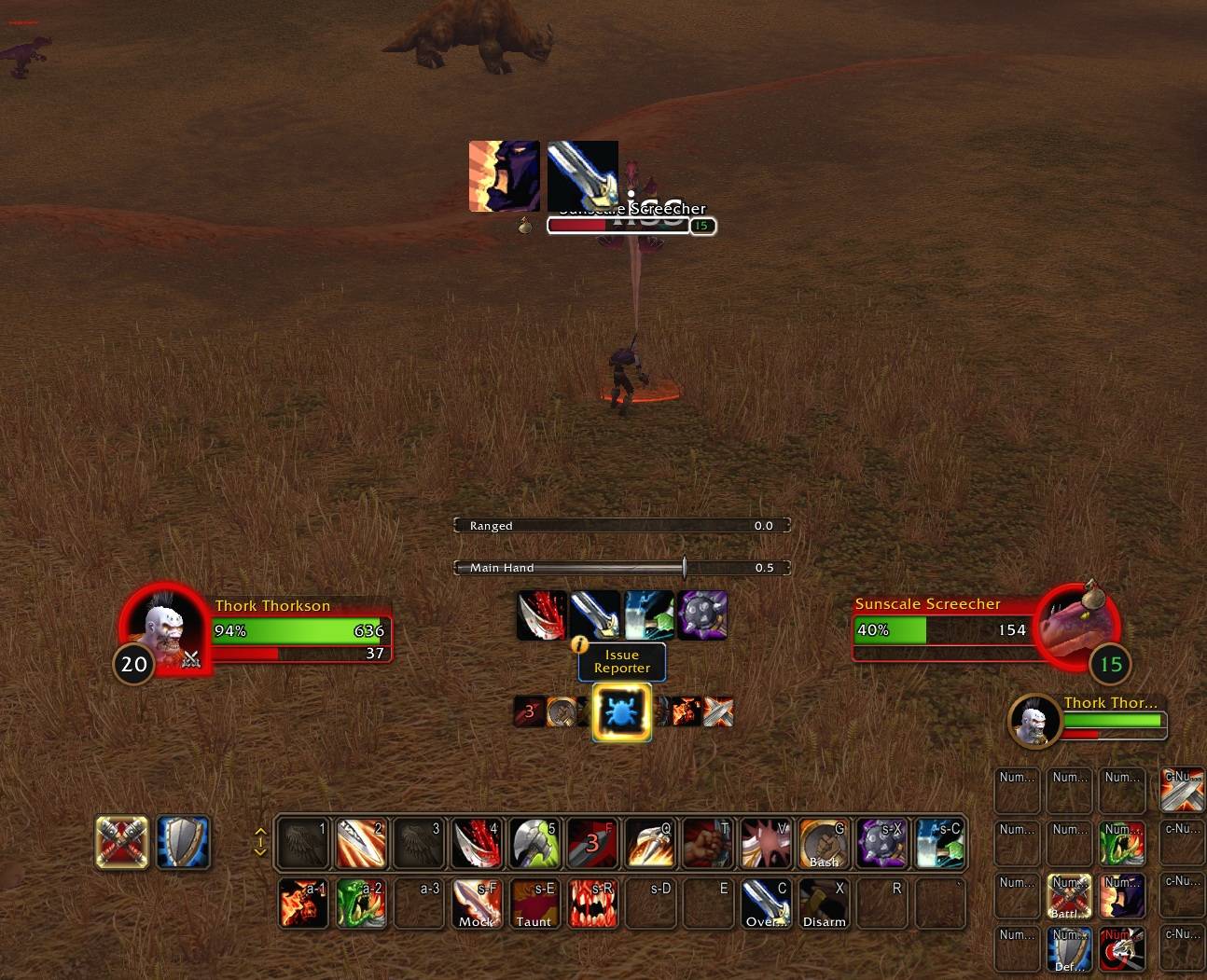
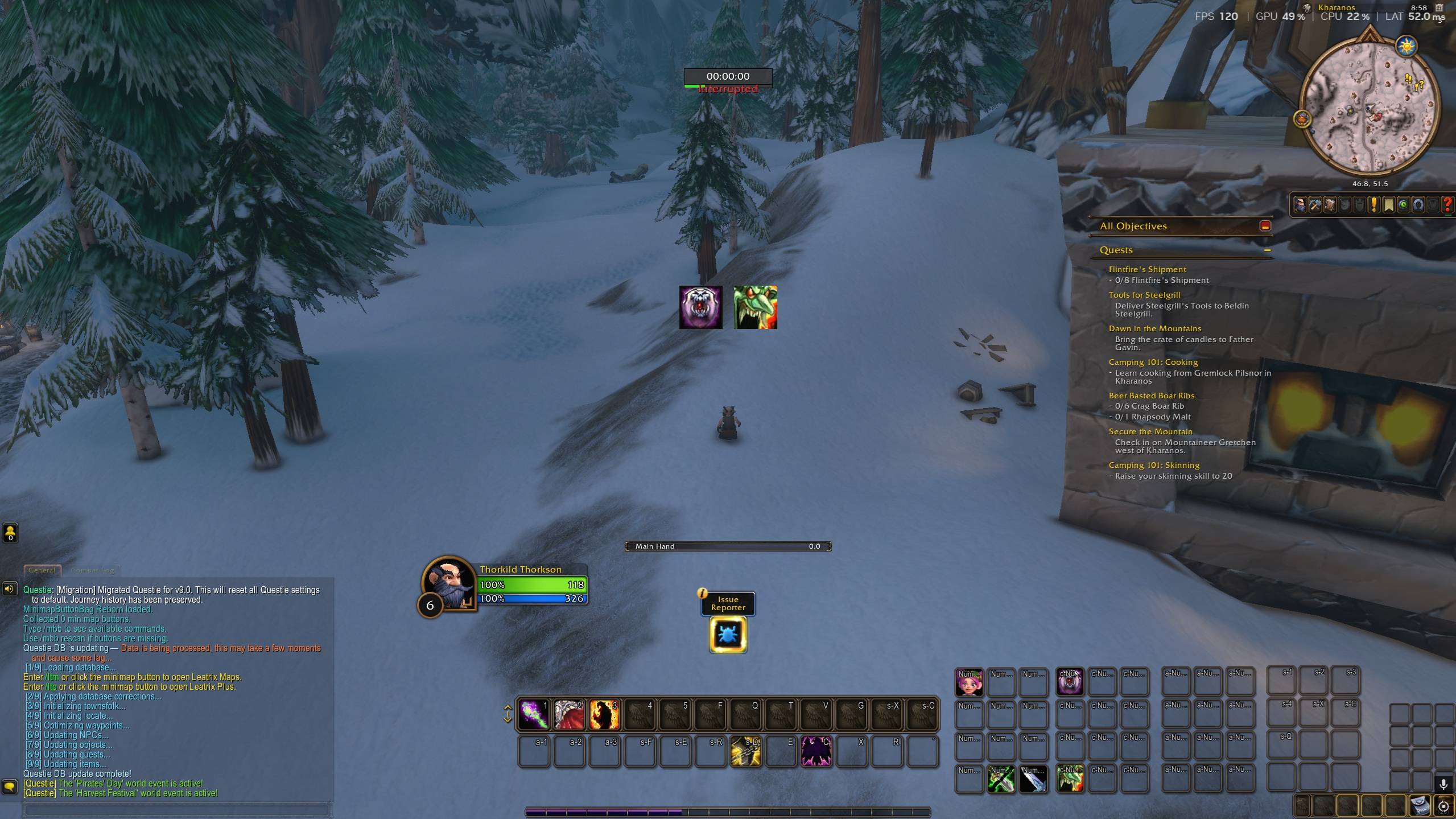
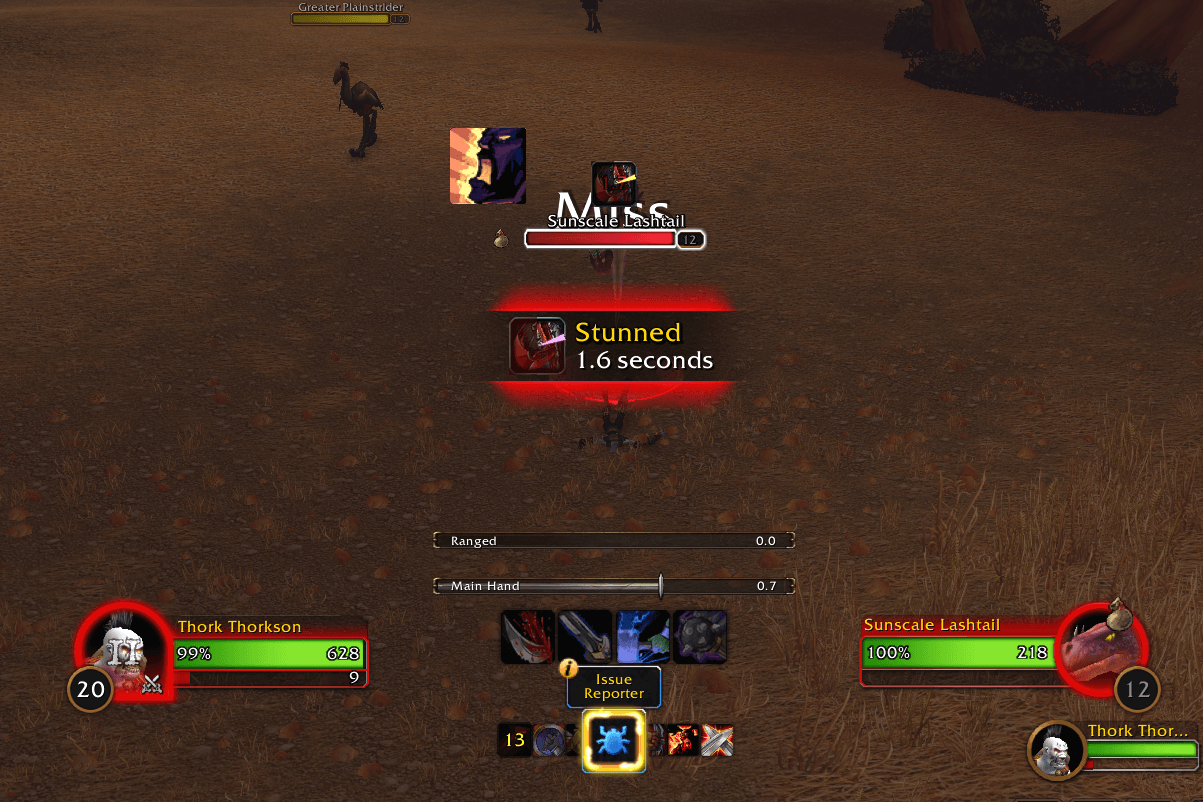
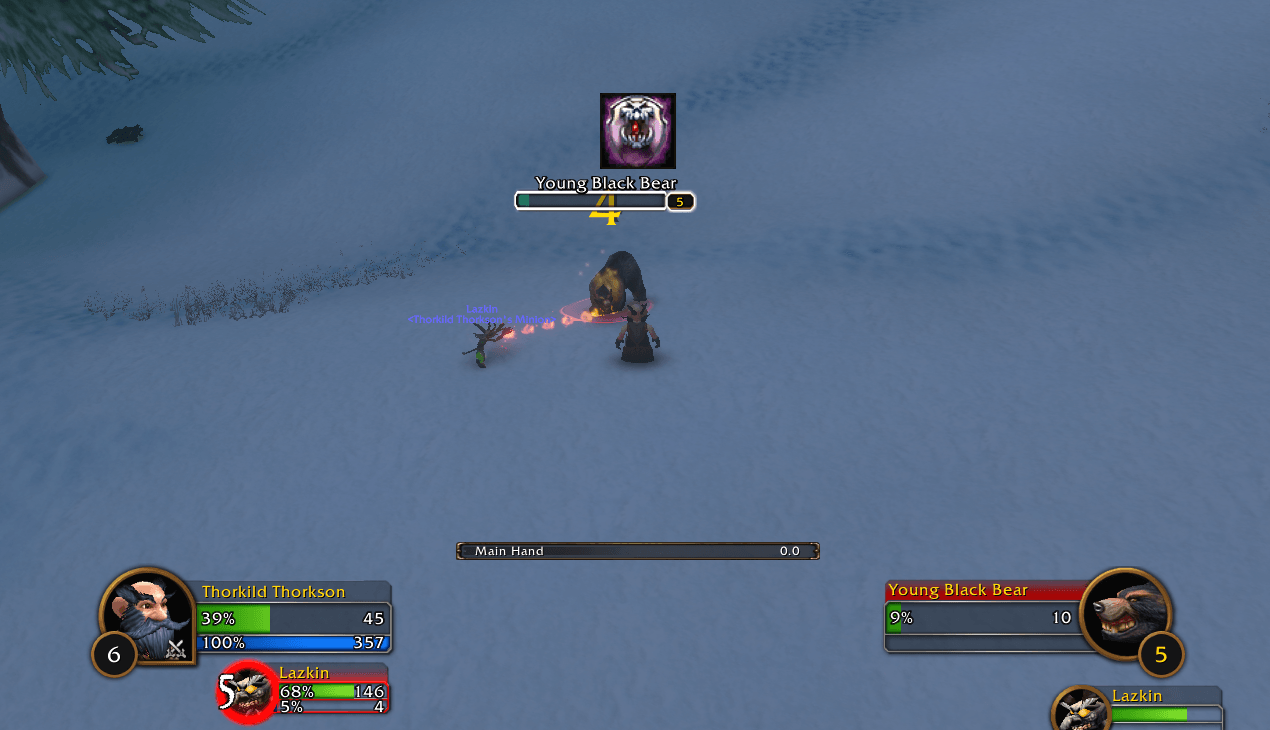
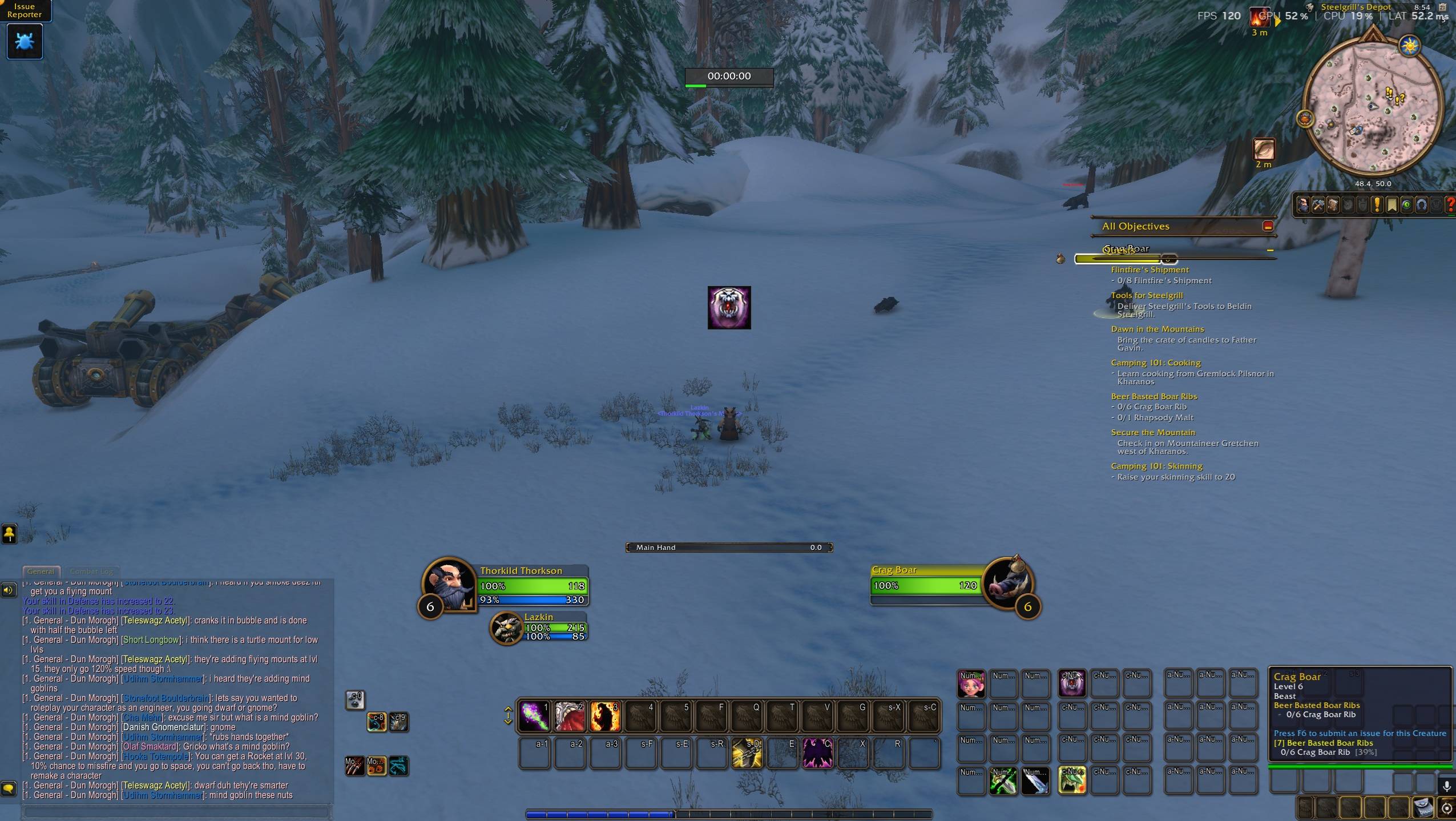
Never start a pull unprepared again. BuffAlerts Forever shows a clear icon in the middle of your screen when you are missing an important class buff, when a weapon has no poison or imbue, when your pet is missing, or when a reactive ability like Overpower is ready. A row of small, discreet icons at the top of the screen covers the everyday stuff: food and campfire buffs, durability, ammo, soul shards, pet happiness and an empty weapon slot. Casters also get indicators next to the party frames of group members who need a rebuff.
It is built specifically for WoW Forever and its Midnight-style addon restrictions, and it only loads the alerts for the class you are playing.
Features
- One icon, right where you look. Every alert can be resized, repositioned with sliders (typed values and +/- buttons), or dragged with the mouse.
- Discreet utility row. Small icons at the top of the screen, hidden in combat, for things you only fix out of combat.
- Always your best rank. The icon shows the highest rank you have learned.
- "Train" badge. When the trainer already offers a better rank or spell for your level, a small badge appears above the alert. It goes away with the alert once you buff.
- Spec-aware recommendations. Mage armors, Paladin blessings and Paladin auras follow your talent spec, and you can lock a specific choice instead.
- Your choice is respected. Any valid buff of the right type turns the alert off, so using Ice Armor for the slow never nags you. Turn on Require recommended if you want the strict behavior.
- Only in combat option on every alert, with sensible defaults per spell.
- Mid-fight rebuff for shields. Lightning Shield and Inner Fire come back when their charges are used up, by counting the hits you take.
- Party indicators for Mage, Priest, Paladin and Druid group buffs, shown side by side next to each party frame, on the right or left side.
- Optional sound per alert, off by default.
- Hide all checkbox and
/balert togglefor when you want a clean screen.
What each class gets
| Class | Alerts |
|---|---|
| Warrior | Battle Shout (in combat) · Overpower, Revenge and Execute when usable |
| Rogue | Poisons on both weapons (from level 20) · Riposte when usable |
| Hunter | Aspect missing · Warning when Aspect of the Pack or Cheetah is active in combat · Trueshot Aura (in combat) · Mongoose Bite and Counterattack when usable · Missing pet · Low ammo · Pet happiness |
| Priest | Power Word: Fortitude, Divine Spirit and Shadow Protection, each with a party indicator for all classes · Inner Fire (comes back mid-fight when charges run out) |
| Mage | Armor by spec · Arcane Intellect + party indicator (mana users only) |
| Warlock | Demon Armor / Demon Skin · Missing pet · Low soul shards |
| Paladin | Blessing by spec + party indicator · Aura by spec · Righteous Fury in combat (Protection by default, optional for all specs) |
| Druid | Mark of the Wild + party indicator · Omen of Clarity · Thorns |
| Shaman | Lightning Shield (in combat, comes back when charges run out) · Weapon enchant on every equipped weapon (in combat) |
| Everyone | Food buff · Campfire buff · Low durability · Missing weapon |
Spec recommendations:
- Mage: Frost → Ice Armor, Arcane → Mage Armor, Fire → Molten Armor when available, otherwise Mage Armor.
- Paladin blessings: Holy → Wisdom, Protection → Kings or Sanctuary, Retribution → Might.
- Paladin auras: Holy → Concentration, Protection → Devotion, Retribution → Sanctity (if talented) or Retribution Aura.
Greater Blessings, Arcane Brilliance, the Priest Prayer spells and Gift of the Wild all count as the buff being active. Weapon alerts accept any temporary enchant and show the icon of the weapon that needs it. Execute also shows below 20% target health when you are short on rage, so you can pool for it. Durability, ammo and soul shard thresholds are adjustable.
Commands
/balertor/buffalerts: open the options (also under Options → AddOns)/balert toggle: hide or show all alerts/balert debug: print diagnostic information/balert reset: restore defaults
Please read: known limitations
WoW Forever is in beta and uses the same addon restrictions as Midnight. These are the limits the addon works within:
- Auras cannot be read in combat. In combat the addon uses the last reading taken before the pull plus your own casts. Lightning Shield and Inner Fire are estimated from the hits you take; other buffs that drop early mid-fight are only noticed after combat. Hunter aspects are tracked reliably because they only change when you cast one.
- Settings reset on each login. The current beta client saves settings but does not load them back. This is a client issue; the addon will keep your settings as soon as it is fixed.
- Party indicators update out of combat only, are hidden in raids, and support Blizzard's default and raid-style party frames. Frames from other UI addons are not supported yet.
- Spec detection is based on signature talents. If it guesses wrong, use the Fixed option in the alert settings.
- Trainer levels for the "Train" badge come from Classic data and may be off if Forever changed them.
- Spells you have not learned yet do not get an alert of their own; the "Train" badge only appears on top of a normal alert.
- The interface is in English. Spells are detected by ID and localized name, so other client languages should work, but they have not been tested.
Reporting bugs
Please include:
- Your class and level.
- What you expected to see and what happened.
- The output of
/balert debug, ideally taken at the moment the problem happens. - Any Lua error, captured with BugSack + BugGrabber if possible.
Suggestions for new buffs and procs are welcome in the comments.
Donations
Please consider donating to keep this project alive.
You must be logged in to leave a comment.