
BronzeCasting – CastBar Forever style
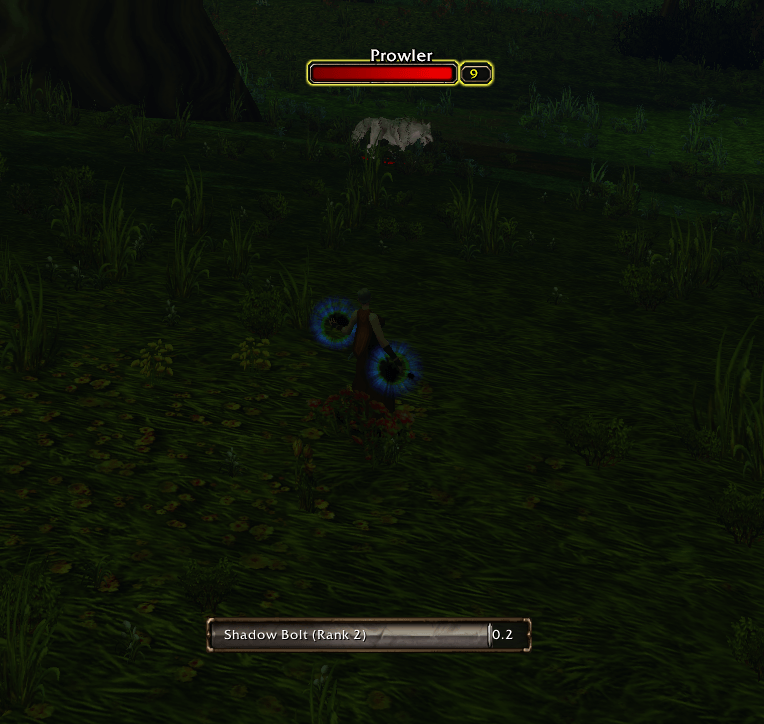
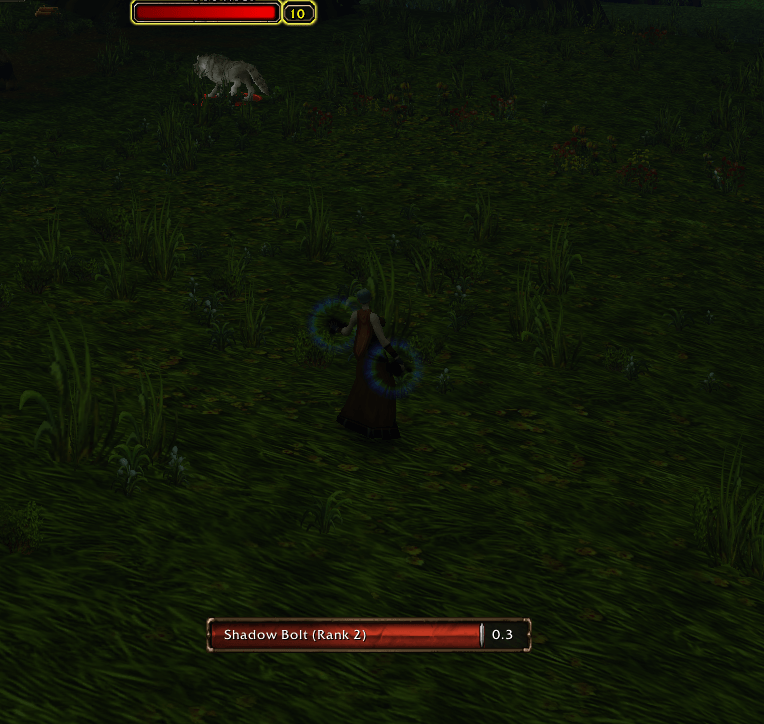
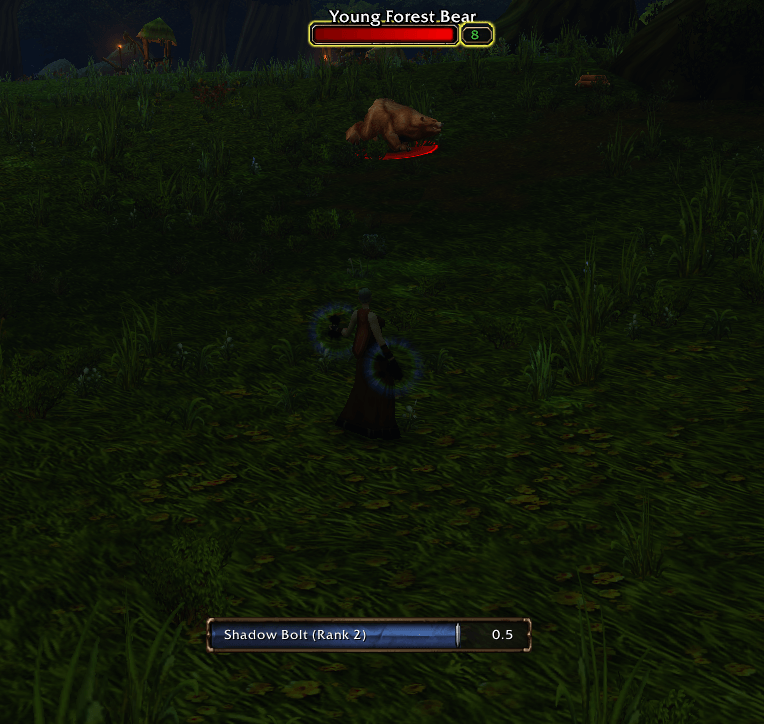
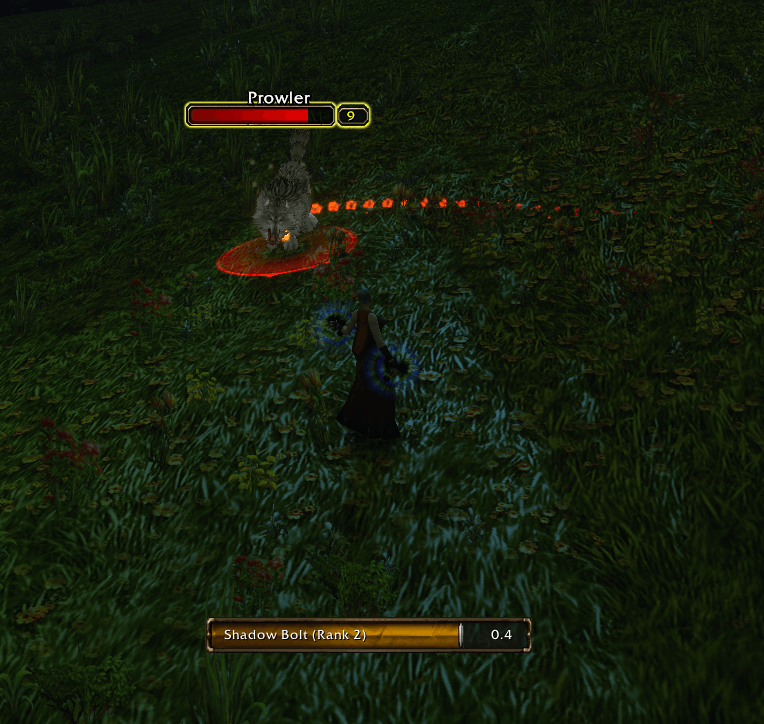
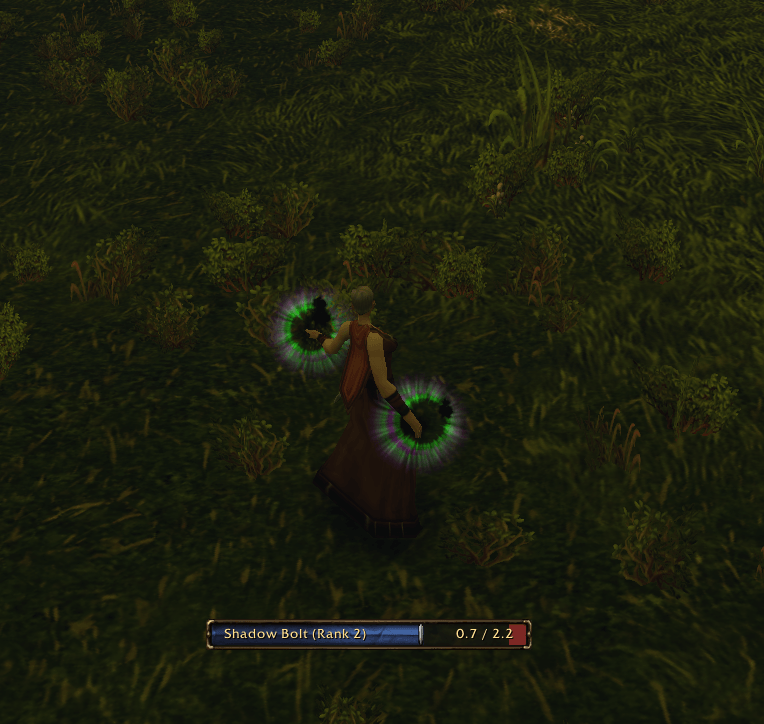
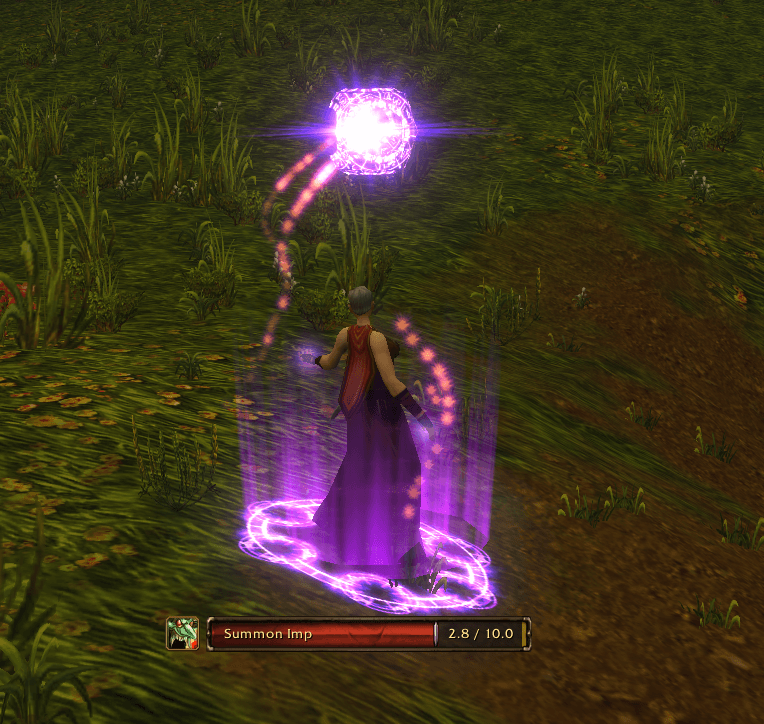
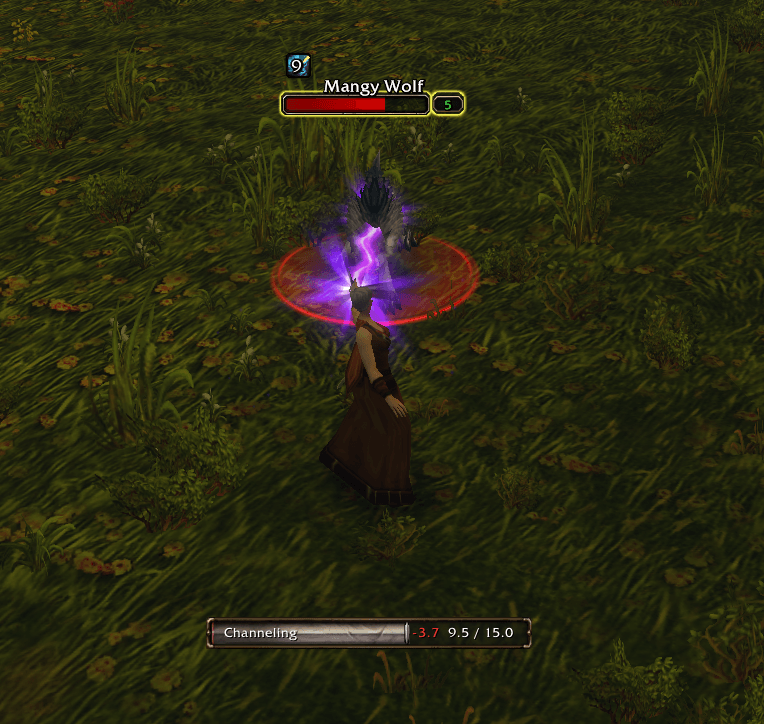
Castbar that emulates the new Swing Timer bars. This addon replaces the default Blizzard Casting bar for the one in this addon.
Details
Expansion
 Forever
 Categories
Developers

Having issues?
[Disclaimer!!] AI assisted, if you feel uncomfortable do NOT download
BronzeCasting
I felt in love of the newly added Swing Timer bars in WoW Forever and that's why I wanted the same style and flavour as my castbar.
[Commands]
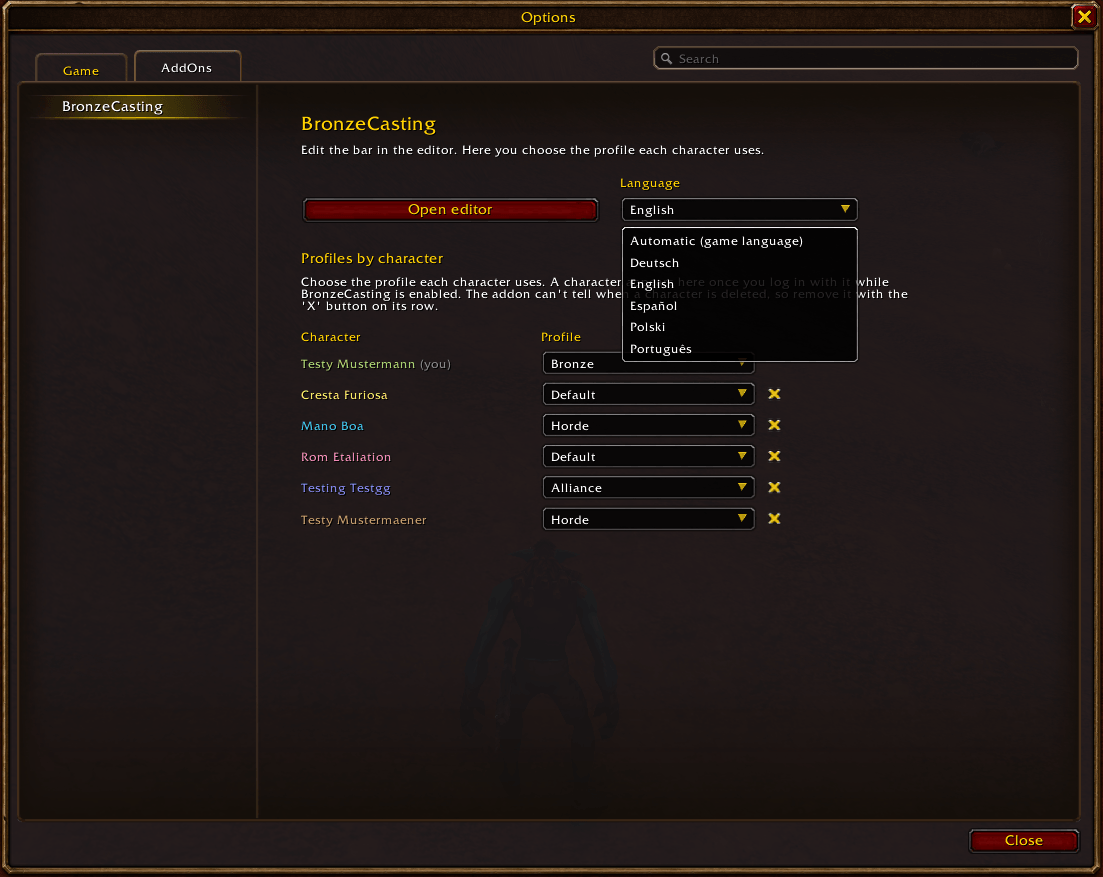
`/bronze` -> Opens the Addons options window where you can change the language, remove characters from the addon (this DOES NOT deletes your character) and assign the profile to all your characters after a Profile change without the need to log in in every one of them.
`/bcast` -> Opens the addon configuration in Edit mode, where you can place, test, change settings and create new profiles.
[Features]
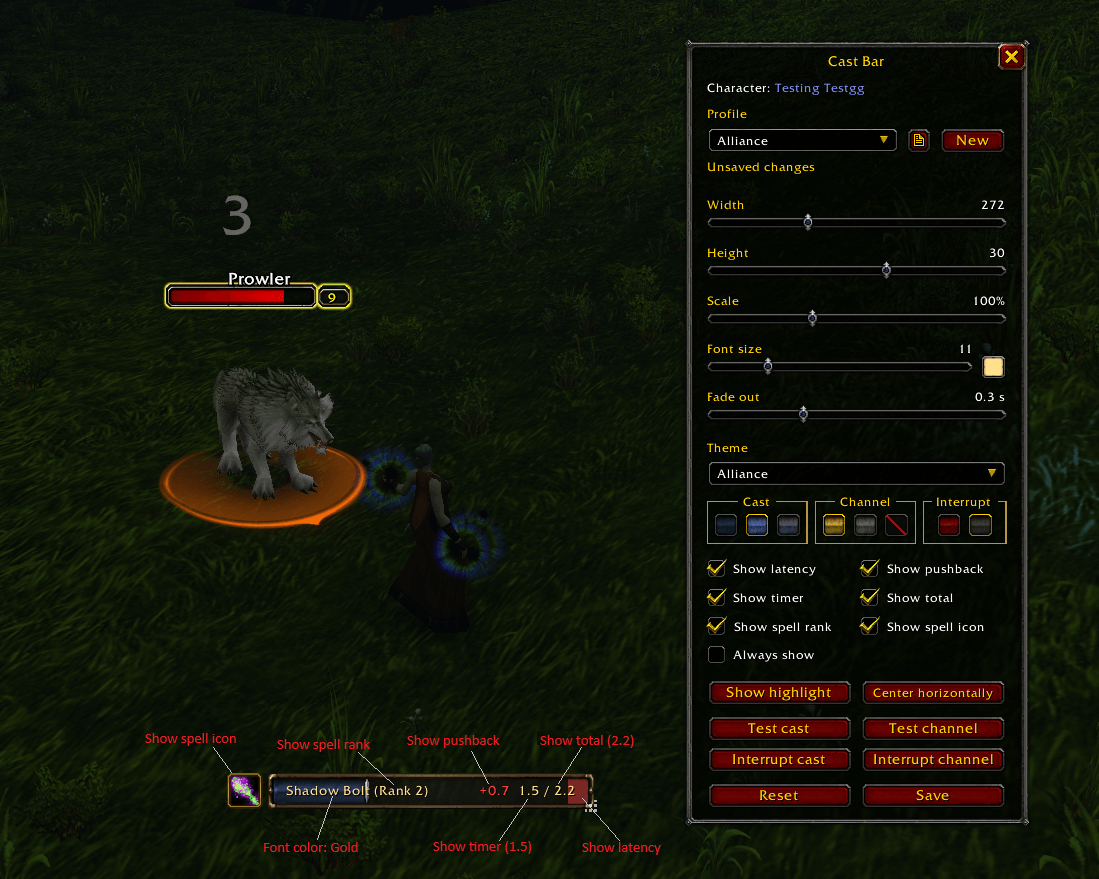
- Resize width, height, scale & font. Place it wherever you want and center it horizontal with just one button
- Addon profiles, rename them or delete them as you see fit (Default profile CANNOT be deleted). You can assign profile of different characters from one screen, just type /bronze
- Slider to modify how much it takes for the cast bar to fade out after a successful cast/channel spell
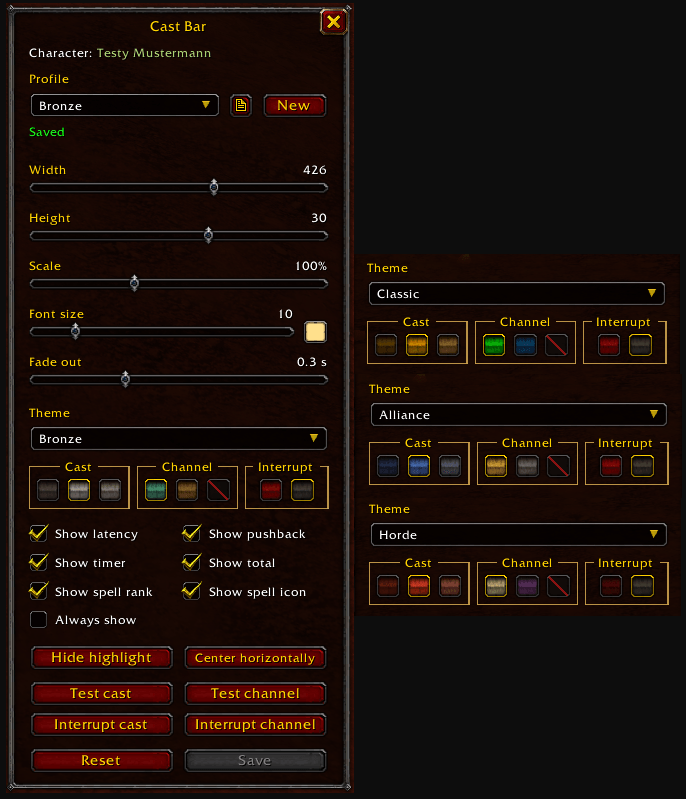
- Different themes:
- Bronze theme: Gray as main color
- Alliance theme: Blue and Gold as main colors
- Horde theme: Red as main color
- Classic theme: Yellow (cast spell) and Green (channel spell)
- Character faction: use Alliance or Horde theme depending on your character's faction
- Color selection:
- Font color
- Cast bar shade
- Channel bar color
- Interrupt bar color
- Toggable options to show or hide the information that fits your style (latency, time remaining, cast total time, pushback, spell rank & spell icon)
- Show progress while crafting items
- Test buttons to quickly see how the cast bar looks like without the need to check it on mobs
- An Always show option so it's always visible
- Support 5 languages: Spanish, English, German, Polish & Portuguese (BR)
- WoW's font doesn't support special characters like ą, ł, ś, ż,ń (among others), that's why some translations will not be grammatically correct.
- The addon UI is thought with english as primary language, that's not to mean I don't care about the other languages, but that everything fits in the english UI as it should. For the other languages I tried to fit everything the same way but in some aspects you'll see a new row or a trimmed text, but worry you not!, there should be a popup tooltip if you put the mouse on top of it with the full text
[What's next]
I'll be refining the new `Show spell icon` option. I didn't have the time to test every profession, spell, action (like opening/unlock, etc) and so other many things that trigger the castbar to appear. In some occasions some random/default icon will appear instead of the expected one, this shouldn't happen at all with your own class spells but rather with some professiones or actions. If you encounter a wrong or out of place icon, it would be great if you can leave a screenshot and the spell/action/crafting item that triggered it.
Any polite feedback is more than welcome. If you detect any bug or weird behavior please let me know here in the comments, I tested it heavily but as always there might be edge cases that I didn't take into account.
Thanks for taking the time to read the description.
Kyuse!
You must be logged in to leave a comment.