

Blackthornes Tradeskills
Shows which of your crafts will make a profit on the auction house, then helps you queue them, craft them and post them for sale.
Details
Expansion
 Forever
 Developers

Having issues?

Blackthornes Tradeskills
Tradeskills helps you make money from your professions. It scans the auction house, works out what each of your crafts costs and what it sells for, and puts the ones worth making at the top. From there you can queue them up, get a shopping list, craft and post, all from one window.
Built for WoW: Forever.
Profit
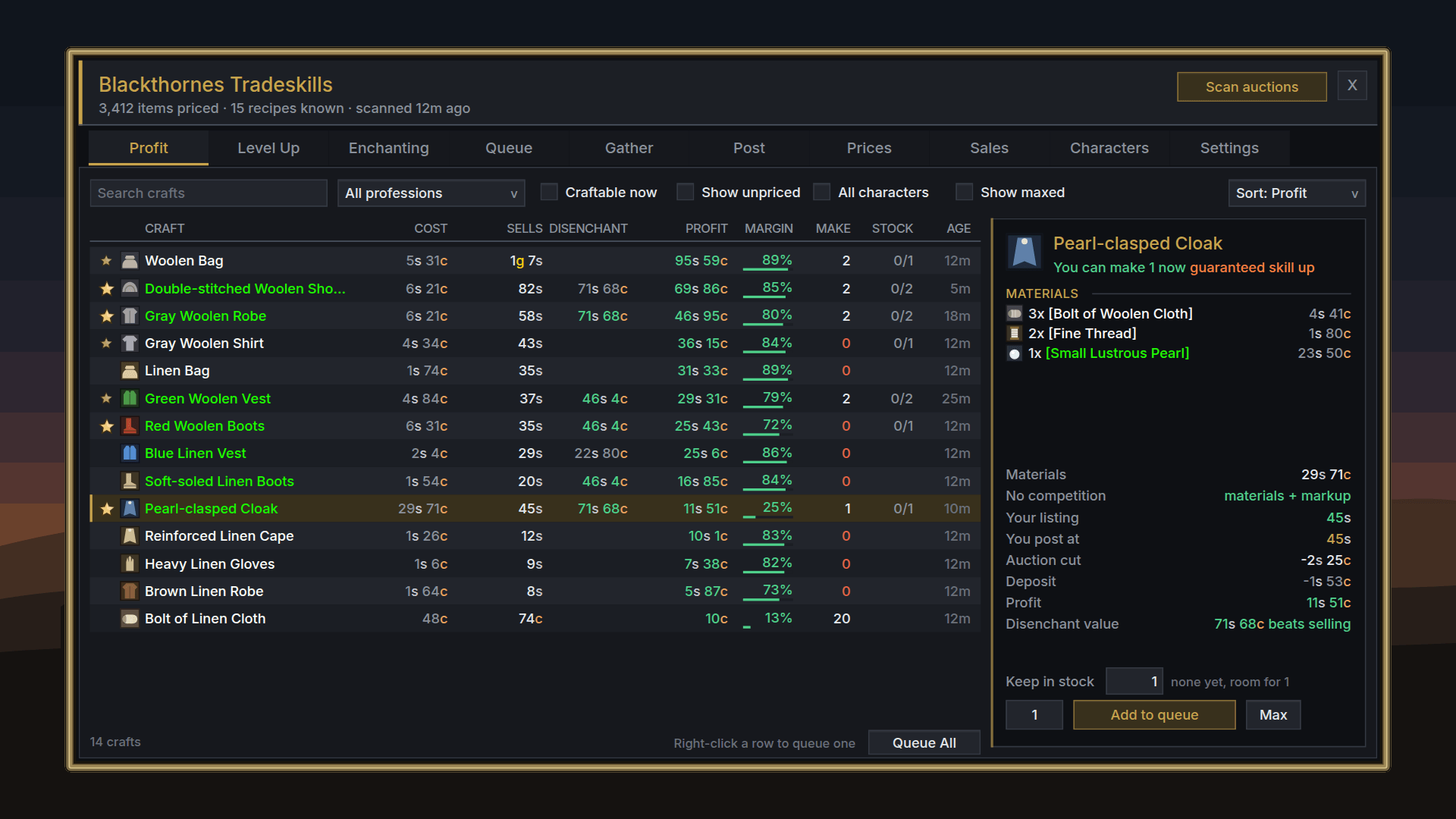
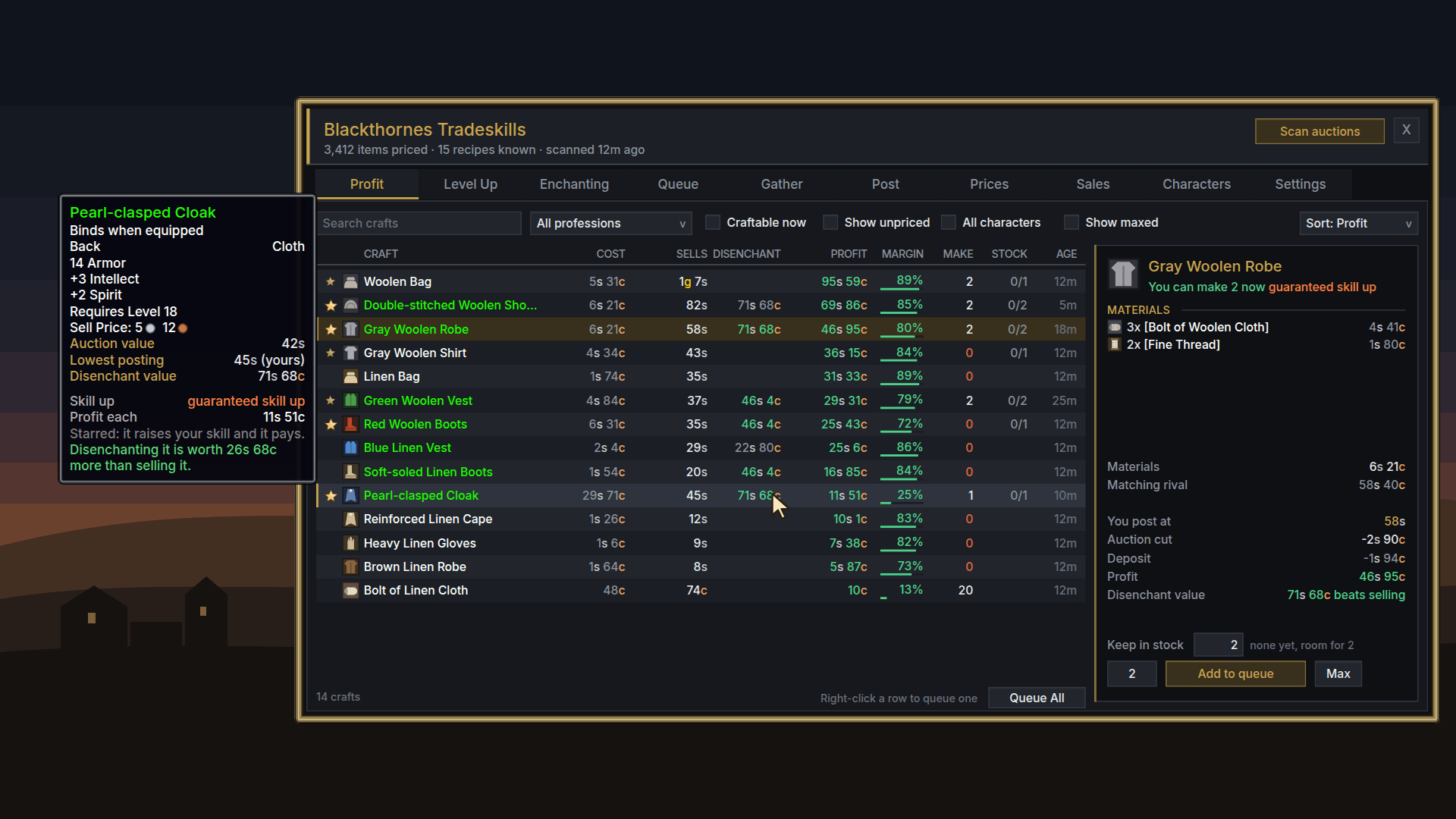
Every craft you know is listed with its profit from current auction prices. You can sort by profit, margin or return. The cost counts everything: materials, the cheapest listing you're up against, the auction cut and the deposit. /bts why <craft> prints the full breakdown in chat.
If making an in-between material yourself is cheaper than buying it, like a bolt of cloth, the cost is worked out that way. When you're the only one selling something, it's priced from the market and your material cost instead of sitting at an old price. Soulbound crafts are left out, since you can't sell them.
Disenchanting
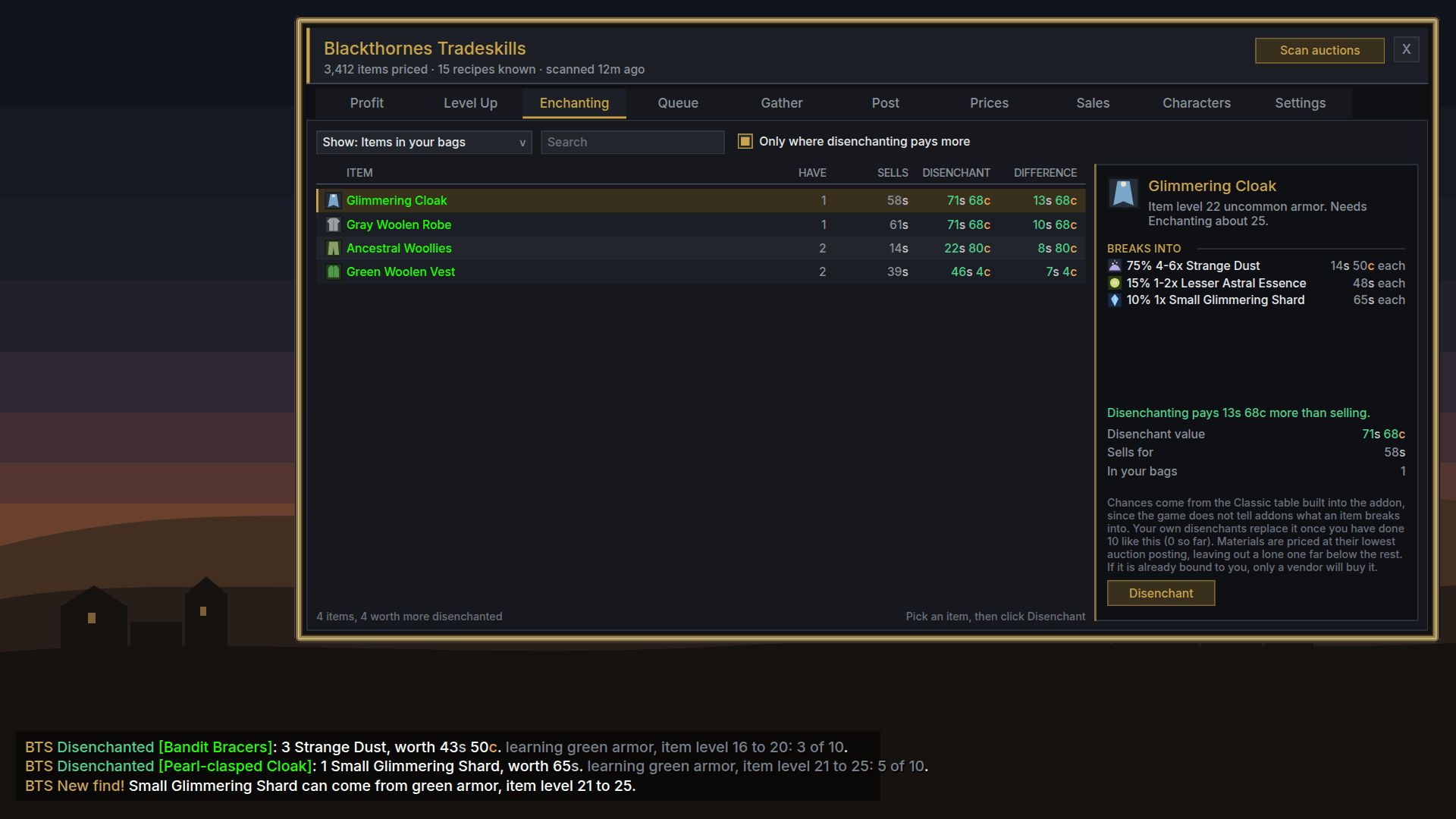
The Profit tab shows what each craft is worth disenchanted, in green when that beats selling it. The Enchanting tab lists your crafts, what's in your bags and your enchanting materials, what each one breaks into, and whether that's better than posting it. A Disenchant button breaks the best item in your bags each time you click it.
It also learns from your own disenchants. After ten of a kind, the results come from what you actually got instead of the standard table. Chat tells you what each disenchant gave and what it was worth.
Tooltips
Hover any item and you'll see its auction value, the lowest posting from your last scan (marked when it's yours) and what it's worth disenchanted.
Levelling a profession
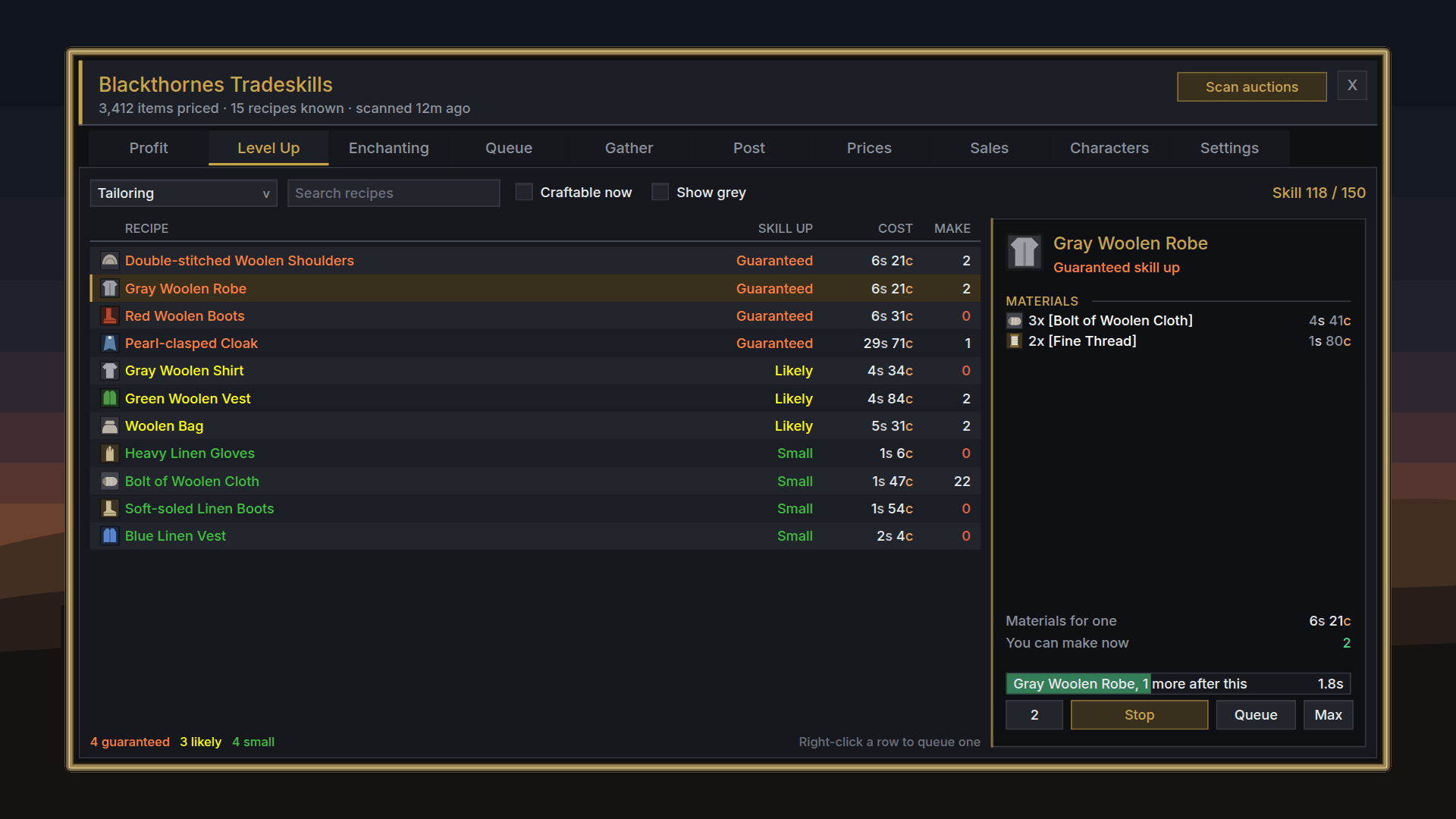
The Level Up tab lists the recipes that still give skill, orange first and cheapest first. Pick a number and hit Craft or Queue. Recipes that still give skill are marked with a star everywhere else too.
Queue, buy, post
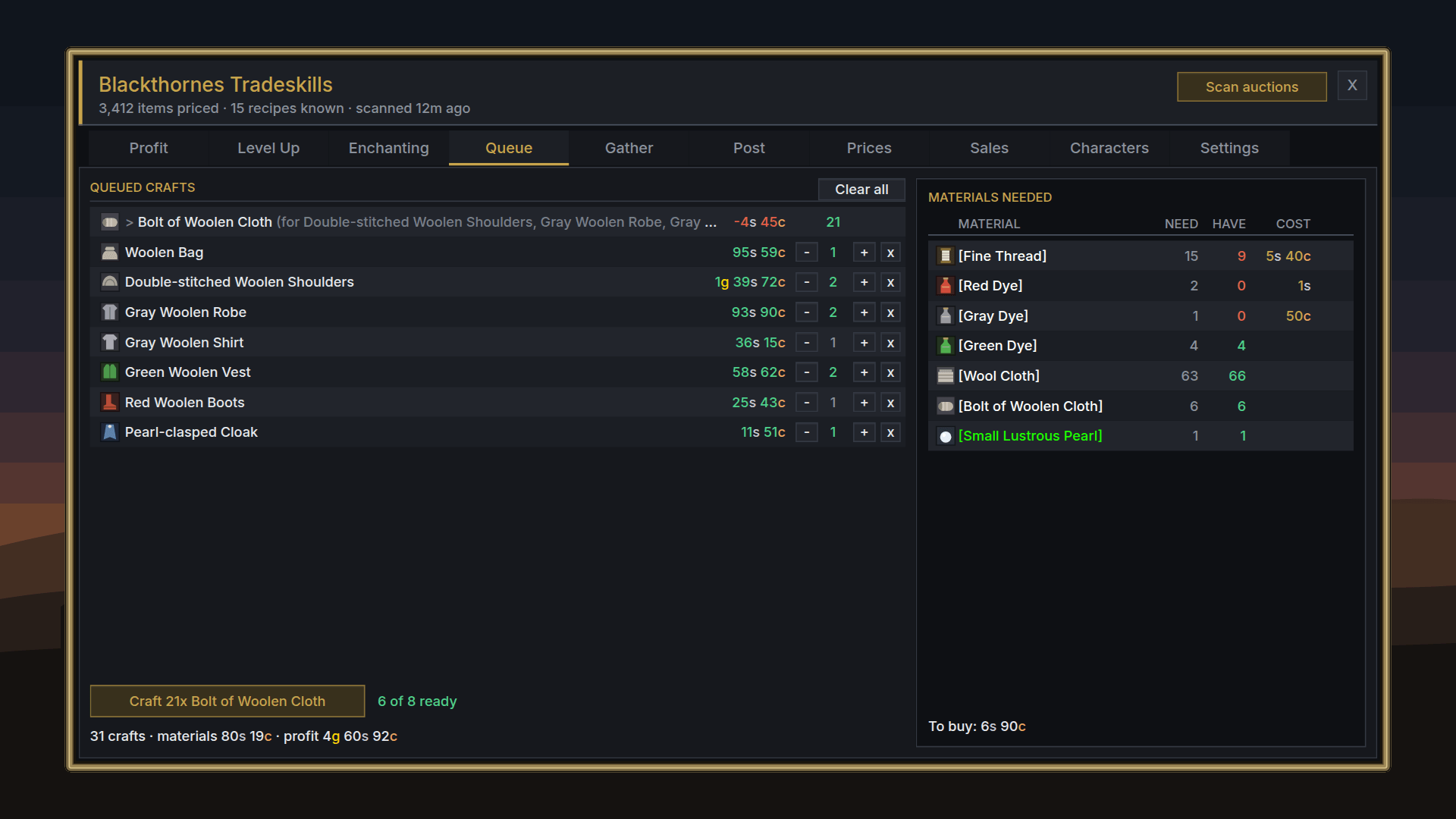
The craft queue adds any in-between crafts for you and gives you a shopping list of what to buy and what it'll cost. Queue All fills it with everything worth making, up to how many you want to keep on hand. When the next craft needs your profession window, the button opens it for you, and a progress bar shows how many are left.
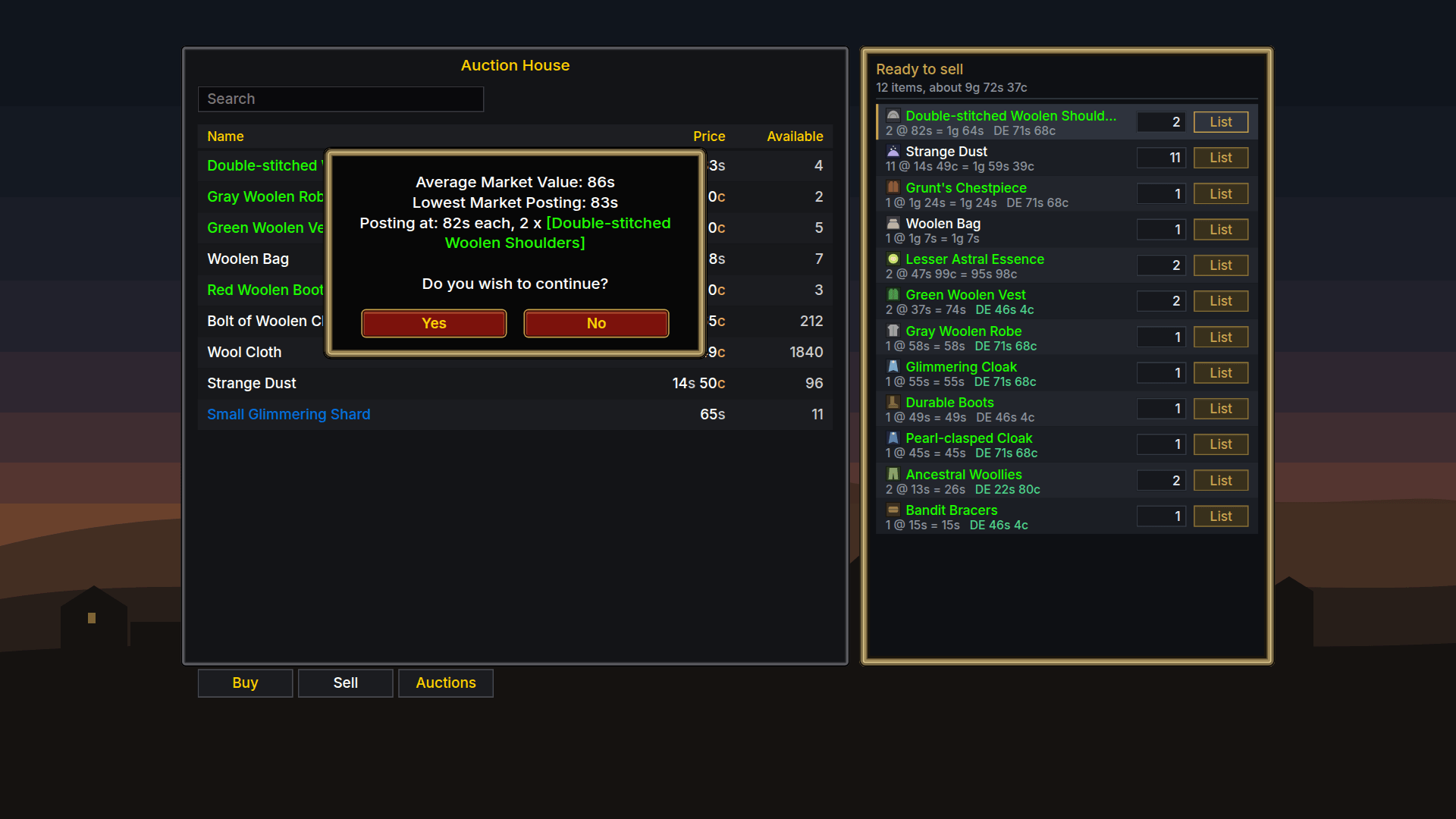
A posting panel sits beside the auction house. Before anything's listed, it shows the market value, the lowest posting and your price in four short lines. Your bags, bank and mailbox all count as what you have, and sales are tracked so you can see what something really earned. There's an optional sound when one of your auctions sells.
Commands
| Command | What it does |
|---|---|
/bts | Open or close the window |
/bts scan | Scan the auction house (open it first) |
/bts top | The most profitable crafts right now |
/bts why <craft> | Full cost breakdown for a craft |
/bts price <item> | What the auction house says |
/bts de <item> | What an item disenchants into |
/bts stock <item> | How many you have, and where |
/bts sold <item> | What it really earned |
/bts salealarm on | Sound when an auction sells |
/bts help | Every command |
No libraries needed. Works well alongside Blackthornes Farmer, which uses these prices to tell you what each kill is worth.
The animation and screenshots show a sample session with made-up prices and a made-up character.
Community
Questions, bug reports and ideas: join the Blackthornes AddOns Discord

You must be logged in to leave a comment.