
BetterMaps (Map, Zoom, Flight points, TerrianMap, Dungeon Maps, Zonemarker)
See more of the world. BetterMaps turns the world map into a real atlas – zoom down to every house and path, follow green arrows into the next zone, click ships, zeppelins and dungeon entrances to set a marker,open maps of every dungeon and raid. One addon
Details
Expansion
 Forever
 Categories
Developers

Having issues?
BetterMaps – a real atlas for World of Warcraft: Forever
See more of the world. BetterMaps turns the world map into a real atlas – zoom down to every house and path, follow green arrows into the next zone, click ships, zeppelins and dungeon entrances to set a marker, open maps of every dungeon and raid. One addon, one window, fully in English and German.
FEATURES
* Zoom down to the terrain
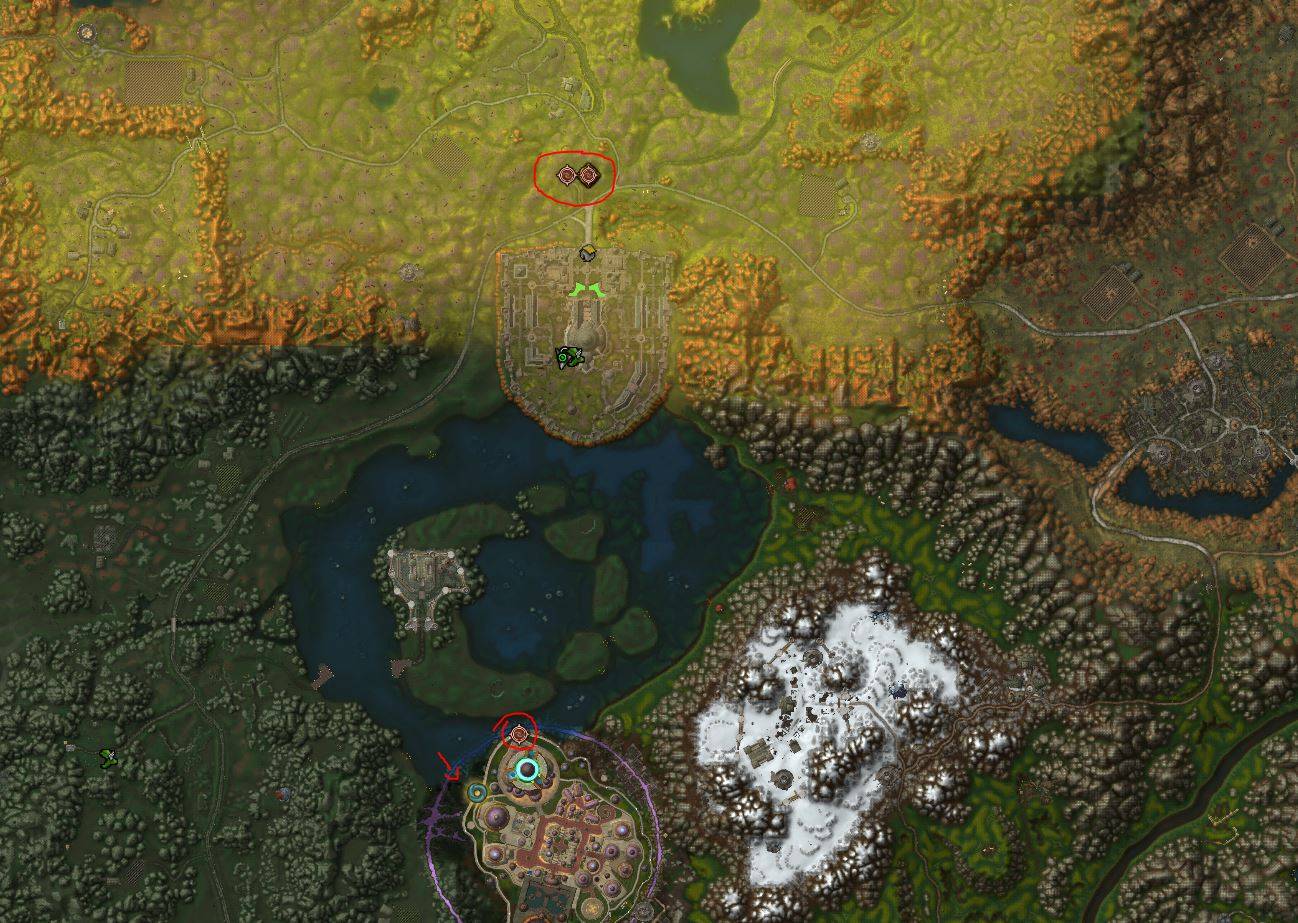
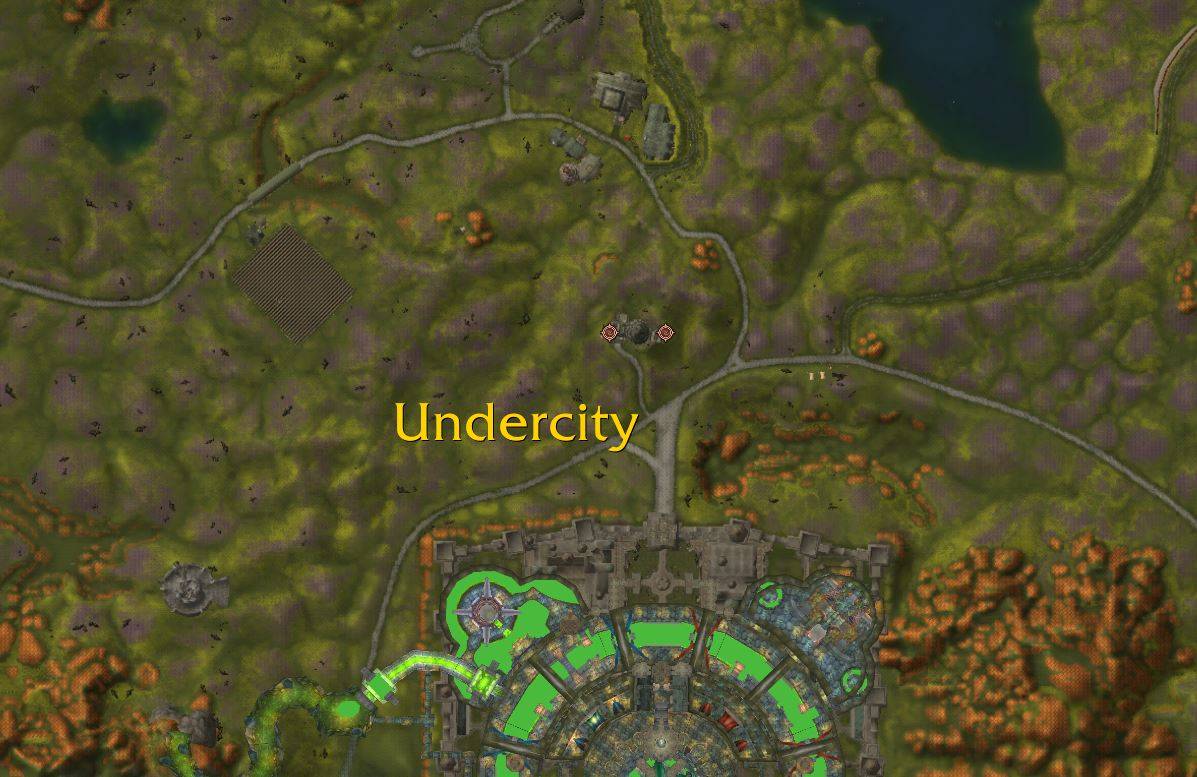
Zoom 2×, 3× or 4× deeper than the game allows, in fine steps on the mouse wheel. When you zoom in, the painted zone map gives way to the real terrain from the game's own minimap tiles – every house, bridge, path and river, sharp and clear. Nothing is downloaded or copied: BetterMaps simply shows the tiles your client already has. Map zoomes will be saved, you can also change the settings.
* Green arrows into the next zone
Like Questie: on every zone map, green arrows at the border show where the way leads into the neighbouring zone – from the Barrens into Stonetalon, from Elwynn into Westfall, over the Thandol Span. On the other side the arrow points back. Click one to switch to the next zone, Shift+click to set a marker. If your marker lies in the next zone, the arrows leading there light up.
* Ships, zeppelins, dungeons, spirit healers
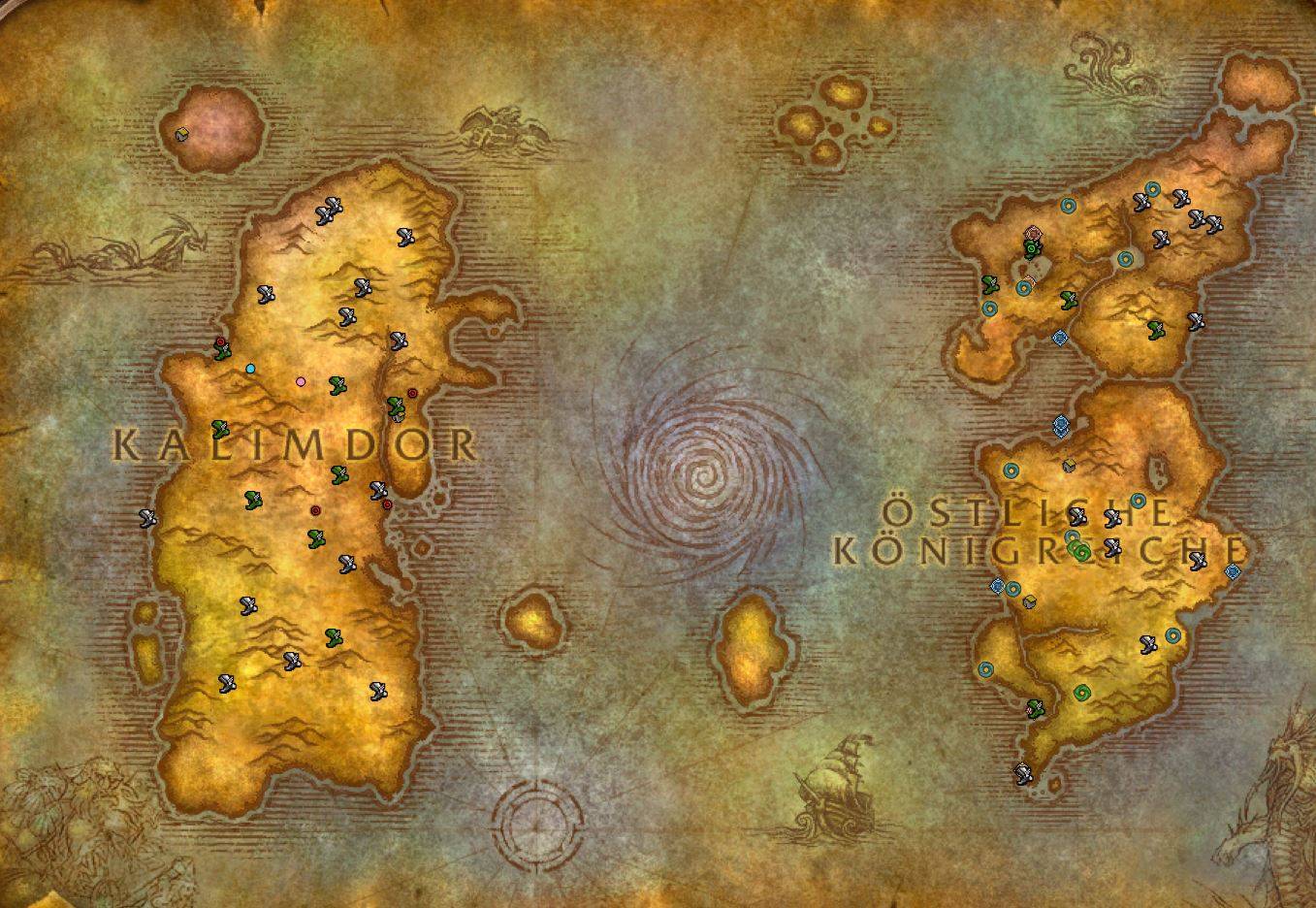
Every pier and zeppelin tower with its destination, in the colour of its faction. Every dungeon and raid entrance. Every spirit healer. All on the world map, with tooltips in the style of the game.
* Click to mark
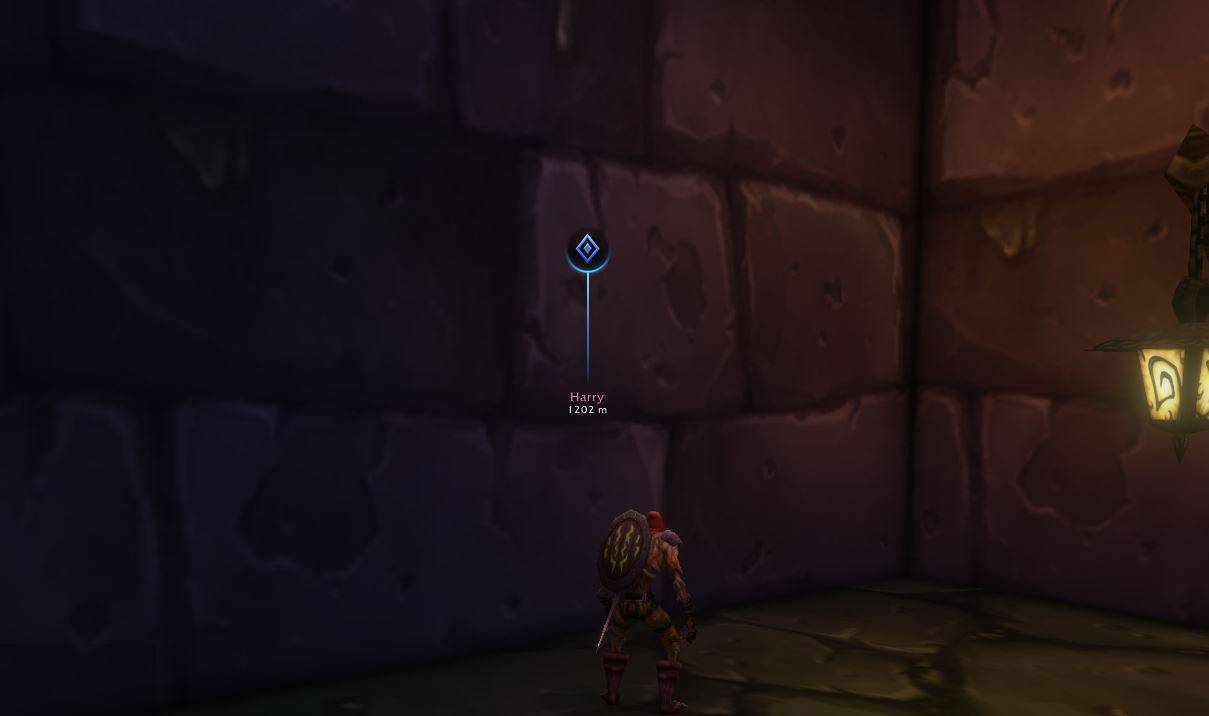
Click any map point, middle-click a quest icon or Ctrl+click anywhere on the map, and the game's own map marker is set: pin on the world map, dot on the minimap, floating marker in the world in the look of a ping, with the name of who set it and the distance, visible from anywhere. For Questie fans there is an optional direction arrow that points the way even across zones.
* Share it with your group
Set a marker while in a group and it goes to party, raid or instance chat as the game's own clickable map pin link – everyone can click it, even without the addon. Group members with BetterMaps or GuildAtlas pick it up automatically.
* Cave maps
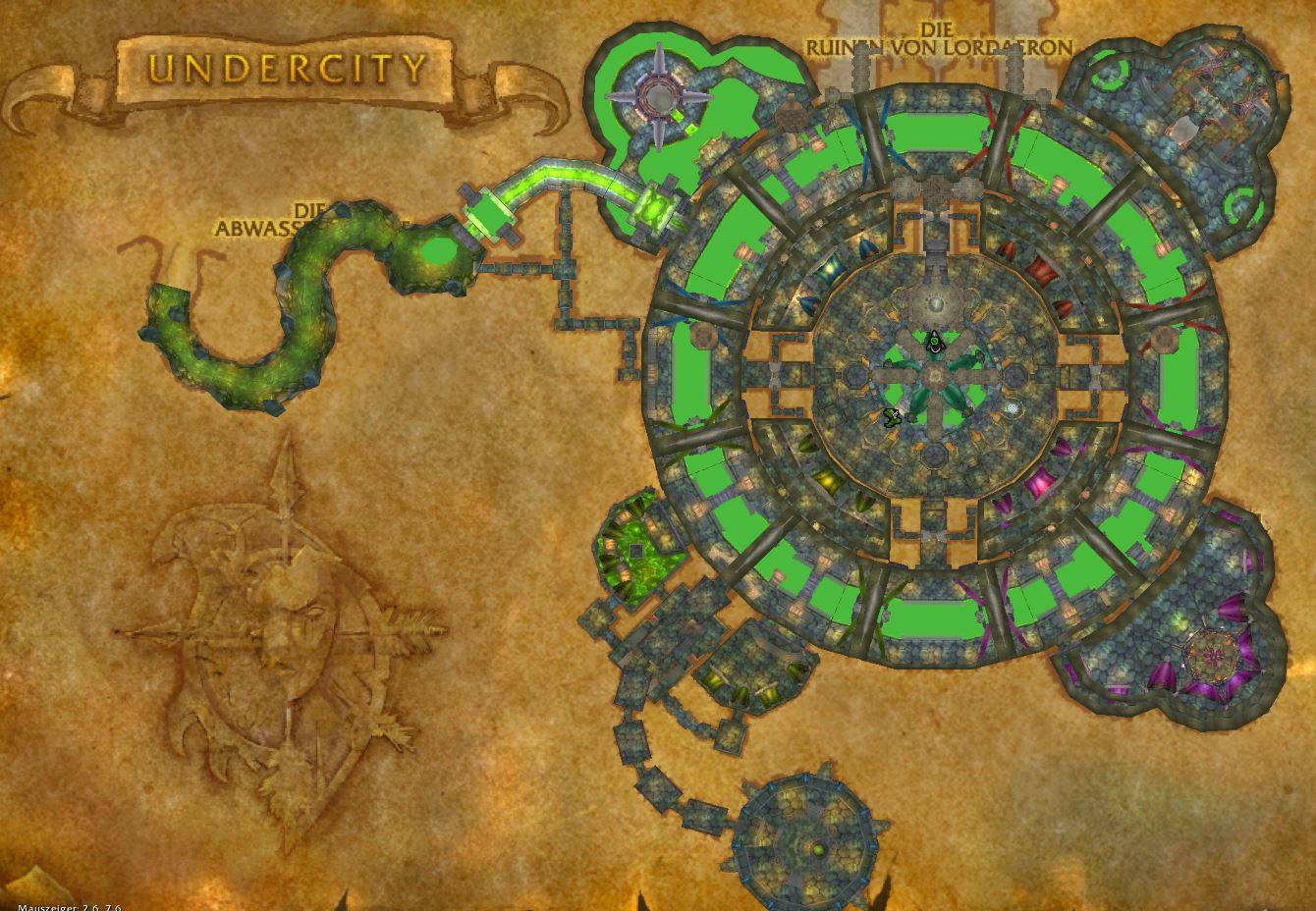
Walk into a cave, a mine or a barrow and the zone map shows its interior – drawn from the game's own minimap tiles, at the right place and rotation. The map zooms to the cave when you enter it. Undercity and Ironforge are drawn as interiors on their city maps. Caves with several floors can highlight the upper floor.
* Instance maps
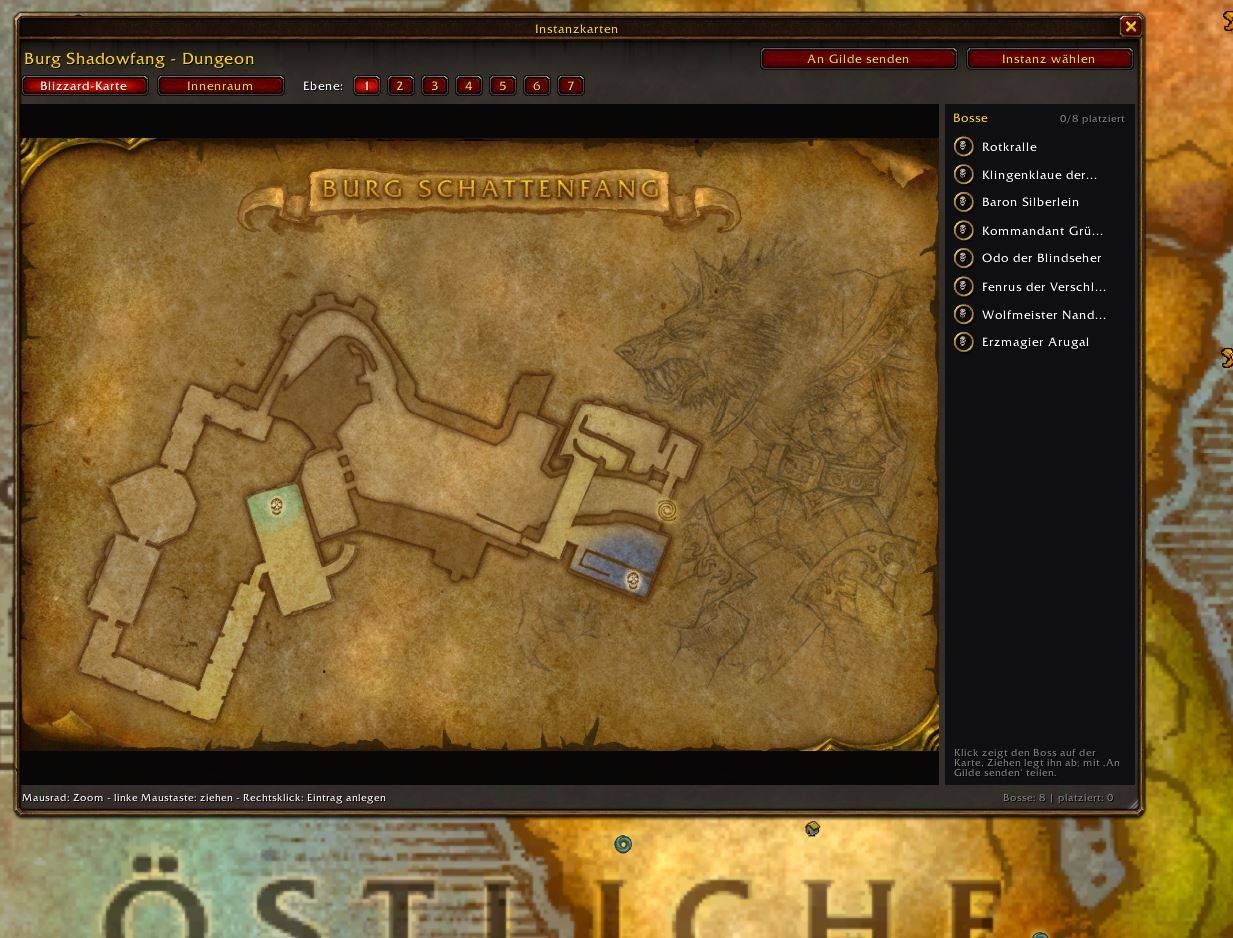
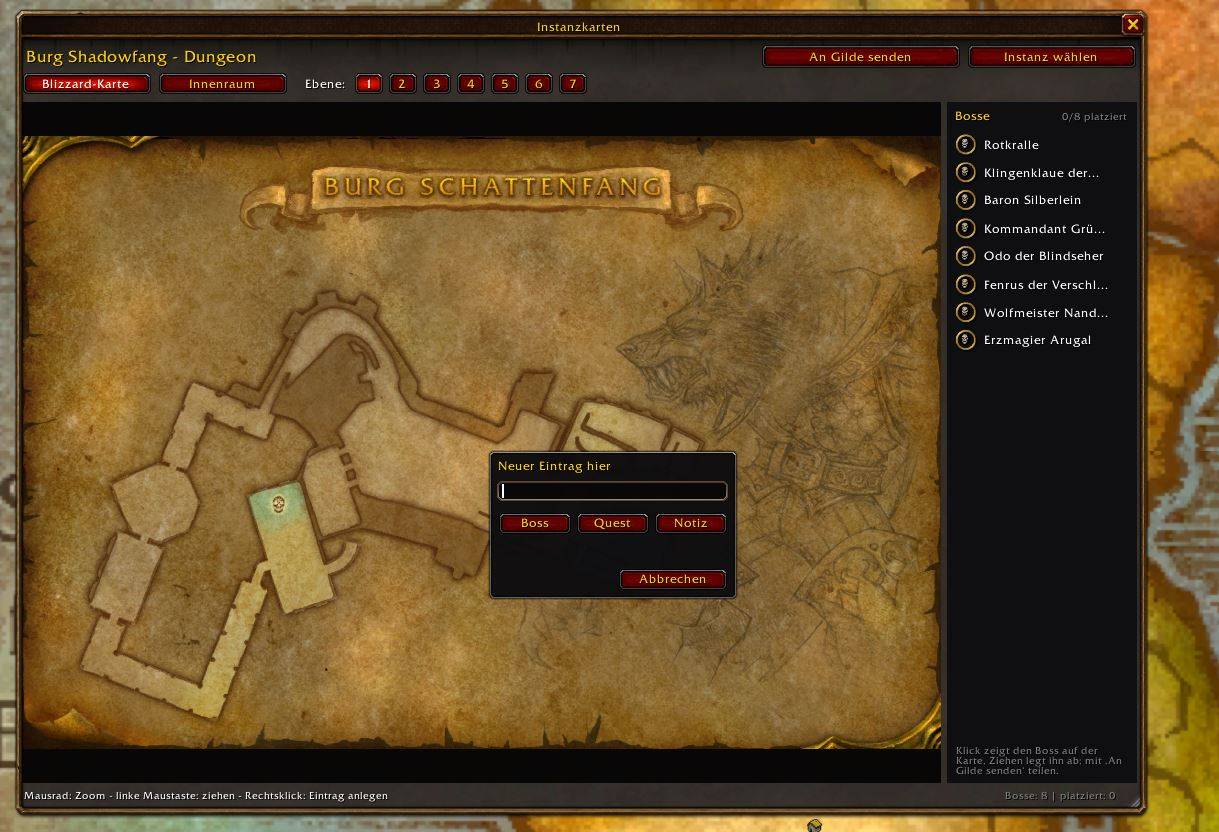
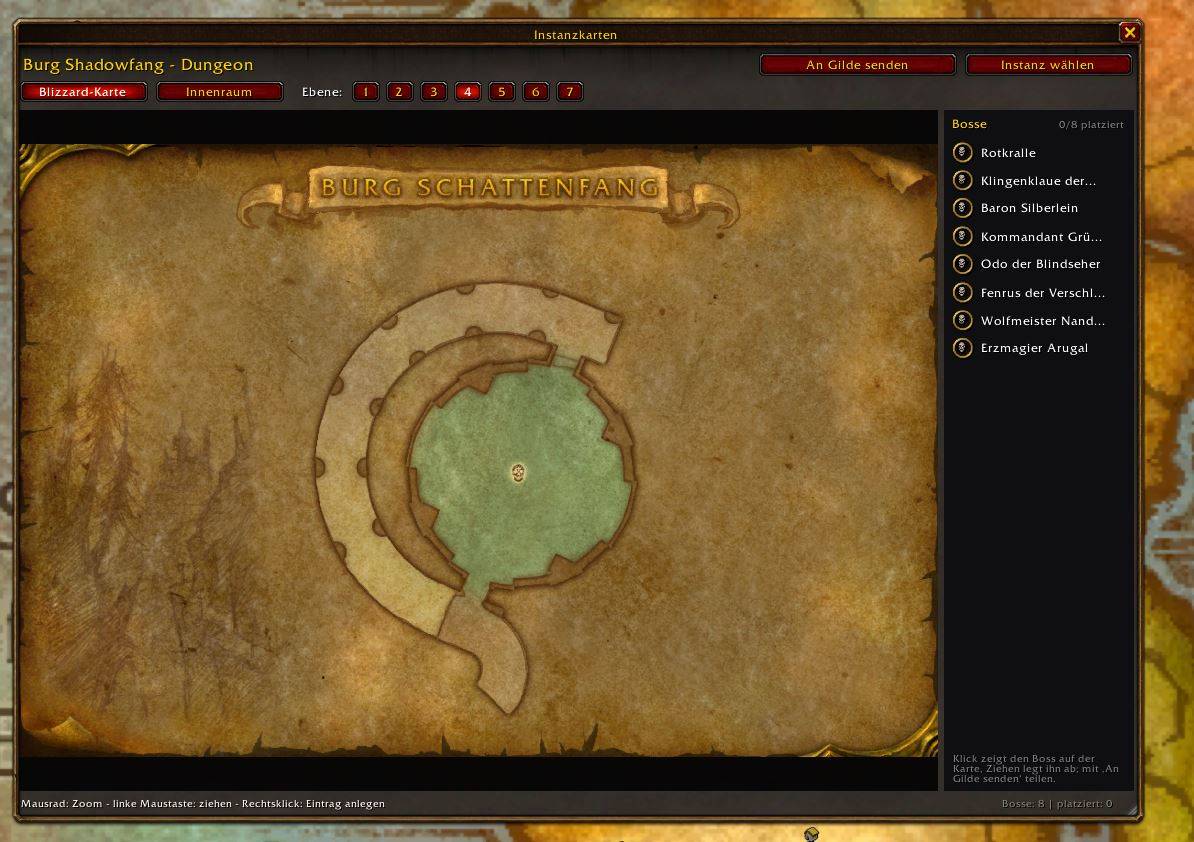
Right-click a dungeon or raid entrance and BetterMaps opens its own instance map: the game's own dungeon maps with floors for every classic dungeon and raid, and an interior view from the minimap tiles for the new Forever instances. Every boss of the instance, from the game's own data, as a round portrait icon in a golden ring: drag it onto the map, click it for the name, and share the positions with your guild. Add your own quest and text notes too.
* The map follows you
Enter Undercity, Orgrimmar, Thunder Bluff, Stormwind, Ironforge or Darnassus with the map open and it switches to the city map by itself – and back to the zone when you leave. If you are browsing the map yourself, it waits until your next change of area.
* Flight points
All flight points of the current map, colour-coded: discovered, undiscovered or not yet checked – tracked per character. Optionally the flight points of the other faction in grey.
ONE WINDOW FOR EVERYTHING
Left-click the map button at the minimap or type /bmaps and you get the main window: Start, Map, Waypoints, Map points, Passages, Instances and Settings – one click switches the page. Every setting is a large switch, slider or button row and takes effect immediately. The minimap button uses LibDBIcon, so button collectors and data bars pick it up.
SISTER ADDONS
BetterMaps is the map part of GuildAtlas as a standalone addon. Its sister addons are:
* GuildAtlas – guild professions database, guild mates on the map, guild banners for new members, deaths and level-ups, quest markers on nameplates.
* BetterMessenger – a chat app for whispers, Battle.net, guild, party, raid and instance chat.
Coming from GuildAtlas? On the first start BetterMaps takes over your map settings, your waypoint, your instance notes and boss positions once (as a copy), and each character takes over its discovered flight points. GuildAtlas from version 4.11.0 on no longer contains the map features – if an older GuildAtlas is loaded, BetterMaps reminds you once to update it. Shared waypoints and instance notes work between BetterMaps and GuildAtlas users.
COMMANDS
/bmaps open or close the main window (/bettermaps works too)
/bmaps hub <page> main window on a page (start, map, waypoints, points, passages, instances, settings)
/bmaps options settings in the game menu
/bmaps lang auto|de|en language
/bmaps minimap [reset] minimap button on/off or back to its place
/bmaps flight | flights flight points on/off | list the flight points of the open map
/bmaps zoom off|2|3|4 deeper world map zoom
/bmaps switch on|off map follows you
/bmaps terrain off|zoom|always terrain map
/bmaps caves off|inside|always cave maps
/bmaps way <x> <y> waypoint; /bmaps way clear | share
/bmaps poi [kind] on|off map points
/bmaps dungeon [name] instance maps
/bmaps passages on|off|reset zone passage arrows
/bmaps errors error log
/bmaps version | debug | help version, diagnostics, all commands
INSTALLATION
1. Download and unpack the zip.
2. Copy the folder BetterMaps to World of Warcraft<client folder>InterfaceAddOns
3. Restart the game client completely – new addon folders are only picked up on a full restart.
4. Make sure BetterMaps is enabled under "AddOns" on the character selection screen.
Join my discord for bug reports : http://discord.gg/3S47jmHn6X
Buy me a coffe (feel free) : https://buymeacoffee.com/atommoehre
GOOD TO KNOW
* Made for World of Warcraft: Forever (interface 16001). Uses only the official addon API – no automation, no protected actions, nothing that plays the game for you.
* Terrain, passages, caves, instance maps and map points are calculated from the game's own data files and belong to a game build. After a patch that changes the world, the next release brings the updated lists; until then the normal map stays visible where something is missing.
* With Lua error display enabled, opening the map may show a harmless "action blocked" message caused by the extra zoom steps; the map works normally.
* Built-in error log: if the game ever blocks an addon action, /bmaps errors shows what happened. Please paste it into a bug report.
* Settings, waypoint and instance notes are saved per account (BetterMapsDB), discovered flight points per character (BetterMapsCharDB).
* Questions, bugs or ideas? Leave a comment on CurseForge.
You must be logged in to leave a comment.