

BattleSense
PvP awareness addon with player and guild blacklists, alerts, and enemy detection.
Details
Expansion
 Forever
 Categories
Developers

Having issues?
BattleSense
BattleSense is a World of Warcraft addon for keeping player and guild blacklists. It alerts you when it detects a listed player or guild.
Detection uses units provided by WoW: your target, mouseover, and visible enemy nameplates. It cannot detect players outside those units.
Features
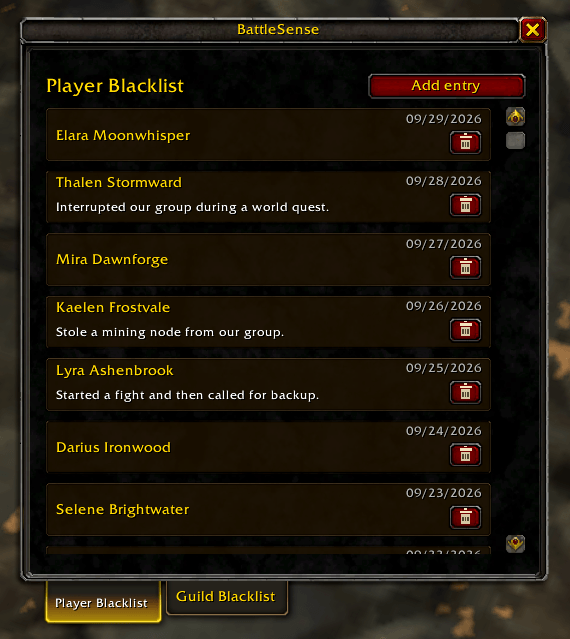
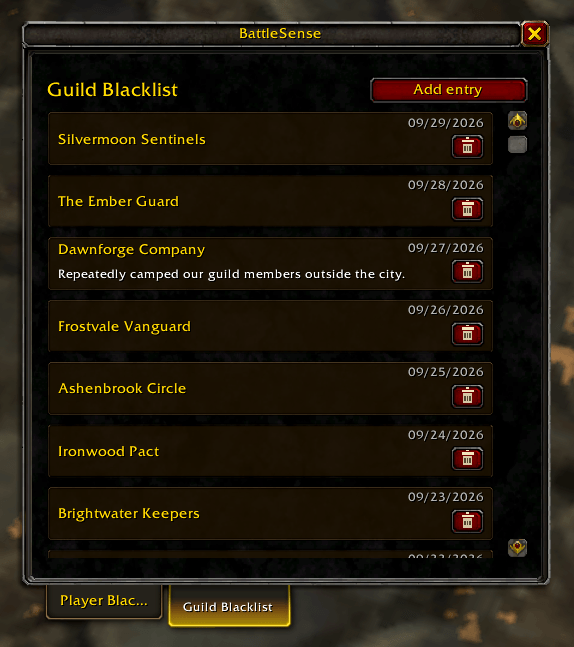
- Separate player and guild lists, with an optional note for each entry.
- Add your current target.
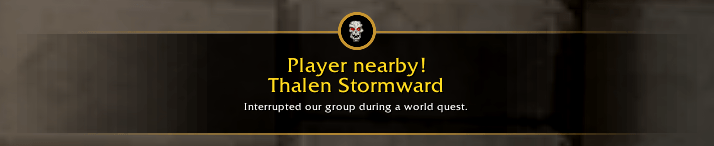
- On-screen alerts and optional sound for listed players and guilds.
- Adjustable alert duration and repeat delay.
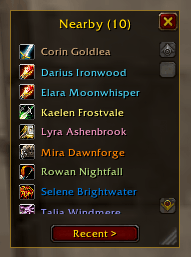
- Resizable Nearby and Recent player windows with class icons, entry counts, and context-menu blacklist actions.
- Optional automatic opening of the Nearby window when a hostile player appears, with a configurable close delay.
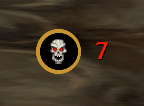
- Movable nearby-player counter with options to count all visible hostile players or only listed players. Counter size and color are configurable.
- Supported languages: English, German, French, Spanish.
- Main window available from the minimap button or slash commands.
Usage
Open the main window with /bs or /battlesense, or click the minimap button. Manage entries in the Player Blacklist and Guild Blacklist tabs. Add an entry by name or select a target and use the quick-add button.
Your target and mouseover are checked even when enemy nameplates are disabled. Enable enemy nameplates in the WoW interface settings to detect other visible players and use the nearby-player counter. A reminder appears when nameplates are disabled.
The Nearby window lists currently tracked players; the Recent tab shows players seen during the current session. Targeted and mouseover players remain tracked for 30 seconds unless nameplate tracking takes over. Click the nearby-player counter to open the window. You can also choose to open it automatically when a hostile player appears and set how long it stays open after nearby hostiles disappear. Manually opened windows stay open until you close them.
Settings
- Alert sounds, duration, and repeat delay.
- Nearby-player counter, including whether it counts only listed players.
- Nearby window auto-open behavior and close delay.
- Nearby window transparency.
- Counter size and text color.
- Interface language.
Drag the nearby-player counter to move it. It only works while enemy nameplates are enabled.
Slash commands
/bsor/battlesense— toggle the main window/bs show— show the window/bs hide— hide the window/bs options— open BattleSense settings/bs addplayer— add your current target to the Player Blacklist
You must be logged in to leave a comment.