

Azeroth Pilot Reloaded
Continuation and rewrite of Azeroth Auto Pilot, an addon for quest routing for leveling with automatic features.
Details
Expansion
 Forever
 Categories
Developers

Having issues?

Your adventure. A clear path.
A quest routing and leveling addon for World of Warcraft.
Follow the arrow, complete each objective, and shape the journey around your character.
The continuation, optimization, and rewrite of Azeroth Auto Pilot.






Getting started
01 Install APRGet the release for your game client from CurseForge. Install LibTaxiData, the required package dependency, too. Installing manually? Extract the addon as | 02 Choose your routeType Use the Leveling, Speedrun, or All Quests presets to get started. |
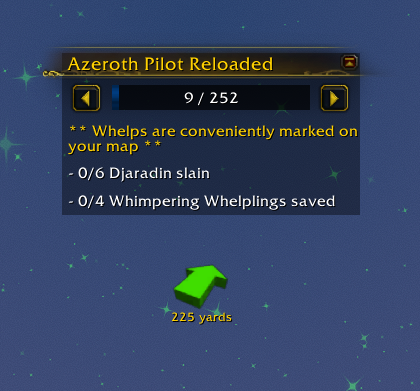
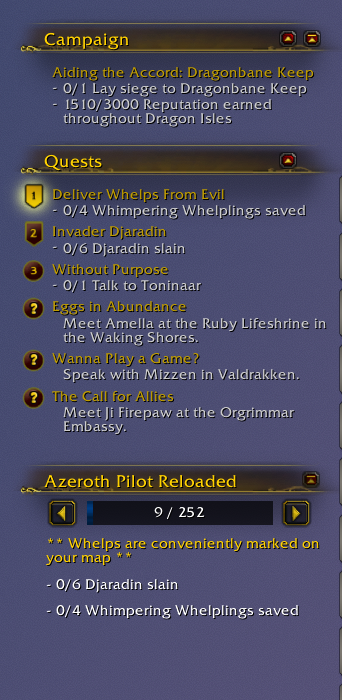
03 Make it yoursType Bind the APR item button in WoW's key binding settings for easy access to quest items. | 04 Follow the adventureFollow the waypoint arrow and current step. Check objective progress, extra instructions, and optional side objectives along the way. Need to adjust your progress? Use |
Tip: Take control of an interaction. Hold
Ctrl,Shift, orAltwhen interacting with an NPC, flight master, or merchant to bypass the corresponding interaction automation. These modifiers also bypass cutscene skipping. Item and spell buttons require your click or key press.

Features
Guided navigation · Quest automation · Flexible routes · A UI that fits you
🧭 Navigation & travel
| ⚡ Quest automation
|
🎒 Items, rewards & merchants
| 🗺️ Routes & progression
|
📋 Objectives & instances
| ✨ XP & leveling reminders
|
🤝 Playing together
| 🎨 Interface & integrations
|
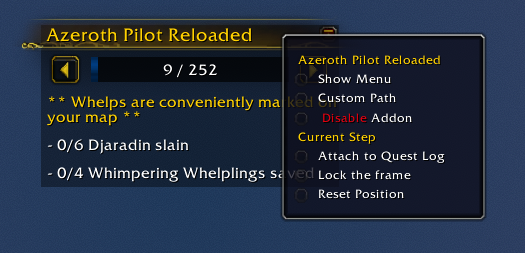
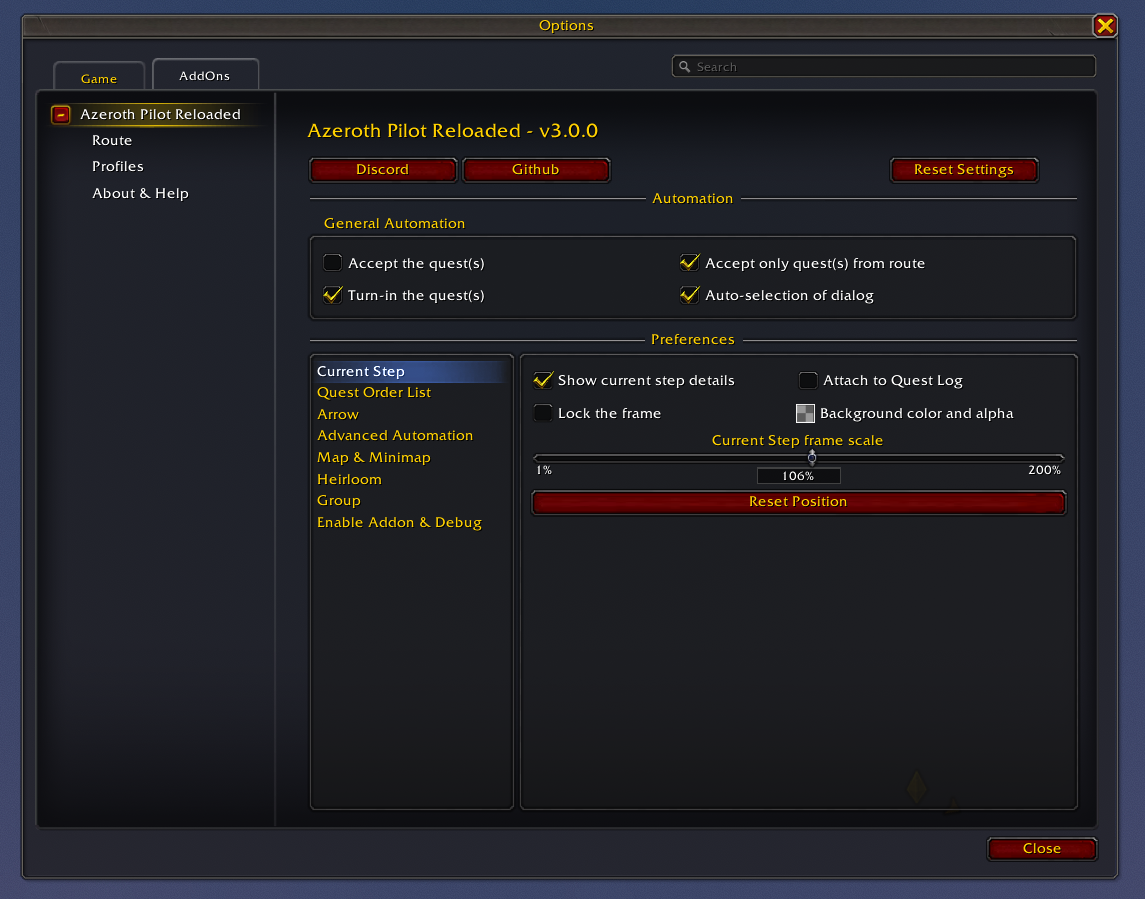
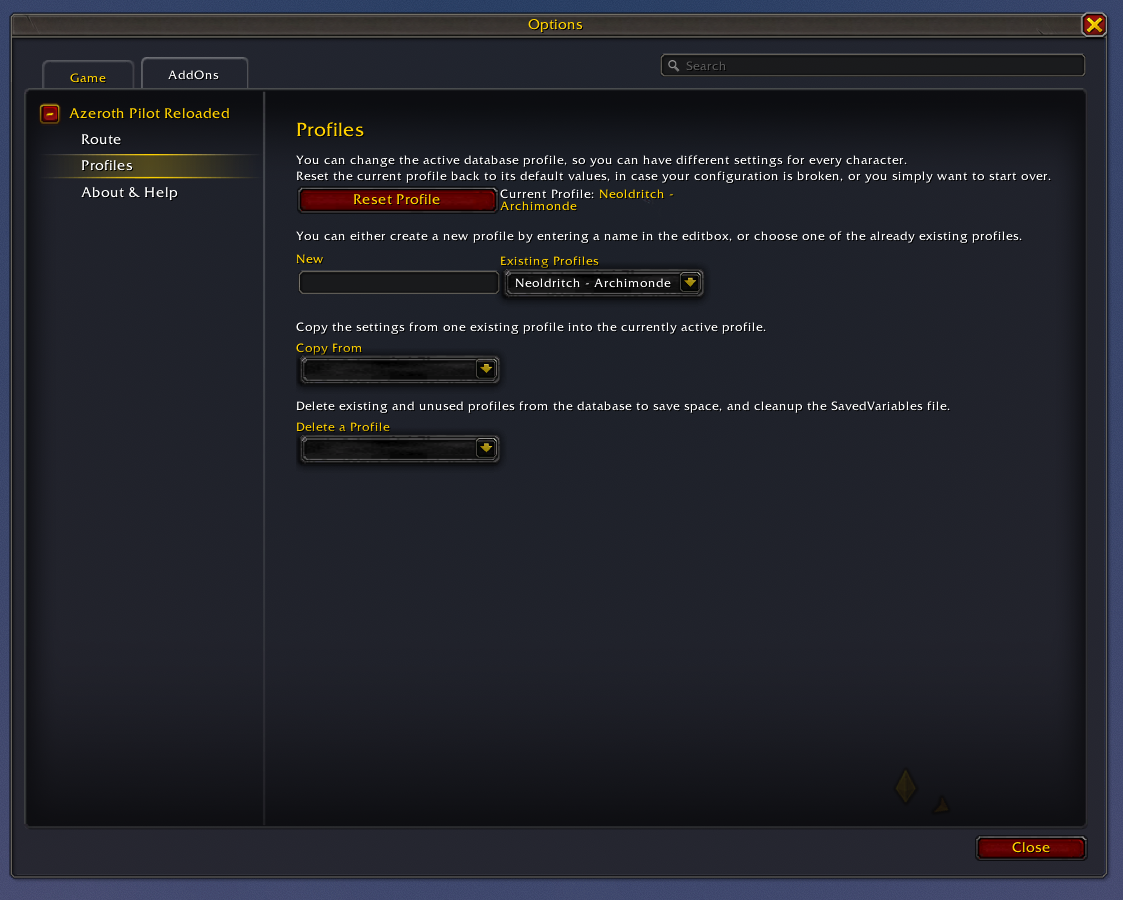
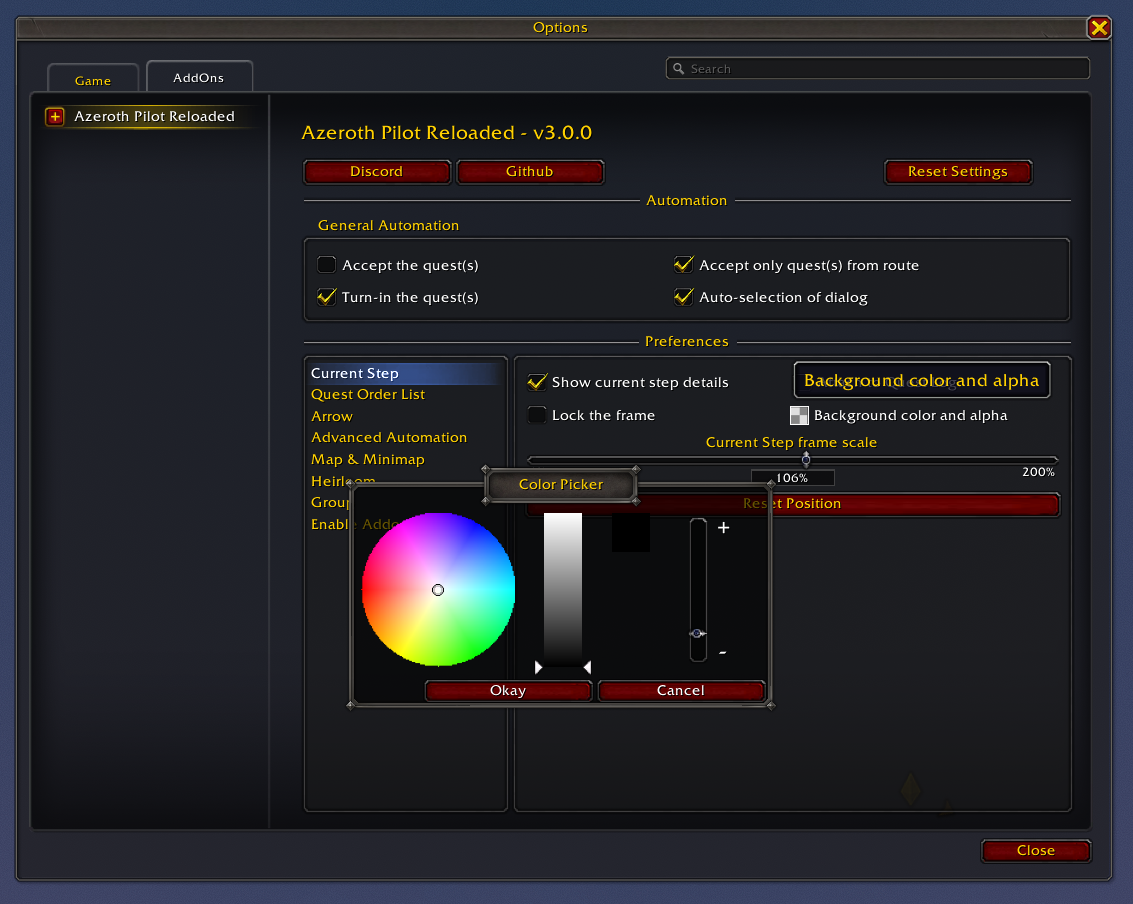
Use /apr to enable or disable APR, adjust these options, and configure automatic hiding of the route UI in party and raid instances. The current-step context menu also gives quick access to routes, profiles, panel locking, snapping, and item-button placement. Available behavior depends on your game client and the selected route.
More ways a route can guide you
Beyond ordinary quest objectives, route authors can combine the following supported actions. The Route Syntax wiki documents the fields and conditions.
| Route activity | What APR supports |
|---|---|
| Quest progression | Pickups, hand-ins, alternative quest IDs, objective sub-steps, dropped quests, optional fillers, and abandoning specified quests. |
| Travel and interaction | Waypoints, flight paths, Hearthstone binding and use, Dalaran and Garrison Hearthstones, Chromie Time, dialogue choices, emotes, vehicles, and glider instructions. |
| Collections | Treasure objectives, achievements and individual criteria, item quantities, and collection conditions. |
| Character progression | Level and XP targets, standard reputation, renown, friendship, professions, and skill training. |
| Money and inventory | Money collection with vendor-value estimates, merchant purchases and sales, equipping or destroying specified items, and Classic character-bank deposits or withdrawals. |
| Items and abilities | Item-use and spell-cast steps, extra action buttons, NPC targeting and marking, and hunter beast-taming steps. |
| Special route steps | Informational notes, War Mode prompts, optional group quests, scenario and instance entry or exit, and route completion or reset prompts. |
| Death skips | Route-defined death and spirit-healer resurrection steps where appropriate; APR waits for death and does not kill the character. |
Routes and compatibility
| Route library | Available coverage |
|---|---|
| Retail · earlier expansions | Vanilla, The Burning Crusade, Wrath of the Lich King, Cataclysm, Mists of Pandaria, Warlords of Draenor, Legion, Battle for Azeroth, and Shadowlands. |
| Retail · recent expansions | Dragonflight, The War Within, and Midnight, plus Exile's Reach starting routes. |
| Midnight | Leveling and campaign routes, speedruns, treasures, glyphs, and supported delve guidance. |
| WoW Forever | Dedicated starting-zone and leveling routes, selected for the compatible client and character. |
| Custom | Routes registered through the APR API or saved with APR Route Recorder. |
Coverage varies by faction, character, and route. Retail expansion routes describe content played on the Retail client; compatibility with a separate Classic client depends on the release and route set. The route selector displays compatible routes for your client and character.
Create your own adventure
Use APR Route Recorder to record gameplay, edit routes in its visual workshop or Lua editor, and make saved routes available in APR's Custom tab.

Interface compatibility
APR works with Blizzard's default interface and includes optional skins for ElvUI and EllesmereUI.

Enable or disable each available skin in /apr. ElvUI and EllesmereUI are optional; install the one you use separately.

Settings and commands
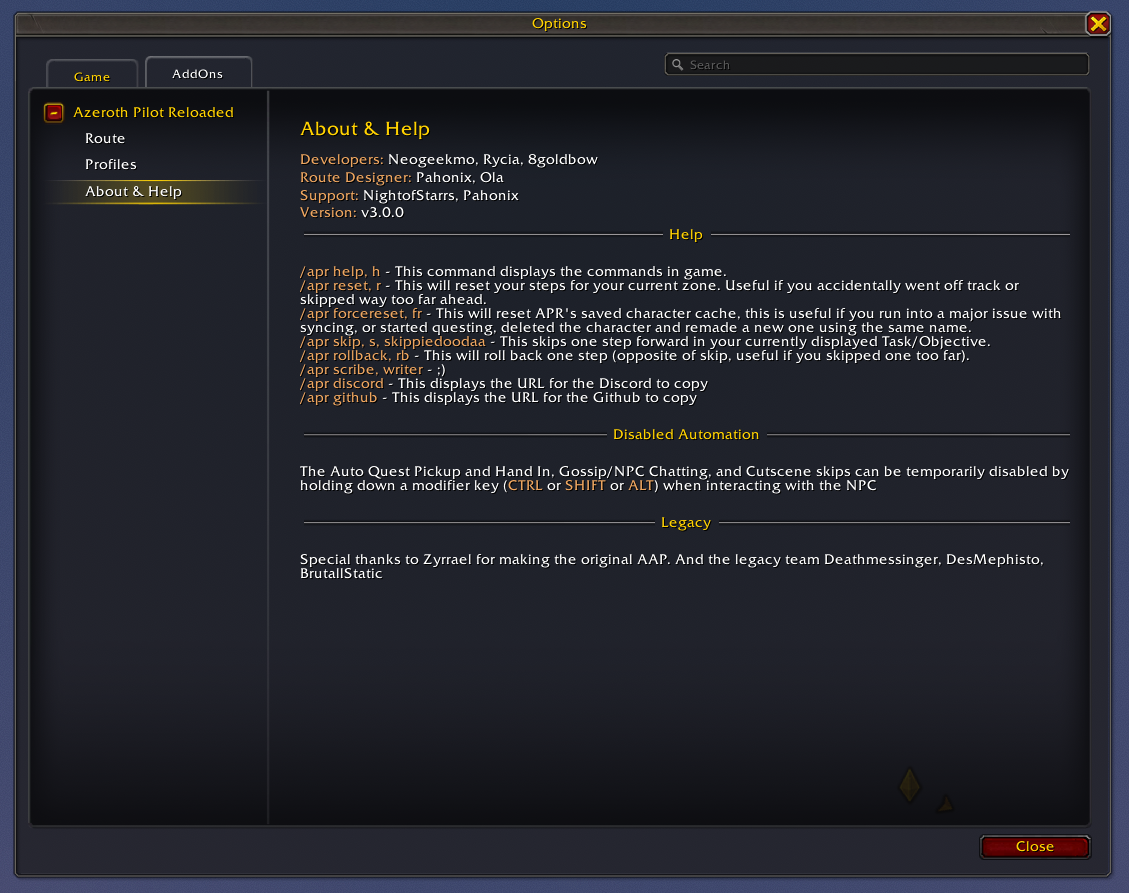
Type /apr to open settings or use APR's minimap launcher. All commands use the /apr prefix. Commands ignore case, trim surrounding whitespace, and collapse repeated spaces.
Everyday controls
| Command | Aliases | What it does |
|---|---|---|
/apr | — | Open the main settings window. |
/apr help | /apr h | Print the in-game help list. The tables here also include commands omitted from that output. |
/apr about | — | Open the About & Help panel. |
/apr route | — | Open route selection and path options. |
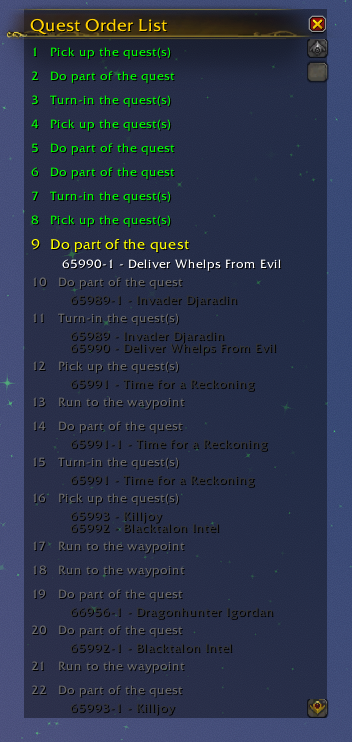
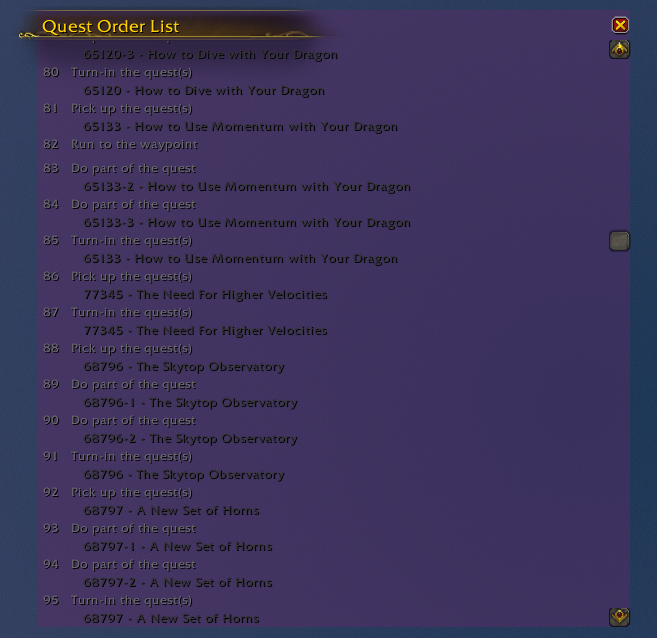
/apr qol | — | Toggle the Quest Order List panel. |
/apr coord | — | Toggle the player's world coordinate display. |
/apr discord | — | Show a popup with the Discord invite link. |
/apr github | — | Show a popup with the GitHub repository link. |
Route progress and recovery
| Command | Aliases | What it does |
|---|---|---|
/apr skip | /apr s, /apr skippiedoodaa | Skip the current step and refresh navigation. |
/apr rollback | /apr rb | Go back one step and refresh navigation. |
/apr reset | /apr r | Restart the active route from step 1; clear its skipped-step and parallel-step state. |
/apr resetcustom | — | Delete all saved imported custom routes, then reload the UI. |
/apr forcereset | /apr fr | Clear the current character's APR route progress, completed-zone records, and custom path, then reload the UI. Settings profiles and saved imported route definitions are retained. |
Important: Choose the reset that matches your intent.
resetrestarts the active route.resetcustomdeletes saved imported routes.forceresetclears the current character's progress and custom path. The last two commands reload the UI immediately.
Diagnostics and route tools
| Command | Aliases | What it does |
|---|---|---|
/apr step | — | Print the current route step data in chat. |
/apr status | — | Open the addon status report with version, route, step, zone, and character details, plus an export option. |
/apr zoneinfo | /apr zi | Print detected player, parent, and continent map IDs, zone hierarchy, special-content flag, and cache state. |
/apr zonecache | — | Invalidate the player-zone and map-info caches. |
/apr worldcoords | /apr wc | Open the map-to-world coordinate converter; convert a selected route and copy the result without modifying addon route data. |
/apr perf on | — | Start a fresh performance capture, clearing the previous summary and slow-operation samples. |
/apr perf off | — | Stop the performance capture. Use WoW's /reload afterward to save APRData.PerformanceLog. |
/apr perf | — | Print recorded operation counts, total time, and maximum time in milliseconds. |
Extras
| Command | Aliases | What it does |
|---|---|---|
/apr scribe | /apr writer | Open the addon's scribe message popup. |
/apr 42 | — | Play the bundled 42 sound and display its accompanying message. |
Wiki and support
📖 Explore the wikiFind guides and project documentation in the APR wiki. Building routes? Read the Route Syntax reference and the Route Recorder README. | 💬 Join the communityVisit Discord for setup help, route discussions, and translations. Report bugs or suggest improvements on GitHub Issues. Include your APR version, game client, route and step, the export from |
Contribute code, routes, fixes, or translations on GitHub, or support development through Patreon or PayPal.

Credits
Team & development
| Translations by language
Help translate APR or update these credits through Discord or GitHub. |
The Azeroth Auto Pilot legacy
- Zyrrael — legacy maintainer and core developer.
- Deathmessenger, DesMephisto, BrutallStatic, TeddyRuxpins, and the original AAP crew.
- DesMephisto — original Warlords of Draenor speedrun route.
- BrutallStatic & TeddyRuxpins — Shadowlands 50–60 route support.
Azeroth Pilot Reloaded
Built by the community, for the next adventure.
You must be logged in to leave a comment.