
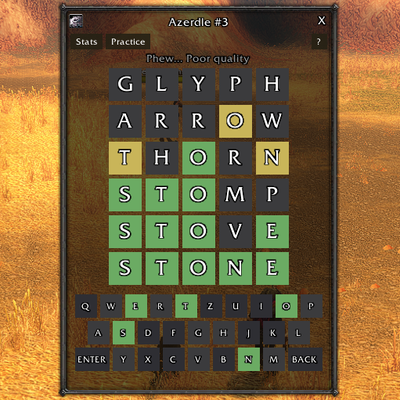
Azerdle
Azeroth version of Worlde. New word each day and everyone gets the same word across the world. Every word is from WoW (think spells, etc...). Resets each day.
Details
Expansion
 Forever
 Categories
Developers

Having issues?
Azerdle
A daily word puzzle set in Azeroth. Guess the five-letter word in six tries. Every answer comes from the world of Azeroth, and everyone gets the same word each day, so you can compare results with your guild and friends.
Type /azerdle (or /azd) to play.
How to play
- Guess a 5-letter word. You have 6 tries.
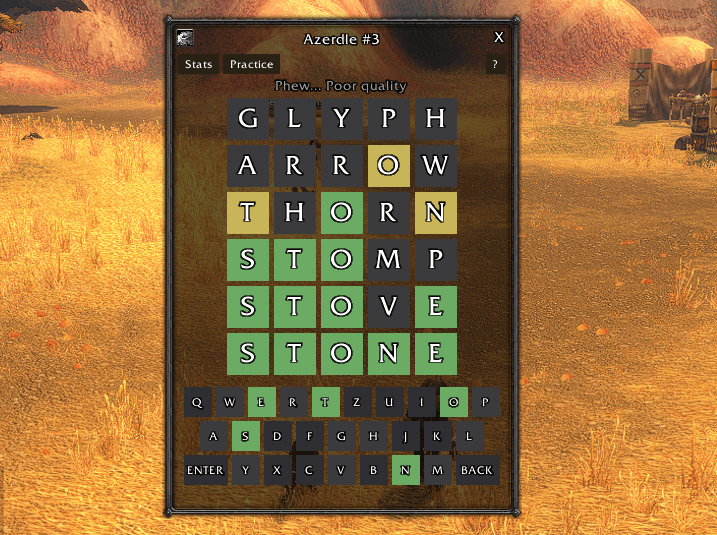
- After each guess, the tiles change colour:
- 🟩 Green: right letter, right spot.
- 🟨 Yellow: the letter is in the word, but in a different spot.
- ⬛ Grey: the letter isn't in the word.
- Answers are creatures, zones, classes, items, lore and more. Guesses can be any common English word or an Azeroth term.
- A new word appears every day at 00:00 UTC, and it's the same for every player on every realm.
Features
- One puzzle a day. Your progress is saved after every guess, so you can
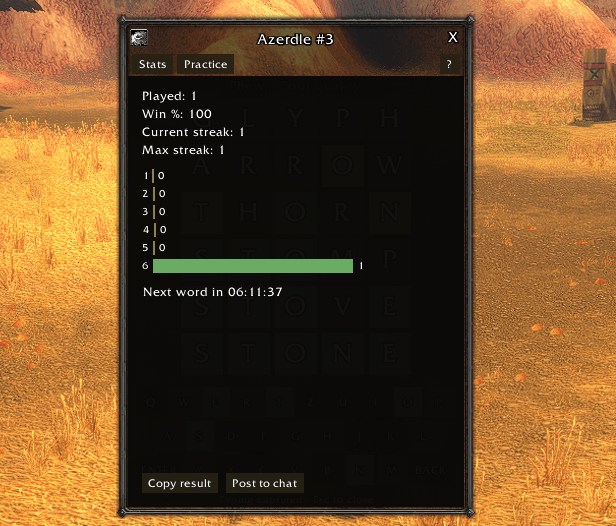
/reload, log out, or switch zones in the middle of a puzzle. - Stats and streaks, tracked per character: games played, win rate, current and best streak, and how many guesses your wins took.
- Share your result. Copy a spoiler-free emoji grid, or post a one-line result to guild or party chat.
- Practice mode. Play random words as often as you like. Practice games don't affect your stats.
- Hard mode. Any hints you find must be used in later guesses. Hard-mode results are shared with a
*. - Colourblind mode with high-contrast tile colours.
- Type or click. Use your keyboard or the on-screen keyboard (QWERTY, AZERTY or QWERTZ). Esc closes the window.
- Minimap button with today's progress and your streak in its tooltip. You can also open the game from the addon compartment.
- Reminders when you log in with today's word still waiting, and when a new word comes out.
- Lightweight. The game runs entirely on your own client. It only sends a chat message when you post your result.
Options
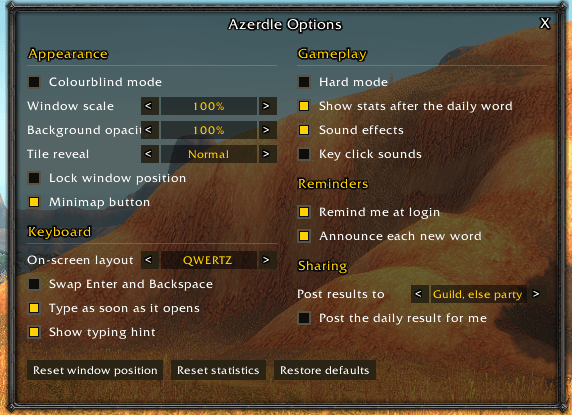
Open the options with the gear icon in the game window, by right-clicking the minimap button, with /azerdle options, or from the game's Settings > AddOns page. Hover over an option to see what it does.
- Appearance: colourblind mode, window scale, background opacity, tile reveal speed (instant to slow), lock window position, minimap button.
- Keyboard: on-screen layout, swap Enter and Backspace, type as soon as the window opens (turn this off to keep your movement keys until you click the window), typing hint.
- Gameplay: hard mode, open stats after the daily word, sound effects, key click sounds.
- Reminders: login reminder, announcement when a new word comes out.
- Sharing: where "Post to chat" sends your result (guild, else party; guild only; party only), and optional automatic posting when you finish.
- Buttons: reset window position, reset statistics (asks you to click twice), restore defaults.
Options apply to every character on your account. Stats are kept separately for each character.
Commands
/azd works anywhere /azerdle does.
| Command | What it does |
|---|---|
/azerdle | Open or close today's puzzle |
/azerdle practice | Play a practice word |
/azerdle stats | Show your statistics |
/azerdle options | Open the options window |
/azerdle hard | Turn hard mode on or off |
/azerdle colorblind | Turn colourblind mode on or off |
/azerdle scale <0.5-1.5> | Resize the game window |
/azerdle set | List every option; /azerdle set <option> <value> changes one (e.g. /azerdle set scale 1.2) |
/azerdle help | List all commands |
Coming soon
- Leaderboards for your guild, your friends, and all players, with daily and all-time rankings. There's no server: addon users share scores directly with each other.
Credits
The list of accepted English guesses is built from wordfreq data (CC BY-SA 4.0).
You must be logged in to leave a comment.