

Aura Ledger – Buff Tracker, Spell & Trinket Cooldowns
Buff timer and missing buff reminder, as icons or bars with an optional sound alert. Spell, trinket and item cooldowns too. Drag any buff you have ever had out of a spellbook-style list. Works in combat. A simple WeakAuras alternative.
Details
Expansion
 Forever
 Categories
Developers

Having issues?
Aura Ledger
Track your buffs, your cooldowns and the things you carry, and put them exactly where you want them on screen. Built for the WoW: Forever client (Interface 16001), out of the game's own interface art.
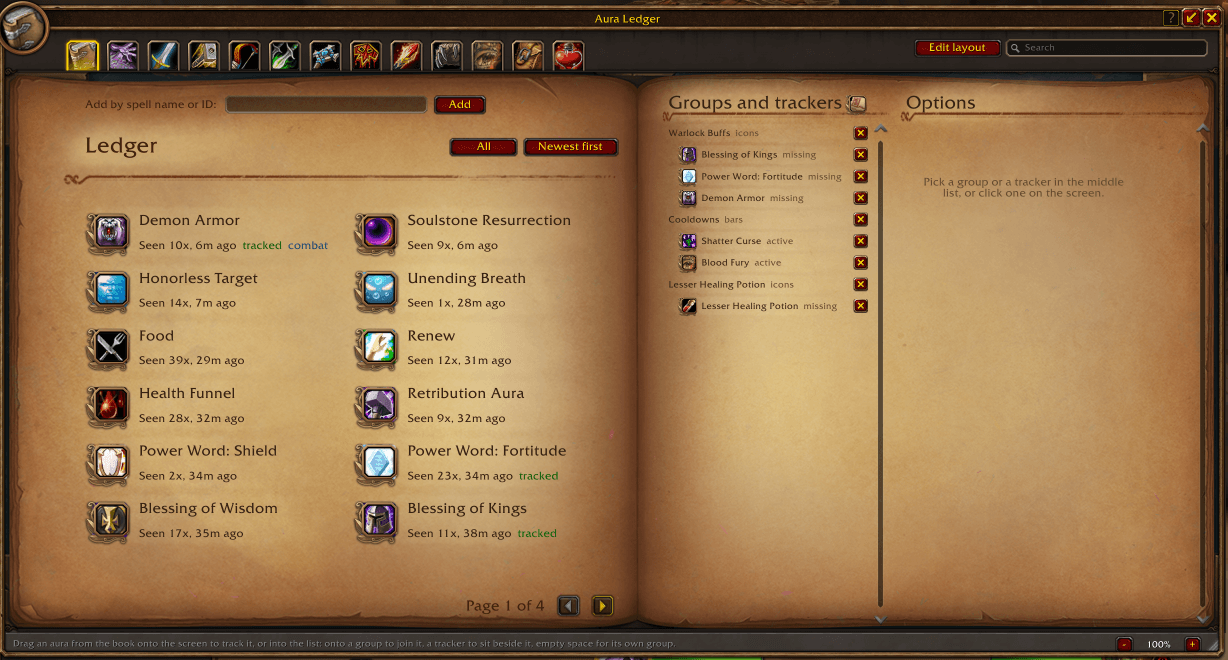
Aura Ledger writes down every buff that ever lands on you, so you can find it again. Open the book, pick what you care about, drag it onto the screen, and that is a tracker. Group them, show them as icons or bars, build them into a cluster, and tell each one when it is allowed to appear.
A walk-through comes with it. The ? at the top of the window steps you through the whole thing, eleven steps, pointing at each part as it talks about it. Four of the steps wait for you to actually do the thing. It is offered the first time you open the window, and that button brings it back whenever you want it.
What it can follow
- A buff on you. The thing it was built for.
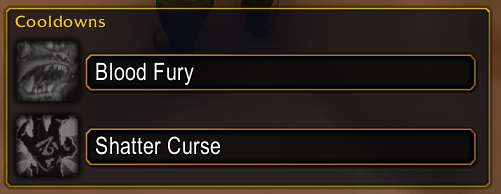
- A spell's cooldown. Under Watch in a tracker's settings, or /auraledger cooldown <spell>.
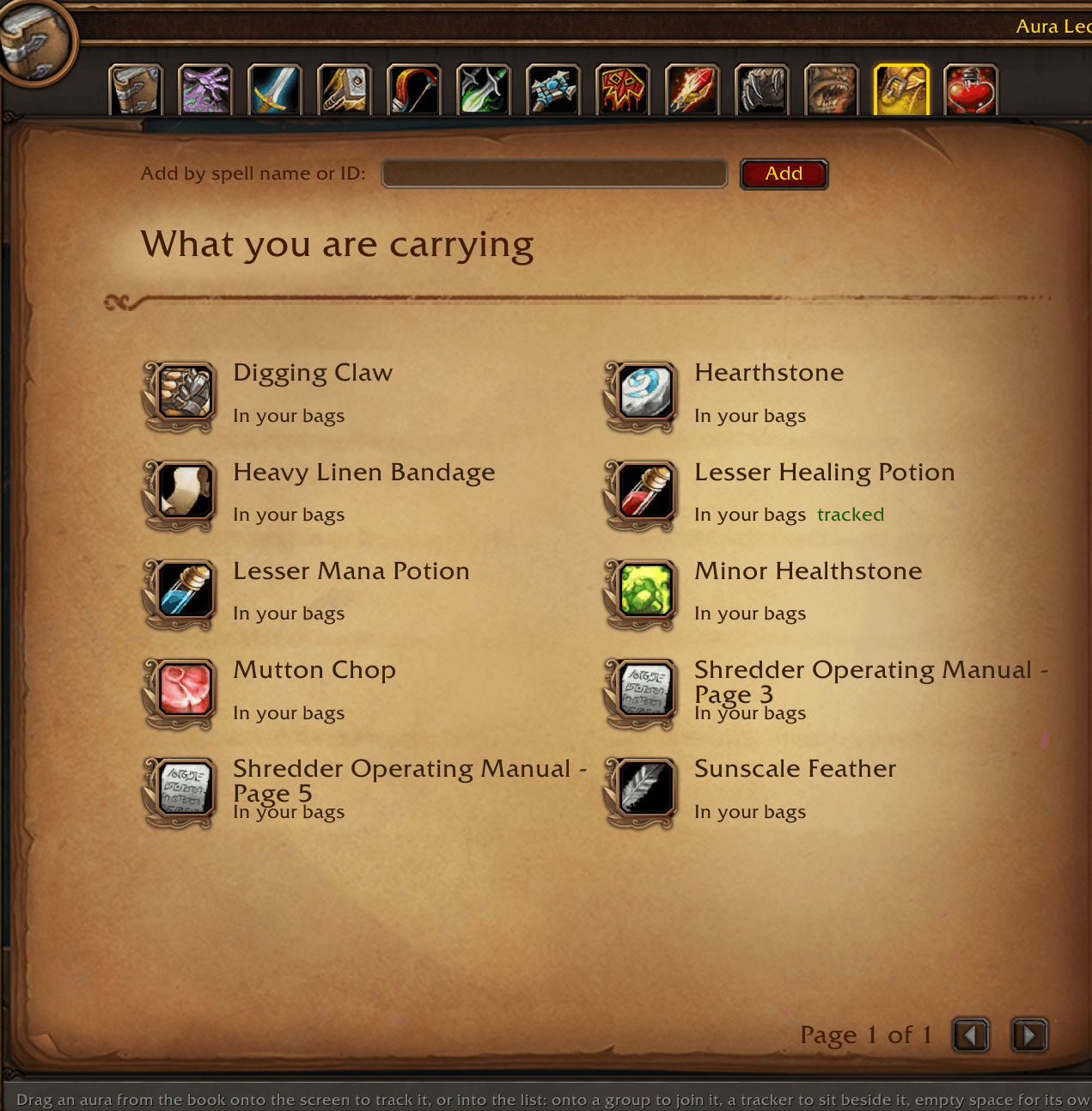
- Something you are carrying. The What you are carrying chapter of the book lists everything in your bags or worn that has a use on it. Drag one out and you get its cooldown, trinkets included.
Cooldowns are not hidden from addons on this client, so a cooldown tracker keeps counting straight through a fight.
Getting started
- /auraledger, or the minimap button, opens the window.
- Find something in the book: pick a chapter from the tabs along the top, or type in the search box.
- Double-click it to place it, or drag it onto the screen where you want it.
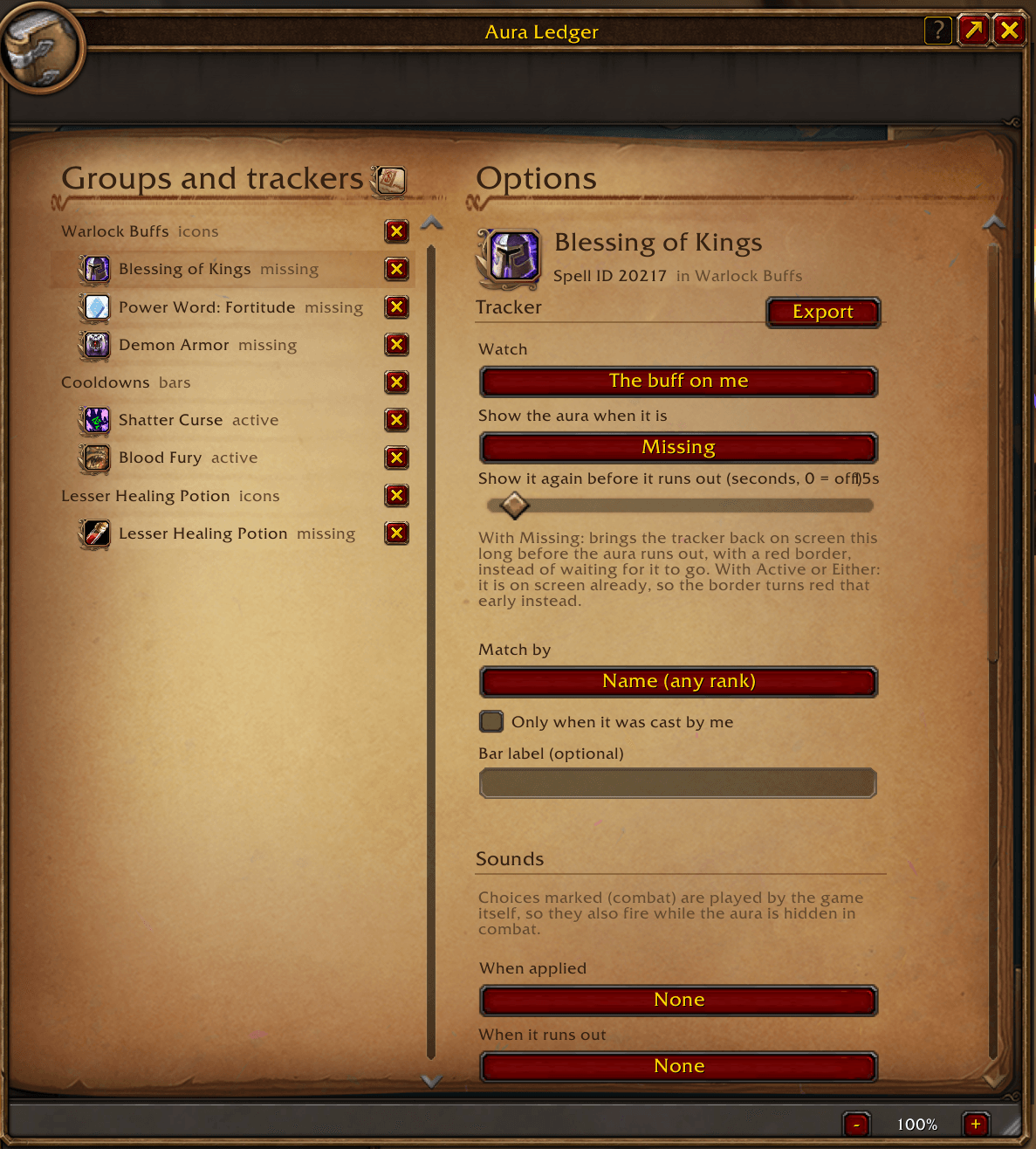
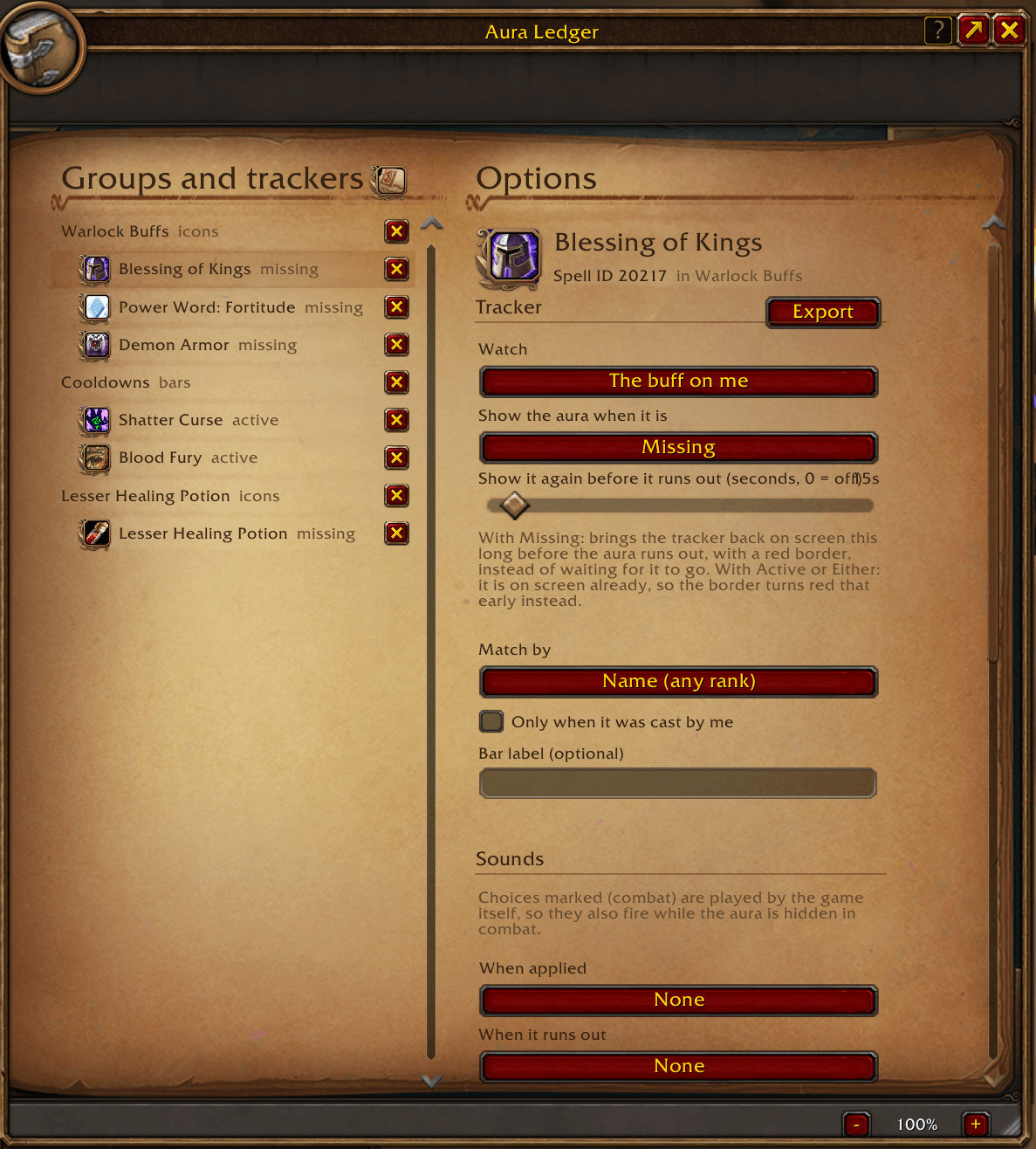
- Click a tracker in the Groups and trackers list, or on screen while Edit layout is on, to open its settings.
The book
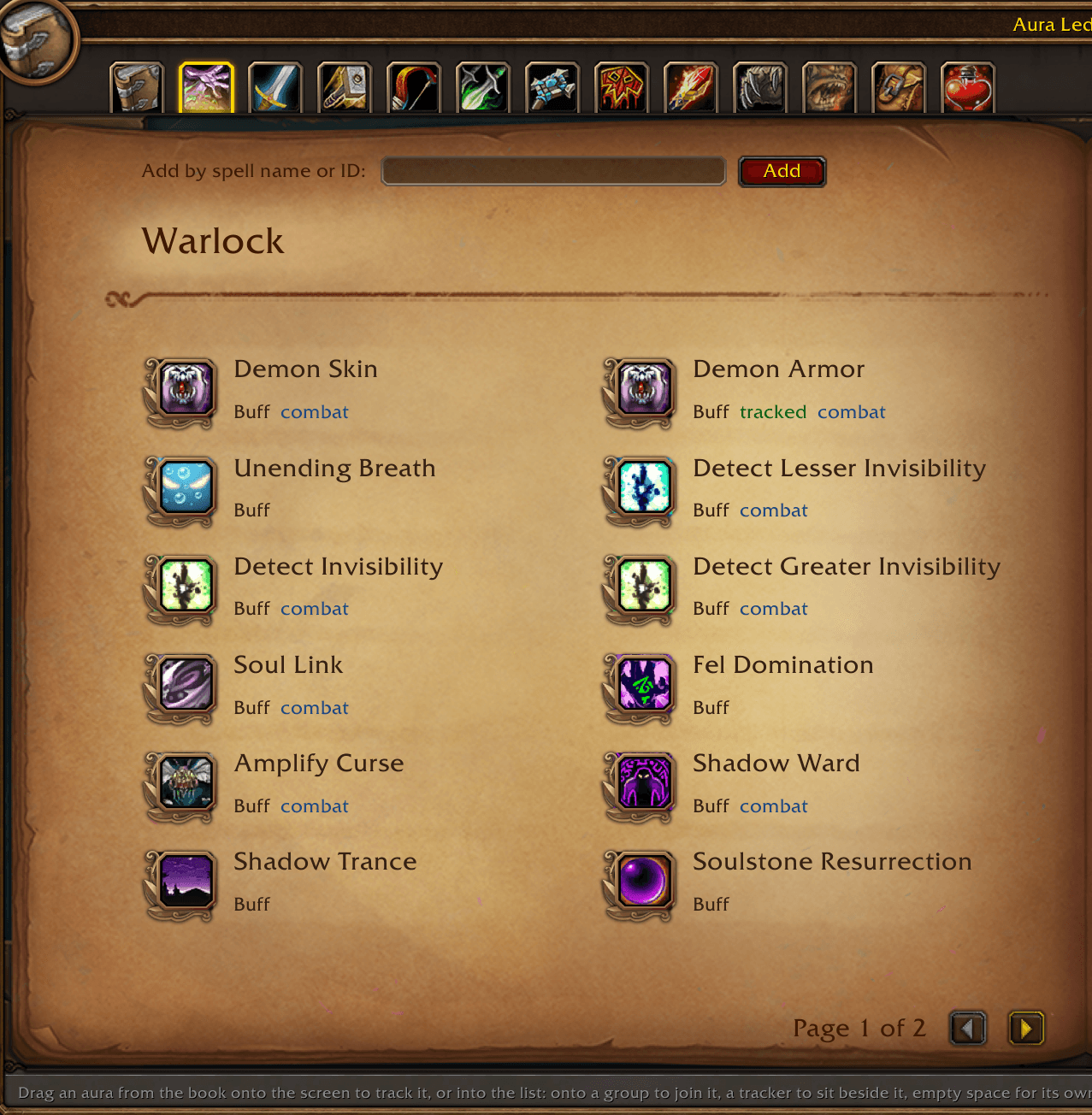
The left side is laid out like the spellbook and borrows its art when the client provides it.
- Ledger: everything that has ever been on you, with how often and how recently.
- A chapter for every class: the buffs that class can cast, so you can track Fortitude or Mark of the Wild before anyone has cast it on you.
- Racials: including the ones read straight out of this client's own spellbook, so a racial the written list never heard of is there anyway.
- What you are carrying: everything in your bags or worn that has a use on it.
- Items and food: food, drink, bandages, flasks, elixirs, potions, scrolls, world buffs and trinkets, listed under the name of the buff rather than the item.
- Search looks through every chapter at once, by name, spell ID or source ("naxx", "flask", "world buff").
- Add by spell name or ID takes a name, an ID or a shift-clicked spell link, for anything not in the book.
Rows the game can follow by spell carry a small combat mark. That matters: see below.
Arranging
Edit layout, beside the search box, puts the window aside and lets you move things about.
- Drag a tracker to move that tracker. Drop it on another group to join it, or in the open for a place of its own. A tracker that is its whole group just moves the group.
- Drag the titled plate behind a group to move the whole group.
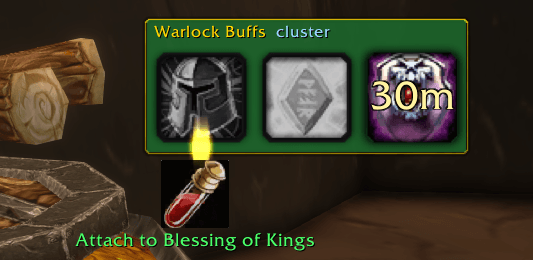
- Hold an icon against a free side of another icon, above, below or either side, and it hangs there. The edge you are aiming at lights up. The group keeps that shape: it is a cluster, and every icon holds its own place, gaps and all, as things come and go.
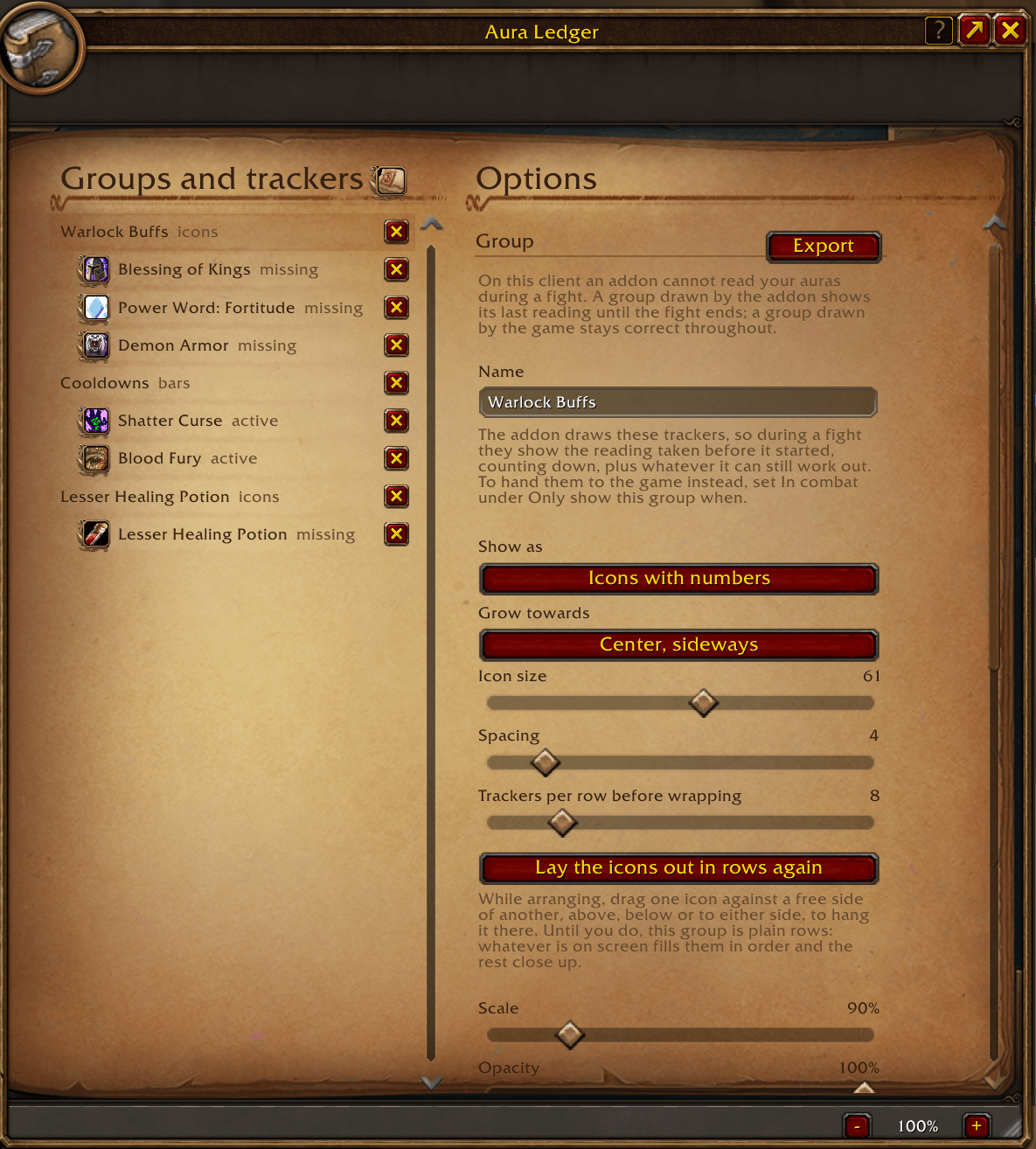
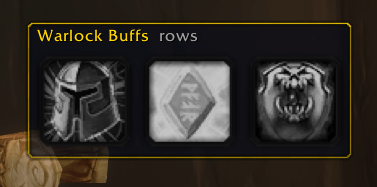
- A group you have not shaped is plain rows: whatever is on screen fills them in order and the rest close up. The plate says which of the two you are looking at.
- Lay the icons out in rows again, in the group's settings, turns a cluster back into rows.
- Click any tracker to jump straight to its settings.
- Edit layout has a Grid to line things up against, with Snap to grid, guides that line trackers up with each other, and a red center line. Hold Alt to place something freely.
- Shift-click icons while arranging to mark them, then drag any marked one to move them all together.
In the Groups and trackers list, drag a row onto a group to move it there, onto another tracker to sit beside it, or onto empty space for a group of its own. The red X removes a tracker, or deletes a group when clicked twice.
Settings
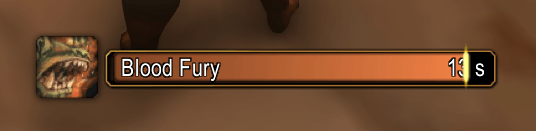
Per group: name, icons or bars, growth direction, icon size, bar width and height, icon scale on bars, spacing, icons per row, scale, opacity, time text, names on bars, and whether to draw the bar border, the bar background and the icon frame.
Per tracker: what it watches (the buff, or the spell's cooldown); when it shows (Active, Missing or Either for a buff; Running, Ready or Either for a cooldown); how long before it runs out or comes back to put it on screen again; match by name or exact spell ID; only when cast by you; a bar label; and a sound when it lands, when it goes, and when the tracker appears.
Conditions, on groups and on trackers, so a tracker can be set to appear only in a raid, only in a battleground, only on a particular class, and so on. A tracker must pass its own and its group's.
What a fight does to this
On this client an addon cannot read your auras during a fight. Nothing gets around that, so each group chooses how to handle it, under In combat:
- Drawn by the addon: the group shows the reading taken before the fight started and keeps counting it down. It is not frozen: it still takes a buff dropping when the game names which one, and a buff you cast yourself, and marks anything it worked out rather than read with a ~. Anything else it will not know about until the fight ends.
- Drawn by the game: each tracker is handed to the game as an aura slot for the game to fill, so it is correct the whole way through. The cost is that the game draws these in its own look, and it fills a slot whenever the aura is on you, so they are on screen the whole time the aura is up whatever else you set.
- Hidden: the group simply stays off screen until the fight ends.
Cooldowns and carried items are never affected by any of this. The game will always say what a cooldown is doing.
Commands
| Command | What it does |
|---|---|
| /auraledger | open or close the window |
| /auraledger add <spell> | start tracking a buff |
| /auraledger cooldown <spell> | follow a spell's cooldown instead |
| /auraledger useitem <item> | follow the cooldown of something you are carrying |
| /auraledger bags | list what you are carrying that has a use |
| /auraledger racials | the racials this client knows about |
| /auraledger edit | turn arranging on or off |
| /auraledger import <string> | import a tracker or group |
| /auraledger minimap | show or hide the minimap button |
| /auraledger debug | what this client let the addon read |
Aura Ledger also has a page in the game's own Options, under AddOns, with a button that opens it.
If something looks wrong
/auraledger debug reports what this client actually allowed: which interface templates resolved, which art drew, what the aura reads returned, and which calls were refused. That report is the useful thing to send with a bug report, because this client differs from others in ways no addon can see from the outside.
Only buffs on you are listed. Nothing on this client can follow an aura on another unit through a fight, and a debuff on you cannot be tracked by spell at all, so the game's own debuff frame is what shows those.
Discord
Join my Discord for Feedback, Development Updates, Addon Ideas, Feature Requests, and Bug Reports.
You must be logged in to leave a comment.