

Atlas
Core map browser for Atlas. Install separate map modules and plugins to view detailed maps and reference information.


Details
Expansion
Categories
Developers

Having issues?
About Atlas
Atlas is a World of Warcraft addon for browsing detailed maps and reference information supplied by separately installed map modules and plugins.
Use Atlas to explore dungeon layouts, locate bosses and important points of interest, and look up map information without leaving the game.
Important: This download contains the Atlas core addon. Maps are provided by separate modules and plugins. Install Atlas together with at least one map module or plugin for the content you want to browse.
A Different View of Warcraft
Atlas was originally created by Daniel Gilbert, with contributions from artists, map creators, translators, and the wider WoW community, to provide instance maps before they were available in the game.
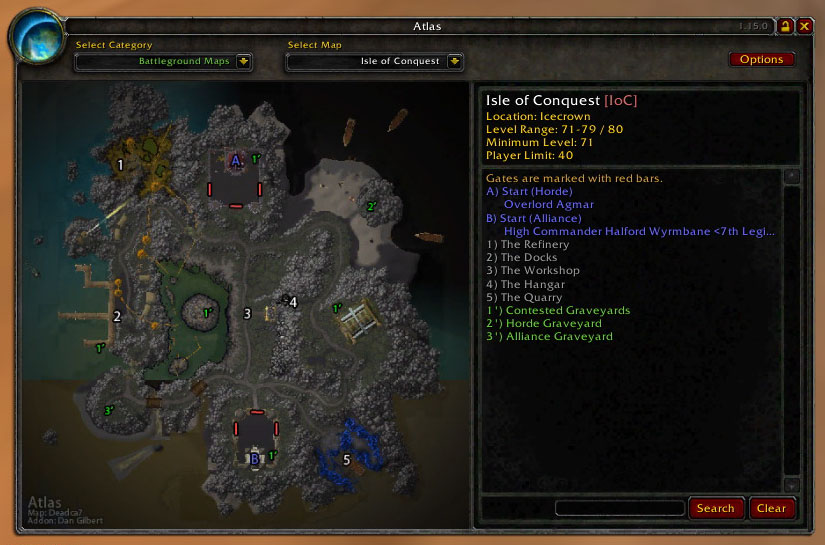
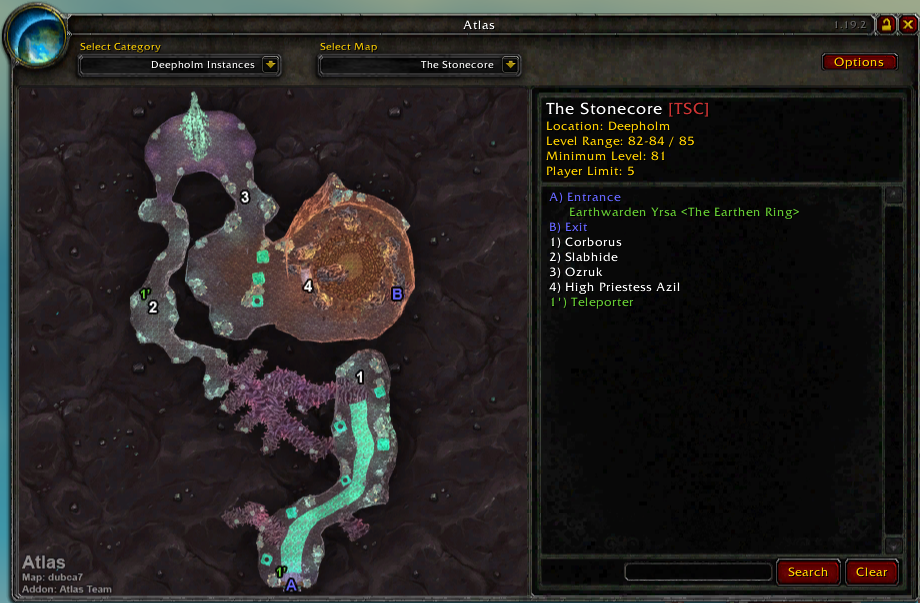
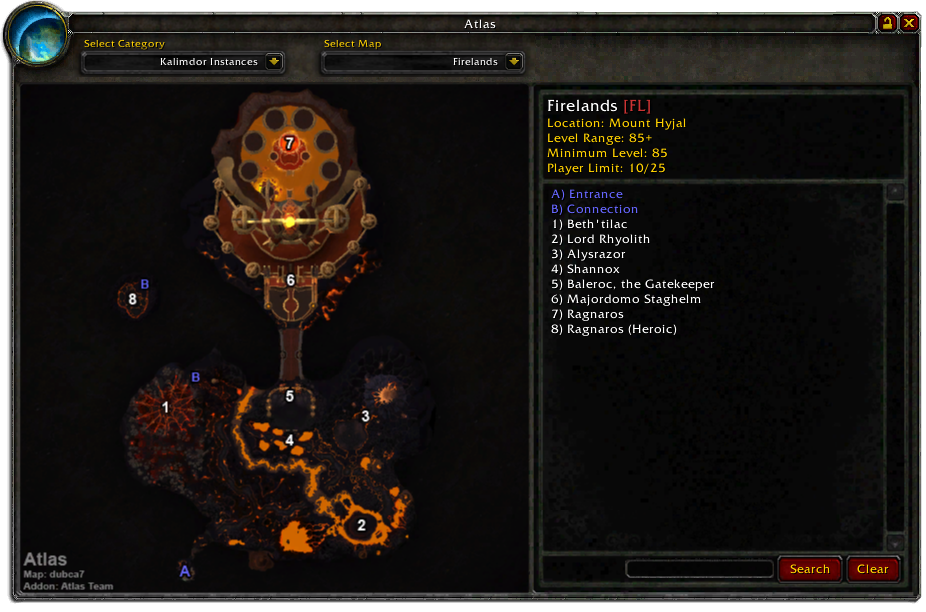
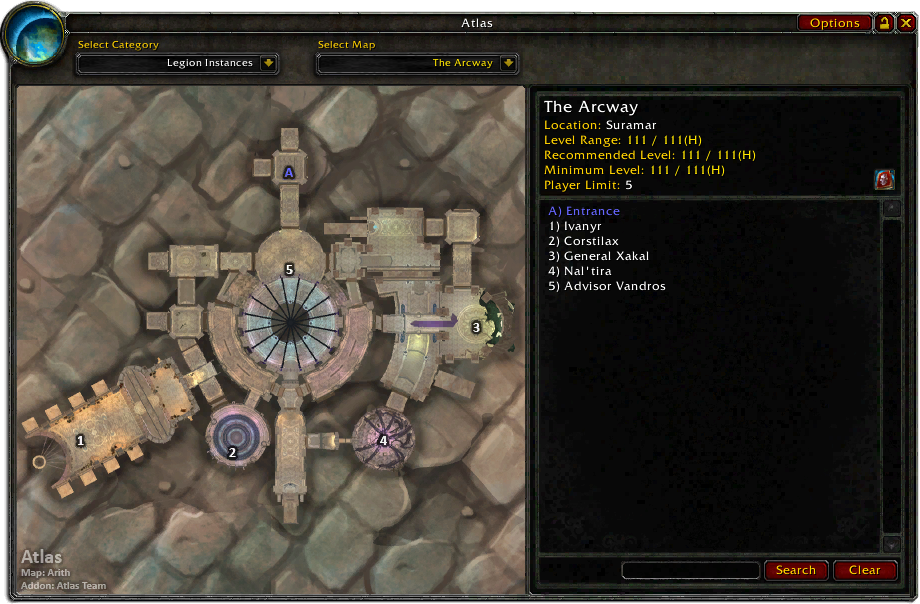
Many Atlas maps use imagery derived from the game's minimap data, providing a different perspective from Blizzard's illustrated maps. Think of it as the difference between a street map and a satellite image.
Today, Atlas remains a modular map browser and reference tool. Available maps and information depend on the modules and plugins you have installed.
Features
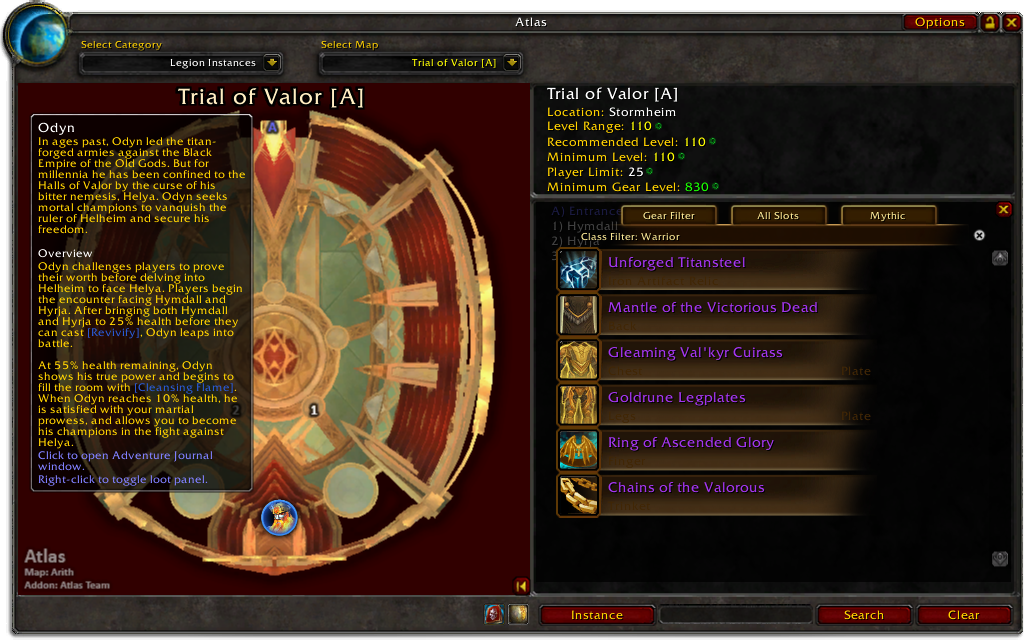
Map Browser and Legend
Browse maps with numbered markers and a corresponding legend.
Depending on the installed module, maps can identify bosses, important NPCs, objects, entrances, exits, portals, and other useful locations.
Instance Information
View reference information where supplied by the map module, such as:
- Instance location.
- Recommended level range.
- Group size.
- Entry or attunement requirements.
- Associated factions.
- Entrances, exits, and connections between areas.
Available information varies by map and WoW client version.
Map Categories
Find maps using the available categories, such as expansion, continent, instance type, level, or group size.
The available categories depend on the installed map modules and plugins.
Legend Search
Search the legend for the currently selected map.
Enter part of a name or word, then use Search to filter matching entries. Use Reset to restore the complete legend.
Search applies to the current map, not to every installed map.
Movable Window and Minimap Access
Open Atlas from its minimap button or with a slash command.
Move the Atlas window to a convenient position, lock it in place, or reset its position through the options.
Getting Started
- Install the Atlas core addon.
- Install one or more map modules or plugins from the list below.
- Choose files compatible with your WoW client.
- Open Atlas with
/atlas. - Select an available map category and map.
For example, to browse Burning Crusade instance maps, install both Atlas and Atlas Burning Crusade.
Installing the core alone does not provide a map collection.
Manual Installation
Extract the addon folders into the Interface/AddOns directory for the WoW
client you use.
Preserve the folder structure and avoid placing the addon inside an extra ZIP
wrapper folder. Each addon folder should contain its corresponding .toc file.
When updating, keep the core, modules, and plugins compatible with your client and with one another. If upgrading from a much older installation, check for obsolete addon folders.
Slash Commands
/atlas— Open the Atlas window./atlasbutton— Toggle the minimap button./atlasoptions— Open Atlas options.
Configuration
Open the options from the Atlas window or with /atlasoptions.
Available settings include:
- Auto-Select Instance Map: Select an appropriate installed map when Atlas recognizes your current instance. Instances with multiple maps may require manual selection.
- Right-Click for World Map: Open the World Map by right-clicking the Atlas window when this option is enabled.
- Clamp Window to Screen: Keep the Atlas window within the screen boundaries.
- Reset Position: Restore the window position if it becomes difficult to find.
Map Modules and Plugins
Atlas content is distributed in separate packages so you can install only the maps you need. Updating the core does not require downloading every map package again.
Map coverage and client compatibility vary by package. Check each project's available files before installing.
Instance Map Modules
- Kalimdor & Eastern Kingdoms
- Burning Crusade
- Wrath of the Lich King
- Cataclysm
- Mists of Pandaria
- Warlords of Draenor
- Legion
- Battle for Azeroth
The Kalimdor & Eastern Kingdoms module was previously named "Atlas Classic WoW." Its name refers to the map content, not exclusively to the WoW Classic client. Choose a release compatible with the client you play.
Additional Map Plugins
The Scenarios plugin is discontinued.
Third-Party Extensions
Atlas supports extensions maintained by other developers, including projects that provide additional maps, quest information, or loot information.
Compatibility depends on the extension and your WoW client. Check the extension's documentation before installing it.
Please report issues specific to a third-party extension to its own maintainers.
Support and Contributions
Please report bugs or suggestions through the project's issue tracker or CurseForge comments.
For bug reports, include:
- WoW client version and game branch.
- Atlas version.
- Installed map module or plugin and its version.
- Affected map.
- Game-client locale.
- Steps to reproduce the issue.
- Relevant screenshots or error messages.
Translations, map corrections, documentation improvements, and code contributions are welcome.
When reporting a map correction, include the map name and marker or legend entry, together with the expected location or information.
Credits
Atlas was originally created by Daniel Gilbert.
Thanks to the artists, map creators, developers, translators, and players who have contributed to Atlas throughout its history.
Contributors and former team members include:
- dubcat — Contributor and former team artist.
- Dynaletik — Contributor and former team member.
- Lothaer — Contributor and former team member.
- Resike — Contributor and former team member.
Special thanks to the translators who have contributed their time and to players who have reported issues, supplied reference information, and helped improve the maps.
Localization
Atlas includes translations contributed by the community in:
- German.
- Spanish.
- French.
- Russian.
- Simplified Chinese.
- Traditional Chinese.
- Brazilian Portuguese.
- Korean.
Translation coverage varies by locale and module.
If you would like to contribute translations or report incorrect localized text, please use the project's issue tracker or CurseForge comments.
Please include the affected locale, map or interface text, and your suggested correction.
License
Atlas is released under the GNU General Public License V2 (GPL).
See gpl-v2-enUS.txt included with the project for the full license text.
You must be logged in to leave a comment.