

Alternate World – manage your alts and control mail flow.
Track bags and inventory, rested XP, attunements, and professions, and assign default mail recipients per item category across all your characters.
Details
Expansion
 Forever
 Categories
Developers

Having issues?
Alternate World - User Guide
An inventory tracking and mail automation addon for World of Warcraft Classic Era, optimized for large alt rosters across multiple accounts. Open the user interface directly via the Minimap icon or the Titan Panel bar integration.
Core Features
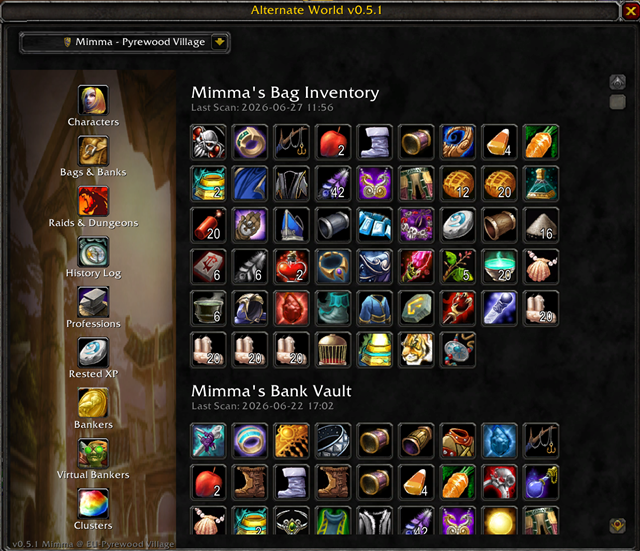
- Alt Dashboard: Tracks Rested XP, professions, gold, bags, and bank contents.
- Progression: Displays active raid lockouts and attunement statuses.
- Mail Automation: Routes item categories (Cloth, Herbs, Ore, etc.) to designated bank characters.
- Multi-Account Sync: Supports profile exporting/importing via data serialization strings.
Module Workflows
1. Main Navigation
Access the interface using the Minimap icon, Titan Panel bar, or chat commands. Use the sidebar navigation to switch panels. All sub-dialogs and popups automatically terminate when the main window closes.
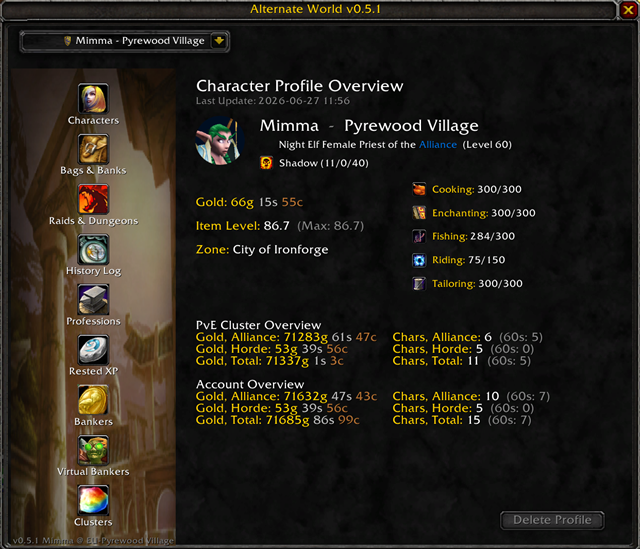
2. Character Tracking
Compiles location, gold, inventory, bank, talent specs, attunements, and rested XP automatically when opening their respective in-game panels.
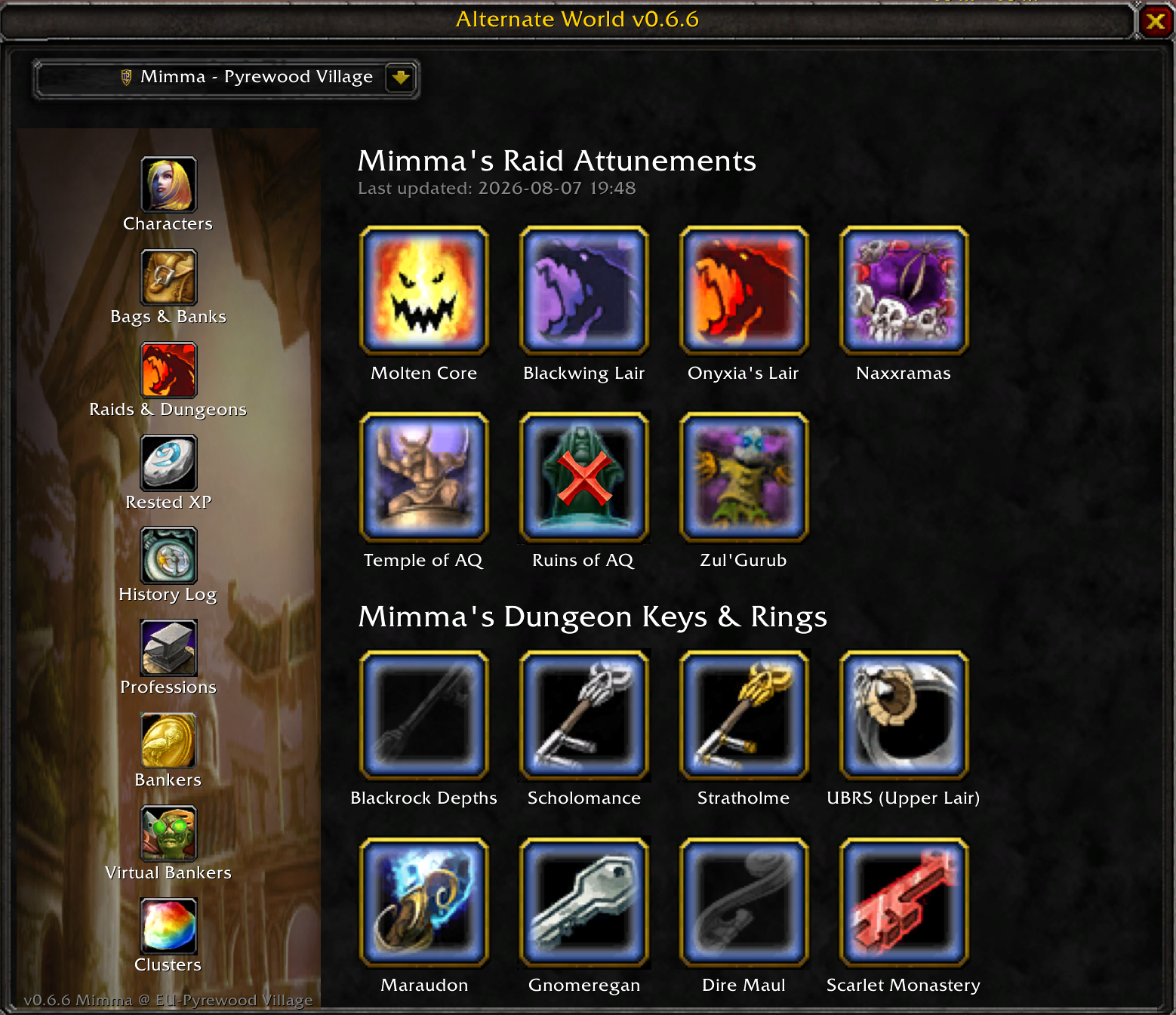
3. Attunements and Raid Lockouts
See what raids you are attuned or are raid locked for:
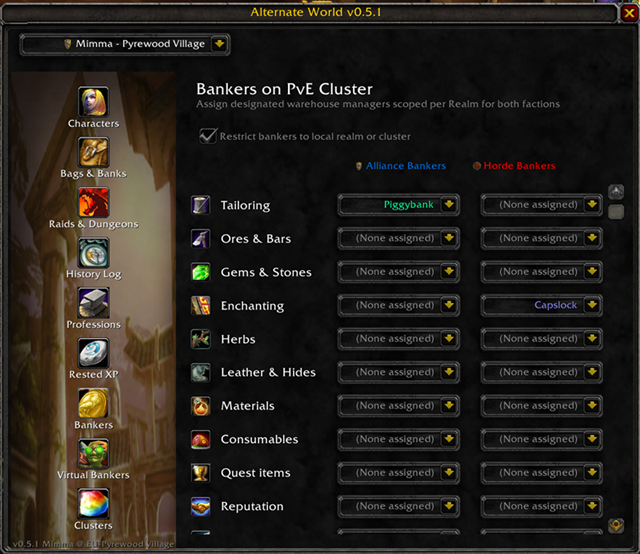
4. Automated Mail Matrix (Bankers)
Assign characters to process designated material types from your alts.
- Realm Hierarchy: Dropdowns are structured by Realm > Character Name.
- Visual Cleanup: Strips realm suffixes (e.g.
-Firemaw). Realms display as white headers; characters are class-colored and indented by three spaces.
5. Virtual Bankers (Cross-Account)
Register external account characters as Virtual Bankers to enable cross-account mail routing.
- Visual Isolation: Marked with an exclusive jade-green color profile.
- Data Shuttling: Uses text serialization to import/export profiles directly between game clients.
- Sanitization: Validation blocks special characters and whitespace to prevent SavedVariables corruption.
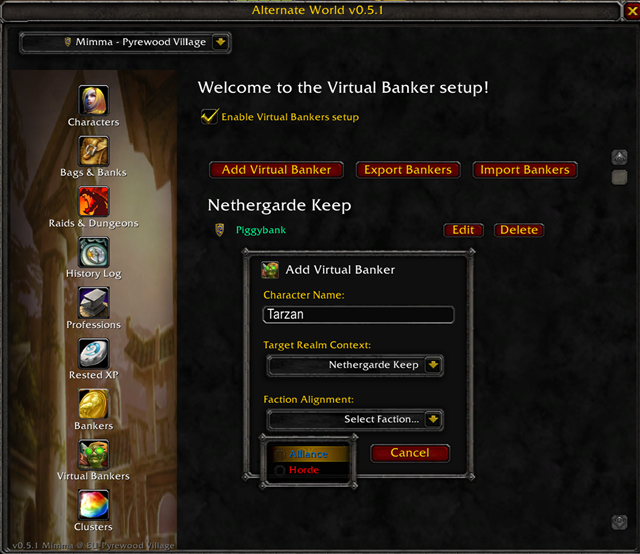
6. Multi-Realm Clusters
Group connected realms into up to five custom clusters to enable cross-realm logistics networks.
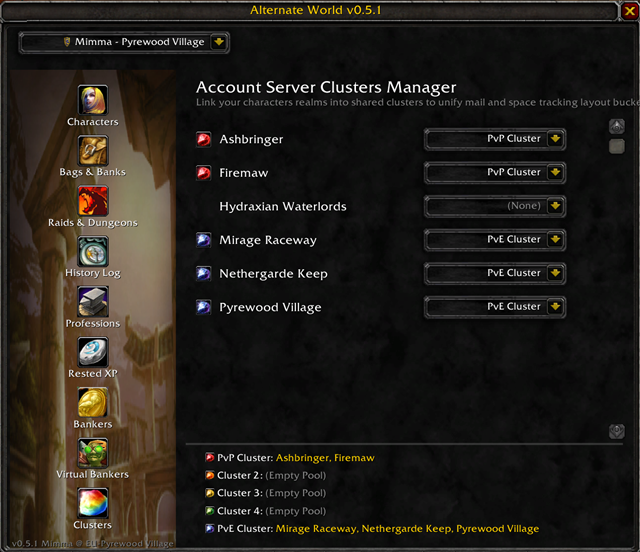
- Realm Filtering: Allows assigning bankers from any realm inside your home cluster.
- Global View: Untick "Restrict bankers to local realm or cluster" to display all registered bankers regardless of realm boundary rules.
7. Configuration & Options
Customize the addon behavior directly through the default game menu via Options > Addons > Alternate World.
- Minimap Visibility: Toggle the checkbox to show or hide the Minimap shortcut icon instantly to clean up your interface layout.
Technical Chat Commands
For manual operations or script usage, the following console commands are available:
/awor/alternateworld- Toggles the primary user interface layout frame./awversionor/alternateworldversion- Broadcasts an asynchronous network query to verify active group/raid addon versions.
You must be logged in to leave a comment.