

Alt Dashboard Forever
One window for all your alts: level, professions, cooldowns, gold, reputations, lockouts, mail and a weekly to-do list. Made for WoW Forever.
Details
Expansion
 Forever
 Categories
Developers

Having issues?
# Alt Dashboard (Forever)
**One window to see all your alts and know who has to do what this week.**
Log in once on each character: Alt Dashboard records it automatically, then shows all of them side by side, whichever one you are playing.
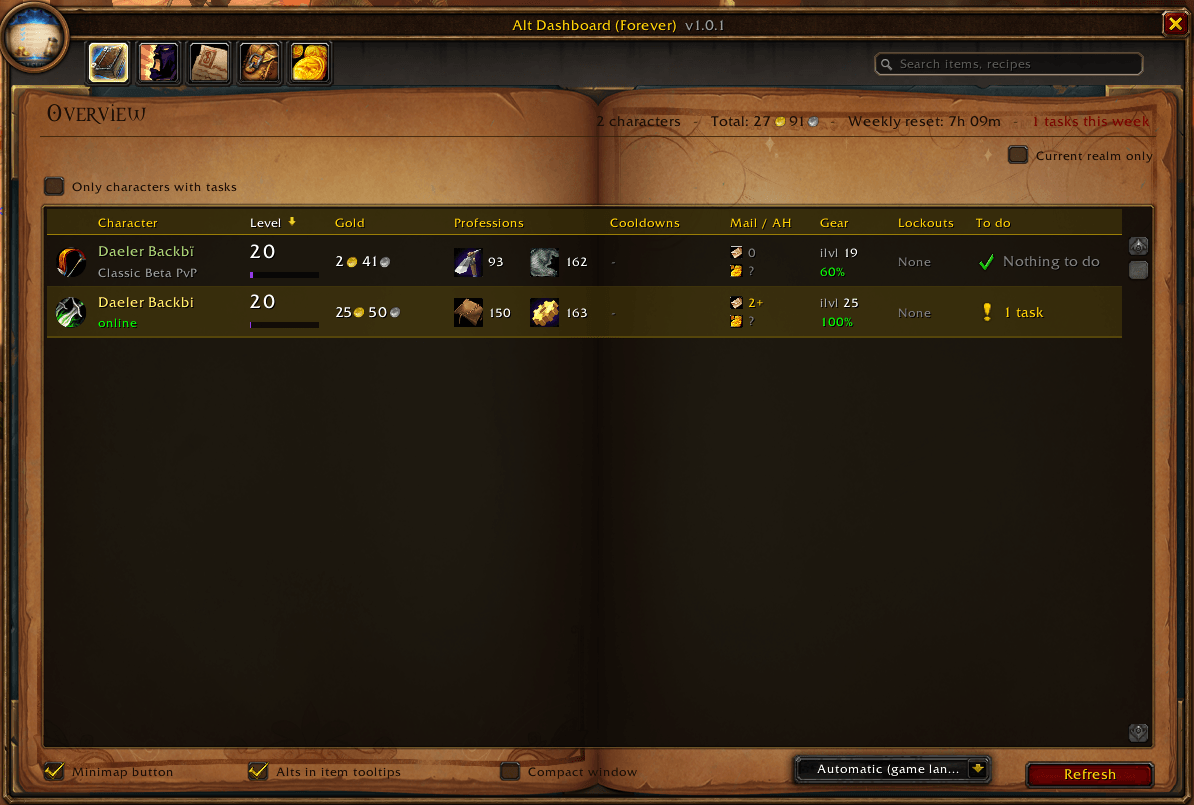
## Overview
One row per character, with everything you need at a glance:
- **Class and level**: XP bar with rested XP in blue, unspent talent points
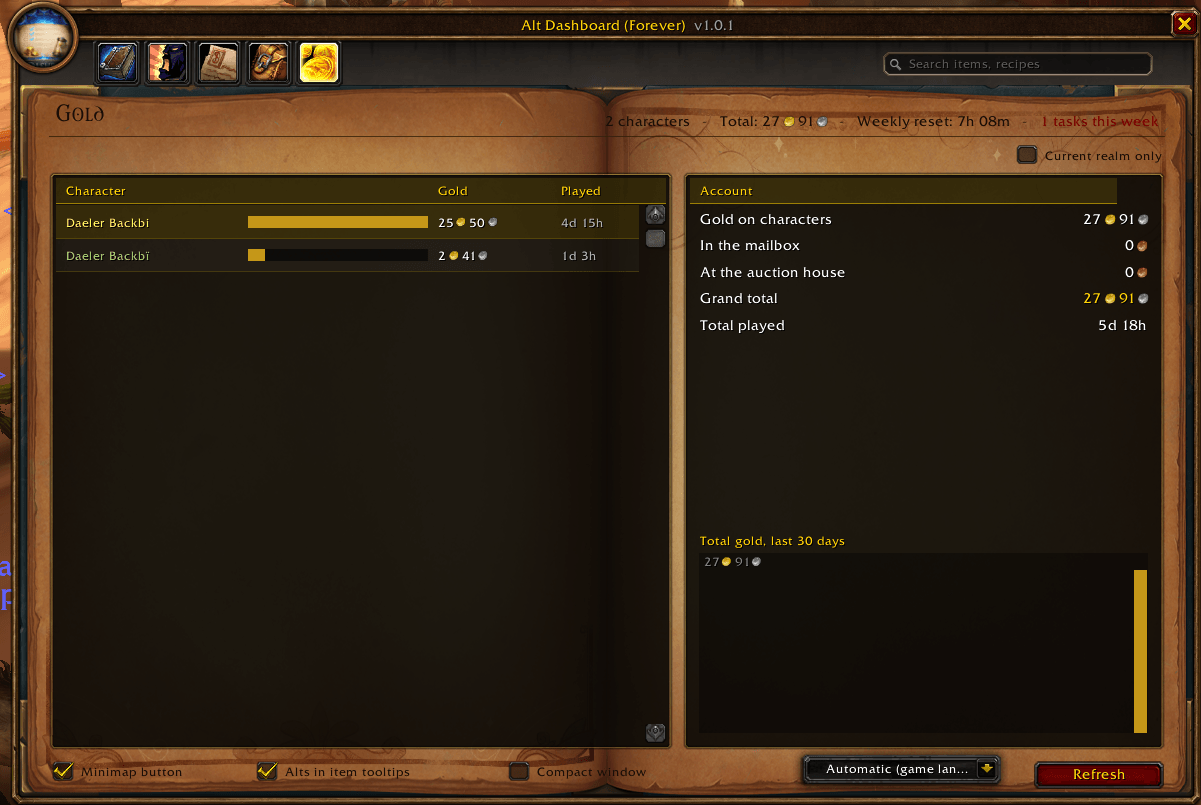
- **Gold**: on the character, plus what is waiting in the mailbox and at the auction house
- **Professions**: ranks, with a warning when you need to visit a trainer
- **Cooldowns**: Transmutes, Mooncloth, Salt Shaker, with "Ready" or the time left
- **Mail / Auction house**: letters waiting, soonest expiry, active and finished auctions
- **Gear**: average item level and lowest durability
- **Lockouts**: saved raids and dungeons, bosses killed, time until reset
- **To do**: every task for this character in one place
Click a column title to sort. Right-click a character to add a note or remove it.
## Tabs
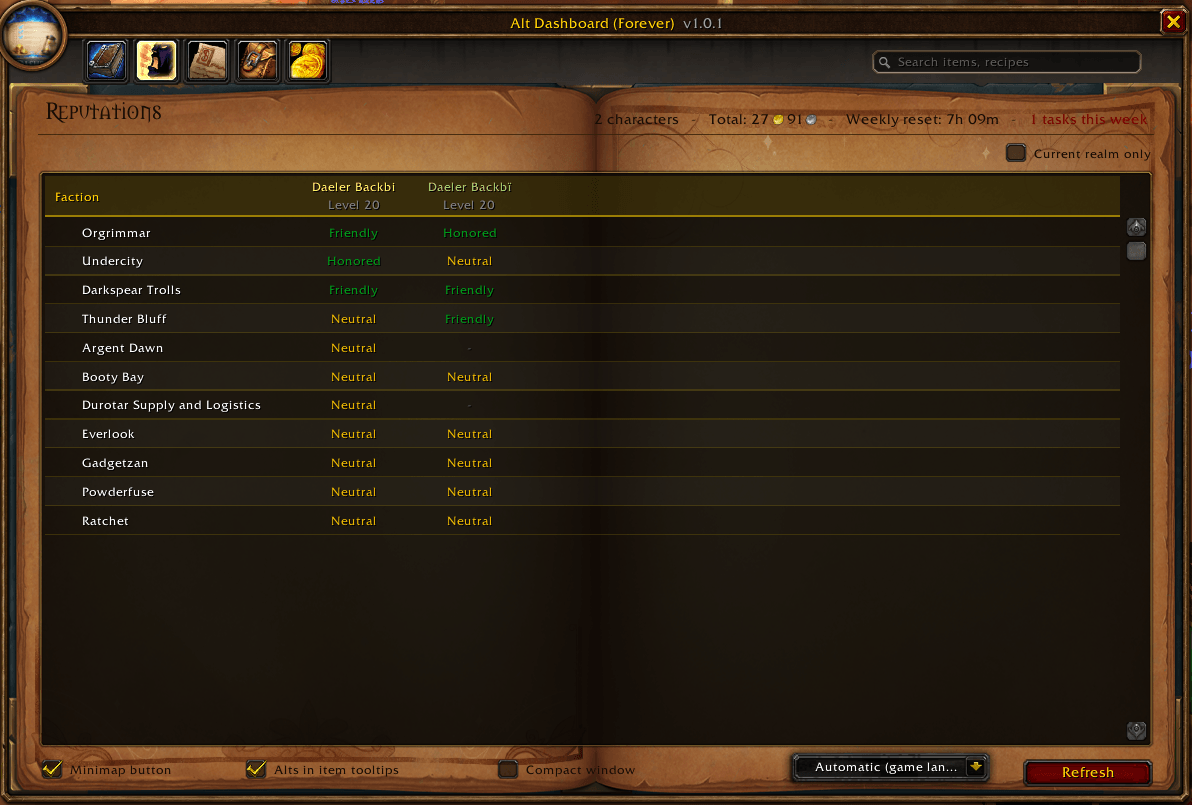
- **Reputations**: every faction for every character, standing in color and points to the next rank
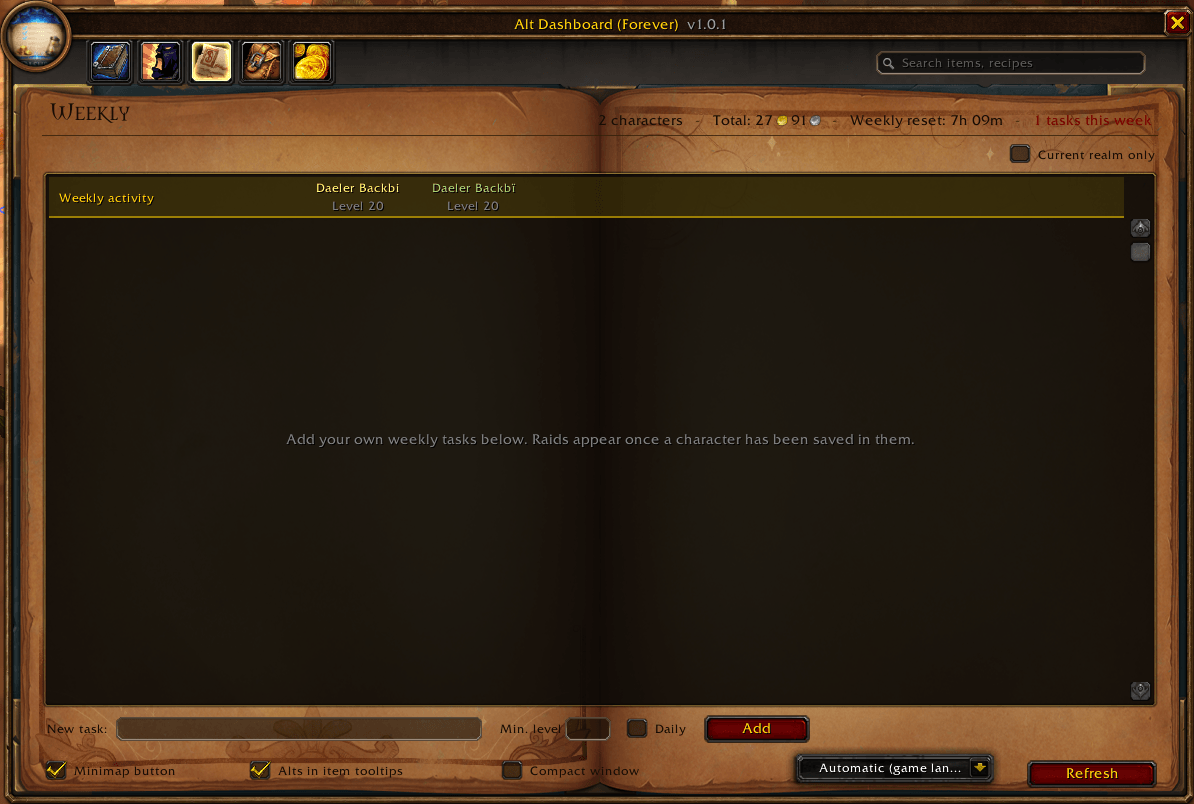
- **Weekly**: raid and dungeon lockouts per character, plus your own checklist (daily or weekly, with a minimum level) that resets itself
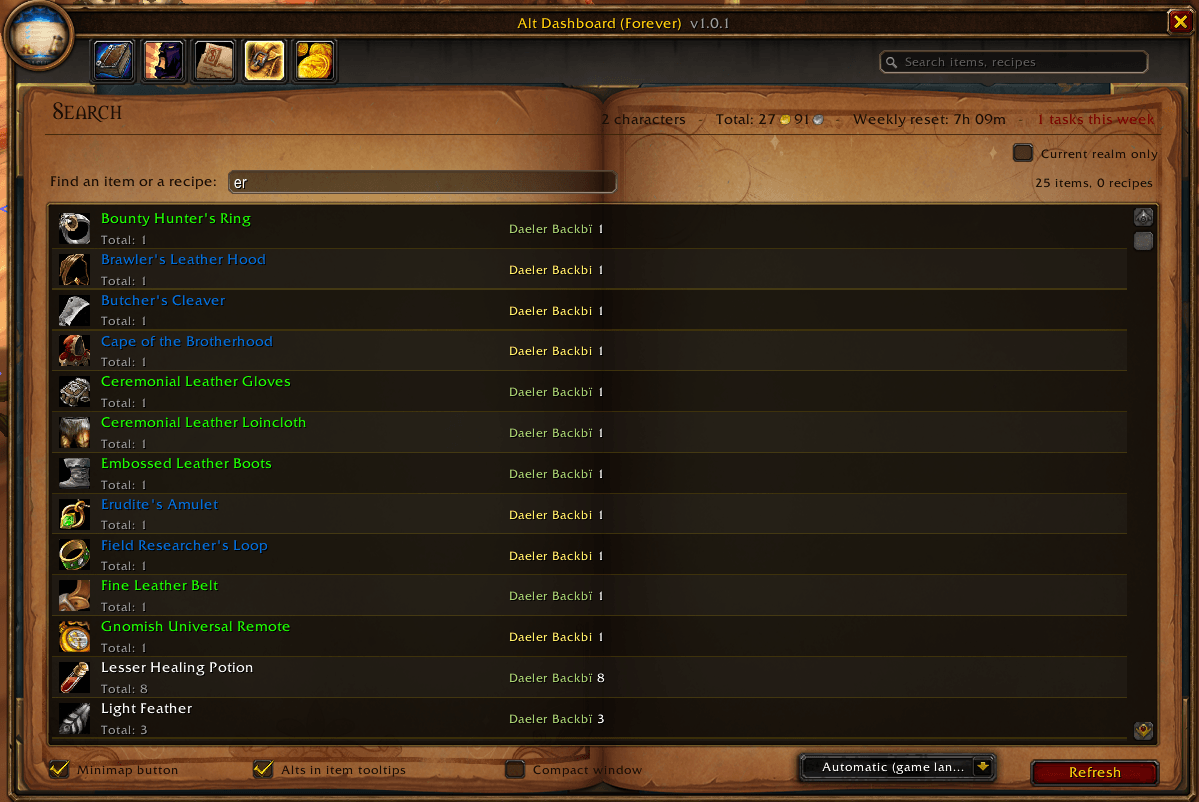
- **Search**: find any item in the bags, bank and gear of all your alts, and see which alt can craft a recipe
- **Gold**: gold and played time per character, account totals and a 30-day gold history
## Automatic tasks
Alt Dashboard tells you when:
- a profession cooldown is ready
- a level 60 character has not done a raid yet this week
- rested XP is full
- talent points are waiting to be spent
- riding can be learned (level 40)
- a profession is capped and needs a trainer
- gear needs repairing
- mail is waiting or about to expire
- auctions have ended
## Also
- **Item tooltips**: see which of your alts already own an item (bags / bank)
- **Compact window**: just the task list, small enough to stay on screen while you play
- **Minimap button**: summary of all your alts in the tooltip. Left-click opens the dashboard, right-click the compact window
- **Surnames**: characters with a surname are supported, even when several share the same first name
- **Languages**: English and French, switch from the window
## Commands
- `/alts`: open the dashboard
- `/alts mini`: compact window
- `/alts search`, `/alts reps`, `/alts weekly`, `/alts gold`: open a tab
- `/alts list`: print your alts in the chat
- `/alts minimap`: show / hide the minimap button
- `/alts remove Name`: remove a character
## Good to know
Some data is only available once you have opened the matching window on each character:
- **Bank**: open it once
- **Mailbox**: open it once
- **Auction house**: open your auctions once
- **Recipes**: open each profession window once
You must be logged in to leave a comment.