
AI Agents Chat
Addon to use AI (Claude, Codex, Grok, Antigravity and Hermes) inside World of Warcraft (WoW)
Details
Expansion
 Forever
 Developers

Having issues?
AI Agents Chat
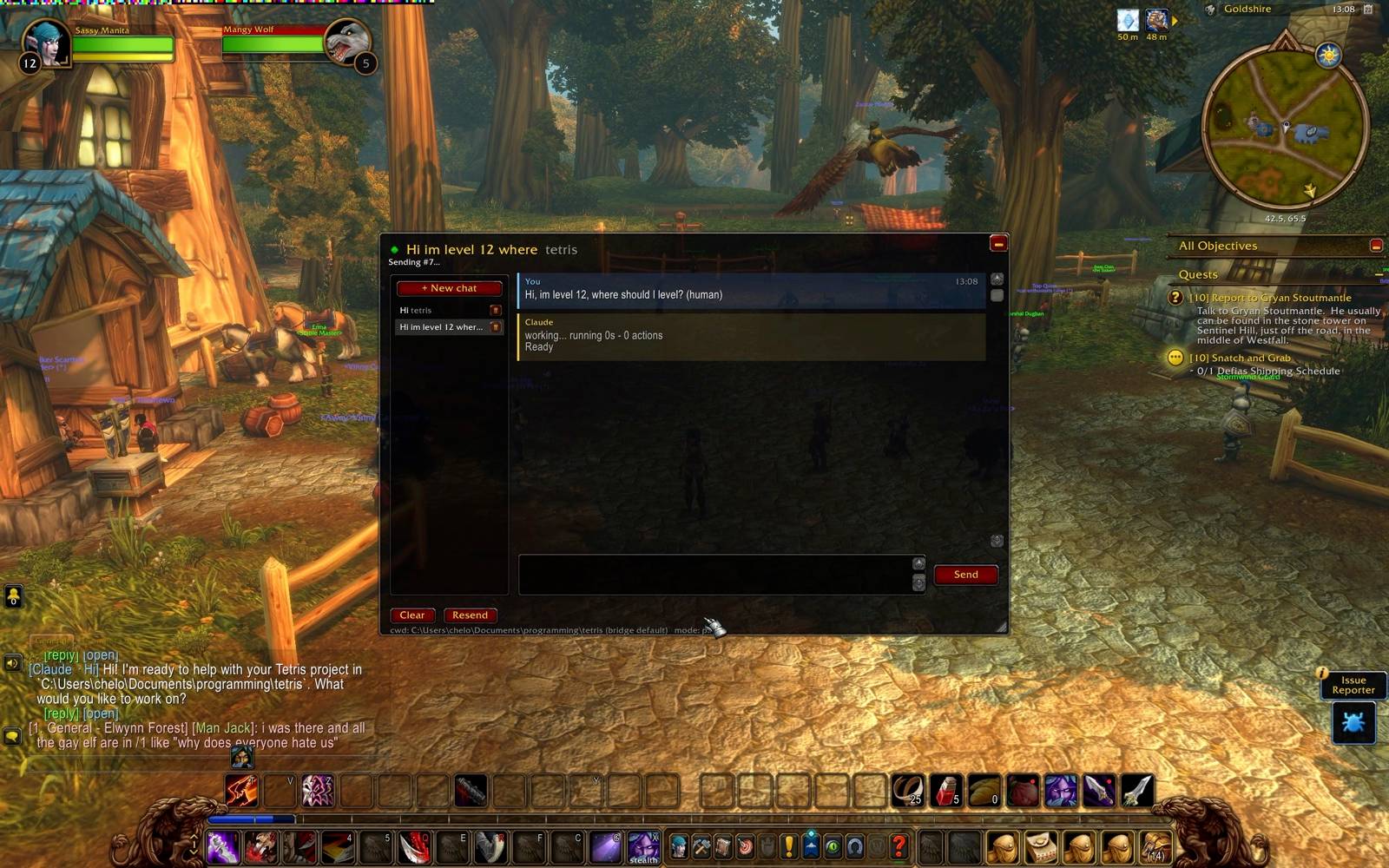
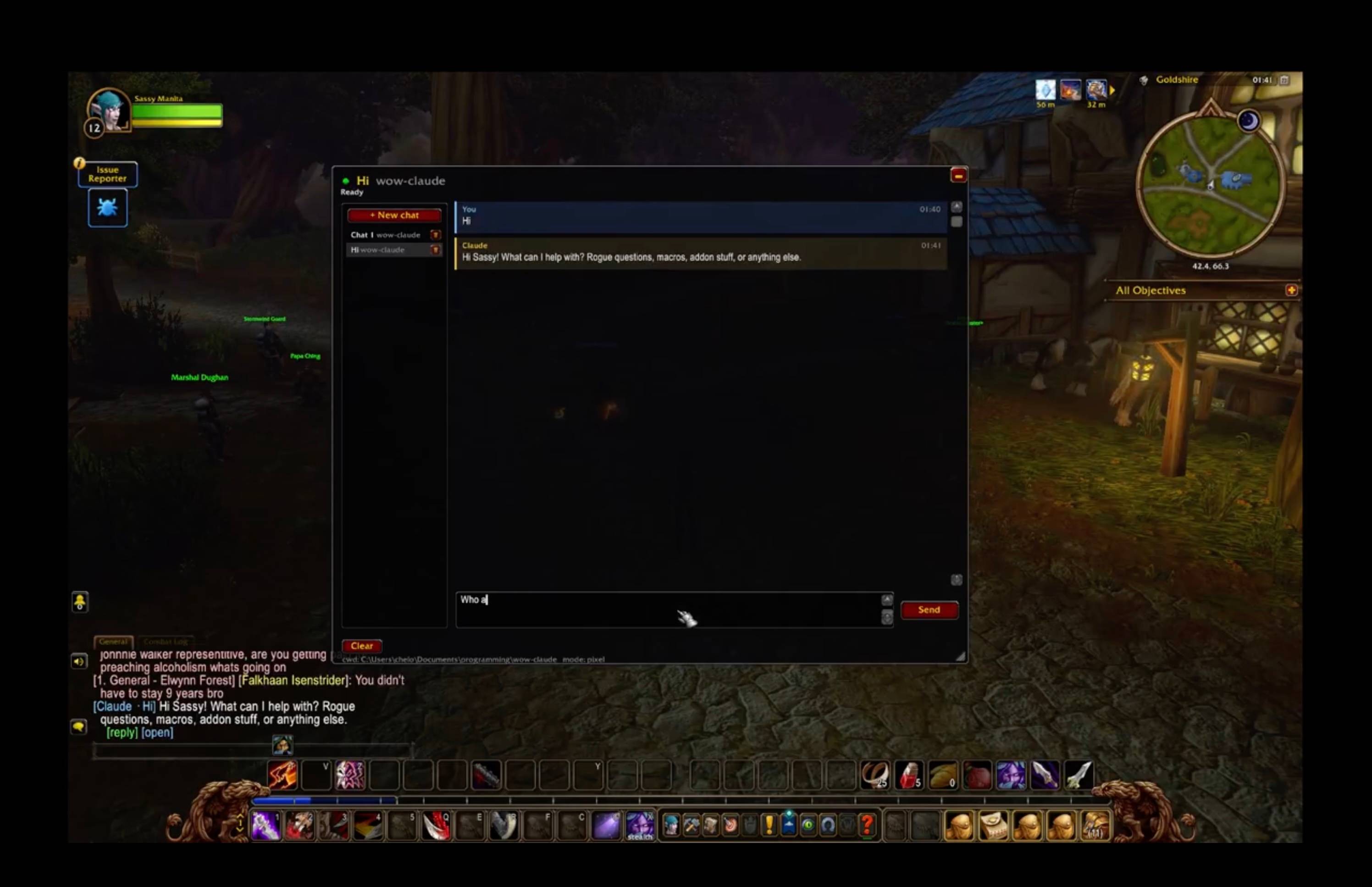
Chat with your local coding agents (Claude Code, Codex, Grok Build, Antigravity, Hermes) from inside World of Warcraft: Forever. Send a task, go back to questing, and get pinged in-game when the answer lands. No alt-tabbing, no /reload per message.
- Multiple chats, each its own agent session and project folder
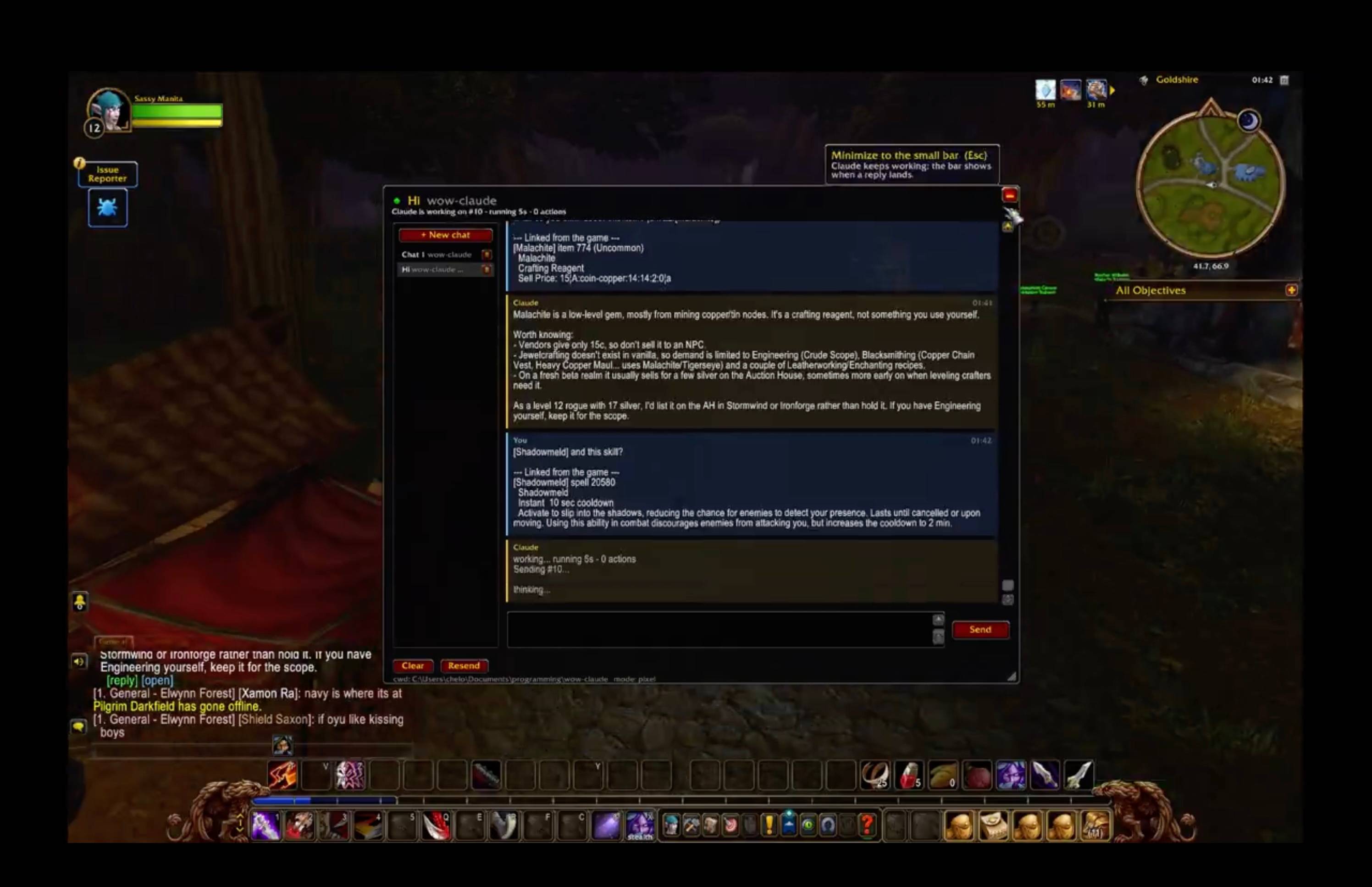
- Live progress while the agent works, replies echoed into game chat,
/rto answer - The agent knows your character, zone, talents, professions and quest log (optional)
- It can draw routes and marks on your world map, and hand you ready-made macros with a Create macro button
Nothing here injects code, reads game memory, or generates input. The addon uses documented addon APIs only.
⚠️ This download is only the in-game half
Addons can't reach the network, so AI Agents Chat talks to a small companion program (the bridge) that runs on your PC. The addon does nothing without it. Setup takes a few minutes:
You need: Windows, Linux (Wine on X11) or macOS · the game in windowed or borderless mode · Node.js 22.2+ · at least one agent CLI installed and logged in (e.g. claude, codex)
- Install this addon (CurseForge app, or unzip it into
World of Warcraft_classic_InterfaceAddOns) - Get the bridge and run setup: git clone https://github.com/chelinho139/wow-ai cd wow-ai node setup.js --project "C:pathtoyourproject" Setup creates ~15,000 tiny files in your AddOns folder. That's normal: it's how replies get back into the game.
- Fully quit and relaunch WoW (a
/reloadis not enough), and enable AI Agents Chat on the AddOns screen - Start the bridge:
npm start - In game:
/wow-ai, click Connect, and the light turns green
Full guide, Linux/macOS notes, commands and troubleshooting: https://github.com/chelinho139/wow-ai
You must be logged in to leave a comment.