

Adventure Guide Forever
Suggests a short route of next quest steps from your level, finished quests and current log.
Details
Expansion
 Forever
 Categories
Developers

Having issues?
Developed with AI assistance; changes are reviewed and checked with automated tests, linting and type checks and performance budgets.
I wanted a levelling guide that left me room to wander. Adventure Guide Forever offers a few journeys from your level and quest log, with a route for the one you pick. It looks like it came with the game: a tab beside Quests, retail's Journeys cards and the game's own objective tracker.
Quests come from your installed QuestieDB, and Questie applies its live availability rules. If you'd rather follow another guide's route, you can hide the guide's tracker in settings.
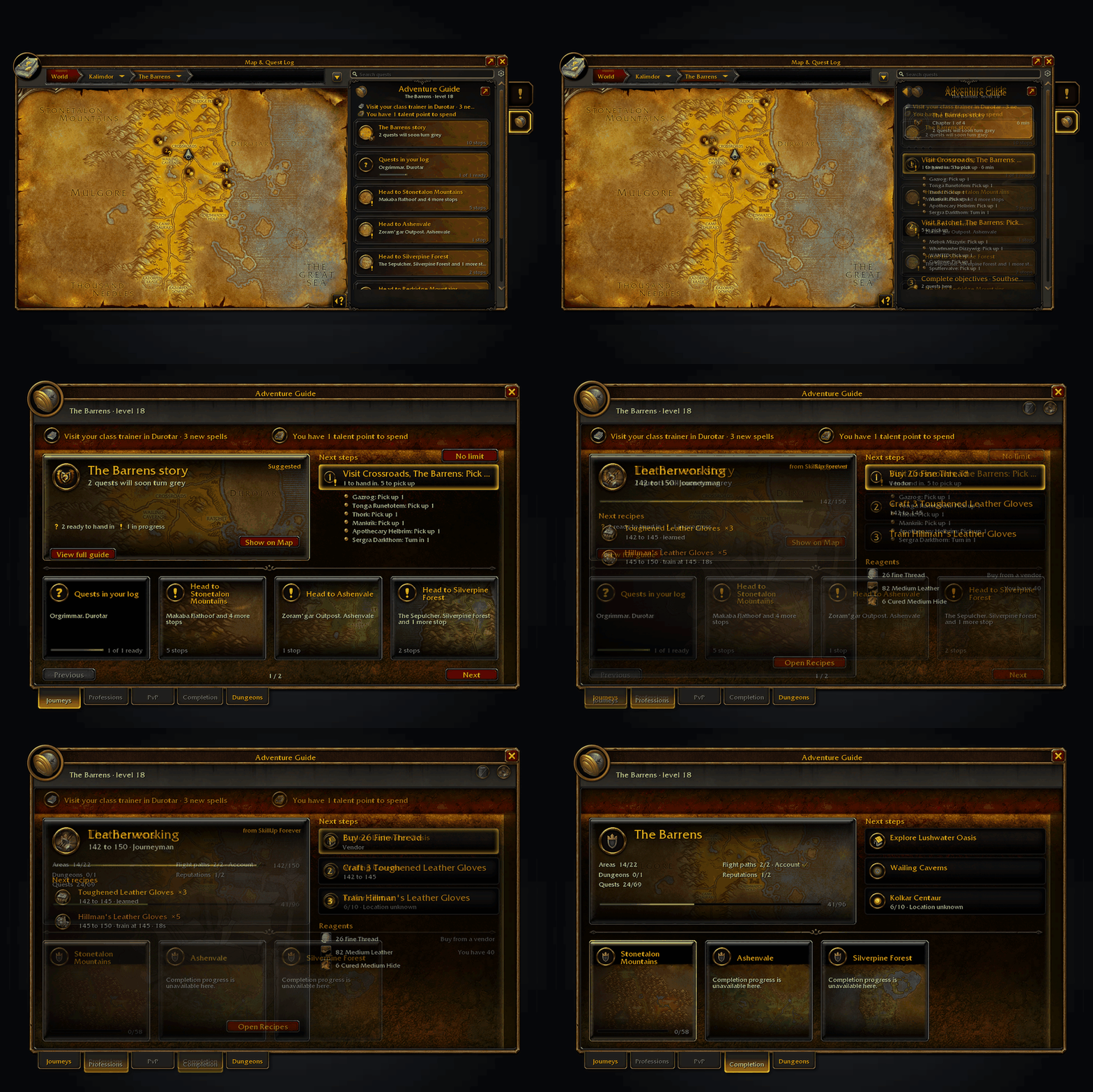
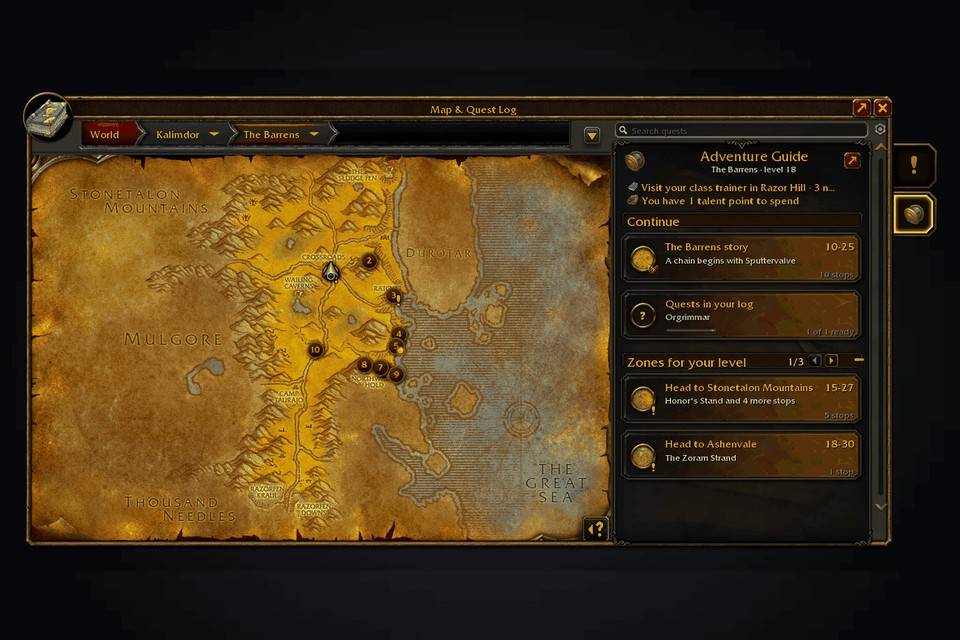
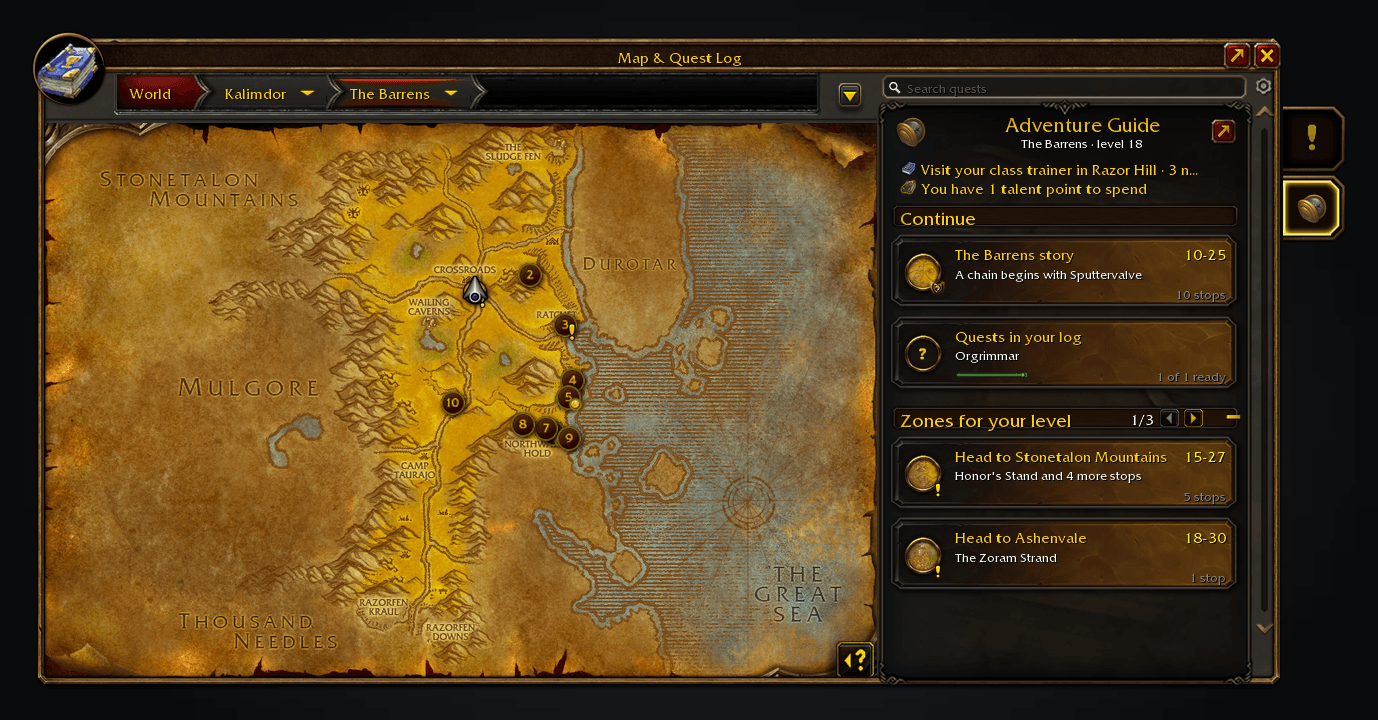
Choose a journey and follow its route.
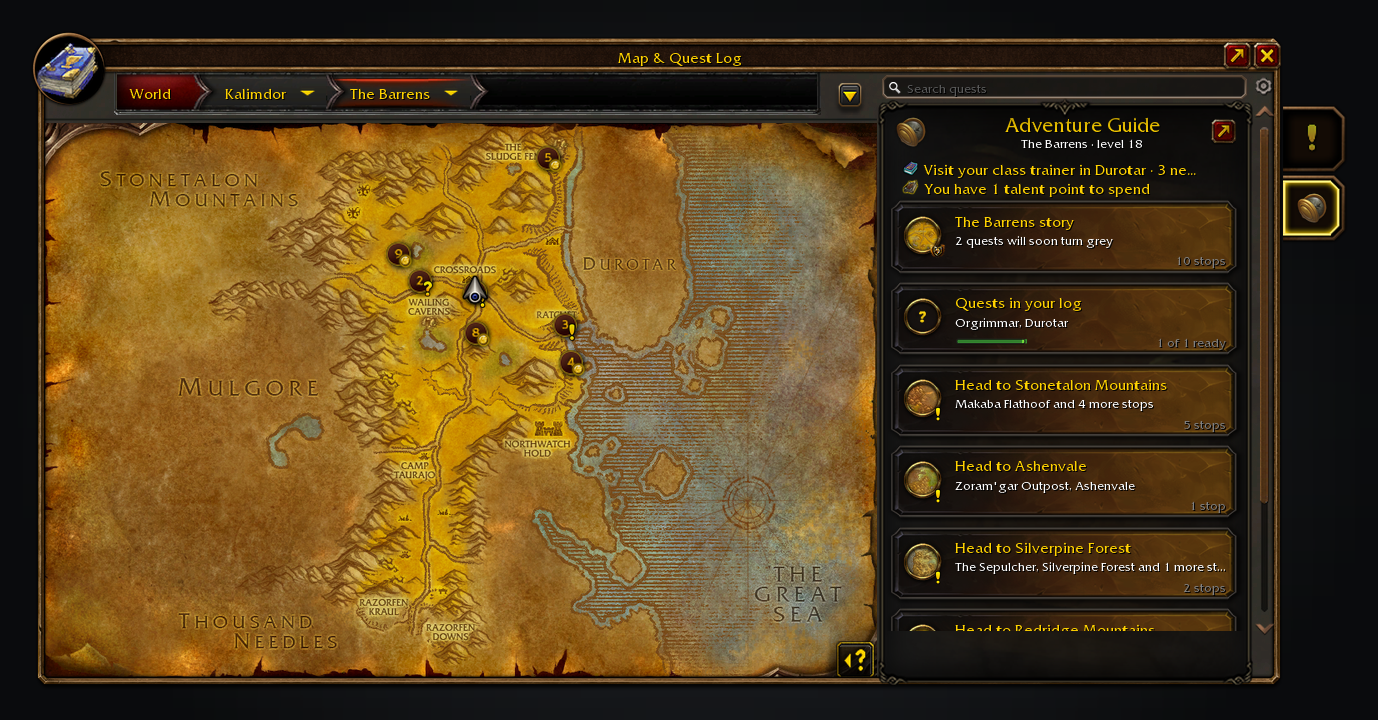
Choose a journey without leaving the world map's quest log.
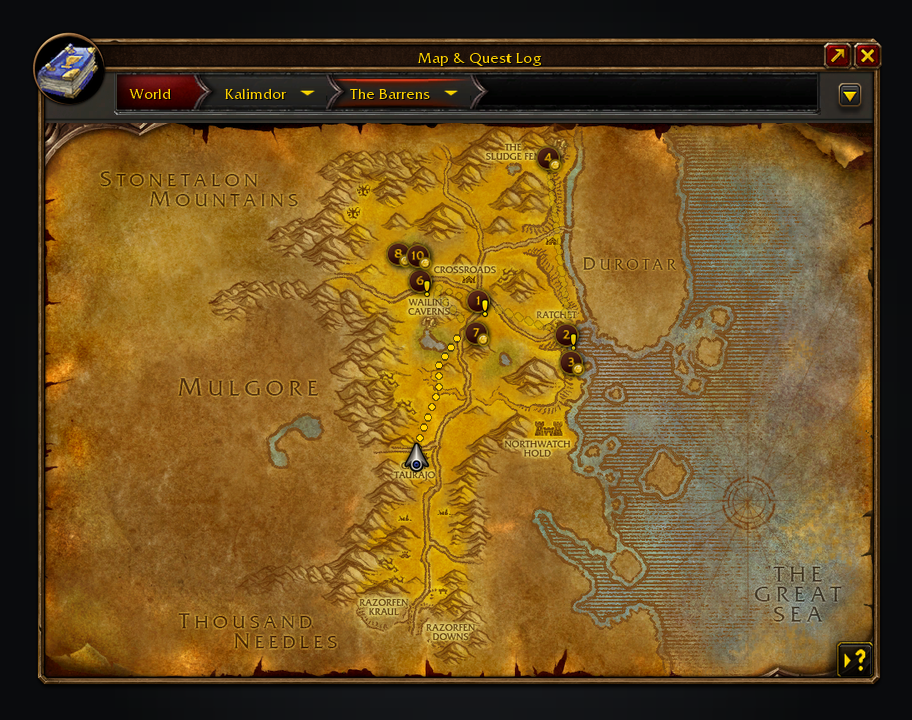
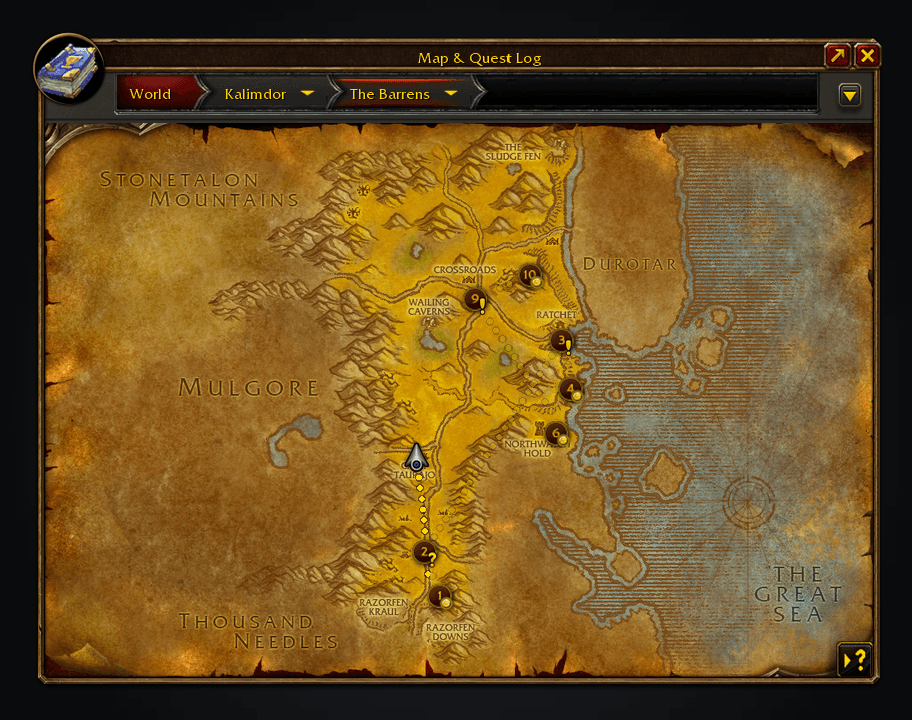
Pick one and Shortest Path Forever walks you to each stop in turn.
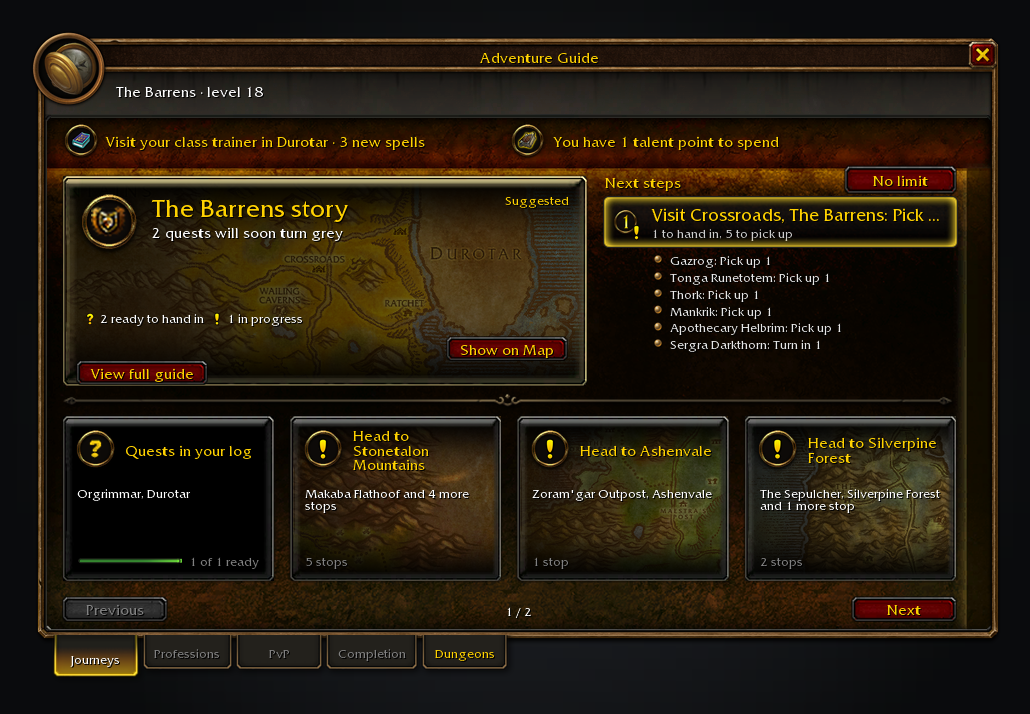
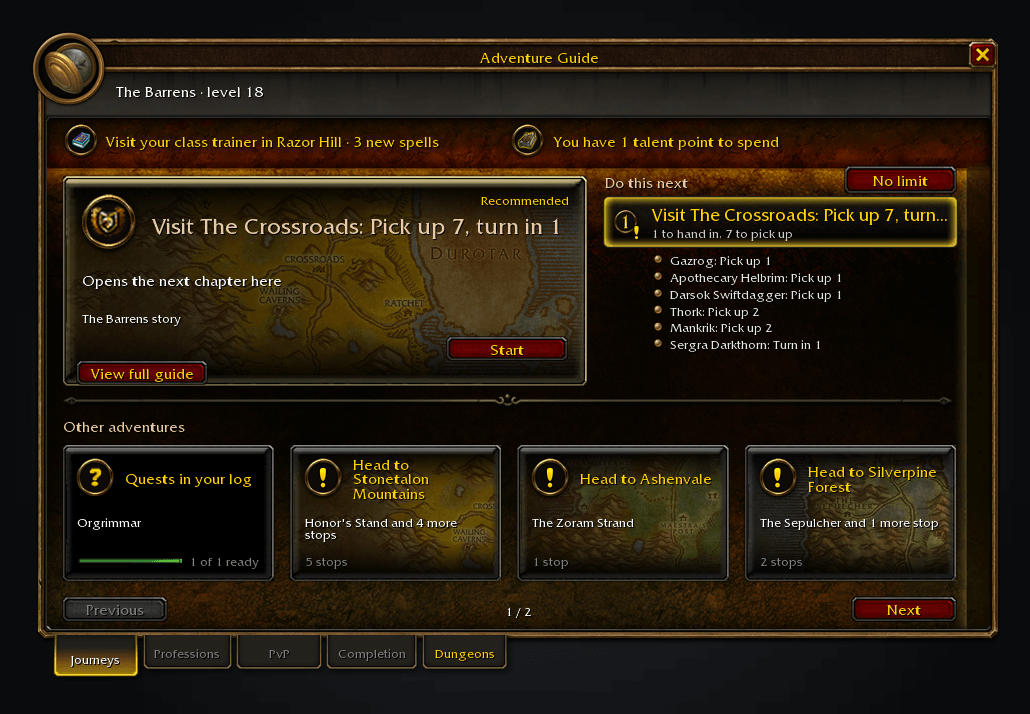
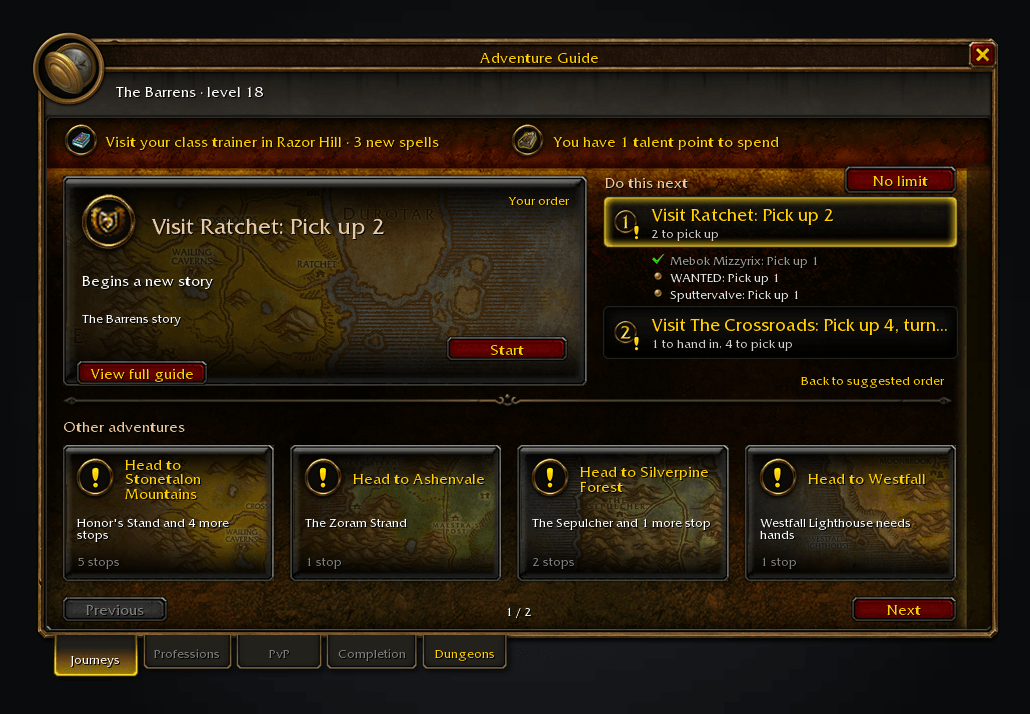
The window leads with your next task and why it fits. Start or resume its route, or choose another adventure below.
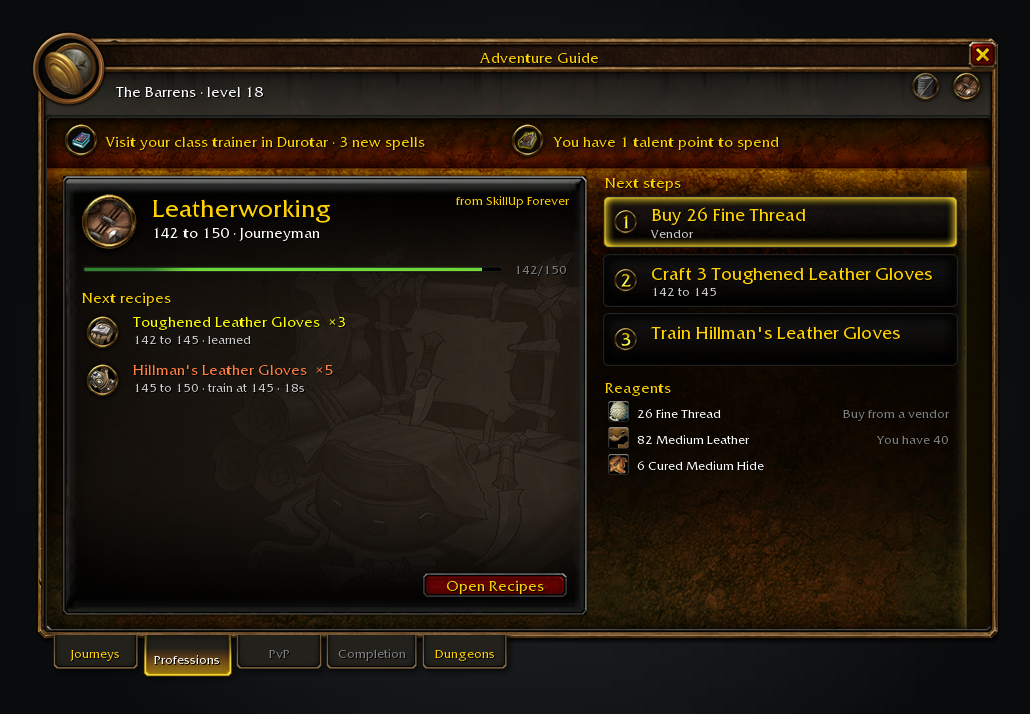
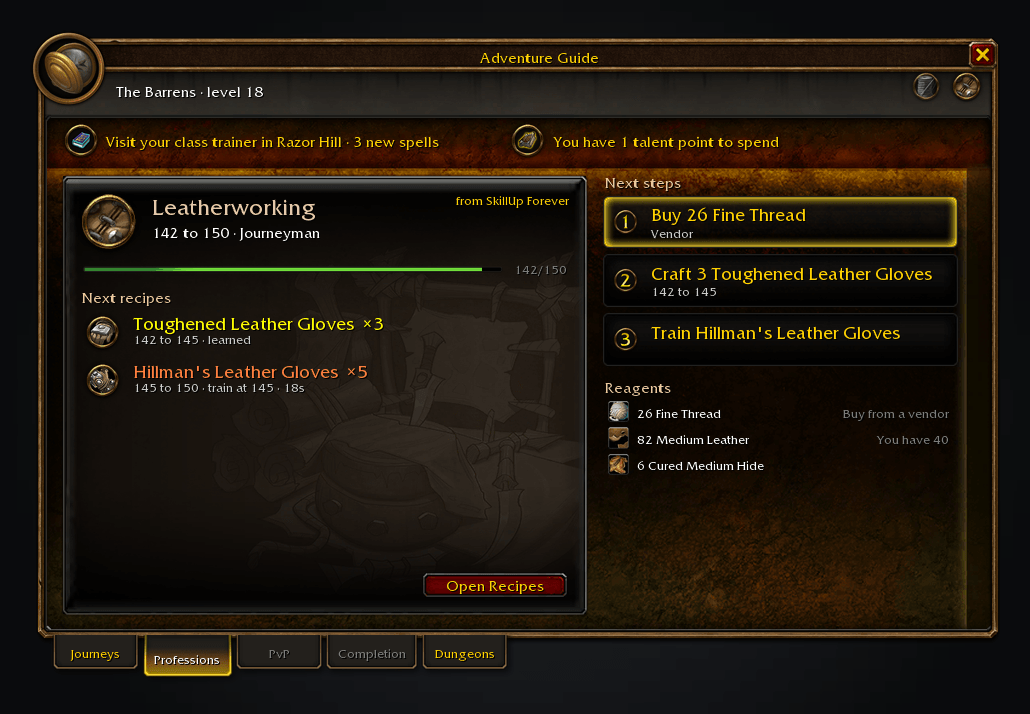
SkillUp Forever supplies the recipes to make and reagents still needed.
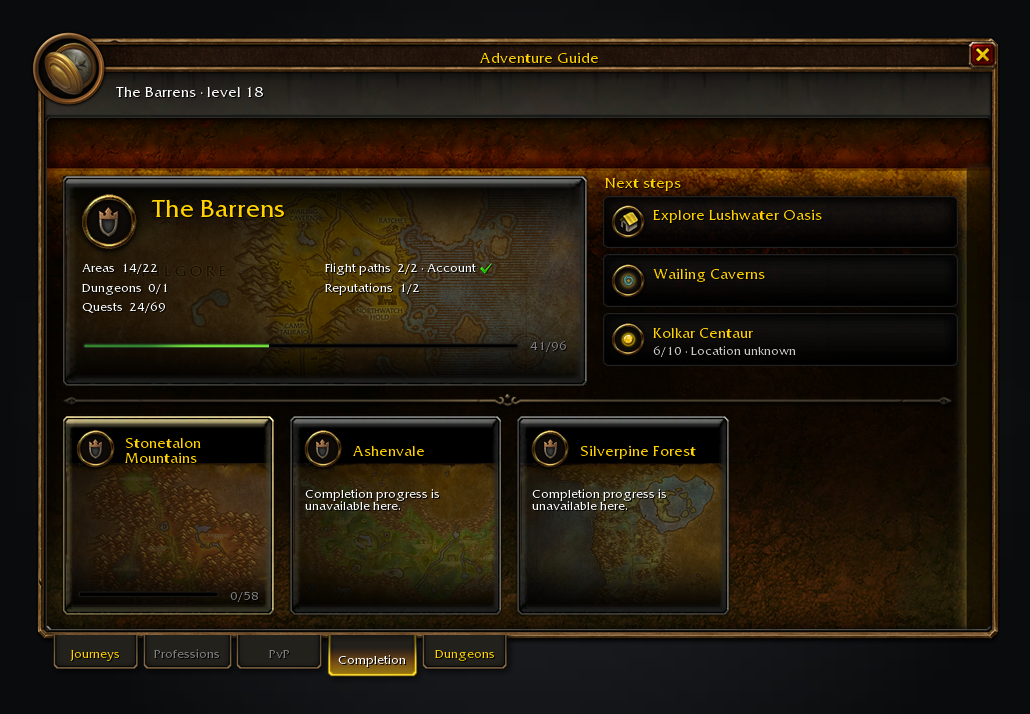
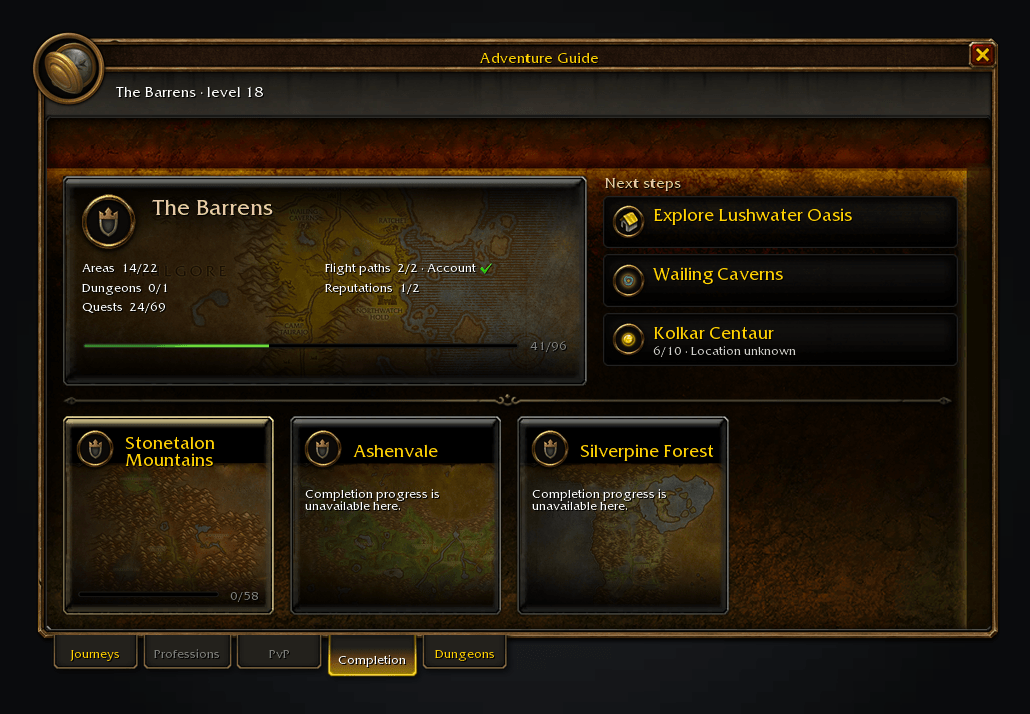
Legacy Forever supplies your zone's progress and the next things to do there.
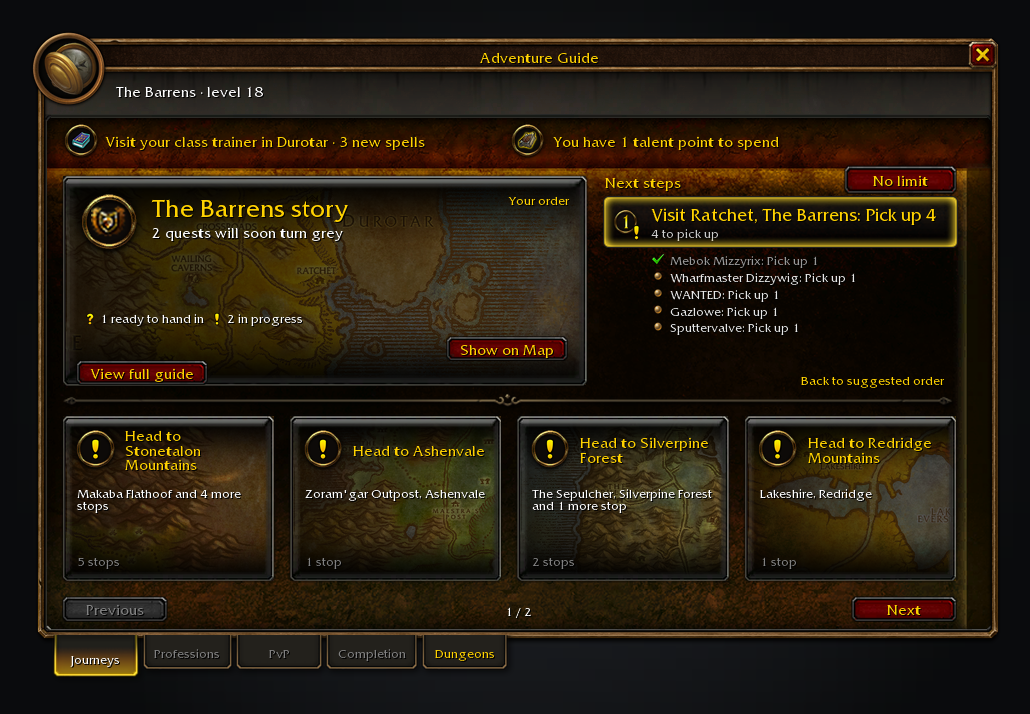
Move steps around.
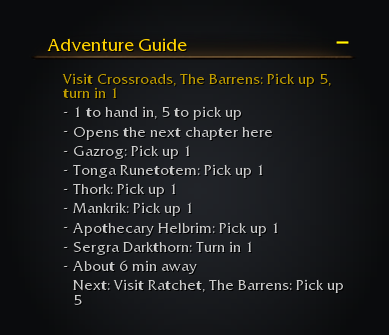
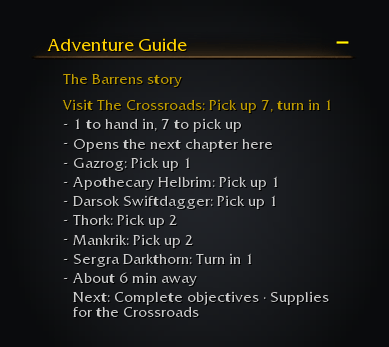
Your current stop sits above your quests in the tracker.

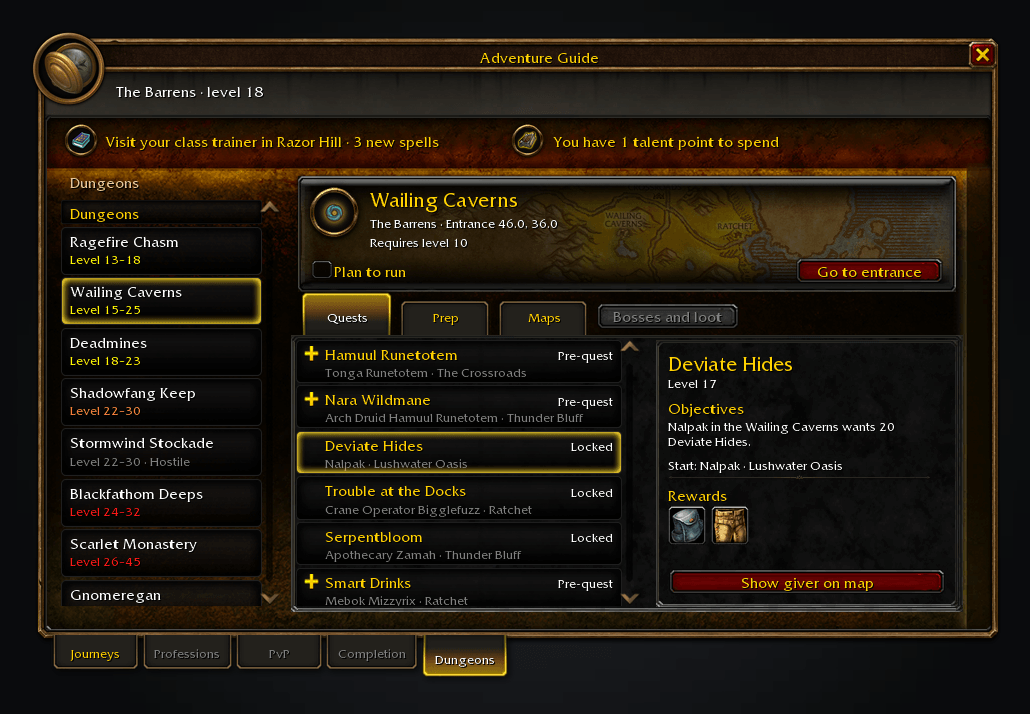
Check the quests and their earlier steps before heading to the entrance.

The full guide continues across pages. These images are generated previews of the guide UI.
Features
- Dungeons. Browse dungeon quests, check what needs picking up before you go and plan a journey to their givers. The list also holds Forever's raids and the other raid instances, each raid tagged with its group size. With Atlas and its Classic module, a dungeon the guide offers is pinned at its entrance: the pin, or the Maps control, opens its interior map, its wings and floors chosen from the game's own dropdown. Adventure Guide for Classic is the recommended companion for a dungeon's bosses and loot: the Bosses and loot control opens it from the tab.
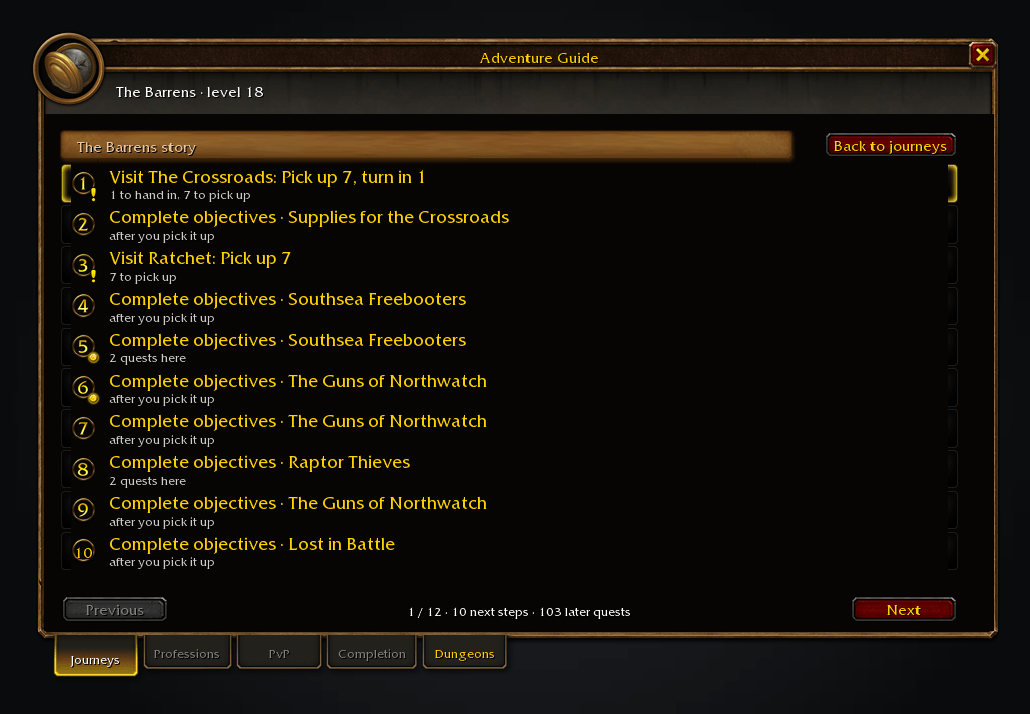
- Full guide. Page through the current route followed by the area's Questie outline. Later entries stay outline-only until Questie confirms they are available.
- Journeys. Finish loose ends, follow a zone's story, head somewhere suited to your level or pick up class quests. Each card says why it fits, under collapsible headers like the quest log's. Dungeon and battleground journeys are opt-in.
- Your next task. The featured card shows what to do next, why it fits and a Start, Resume or Show on Map button. Other adventures stay below it.
- Choose and go. Picking a journey starts its route with Shortest Path Forever, or the game's waypoint without it. Stop clears only the route the guide started; a waypoint you set yourself stays.
- A route that stays with you. A ready hand-in or a pickup right beside you comes first, and while you stand in an objective area the map shows the area rather than pointing at it. The chosen journey survives new quests, travel and a reload, and the quest catalogue is kept between logins, so the route is on the tracker from the start.
- Your order. Drag steps or use their right-click menu. Moves that put a hand-in before its pickup are greyed out. Towns list their quest givers, ticked as you finish with them.
- Time to play. Pick 15, 30 or 60 minutes to shorten the route using rough travel and quest-time estimates.
- Search. Search a quest to see which requirements you meet and what is missing.
- Other things to do. Hints cover trainers, professions, unspent talents, a hearth you could set and an area you have not seen. The PvP tab shows your rank, its next reward and available battlegrounds.
- Your say. Skip a step for this session, hide a journey or rule out a quest. Shift-click a quest in search, or a quest giver on the map, to add its quests to the route. The guide never abandons quests for you. Map pins and quest-giver marks are off by default.
Forever's new quests are only considered once they are in your log, and a missing location stays missing. This is not a complete levelling walkthrough.
Usage
/agf or /adventureguide opens the window. Shift-J does too if that key was free at first login. Left-click the addon compartment for the window; right-click for the map tab. Options are in the guide's cog and Settings > AddOns > Adventure Guide.
Translations are welcome on GitHub: see the Locales folder.
For a missing quest, include /agf audit output in a bug report. Early days, feedback welcome.
Works alongside Shortest Path Forever for travel, Tweaks Forever for class spells and dungeon entrances, SkillUp Forever for crafting routes and Legacy Forever for completion. All optional.
Source code and issues: github.com/cjber/adventure-guide-forever. Licence: GPL-3.0-or-later.
You must be logged in to leave a comment.