
Friend List Colors
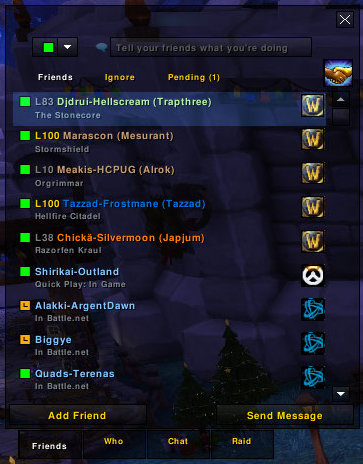
Customize how your friends appear in your friends list!
Details
Expansion
 Cataclysm
 Categories
Developers

Having issues?
Official repository can be found at GitHub.
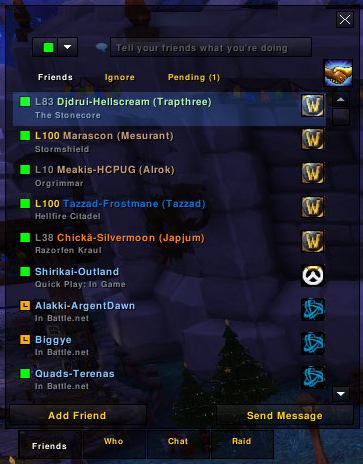
Tired of the old friend list? This addon does more than just coloring your friends by class. You can specify what kind of information is shown and how the text is colored. You may even use the note field to specify their alias and show that in the friend list - the possibilities are endless!
Getting started
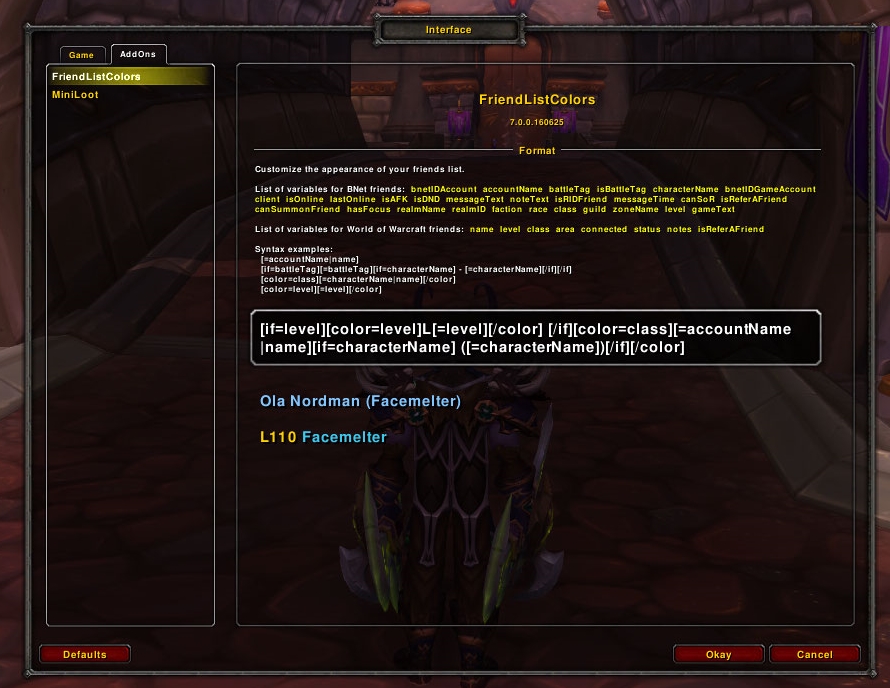
You can play around with the rules by opening your interface settings, going to the "AddOns" tab on top, and finding the addon in the list.
Examples
By default you will find the following pattern as standard:
[if=level][color=level]L[=level][/color] [/if][color=class][=accountName|name][if=characterName] ([=characterName])[/if][/color]
If you want to try out something else, try this one:
[if=level][color=level]L[=level][/color] [/if][color=class][=accountName|characterName|name][/color]
These will probably not suit your needs. That's fine. Why not make your own?
Syntax
There are three types of data types. Output blocks, logic blocks and color blocks.
You can make the addon output information:
[=characterName|accountName|name]
The addon will try to show the character name, if it doesn't exist, the account name. These are Battle.net specific, so we add the character name from the World of Warcraft friend system, not RealID/BattleTag. This way we cover for both types of friends we can encounter.
You can also make show specific output based on information:
[if=name]Friend[/if]
The addon will check if the friend is a World of Warcraft friend, then show the text `Friend`. You can put anything you like inside the block itself.
You can color the output, similar to how you specify the `[if]` blocks above, by using:
[color=level]Level [=level][/color]
The addon will use the level difference and color the text `Level [=level]` appropriately. Note that since we also have `[=level]` present, it will change that into their actual character level. For the time being you can only color based on `level` or `class`.
Variables
This is the complete list of variables available for you to use:
RealID and BattleTag friends:
- bnetIDAccount
- accountName
- battleTag
- isBattleTag
- characterName
- bnetIDGameAccount
- client
- isOnline
- lastOnline
- isAFK
- isDND
- messageText
- noteText
- isRIDFriend
- messageType
- canSoR
- isReferAFriend
- canSummonFriend
- hasFocus
- realmName
- realmID
- faction
- race
- class
- guild
- zoneName
- level
- gameText
World of Warcraft friends:
- name
- level
- class
- area
- connected
- status
- notes
- isReferAFriend
You must be logged in to leave a comment.