
Mage Business Class
Mage farming kit: XP, gold and loot per hour on screen, XP bar with time to level, shopping, rebuffs, loot filter, respawn timer.
Details
Expansion
 Forever
Categories
Developers

Having issues?
Everything a farming mage does between pulls, on one key and a few windows. Made for WoW: Forever. Open it with /mf or the mana crystal on the minimap. Formerly Mage Forever.
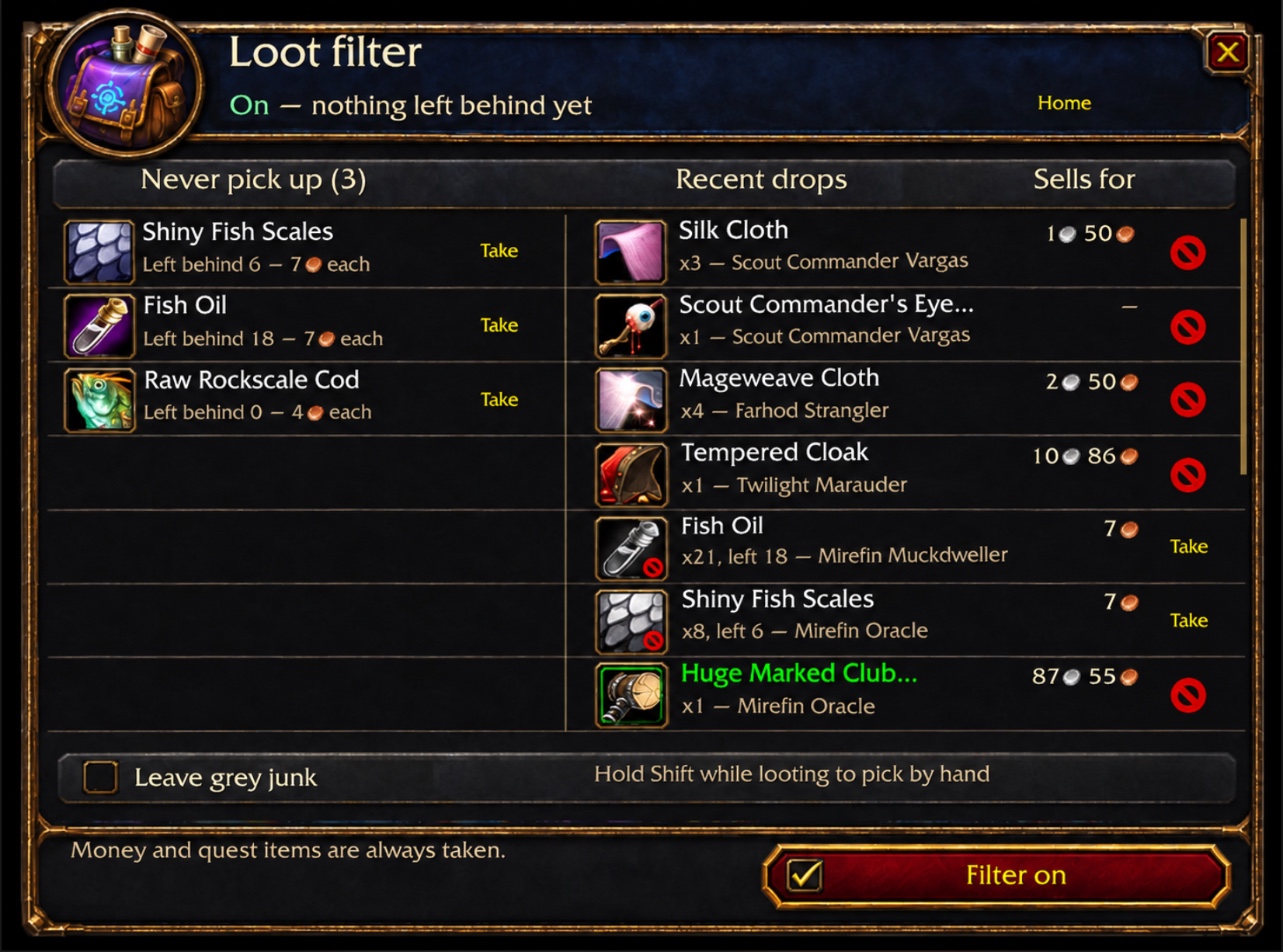
Stop deleting junk by hand. Profession quest scrolls, intercepted crates that no vendor will buy, and other junk keep landing in your bags, and each one has to be dragged out and deleted. Put the item on the loot filter's "Never loot" list once. From then on the addon loots it last and throws it away for you, and the corpse stops sparkling. Every item thrown away is noted in the chat. Rare and better items are never thrown away, and Shift lets you loot by hand. You can also skip all grey items. Open the filter with /mfloot.
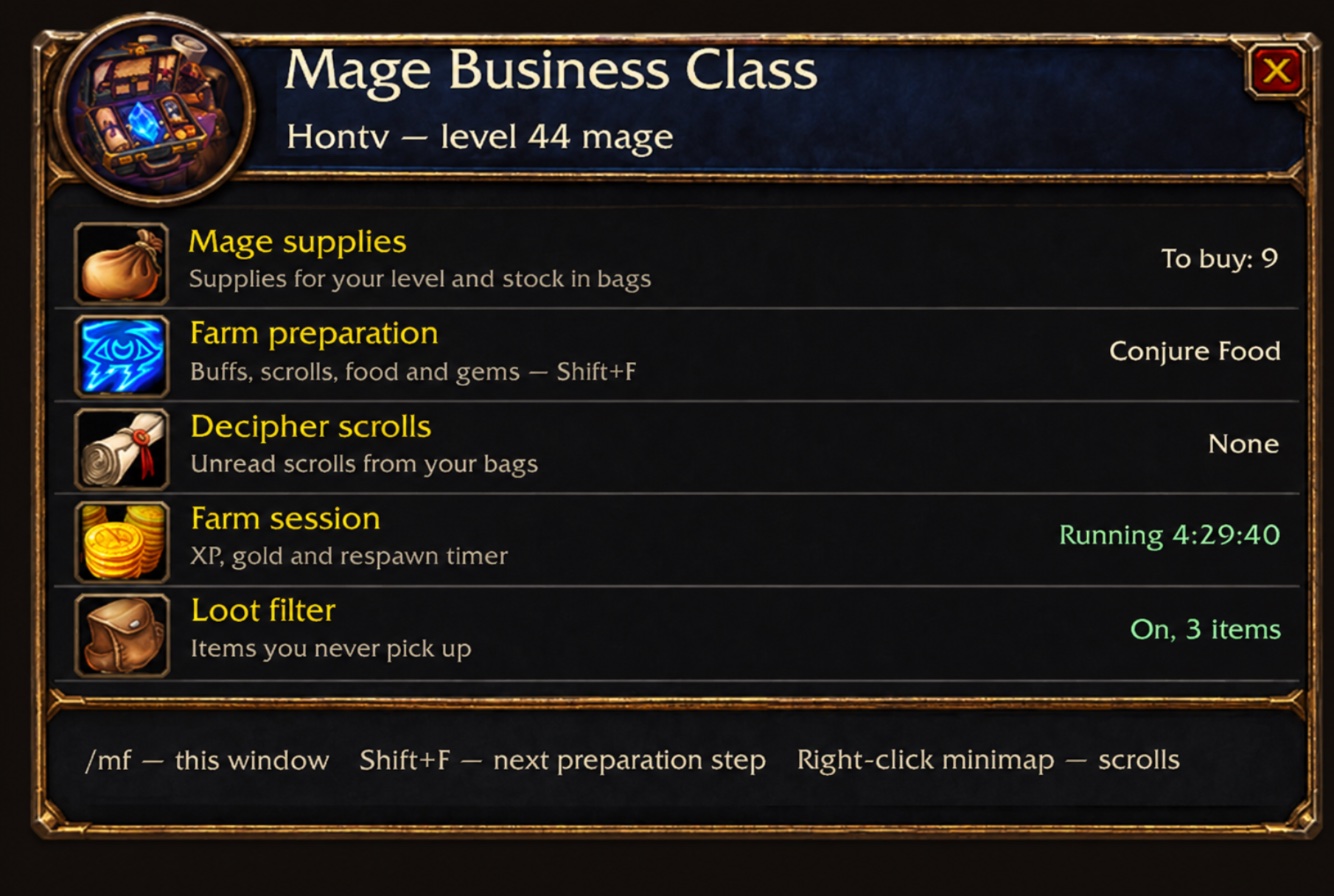
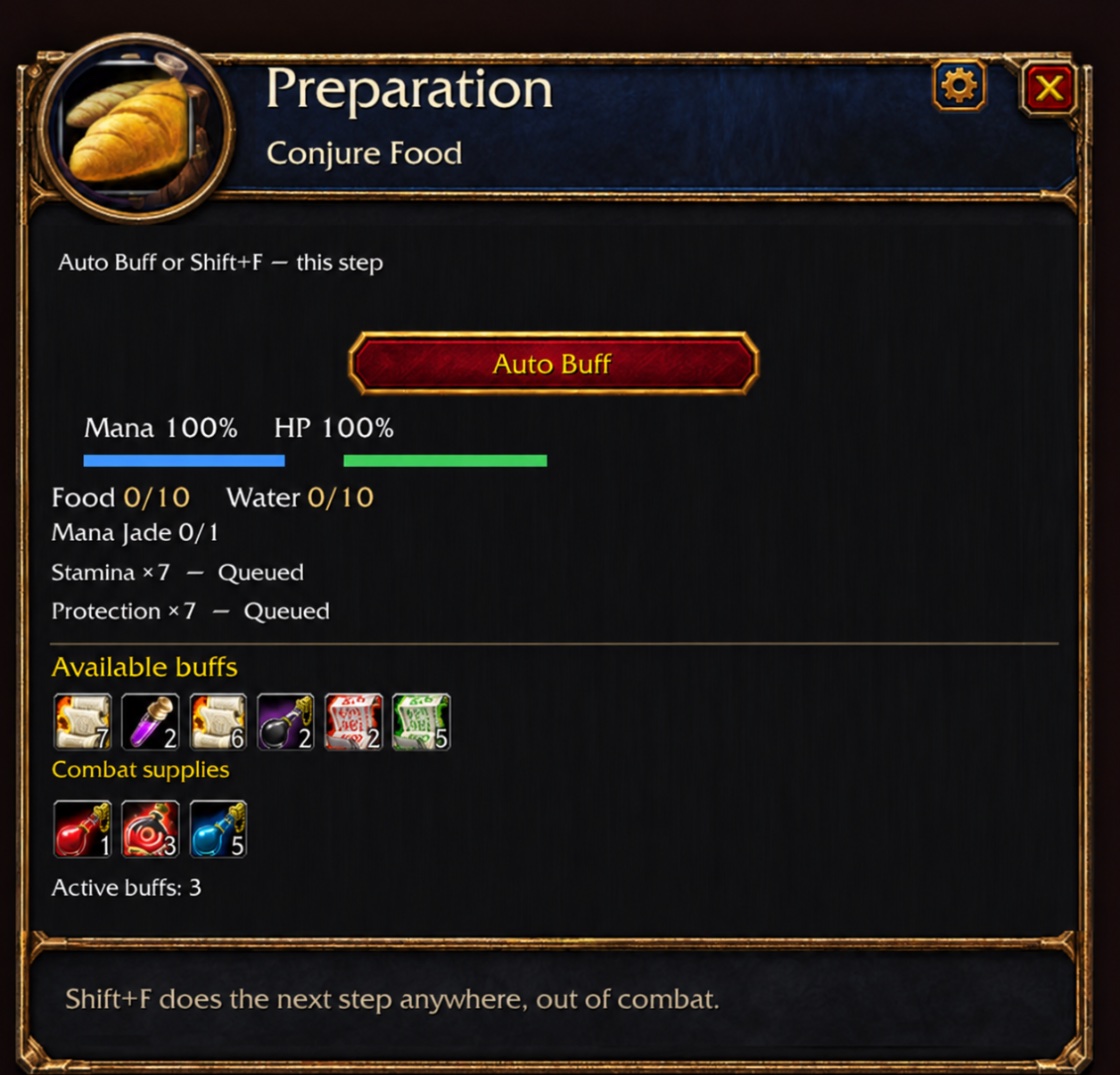
One key between pulls. Press Shift+F. It casts your own buffs first and conjures water, then food. After a fight it sits you down to drink if you spent mana and to eat if you lost health, not both when only one is low. Once you are rested, the same key goes on with scrolls, oils, elixirs and buff food, and tops up your food and water last. Evocation and your mana gem are kept for the fight, and an armor scroll is not offered over a stronger armor elixir.
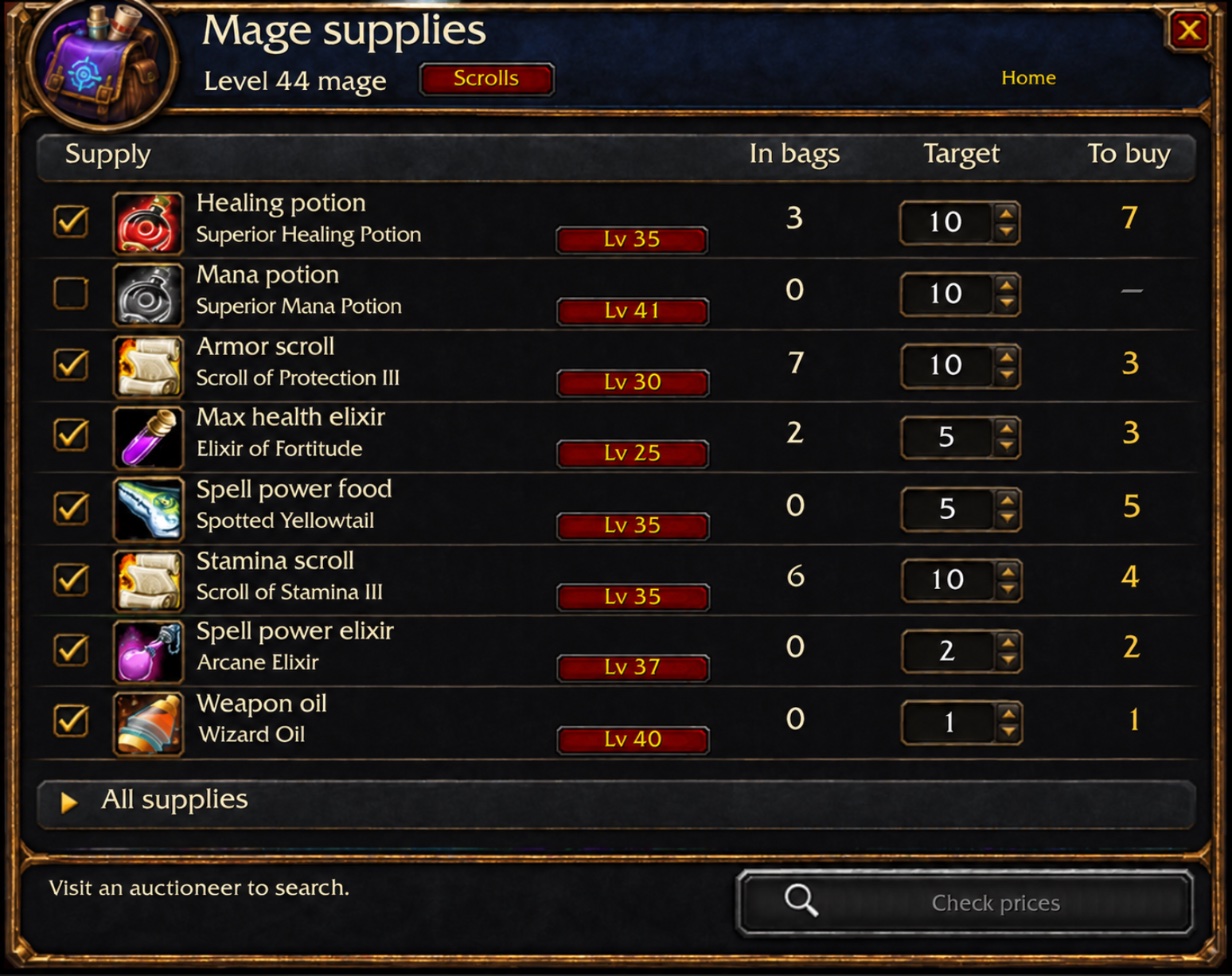
Consumables in one click. Set how many of each supply you want to carry. At the auction house, the addon shows what is missing from your bags and buys it with one button that shows the amount and the price. If the top rank is too expensive, compare unit prices and drop a rank.
Also inside
- Home window. Every section with its live state: what is left to buy, your next preparation step, unread scrolls, the farm session and the loot filter.
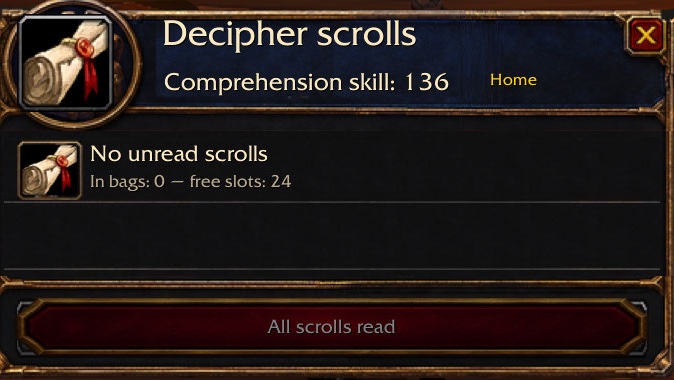
- Scrolls. See which scrolls in your bags you can decipher and read them one press at a time (
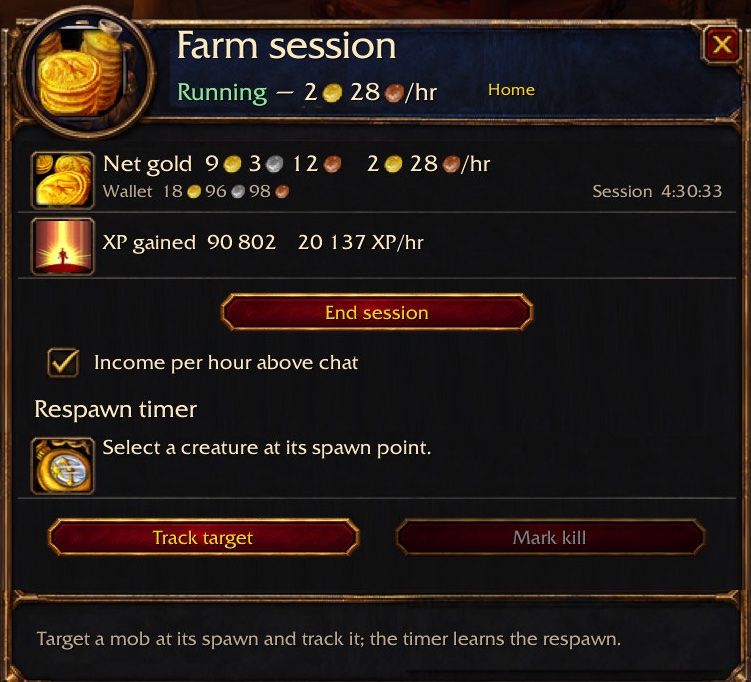
/mfscroll). - Farm sessions. Profit, XP and hourly rates, plus the respawn time of a tracked enemy (
/mf farm). - Income per hour. A small panel above the chat with XP, gold and loot per hour and the time to your next level.
- Drop log. The loot filter's "What dropped" list shows recent loot with vendor prices and the mob it came from.
- Portal shout. One click on the Home window, or
/mf shout, yells your portal offer in town, with only the cities you can open: "WTS portals: Orgrimmar, Undercity, Thunder Bluff - 1g. Whisper me!" Set your own text with/mf shout <text>. - Top rank on your bars. After a visit to the trainer, spells on your action bars move up to the highest rank you know, out of combat.
/mf ranksturns this off if you keep a low rank on purpose. - Party lines in English. The short "Drinking, be right there." line goes to your group in English whatever the language of your client, or turn it off.
- World map zoom. Scroll the mouse wheel over the map to zoom toward the cursor, and drag to move.
English and Russian.
Install
Extract the MageSupplyForever folder from the ZIP into World of Warcraft/_forever_/Interface/AddOns. Source and bug reports: GitHub. License: GPL-3.0-or-later.
1.4.0
- Portal shout: one click on the Home window, or /mf shout, yells your portal offer in town with only the cities you can open.
- Top rank on your bars: after a visit to the trainer, spells on your action bars move up to the highest rank you know. /mf ranks turns it off.
- Shift+F rests smarter: after a fight it drinks if you spent mana and eats if you lost health, not both when only one is low.
- Evocation and the mana gem are kept for the fight.
- Armor scroll or elixir: the stronger one is used.
- Party lines in English whatever the language of your client.
1.3.10
- Party lines are always English: the food and drink lines, with your mana or HP, go out in English whatever the language of your client.
- The switch for these lines is now English or off. An old Russian setting becomes English.
- Shift+F goes all the way: own buffs, water, a rest, and once you are full the scrolls, oils, elixirs and buff food, then topping up your food and water last.
- Water before food. Out of mana for water, Shift+F offers Evocation or your mana gem instead of a meal.
- Leave artisan crates and orders: a new switch in the loot filter (off by default).
- Quest items can go on the loot filter too.
- Throwing away now really works: the filtered item goes with your next key press or click (the game deletes items only on a press).
- Loot filter throws items away. Items on the "Never loot" list are no longer left on the corpse, where they kept it sparkling. The addon loots them after everything else and throws them away right away. Each one is noted in the chat: "Thrown away (filter): [item]". Rare and better items, and items that bind on pickup, are never thrown away; they stay on the corpse. If the item merges into a stack you already had, only the looted amount is removed. Hold Shift while looting to keep everything.
- Quest items are hidden from "What dropped". They are always looted anyway, so the list now shows only items you can filter.
You must be logged in to leave a comment.