



Download Addons for Ascension’s New Bronzebeard Realm (WotLK 3.3.5a Client)
Bronzebeard Realm addons are the perfect way to enhance your adventure on Ascension’s brand-new Bronzebeard server, built on the Wrath of the Lich King 3.3.5a client. Whether you’re exploring Ascension’s classless gameplay, diving into dungeons, or fine-tuning your UI, the right addons make every moment smoother and more enjoyable.
Why Use Addons on Ascension’s Bronzebeard Realm?
Since Bronzebeard runs on the WotLK 3.3.5a client, it supports a huge variety of Wrath-era addons. Addons can drastically improve your gameplay by:
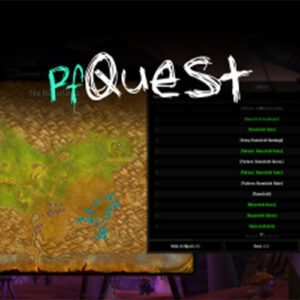
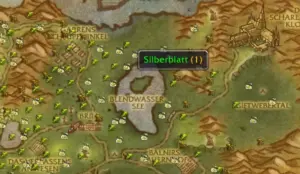
- Showing quest objectives, waypoints, and progress directly on your map.
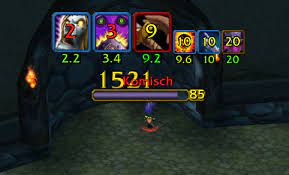
- Tracking boss mechanics, cooldowns, and raid warnings in PvE content.
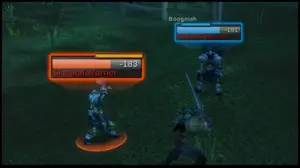
- Boosting your PvP experience with enemy cooldown tracking and combat alerts.
- Organizing your inventory, gear sets, and professions.
- Customizing your UI for the ultimate classless gameplay experience.
Whether you’re experimenting with unique builds, tackling custom raids, or climbing PvP ladders, addons give you an edge and a more polished playstyle.
Best Addons (3.3.5a Client)
Here’s a curated list of popular addons that work flawlessly with Ascension’s Bronzebeard (3.3.5a client):
- Deadly Boss Mods (DBM): Essential for raiding—tracks boss mechanics, timers, and raid-wide alerts.
- QuestHelper: Streamlines leveling with quest markers and directional hints on your map.
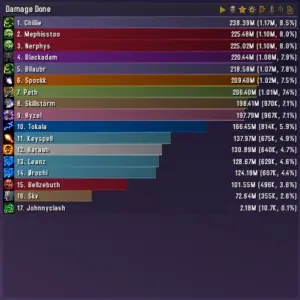
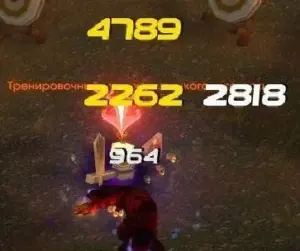
- Recount: Analyze your damage, healing, and performance in both PvE and PvP.
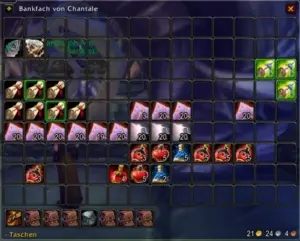
- Bagnon: Combines all your bags into a single, easy-to-navigate window with search.
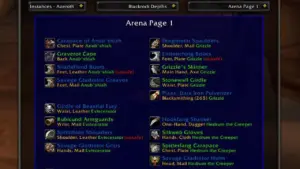
- AtlasLoot Enhanced: Preview loot tables for raids, dungeons, and custom encounters.
- HealBot: A must-have for healers—simplifies group and raid healing with powerful click-casting.
- Carbonite: Expanded map and questing tools for immersive exploration.
- Tidy Plates: Enhanced nameplates with threat indicators, buffs, and debuffs.
How to Install Addons (3.3.5a)
- Download the Addon: Choose an addon from our list and download the .zip file.
- Extract Files: Use WinRAR or 7-Zip to unzip the contents.
- Find Your AddOns Folder: Navigate to your Ascension Bronzebeard installation →
Interface→AddOns. - Move Files: Drag the extracted addon folder into the
AddOnsdirectory. - Enable in Game: Launch WoW, go to the character select screen, click AddOns, and check “Load out of date AddOns.”
- Play & Enjoy: Experience Bronzebeard with enhanced tools and a customized UI.
Manage Your Addons Easily with Our Desktop App
Want a faster way to manage your Bronzebeard addons? Use our free Desktop Application for Windows—designed to make addon management effortless:
- ✔️ One-click install for any addon
- 🔄 Automatic updates to keep your addons fresh
- 💻 100% compatible with Ascension’s 3.3.5a-based Bronzebeard realm
- 🖱️ Simple interface with powerful search and browsing
Download the addon manager app now and spend more time playing—less time managing files.
Why Choose Our Addons for Bronzebeard?
- Massive Library: Addons for every style—PvP, PvE, leveling, professions, raids, and more.
- Safe & Verified: Every addon is scanned and confirmed safe to use.
- Regular Updates: We monitor compatibility and ensure smooth performance on Ascension.
- Community Trusted: Created and maintained by veteran WoW private server players.
Pro Tips for Using Addons
- Backup Often: Save your
WTFandAddOnsfolders before updating. - Enable “Load Outdated AddOns”: Many addons still work perfectly even if they’re flagged as outdated.
- Test & Customize: Try out different addon setups to craft the perfect interface for your builds.
Begin Your Bronzebeard Adventure with the Best Addons
Make the most of everything Ascension’s Bronzebeard has to offer. Whether you’re leveling with unique abilities, raiding through custom content, or dominating in PvP, addons will take your gameplay to the next level.
Download your addons today and elevate your journey on Ascension’s Bronzebeard realm!