
VendorBuy
Helping you see clearer
Details
Addon ID:
14800
Addon Version:
VendorBuy
Expansion:
3.3.5
Upload date:
Nov 04, 2025
Last Updated:
Nov 04, 2025
Downloads:
Less than 100
Expansion
 Wrath of the Lich King
 Categories
Developers

cca220v
Creator
Having issues?
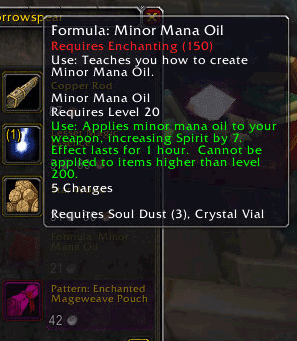
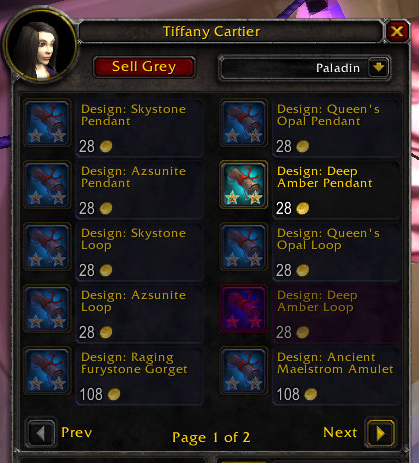
Blizzard has implemented a even more awesome tool (class selection dropdown) in the vendor panel - still some items are better than others - this is not as useful as it used to be but still has some use.
at least it makes it easy to navigate the recipes vendors
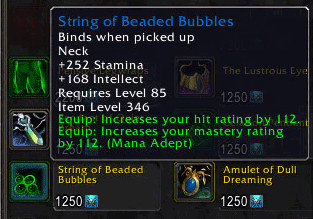
When you open a vendor window you get a bunch of red items.
Some of them you will be able to use later on ... some you never will.
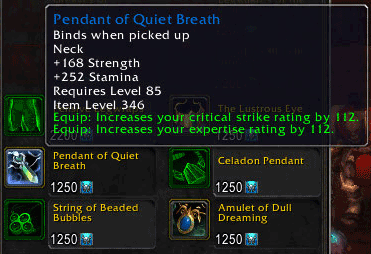
This fades the items you will not be able to use (or so it thinks).
Being a warrior you get the option of wearing any type of armor ... not that you would want to go OT against Patch while wearing the winter set... 😛
So them items lower than your desired type are faded as well.
The items are still there to be bought - just faded out. If want to buy it ... you can buy it.
CLI commands:
/venbuy off => disable VendorBuy
/venbuy on => enable VendorBuy
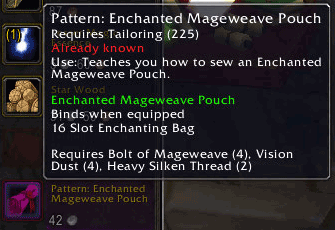
/venbuy recipes => enable/disable highlighting of allready known recipes
/venbuy undesired => enable/disable highlighting of usable but undesired gear
/venbuy heirlooms => enable/disable filtering of heirlooms
/venbuy wanted => enable highlighting by desired stat [beta feature]
/venbuy stats => same as *wanted*
/venbuy looms => same as *heirlooms*
v1.0031 : somehow this is still up for Dragonflight Expansion
v1.0025 : updated toc for version 8.2.0
You must be logged in to leave a comment.