
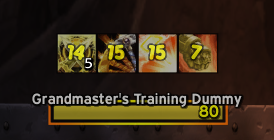
Plate Buffs Enhanced
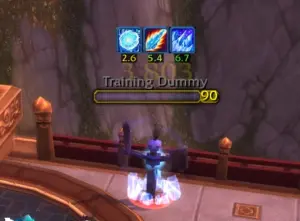
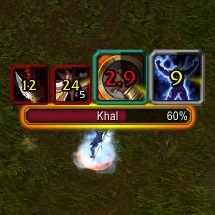
A World of Warcraft: Wrath of the Lich King (WotLK) addon that displays buffs and debuffs directly on enemy nameplates for easy visibility during combat.
Details

Expansion
 Wrath of the Lich King
 Categories
Developers
Having issues?
Compatibility
This addon is designed for Awesome WotLK only. It uses the modern C_NamePlate API which is specific to this version and will not work with other WoW versions or private servers that don't support these APIs.
Requirements
- Awesome WotLK patch installed
Features
- Display Enemy Debuffs: See harmful auras applied to enemy nameplates at a glance
- Display Friendly Buffs: See helpful auras on friendly nameplates
- Customizable Spell Lists: Add specific spells you want to track
- Icon Sizing: Adjust icon sizes for different spells
- Stack Counts: Display aura stack counts
- Cooldown Indicators: Show remaining duration with visual cooldown sweeps
- Show/Hide Controls: Choose which debuffs to display (all, your own only, or none)
Installation
1. Download or clone the addon folder
2. Extract to your WoW Addons folder:
World of Warcraft/Interface/AddOns/PlateBuffsEnhanced/
3. Restart World of Warcraft or reload the UI
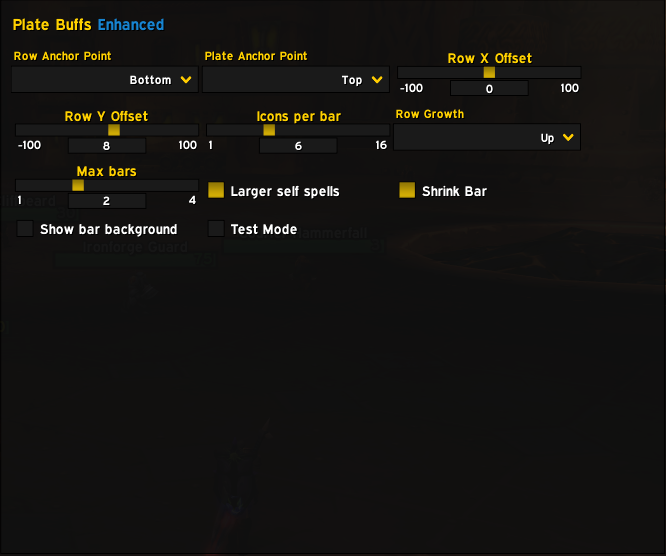
4. Type /pb in-game to open the configuration panel
Migrating from Original PlateBuffs
If you're upgrading from the original PlateBuffs addon, you can import your existing configuration:
1. Locate your original PlateBuffs saved variables:
World of Warcraft/WTF/Account/<AccountName>/SavedVariables/PlateBuffs.lua
2. Copy the file and rename it to:
PlateBuffsEnhanced.lua
3. Important: Open the renamed PlateBuffsEnhanced.lua file in a text editor and replace all instances of PB_DB with PBE_DB.
4. Place the renamed file in the same SavedVariables folder
5. Start WoW
Your custom spell lists and settings will be imported automatically!
Commands
/pb - Open configuration panel
Main Variation
Available variations
You must be logged in to leave a comment.