

Attune-Epoch
Help you figure out how to get into those raids
Details

Addon ID:
21833
Addon Version:
0.0.2
Expansion:
3.3.5
Upload date:
May 05, 2026
Last Updated:
May 06, 2026
Downloads:
501
Website:
Source Link
Expansion
 Wrath of the Lich King
 Categories
Developers

Having issues?
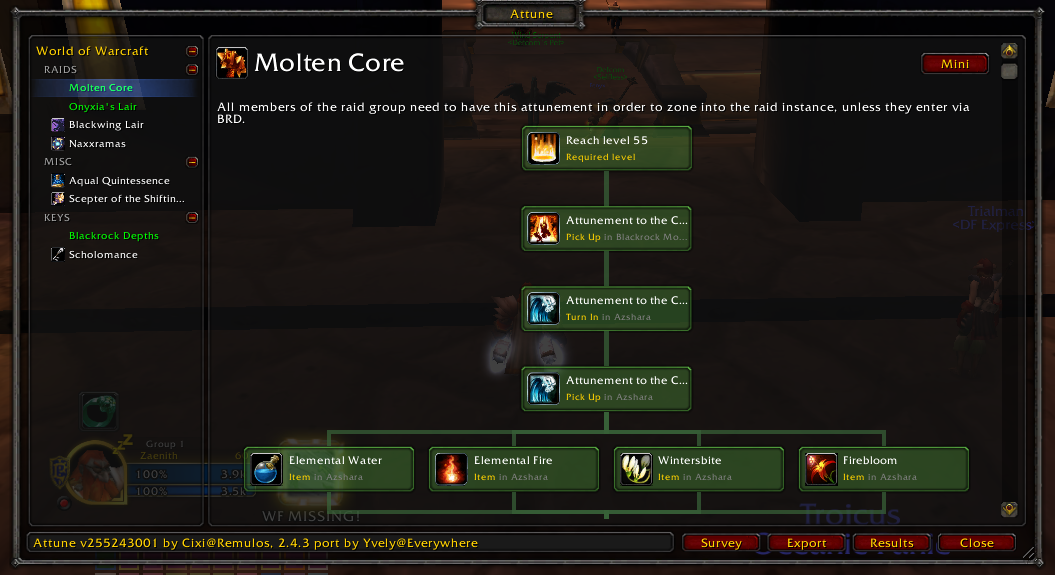
WHAT THE ADDON IS FOR: Attune is there to collect your current attunement progress, and character information (class/race/etc)
INSTALLATION:
- Copy the "Attune-Epoch" folder into your Epoch \Interface\AddOns\ folder
- Restart Epoch
HOW TO ACTIVATE: Just type '/attune' in chat to display your progress. If you want to share this progress with the community, click the "export" button. This will open a window with an encoded string you can copy to your clipboard
To survey the progress of your guild, click the "survey" button to collect the information. You will then receive progress data from any guild member with the addon. Once you have enough information, click the "export" button to upload the guild progress. (For this to work, guildies will need the addon too)
You must be logged in to leave a comment.