
SmexyMats(Retail)
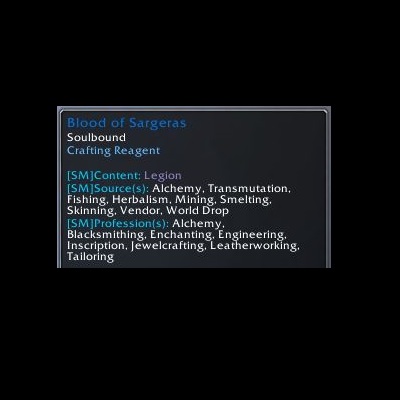
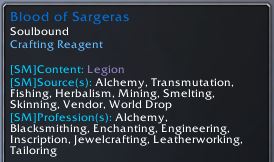
Crafting Reagent tooltip helper. Displays reagent source(s) and professions the reagent can be used for. Also displays which expansion (content) the items is used in.
Details
Expansion
 Legion
 Developers

Having issues?
SmexyMats(Retail)
Twitch Channel: twitch.tv/LunixiaLIVE
BattleTag: LunixiaLIVE#1737
Discord: LunixiaLIVE#1737
Discord Server: https://discord.gg/zh6c3UR
Discord Chanel: #smexy-addon-feedback
Your support is much appreciated. Drop by my twitch channel and drop a follow.
You dont have to sub or donate. All I ask for is a follow and some game time with ya!
Configuration:
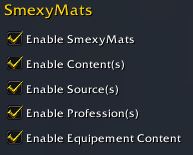
/sm - brings up the interface options within the blizzard ui. These settings are saved and stored for later.
ACE is required for this addon to function and installs when this addon installs.
I have included ACE as a dependency addon instead of copying all of the modules needed into SmexyMats.
How do I make this work for Classic?:
Download SmexyMats(Classic) the same way you did this one.
If you cannot find the addon using the twitch app, here is a direct link:
https://www.curseforge.com/wow/addons/smexymats-classic/files
How does it work?
Mouse over an item. Hold the "alt" button to see which alts can use said item.
Works with the auction house, dungeon journal, bags, bank, guild bank.
Instead of having to look up an item or memorize item level ranges or names, this lightweight addon does the trick. Just put your mouse over the item and see the notation in the tooltip.
Works for:
Items/Materials FOR professions.
Items/Materials FROM professions.
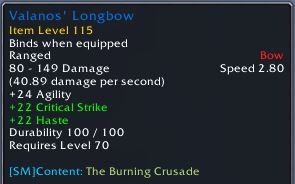
Gear: Lists expansion and item ID.
Timewalking Gear:
Equipment from timewalking dungeons will display the expansion they came from even though the item level is timewarped.
Feedback:
All constructive feedback is welcome. If you encounter an issue, have a suggestion or have any questions. Please feel free to post them. I will do my best to address/respond promptly. If you are certain an item has been categorized incorrectly, please provide that feedback and I will work on correcting that item.
Known Bugs:
If you mouse over an item and it is displaying the incorrect ItemID, Expansion, etc. Reload your UI and it will most likely resolve the issue. I have personally experienced this issue only with Mythic Keystones from Legion.
Expansion information is determined by the metadata on each item. If an item is flagged for the wrong expansion, just know that there is really nothing I can do about that as blizzard has assigned these IDs to each item in their respective metadata properties. This is common with items such as tabards, shirts, gray items, and mythic keystones.
You must be logged in to leave a comment.